

Review Your Cart

Your cart is empty.

You haven't added any eSIM packages yet. Start exploring our plans to get connected!

Browse our eSIM Packages
🎉 Welcome offer: 20% off with promo code FIRSTWELCOME20

Egypt / Giza Egypt   / Giza

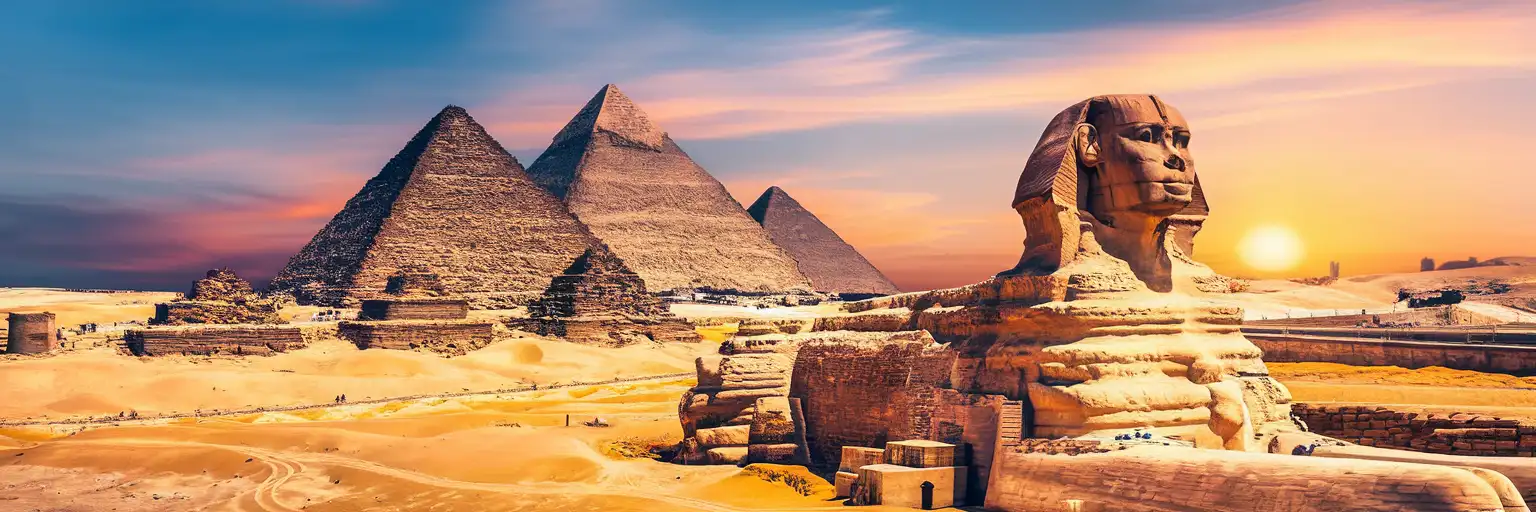
The Great Pyramid of Giza and Sphinx at golden hour with the desert plateau stretching toward Cairo

Giza eSIM: Pyramid City Data That Works Across All of Egypt

Your taxi is pulling through the Giza checkpoint and you're already confirming your Sound and Light Show reservation, checking Uber availability for tonight's return to your hotel, and pulling up the walking route from the Sphinx entrance to the Solar Boat Museum. With an eSIMno plan activated before takeoff, your phone connects to Etisalat the moment you step onto the plateau — no hunting for overpriced tourist SIMs at the gate vendors.
View Plans
GET A FULL20%OFFon your first order
Use code: FIRSTWELCOME20

Stay connected,
wherever you go

Seamless global eSIM coverage

Explore our plans below

Plan Your Trip

Tell us what you'll do and how long you'll be away — we'll highlight the right plan.

7 days
1102030

What will you do?

Tap an activity above to see which plan fits your trip

Already a customer?

EARN UP TOON EVERY FRIEND'S PURCHASE
NETWORK: Etisalat Depending on the plan you choose, you'll connect to one or more of these networks.

Quick Facts

Language
Arabic (عربي)
Currency
Egyptian Pound (EGP, E£)
Time Zone
E. Europe Standard Time (UTC+2)
Dialing Code
+20
Power Plug
Type C, E, F (round 2-pin, common across most of Europe)
Emergency
122 (police), 123 (ambulance), 180 (fire)
eSIMno Networks
Etisalat

How to Get Your eSIM

  1. Choose your Egypt data plan
    Pick a package that matches your Giza visit length — a 3-day explorer pass or a 10-day deep dive covering Saqqara and the Grand Egyptian Museum extensions.
  2. Install over WiFi before your flight
    Scan the QR code at home or your departure lounge. The profile loads in under 2 minutes and sits dormant until you activate.
  3. Activate after landing at Cairo International
    Once your plane taxis to the gate and the captain clears phone use, switch off airplane mode. Your phone connects to Etisalat within seconds.
  4. Confirm your Giza logistics on live data
    Pull up your pyramid timed-entry confirmation, check Uber or Careem availability for the 45-minute drive to the plateau, and message your hotel with your ETA.
  5. Keep your home SIM for incoming calls
    Your eSIMno plan handles all data — maps, tickets, rideshare, translation. Incoming calls reach your home number normally; outgoing calls use WhatsApp or FaceTime over your new Egyptian data.

Traveler Tips

  • The Giza Plateau entrance nearest the Sphinx opens at 8:00 AM; arriving by 7:45 AM beats tour-bus crowds and gives you cooler morning light for photos.
  • Uber and Careem both operate to the Giza checkpoint, but drivers cannot enter the plateau itself — screenshot your pickup coordinates before you lose signal inside the ticket hall.
  • The Sound and Light Show at the Pyramids requires advance booking; your confirmation QR loads faster on mobile data than the venue's patchy guest WiFi.
  • Water vendors inside the complex charge 3-4x Cairo prices — fill a bottle at your hotel and use maps to locate the shaded rest areas near the Solar Boat Museum.
  • Arabic numerals on price tags differ from Western digits (٥٠ = 50); a quick photo-translate on Google Lens clarifies any confusion instantly.

Why Data Matters at the Pyramids

The Giza Pyramid Complex covers roughly 5 square kilometers of open desert with limited shade and almost no wayfinding signage in English. Your phone becomes the difference between a structured visit and a sun-scorched wander. Google Maps with live GPS places you on the correct path between the Great Pyramid's northern entrance and the panoramic viewpoint 1.2 km southwest — a walk that looks short on paper but feels endless without orientation.

Tickets, QR Codes, and Timed Entry

The pyramid interior tickets (Great Pyramid, Khafre, Menkaure) sell out early and require a separate timed-entry slot from general admission. Your booking confirmation email contains a QR code the gate scanner reads directly from your phone screen. Trying to load that email over the plateau's weak public WiFi risks a timeout right as the guard waves you forward. Mobile data keeps the barcode ready in under 2 seconds.

Rideshare Coordination

Uber and Careem pickups from Giza require precise pin placement — the app's map distinguishes between the Sphinx Gate, the Mena House hotel entrance, and the main plateau checkpoint 400 meters apart. Dropping a pin at the wrong gate means a 15-minute walk in 35°C heat. With eSIMno plans for Giza, Egypt, your rideshare app refreshes driver location every 3 seconds, and your WhatsApp message to the driver ("I'm at the Sphinx Gate, wearing a blue hat") sends instantly.

Translation and Negotiation

Camel-ride operators, souvenir vendors, and unofficial guides quote prices in Egyptian pounds that shift by the hour. Google Translate's camera mode converts Arabic script to English in real time — point your phone at a handwritten price tag and the conversion appears on screen. The currency converter confirms whether E£500 is a reasonable camel circuit or triple the going rate. Data-powered negotiation saves more than the eSIM costs.

Getting Around Giza

From Cairo International Airport

The drive from Cairo International Airport to the Giza Plateau takes 45-75 minutes depending on Cairo traffic density. Uber and Careem both serve the airport arrivals terminal; fare estimates display in the app before you confirm. The M3 metro line connects the airport area to central Cairo but does not reach Giza directly — a transfer at Attaba or Nasser stations adds complexity for luggage-laden arrivals. Most travelers heading straight to the pyramids book a rideshare or arrange hotel pickup.

Within Giza

The plateau itself is walkable but sprawling. The distance from the Great Pyramid to the Sphinx measures roughly 800 meters; the panoramic viewpoint sits another 1 km southwest. Camel and horse-cart operators offer rides between sites — agree on a price before mounting and confirm whether the fare covers one-way or round-trip. Electric carts run a fixed route between major monuments for a flat fee posted at boarding points.

Day Trips Beyond the Plateau

Saqqara Necropolis lies 30 km south via the Saqqara Road — a 40-minute drive in light traffic. The Step Pyramid and Imhotep Museum justify a half-day excursion. The Grand Egyptian Museum on the plateau's northern edge (opening phases ongoing) connects via a short taxi hop from the Sphinx Gate. For evening returns to Cairo, Zamalek and Maadi districts sit 25-35 minutes northeast; Uber surge pricing spikes around 6-7 PM as tour groups depart simultaneously.

Capturing the Sphinx

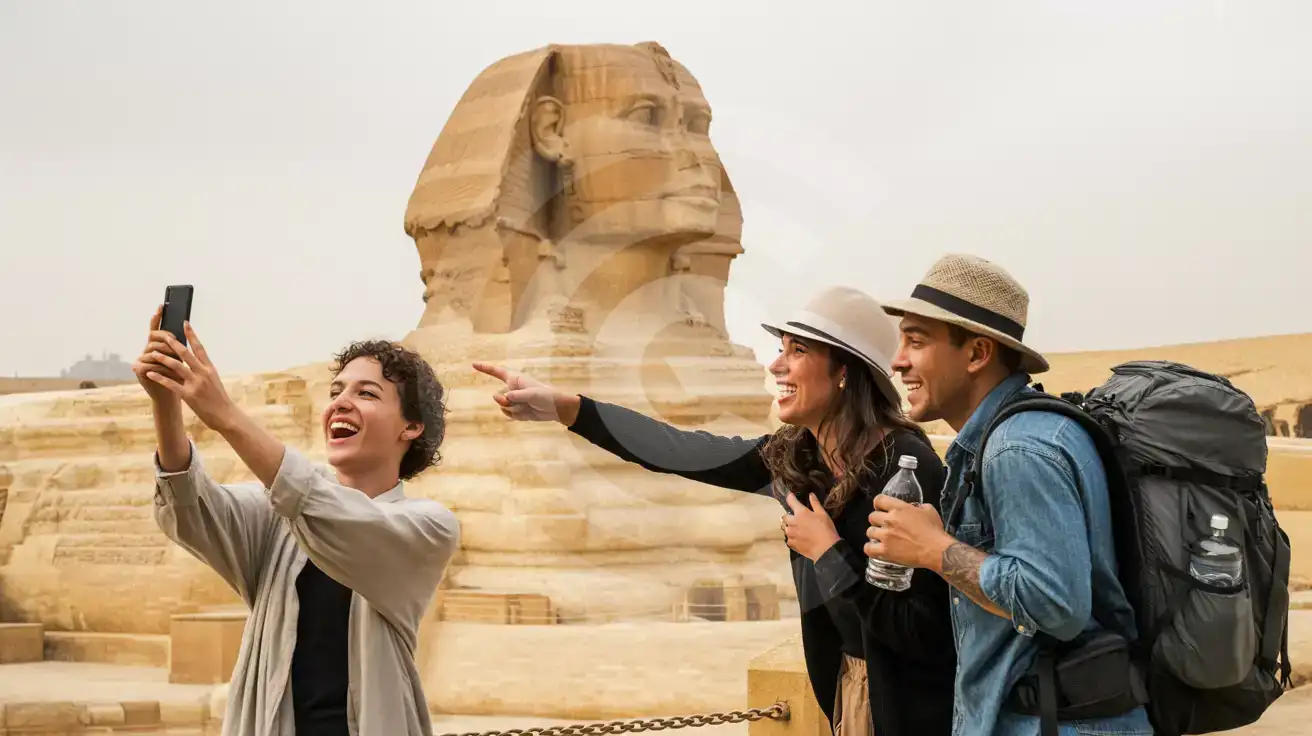
Three friends photographing the Great Sphinx of Giza from the viewing platform under soft overcast light
Activate your eSIM before reaching Giza so your photos upload and your rideshare home books instantly.

Compare eSIM Providers in Giza

Recommended
Local SIM / Operator
Roaming
IMEI registrationYour phone is logged for customs; a 90-day clock startsNever required
Setup timeBought in person, with your passportAuto
No local ID neededYour passport is copied and tied to the SIMUse home account
SpeedCarrier-gradePartner-dependent
Travel supportArabic-language serviceHome carrier hours
Keep home numberReplaces itSame number
Cost predictabilityPrepaid, no bill shockBill-shock risk
Typical pricing
You hand over your passport in a shop, and an Egyptian SIM gives your phone only 90 days before customs fees apply.
Prepaid internet bundle, renews every 28 days, on the Vodafone network only.
$12-18 / day
Typical daily roaming rate; varies by home carrier

PRICING — PICK YOUR ESIMNO PLAN

Light traveler
5GB / 30d
₺859.00
20% off with code FIRSTWELCOME20on your first order
≈ ₺687.20 TRY with code
Buy now
Heavy traveler
20GB / 30d
₺1799.00
20% off with code FIRSTWELCOME20on your first order
≈ ₺1,439.20 TRY with code
Buy now

Frequently Asked Questions (FAQs)

Activate after your flight lands at Cairo International — by the time you're clearing customs and walking toward the arrivals hall, your phone is already pulling Uber driver locations and confirming your Giza hotel transfer. Installing the profile at home over WiFi before departure means the activation itself takes seconds once you switch off airplane mode.
Signal strength dips inside the narrow passages of the Great Pyramid and Khafre's burial chamber — thick limestone blocks 4,500 years old don't cooperate with modern radio waves. Download your ticket QR and any offline maps before entering. Coverage returns the moment you step back onto the plateau.
Your eSIMno plan covers the entire country on Etisalat, not just Giza. The 30 km drive to Saqqara Necropolis, the transfer to the Grand Egyptian Museum complex, and any Cairo dinner reservations all stay connected on the same data package.
Your eSIMno plan handles data only — maps, rideshare, translation, ticket QR codes. Your home SIM stays in the phone's second slot and receives incoming calls normally without any manual switching. For outgoing calls, use WhatsApp or FaceTime Audio over your Egyptian data to avoid home-network roaming charges.
The ticket office and a few vendor stalls near the Sphinx Gate offer guest WiFi, but connection speeds vary wildly depending on tour-group volume. Loading a timed-entry QR or refreshing an Uber driver location over that connection risks a timeout at exactly the wrong moment. Mobile data bypasses the friction entirely.
A full day at the plateau — maps, rideshare coordination, photo uploads, translation, and messaging — runs 300-500 MB depending on how many videos you share. A 1 GB plan covers 2-3 days of moderate use; heavier uploaders or multi-day Egypt itineraries should consider 3-5 GB packages.
GET A FULL20%OFFon your first order
Use code: FIRSTWELCOME20

Stay connected,
wherever you go

Seamless global eSIM coverage

Get Started
Arriving at the Giza Pyramid Complex means stepping into one of humanity's oldest monuments with thoroughly modern connectivity needs. Your timed-entry QR code, your rideshare pickup coordinates, your real-time crowd updates for the Sphinx viewing platform — none of these work without mobile data. An eSIMno plan connects you to Etisalat coverage the moment your device leaves airplane mode, whether you're landing at Cairo International or transferring from a Nile cruise drop-off. The plateau sprawls across several kilometers of desert, and the distance between the Great Pyramid entrance and the panoramic viewpoint catches first-time visitors off guard. Google Maps with live GPS tracking turns a confusing sand-and-stone maze into a logical walking route. The camel-ride vendors quote wildly different prices — a quick currency conversion on your phone settles negotiation faster than haggling blind. When the afternoon heat peaks and you retreat to the Marriott Mena House for lunch, your data keeps working seamlessly between the outdoor terraces and the air-conditioned lobby. Beyond Giza, your eSIMno plan covers the entire country. Day trips to Saqqara Necropolis (30 minutes south), museum visits at the Grand Egyptian Museum (opening phases ongoing — check current ticket availability on your phone), and evening returns to Cairo's Zamalek district for dinner all stay connected on the same data package. One purchase, one QR install, nationwide coverage from the Mediterranean coast to Upper Egypt.
Back to Egypt
No more SIM kiosks

No more SIM kiosks

Skip the airport queues. Install your eSIM at home, activate when you land.

no roaming charges

No roaming surprises

Forget the $200 phone bill three weeks after your trip. Plain pricing, no hidden fees.

keep your physical sim

Keep your home number

Dual-SIM means your physical SIM stays active for calls and texts. eSIM handles only data.

easy installation

Setup in 2 minutes

Scan QR code, follow on-screen steps, you're connected. Works on any eSIM-compatible phone.

Pay SafelyVisa CardMaster CardGoogle PayPayPalApple Pay

How does eSIMNo Works?

Experience seamless global connectivity with our personal eSIM service. Enjoy faster speeds, wider coverage, and the convenience of online purchasing.

Buy a Data Plan

Buy a Data Plan

Search for your destination and pick any data plan

Step 1

Install your eSIM

Install your eSIM

Easy installation via qr code

Step 2

Activate Your eSIM

Activate Your eSIM

Only active when you are ready to use data

Step 3

Advantages

24/7 Customer Support

Reach our team via WhatsApp and email during business hours. Quick answers to common questions available anytime through our automated assistant.

Immediate delivery

Your eSIM arrives by email within minutes. Install it before you board your flight.

Worldwide Coverage

One eSIM, 160+ countries. Land anywhere and connect instantly — no SIM swapping, no roaming charges.

Check Compatibility

Check Compatibility

Before buying and installing an eSim, check if your phone supports one

Check if your phone is eSIM compatible

As you feel the need to use eSIM on your phone, the first question that arises is: does your mobile support eSIMs? And do eSIM-compatible devices work in all regions worldwide?

Some phones that support eSIM technology

  • IPhone XS and Later
  • Samsung Galaxy S20 and Later
  • Pixel 4 and Later
  • Xiaomi 12T Pro and Later
All eSIM-Compatible Phones

Frequently Asked Questions (FAQs)

Find helpful information to answer your questions

Can I use the eSIM on more than one device?
Each eSIM profile is tied to a single device once activated. If you need data on multiple devices (e.g., phone and tablet), you can either purchase separate eSIMs for each device or use the Personal Hotspot feature on your phone to share data with other devices.
How can I purchase the Egypt eSIM?
You can purchase your eSIM directly from the eSIMno website - select a Egypt plan and complete the payment. Within minutes you'll receive an order confirmation email that contains everything you need to install: a QR code, a one-tap install link, the SM-DP+ address and activation code, plus an "Install eSIM" button. You can install straight from that email, or sign in anytime and go to Profile > My eSIMs > Install to get the same options.
Will the eSIM affect my phone's battery life?
Running two SIM lines (physical + eSIM) uses slightly more battery than one, since the phone monitors both networks. The difference is usually 5-10% over a full day. To minimize impact, disable the line you're not actively using or turn off cellular data on the inactive line.
What happens if I pause my trip and return home?
Your eSIM keeps its validity period running whether you're using it or not - pausing your trip doesn't pause the timer. If you return home, the eSIM stays dormant on your device until you travel again or it expires. You can disable it in cellular settings to avoid accidental usage.
Can I buy an eSIM for someone else as a gift?
Yes. Purchase the eSIM with your own details, then forward your order confirmation email - or share the "Install eSIM" link from it - with the recipient so they can install it on their own phone (the email contains the QR code and the manual SM-DP+ / activation codes). Make sure their device is eSIM-compatible first - installation usually cannot be reversed once completed.
Will my eSIM work in airports immediately after landing?
Yes - eSIMs typically connect within seconds of switching off airplane mode at the gate. Major airports have strong cellular coverage from local partner networks, so you'll have data before reaching baggage claim. No setup needed at arrival.
Is unlimited data really unlimited?
Unlimited plans provide unlimited data at high speed (4G/5G) up to a fair-use threshold defined per plan. Beyond that threshold, speeds may be reduced to 128 Kbps for the remainder of the validity period - still usable for messaging and basic browsing, but slower for streaming and video calls.
How do I activate the Egypt eSIM?
Your eSIMno order confirmation email contains your QR code, your SM-DP+ address and activation code, a one-tap install link, and an "Install eSIM" button - so you can install right from the email. The same options are also on the website: sign in at esimno.com and go to Profile > My eSIMs > your plan > Install. To install, use any ONE of these methods: (1) on the phone you are setting up, tap the one-tap install link/button (iPhone on iOS 17.4+ or Android 9+); (2) use the QR code - because a phone cannot scan its own screen, show this QR on another screen (computer/tablet) or a printout and scan it WITH the phone you are setting up (never with someone else's phone, or the eSIM would install on that phone); or (3) enter the SM-DP+ address and activation code manually. Your Egypt eSIM activates automatically when you connect to a local network at your destination.
How can I verify if my eSIM is activated?
There are two clear indicators: (1) your phone's status bar shows the local carrier name once you arrive at your destination, and (2) the data icon (4G, LTE, or 5G) appears next to the eSIMno line in your cellular settings. If neither shows up, toggle airplane mode off and on, or restart your phone.
What happens when my data plan runs out?
When you use up your data allowance, your connection stops until you top up or purchase a new plan. You can top up directly from the eSIMno Center while connected to Wi-Fi, or buy a new plan if your validity period has expired.
What data plans are available for the Egypt eSIM?
eSIMno provides various data plans ranging from 1 GB to unlimited data, with options from 7 days to 90 days of service. Plans also include regional and lifetime options for travelers who want flexibility across multiple destinations.
Can I use the eSIM to make video calls?
Yes - apps like FaceTime, WhatsApp, Zoom, Google Meet, and Microsoft Teams all work over your eSIM data. Video calls use about 200-400 MB per hour depending on quality, so factor that into your plan choice if you make long calls regularly.

Use Your Free Credit

You can earn up to 15% commission from your friends' purchases with your Reference code. Plus, your friends will get $2 off their first purchase when they use your code!

FIND OUT HOW
Refer a friend

Refer

A FRIEND

Step into the world of E-SIM, bring your friends and benefit together!