

Review Your Cart

Your cart is empty.

You haven't added any eSIM packages yet. Start exploring our plans to get connected!

Browse our eSIM Packages
🎉 Welcome offer: 20% off with promo code FIRSTWELCOME20

Egypt Egypt   / Sound and Light Show at Pyramids

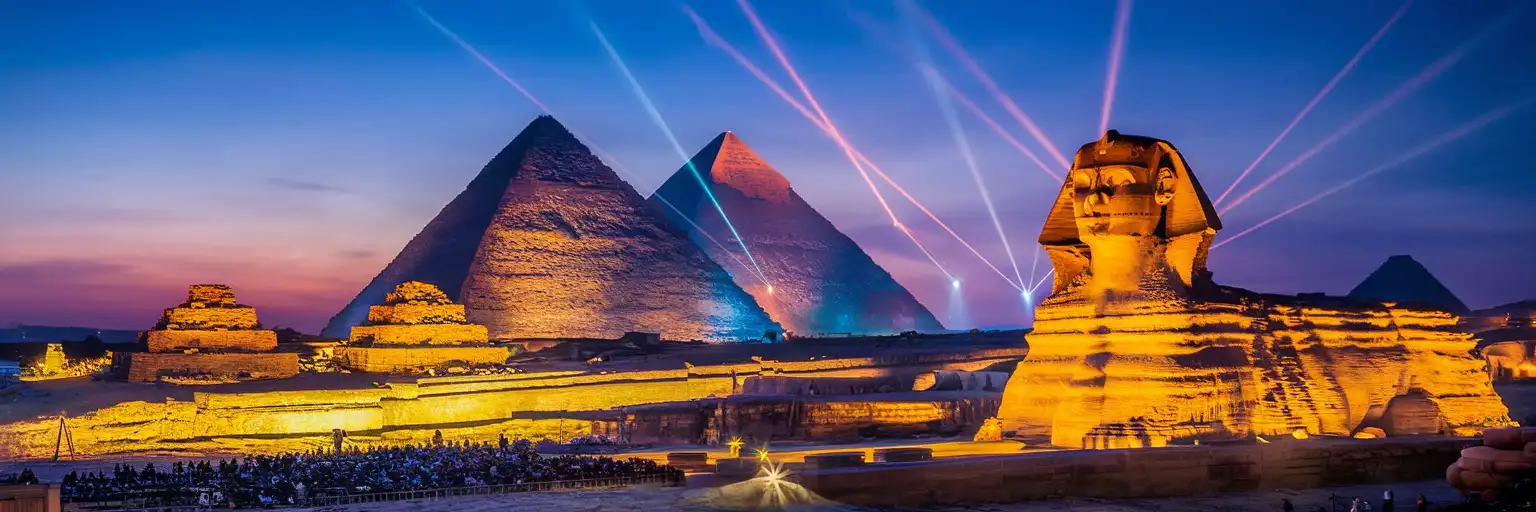
The Great Pyramid and Sphinx illuminated by colored spotlights during the Sound and Light Show at Giza Plateau

Sound and Light Show Pyramids eSIM: Giza Data Across All Egypt

Your taxi drops you at the Giza Plateau viewing area as the sun sets behind the pyramids, and you need to pull up your e-ticket confirmation, coordinate a pickup time for after the show, and share those first dramatic shots of the illuminated Sphinx. With eSIMno, your Egypt data plan activates the moment you land at Cairo International Airport, ready for everything from arrival navigation to your evening at the pyramids.
View Plans
GET A FULL20%OFFon your first order
Use code: FIRSTWELCOME20

Stay connected,
wherever you go

Seamless global eSIM coverage

Explore our plans below

Plan Your Trip

Tell us what you'll do and how long you'll be away — we'll highlight the right plan.

7 days
1102030

What will you do?

Tap an activity above to see which plan fits your trip

Already a customer?

EARN UP TOON EVERY FRIEND'S PURCHASE
NETWORK: Etisalat The speed may vary depending on the location.

Quick Facts

Language
Arabic (عربي)
Currency
Egyptian Pound (EGP, E£)
Time Zone
E. Europe Standard Time (UTC+2)
Dialing Code
+20
Power Plug
Type C, E, F (round 2-pin, common across most of Europe)
Emergency
122 (police), 123 (ambulance), 180 (fire)
eSIMno Networks
Etisalat

How to Get Your eSIM

  1. Pick Your Egypt Plan
    Choose a data package that covers your full trip — the Pyramids evening plus Cairo exploration, Nile cruises, or Red Sea extensions. Plans start from a few days up to several weeks.
  2. Install Before Your Flight
    Download the eSIM profile over your home WiFi before you leave for the airport. Installation takes about 2 minutes and doesn't activate data yet — you're just loading the profile onto your phone.
  3. Activate After Landing at Cairo International
    Once your aircraft taxis to the gate at CAI Terminal 2 or 3, switch off airplane mode. Your eSIM connects to Etisalat within seconds — ready before you clear immigration.
  4. Navigate to the Pyramids
    Use Google Maps or Uber/Careem to coordinate your ride from your hotel to the Giza Plateau. The Sound and Light Show entrance sits on the plateau's eastern edge, about 25 km from Downtown Cairo (45-60 minutes depending on traffic).
  5. Stay Connected Through the Show
    Pull up your e-ticket QR at the gate, share photos of the illuminated Sphinx mid-show, and book your return ride before the crowd disperses. Your data works across the open-air viewing area and the entire plateau.

Traveler Tips

  • Book Sound and Light tickets online in advance — the English-language show runs at fixed times (check the official site for current schedule), and e-tickets with QR codes skip the paper-ticket window entirely.
  • Arrive at the plateau entrance 30-45 minutes before showtime. The viewing area has assigned seating, and earlier arrivals get better sightlines toward the Sphinx narration point.
  • Keep your home SIM active for incoming calls — the eSIMno plan handles all data (maps, messaging, uploads), while voice stays on your original number at no extra setup.
  • Download offline maps of the Giza/Cairo area before the show. Cell signal across the open plateau is strong on Etisalat, but having a backup means zero stress if your battery dips.
  • Coordinate your post-show pickup via Uber or Careem before the finale ends — drivers queue along Al-Haram Street, and surge pricing can spike when 500+ visitors exit simultaneously.

Why Data Matters at the Pyramids Sound and Light Show

The Sound and Light Show runs after dark, which means you're navigating the Giza Plateau when Cairo's daytime infrastructure — ticket kiosks, tourist-police desks, currency-exchange counters — has largely shut down. Your phone becomes the primary tool for everything: pulling up your e-ticket barcode at the entrance scanner, translating the Arabic signage that points toward the seating blocks, and messaging your travel companions if you get separated in the crowd heading toward the viewing chairs.

After the show ends around 9 PM or 10 PM, the plateau clears quickly and taxis cluster along Al-Haram Street looking for fares. Uber and Careem both operate in Giza, and having data lets you compare prices, lock in a route estimate back to Downtown Cairo or Zamalek (roughly 45-60 minutes depending on Ring Road traffic), and share your live trip status with someone back at the hotel. Without data, you're negotiating cash fares in the dark with drivers who know tourists have limited options.

The eSIMno Egypt plan through Etisalat covers the entire plateau, including the open-air seating area facing the Sphinx. Signal strength stays consistent across the approach road, the viewing zone, and the exit path toward the parking lot. If you're combining the show with a daytime visit to the eSIMno plans for Sound and Light Show at Pyramids, Giza, Egypt pyramid complex — climbing around Khufu, Khafre, and Menkaure — the same data keeps working through the ticket gates, the Solar Boat Museum, and the panoramic viewpoint on the plateau's southern edge.

Visiting the Sound and Light Show

Getting There

The Sound and Light Show entrance sits on the eastern edge of the Giza Plateau, accessible via Al-Haram Street from central Cairo. Rideshare apps (Uber, Careem) are the simplest option — expect 45-60 minutes from Downtown Cairo or Zamalek depending on evening traffic. Some hotels in Giza (including the Marriott Mena House) are within walking distance of the plateau gates.

Show Schedule and Tickets

Performances run nightly in multiple languages on a rotating schedule — English sessions are the most common for international visitors. Show duration is roughly 45 minutes. E-tickets purchased through the official Sound and Light website include a QR code that scans at the entrance gate; print backups work if your phone battery dies, but digital is faster.

What to Expect

The show uses colored spotlights, laser projections, and a narrated soundtrack to dramatize pharaonic history against the pyramid facades. Seating is open-air on plastic chairs facing the Sphinx. Temperatures drop after sunset even in summer — bring a light layer. Photography is allowed; tripods help for low-light shots of the illuminated monuments.

Capturing the Pyramids at Night

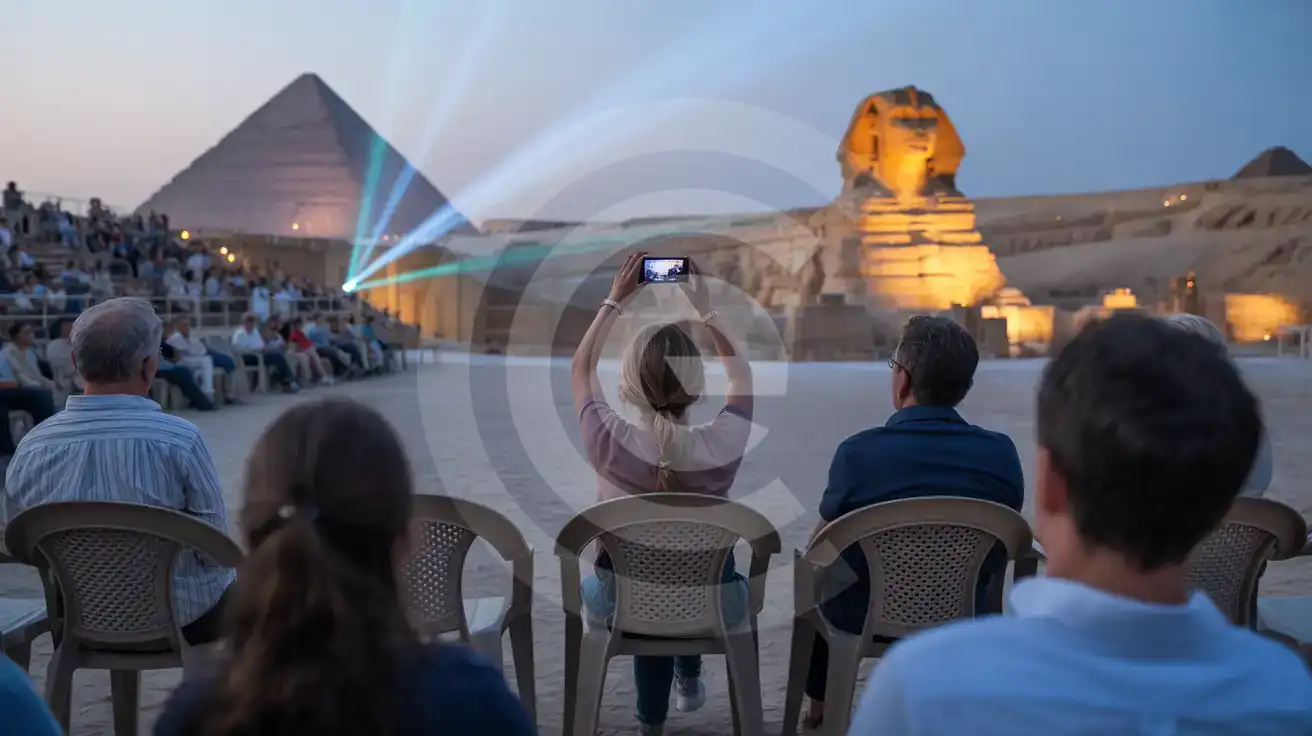
Solo female traveler filming the Sound and Light Show at the Pyramids of Giza from the open-air seating area
Activate your eSIM before the show so your Pyramids footage uploads while the spotlights still glow.

Compare eSIM Options at Sound and Light Show at Pyramids

Recommended
Local SIM / Operator
Roaming
Setup timeStore visit + paperworkAuto
No local ID neededLocal ID requiredUse home account
SpeedCarrier-gradePartner-dependent
Travel supportArabic onlyHome carrier hours
Keep home numberReplaces itSame number
Cost predictabilityBills can spikeBill-shock risk
Typical pricing
$12-18 / day
Typical day-pass tariff varies by home carrier

PRICING — PICK YOUR ESIMNO PLAN

Light traveler
5GB / 30d
$15.90
20% off with code FIRSTWELCOME20on your first order
≈ $12.72 USD with code
Buy now
Heavy traveler
20GB / 30d
$30.90
20% off with code FIRSTWELCOME20on your first order
≈ $24.72 USD with code
Buy now

Frequently Asked Questions (FAQs)

Activate after your flight lands at Cairo International. By the time you clear the CAI arrivals hall and coordinate your ride toward Giza, your phone is already pulling Maps directions and comparing Uber fares — no hunting for airport SIM kiosks required.

The eSIMno plan connects through Etisalat, which maintains strong coverage across the open-air viewing area, the Sphinx approach, and the plateau exit paths. Signal holds steady even with 500+ spectators in attendance.

Uber and Careem both operate at the Giza Plateau. Open your rideshare app before the finale ends, lock in a pickup along Al-Haram Street, and share your live trip status with your hotel. Data on your phone beats negotiating cash fares in the dark.

Yes — eSIMno Egypt plans cover the entire country. The same data that works at the Pyramids keeps you connected on Nile cruises, temple visits in Luxor, or beach days in Hurghada and Sharm El Sheikh.

E-tickets with a QR code scan directly at the entrance gate — no paper needed. Having data on your phone means the barcode loads instantly even if the plateau WiFi is nonexistent after sunset.

Your home SIM stays active for incoming calls and texts — no setup required. The eSIMno plan handles all data (maps, uploads, rideshare apps, messaging), so you keep your original number reachable while avoiding roaming charges on internet use.

GET A FULL20%OFFon your first order
Use code: FIRSTWELCOME20

Stay connected,
wherever you go

Seamless global eSIM coverage

Get Started
The Sound and Light Show at the Pyramids runs after sunset, which means your visit happens when the Giza Plateau ticket offices are closed and local SIM kiosks have shuttered for the night. Arriving with an eSIM already active on your phone means your e-ticket barcode loads instantly at the entrance gate, your rideshare app finds drivers waiting along Al-Haram Street, and your group chat stays live while you coordinate meeting points in the dark viewing area. Giza sits roughly 25 km southwest of central Cairo, and the return trip after a 9 PM or 10 PM show finish can involve negotiating with taxi drivers or comparing surge pricing across Uber and Careem. Data on your phone lets you lock in a fare estimate before you leave your seat, check real-time traffic on the Ring Road back to Downtown or Zamalek, and message your hotel if you're running late. The eSIMno Egypt plan connects through Etisalat, giving you the same network locals use across the plateau and throughout the capital. Because eSIMno plans cover all of Egypt, the same data that powers your Pyramids evening keeps working if you extend to Luxor, Aswan, or the Red Sea coast. Install over WiFi before your flight, activate after touchdown at Cairo International, and your phone is ready for the Sound and Light Show — plus every stop that follows.
Back to Egypt
No more SIM kiosks

No more SIM kiosks

Skip the airport queues. Install your eSIM at home, activate when you land.

no roaming charges

No roaming surprises

Forget the $200 phone bill three weeks after your trip. Plain pricing, no hidden fees.

keep your physical sim

Keep your home number

Dual-SIM means your physical SIM stays active for calls and texts. eSIM handles only data.

easy installation

Setup in 2 minutes

Scan QR code, follow on-screen steps, you're connected. Works on any eSIM-compatible phone.

Pay SafelyVisa CardMaster CardGoogle PayPayPalApple Pay

How does eSIMNo Works?

Experience seamless global connectivity with our personal eSIM service. Enjoy faster speeds, wider coverage, and the convenience of online purchasing.

Buy a Data Plan

Buy a Data Plan

Search for your destination and pick any data plan

Step 1

Install your eSIM

Install your eSIM

Easy installation via qr code

Step 2

Activate Your eSIM

Activate Your eSIM

Only active when you are ready to use data

Step 3

Advantages

24/7 Customer Support

Reach our team via WhatsApp and email during business hours. Quick answers to common questions available anytime through our automated assistant.

Immediate delivery

Your eSIM arrives by email within minutes. Install it before you board your flight.

Worldwide Coverage

One eSIM, 160+ countries. Land anywhere and connect instantly — no SIM swapping, no roaming charges.

Check Compatibility

Check Compatibility

Before buying and installing an eSim, check if your phone supports one

Check if your phone is eSIM compatible

As you feel the need to use eSIM on your phone, the first question that arises is: does your mobile support eSIMs? And do eSIM-compatible devices work in all regions worldwide?

Some phones that support eSIM technology

  • IPhone XS and Later
  • Samsung Galaxy S20 and Later
  • Pixel 4 and Later
  • Xiaomi 12T Pro and Later
All eSIM-Compatible Phones

Frequently Asked Questions (FAQs)

Find helpful information to answer your questions

Can I buy an eSIM for someone else as a gift?
Yes. Purchase the eSIM with your own details, then forward your order confirmation email - or share the "Install eSIM" link from it - with the recipient so they can install it on their own phone (the email contains the QR code and the manual SM-DP+ / activation codes). Make sure their device is eSIM-compatible first - installation usually cannot be reversed once completed.
Should I enable data roaming for the eSIM?
Yes - you must enable data roaming for the eSIM line, even though there are no roaming charges. The eSIM connects to a local partner network and your phone treats this as roaming. Enable it: iPhone > Settings > Cellular > eSIMno line > Data Roaming ON; Android > Settings > Network > SIMs > eSIMno > Roaming ON. This setting only affects the eSIM, not your home SIM.
What data plans are available for the Egypt eSIM?
eSIMno provides various data plans ranging from 1 GB to unlimited data, with options from 7 days to 90 days of service. Plans also include regional and lifetime options for travelers who want flexibility across multiple destinations.
Does the eSIM work on cruise ships or airplanes?
eSIMs use ground-based cellular networks, so they don't work in flight or at sea outside coastal coverage. They activate as soon as you connect to a partner network on land. For in-flight or maritime data, you'll need the airline or ship's onboard Wi-Fi.
What makes eSIMno different from other eSIM services?
eSIMno partners directly with local operators in over 200 countries, eliminating intermediaries. This direct relationship lets us offer competitive pricing, extensive coverage, and faster activation than resellers who route data through third parties.
What should I do if I lose my activation QR code?
You can't really lose it - your QR code is in your order confirmation email, and also in the install pop-up on the website. To reopen it any time before activation, tap "Install eSIM" in your order email, or sign in at esimno.com and go to Profile > My eSIMs > Install. Both show the QR code together with the one-tap install link and the manual SM-DP+ / activation code. Note the install codes are one-time-use: once the eSIM is installed on a device they can't be reused - reopen the installer (My eSIMs > Install) to display a fresh QR if you need one.
Can I use my SIM card and eSIM at the same time?
Yes. On dual-SIM devices (most modern iPhones and Android phones), you can run your physical SIM and the eSIM simultaneously. Use your home SIM for calls and SMS, and the eSIM for mobile data. Keep in mind that leaving your home SIM active may trigger roaming charges if you use it for calls or texts abroad.
Can I keep my WhatsApp number while using an eSIM?
Yes. Your WhatsApp number stays linked to your home SIM, so all your chats, contacts, and groups remain unchanged. WhatsApp uses data (not the SIM line directly) for messages and calls, so it works seamlessly over your eSIMno data.
What is the price range for the Egypt eSIM plans?
Prices commence at $4.90 and vary according to data allowance and plan duration. Larger data plans and longer durations cost more, but the per-GB rate decreases with bigger packages.
Can I use the eSIM right after purchase or do I need to wait?
Yes - you can install it immediately after purchase. Your order email arrives within minutes and contains the QR code, a one-tap install link and the manual codes, plus an "Install eSIM" button; you can also sign in > My eSIMs > Install any time. Installing right away does not start your plan - the validity countdown only begins when the eSIM connects to a mobile network inside your plan's coverage area. Keep the eSIM line and Data Roaming off until you are ready to start; if your plan covers the country you are in right now, turning the line on starts the countdown immediately.
Does the eSIM work in rural areas and small towns?
Coverage depends on the partner network's reach in Egypt. Major cities, tourist areas, and highways typically have strong 4G/5G coverage. Remote rural areas may have weaker signal or fall back to 3G. Download offline maps before heading off the beaten path.
Can I use the eSIM to make video calls?
Yes - apps like FaceTime, WhatsApp, Zoom, Google Meet, and Microsoft Teams all work over your eSIM data. Video calls use about 200-400 MB per hour depending on quality, so factor that into your plan choice if you make long calls regularly.

Use Your Free Credit

You can earn up to 15% commission from your friends' purchases with your Reference code. Plus, your friends will get $2 off their first purchase when they use your code!

FIND OUT HOW
Refer a friend

Refer

A FRIEND

Step into the world of E-SIM, bring your friends and benefit together!