Review Your Cart

Your cart is empty.

You haven't added any eSIM packages yet. Start exploring our plans to get connected!

Browse our eSIM Packages
🎉 Welcome offer: 20% off with promo code FIRSTWELCOME20

United States United States   / The Little Neon Chapel

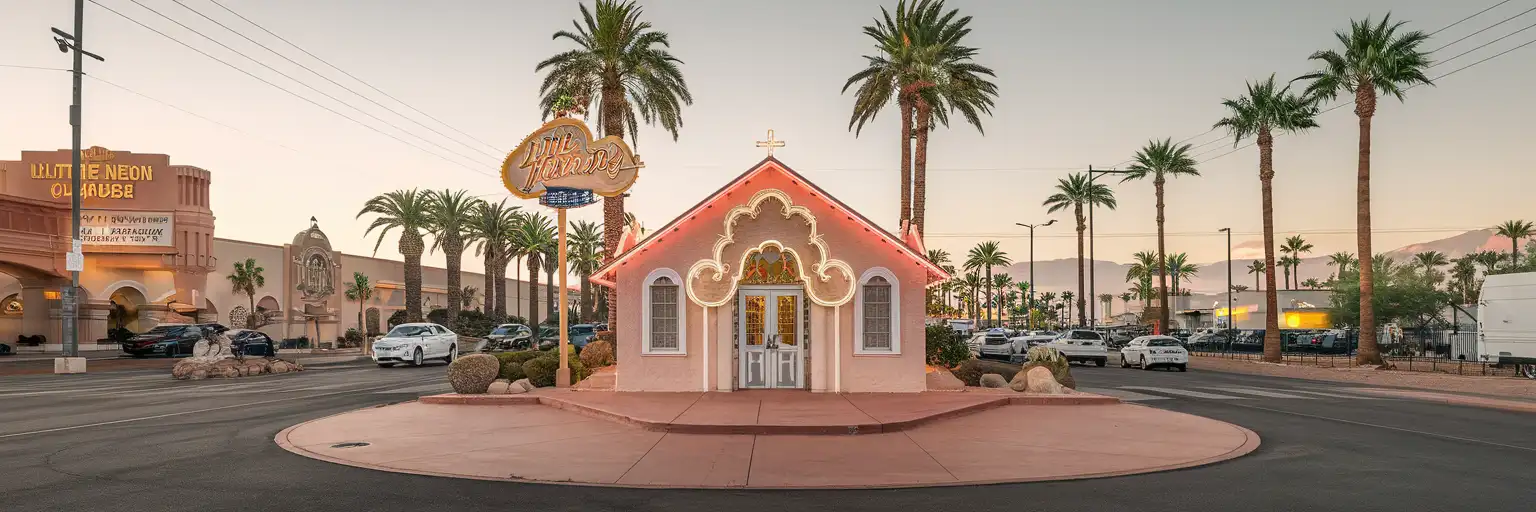
Exterior view of The Little Neon Chapel in Las Vegas at golden hour

The Little Neon Chapel eSIM: Las Vegas Data Across the US

You’re pulling up outside The Little Neon Chapel with ceremony details in your inbox, rideshare pickup to confirm, and the rest of your night still stretching toward the Strip or Fremont Street Experience. eSIMno lets you buy your USA eSIM in minutes, install it before departure, and switch it on after landing so your data is ready the second you need directions, messages, and bookings in Las Vegas and across the country.
View Plans
GET A FULL20%OFFon your first order
Use code: FIRSTWELCOME20

Stay connected,
wherever you go

Seamless global eSIM coverage

Explore our plans below

Plan Your Trip

Tell us what you'll do and how long you'll be away — we'll highlight the right plan.

7 days
1102030

What will you do?

Tap an activity above to see which plan fits your trip

Already a customer?

EARN UP TOON EVERY FRIEND'S PURCHASE
NETWORK: AT&T & T-Mobile & Verizon Wireless Depending on the plan you choose, you'll connect to one or more of these networks.

Quick Facts

Language
English
Currency
US Dollar (USD, $)
Time Zone
Pacific Time (UTC-8 / UTC-7)
Dialing Code
+1
Power Plug
Type A, B (flat 2-pin, common across North America)
Emergency
911 (police, fire, ambulance)
eSIMno Networks
AT&T, Verizon Wireless

How to Get Your eSIM

  1. Choose Your USA Plan Before Your Trip
    Pick the eSIM that fits your Las Vegas stay before you fly. If The Little Neon Chapel is one stop on a wider trip, buy for the full number of travel days so the same data keeps working beyond Nevada.
  2. Install It While You Still Have Reliable WiFi
    Set up the eSIM at home or at your departure hotel, not on the sidewalk outside the chapel. That gives you time to save the QR code, finish installation, and store your booking emails in one place before travel day gets busy.
  3. Keep It Ready During Your Flight Into Las Vegas
    Leave the eSIM installed but inactive while you travel. Once you land at Harry Reid International Airport and phone use is allowed, switch it on after touchdown so activation starts on a local network instead of at your departure airport.
  4. Use Data On The Drive To The Chapel
    From the airport, the ride to The Little Neon Chapel is roughly 15 minutes by car in light traffic. That is the moment you’ll want live directions, ceremony messages, and real-time updates in Uber, Lyft, Google Maps, or Apple Maps.
  5. Keep Your Home SIM For Voice, Use eSIMno For Data
    Your home SIM can stay active for incoming voice calls with no extra setup. Use your eSIMno data for maps, messaging, photo sharing, and internet calls on WhatsApp, FaceTime, Telegram, or Google Meet while you move between the chapel, hotel, and the rest of Las Vegas.

Traveler Tips

  • If your ceremony slot is in the evening, arrive 15-20 minutes early on South Las Vegas Boulevard so you have time to confirm guest arrivals and rides before the chapel check-in starts.
  • The Little Neon Chapel sits south of the central Strip corridor, so keep Uber or Lyft open during the final 2-3 miles; pickup points can shift block by block with traffic and event congestion.
  • Screenshot your booking email and any photo package details before you leave the hotel, then use live data at the chapel for last-minute edits, guest messages, or extra add-ons.
  • If you keep your home SIM active for incoming calls, use WhatsApp or FaceTime Audio for outgoing calls over data after the ceremony so you do not trigger roaming voice charges.
  • Plan on uploading short video clips over mobile data after you leave the chapel, not all at once from the curb; 4K clips and Live Photos can fill several GB faster than a one-night Vegas stop suggests.

Why Data Matters at The Little Neon Chapel

The Little Neon Chapel is not a place where travelers sit still for long. You arrive from Harry Reid International Airport, check the reservation email, message the people meeting you, then move straight into transport, timing, and coordination. On this part of South Las Vegas Boulevard, your phone is handling live navigation in Google Maps or Apple Maps, rides in Uber or Lyft, and quick confirmations from your inbox while you bounce between the chapel, your hotel, and post-ceremony plans. That is why eSIMno plans for The Little Neon Chapel, Las Vegas, Nevada, United States make sense before the trip even starts: setup happens on your schedule, and activation starts after landing instead of in a queue at a store.

Data matters even more once the ceremony is done. Guests split off to different hotels, one group heads toward the Fountains of Bellagio, another wants Fremont Street photos, and someone always needs the exact restaurant pin dropped into the group chat. A static screenshot is not enough when traffic shifts by 10 or 15 minutes on Las Vegas Boulevard and pickup points change around casino entrances. With mobile data working immediately, you can compare ride times, send your live location, upload photos to iCloud or Google Photos, and confirm reservations on OpenTable without wasting part of your night looking for a stable signal.

This page is for a venue visit, but the plan should cover the whole trip. The same eSIM that gets you through your chapel booking also works when you continue to the Las Vegas Strip, a downtown museum, or another U.S. city after Nevada. Buy once, install once, activate after landing, and keep your data running through every transfer, booking, and reunion message that follows.

Visiting The Little Neon Chapel

The Little Neon Chapel works best when you treat it like a timed appointment, not a drop-in sightseeing stop. Keep your confirmation email, any add-on purchase receipt, and the contact number you were given easy to reach on your phone before you leave the hotel. Wedding chapels in Las Vegas run on tight turnover windows, so a delay of 10 minutes can ripple into photography, guest arrival, and dinner timing later in the evening.

If you are coming from the airport, taxi and rideshare are the simplest options because the chapel is on Las Vegas Boulevard south of the busiest resort core. If you are arriving from a Strip hotel, the drive is short, but traffic speed changes fast after 5 PM and again close to midnight. Build a small buffer into your route so you are not answering logistics messages from the curb at the last second.

Bring a charged phone and a power bank if the chapel visit is part of a longer night out. Between guest coordination, photos, short video clips, and ride bookings, battery drain can be heavy in a 2-3 hour stretch. If your group is meeting in separate cars, agree on one messaging app before departure so everyone follows the same thread on arrival.

Tour Group Near The Chapel Corridor

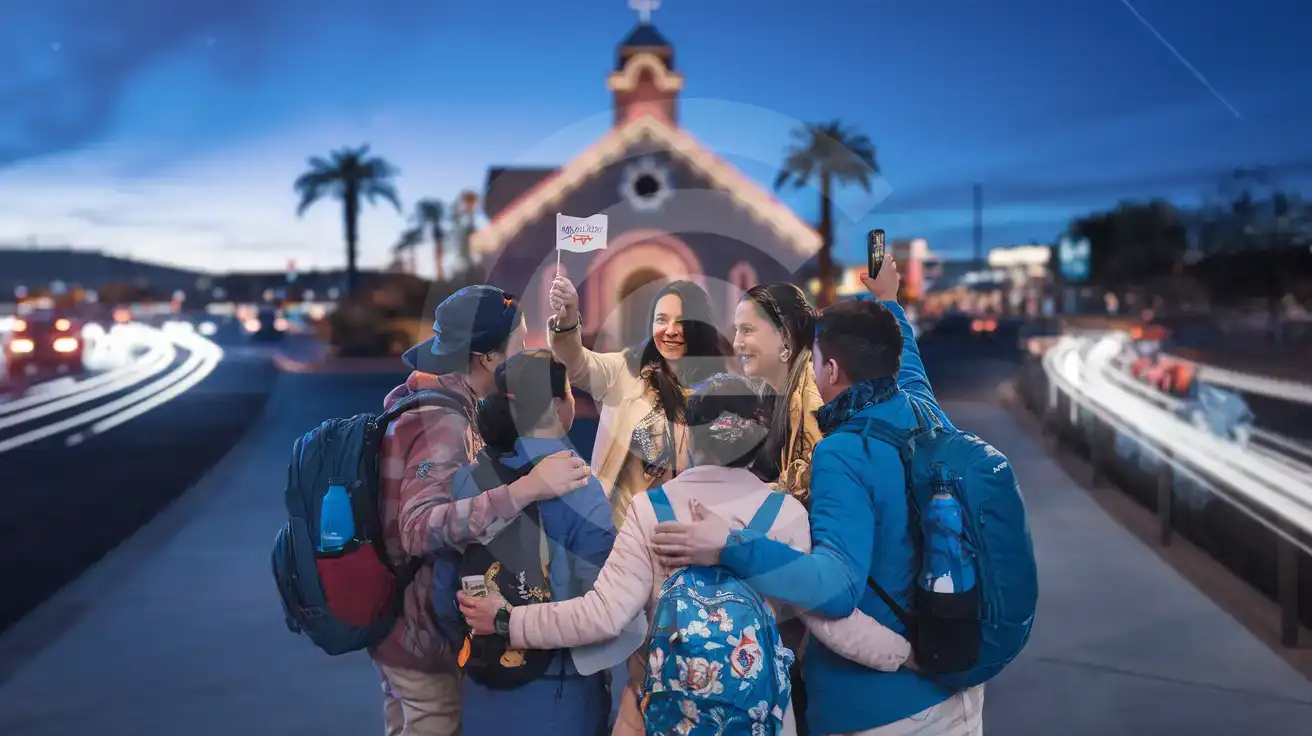
Guided tour group recording near The Little Neon Chapel on South Las Vegas Boulevard
Heading to The Little Neon Chapel, Las Vegas, Nevada, United States, activate your eSIM after landing so rides and messages work on arrival.

Compare eSIM Options at The Little Neon Chapel

Recommended
Local SIM / Operator
Roaming
Setup timeStore kit, needs activationAuto
No local ID neededNo SSN; passport at carrier storesUse home account
SpeedOne carrier onlyPartner-dependent
Travel supportEnglish-language serviceHome carrier hours
Keep home numberReplaces itSame number
Cost predictabilityAdvertised price needs Auto PayBill-shock risk
5GB / 30 daysLight traveler
15GB / 30 days
₺2170.69
First month without Auto Pay; 35 USD after enrolling. Taxes and fees are extra.
$12-18 / day
₺723.56
Typical daily roaming rate; varies by home carrier
10GB / 30 daysStandard travelerMost popular
20GB / 30 daysHeavy traveler

Frequently Asked Questions (FAQs)

Activate it after you land in Las Vegas, once your flight has arrived and phone use is allowed. That way your data is ready during the 15-minute drive from Harry Reid International Airport to The Little Neon Chapel, when you may need Google Maps, Uber, or a last-minute message to guests.
Yes — your home SIM can stay active for incoming voice calls while you use mobile data for everything internet-based around The Little Neon Chapel. For outgoing calls after the ceremony, use WhatsApp, FaceTime, Telegram, or another data app so you can coordinate with guests without placing roaming voice calls.
For a short visit built around The Little Neon Chapel, 1 GB can cover maps, messaging, and one or two rides. If you plan to upload lots of photos, send video clips from the chapel, and keep using data later on the Las Vegas Strip or Fremont Street, a larger package is the safer choice.
A taxi, Uber, or Lyft is the simplest option from Harry Reid International Airport, and the drive is around 15 minutes in light traffic. Having data live on arrival helps because pickup instructions, driver location, and the exact South Las Vegas Boulevard destination all update in real time.
Yes, because the key moments happen between places, not in the hotel room. When you are outside The Little Neon Chapel coordinating guests, checking reservation emails, or moving on to dinner or photos afterward, eSIMno gives you live data where hotel WiFi cannot follow.
GET A FULL20%OFFon your first order
Use code: FIRSTWELCOME20

Stay connected,
wherever you go

Seamless global eSIM coverage

Get Started
The Little Neon Chapel sits in one of those Las Vegas corridors where plans change fast: ceremony times shift, photographers text meeting points, and rideshare pickup can move from one curb to another in under 5 minutes. That is exactly why travelers headed here buy data before the trip instead of depending on hotel WiFi later. Install your eSIM on stable home WiFi, keep it ready on your phone, and activate it after landing at Harry Reid International Airport. By the time you reach South Las Vegas Boulevard, you can open Google Maps, confirm your reservation email, message guests, and pull up a dinner booking without losing time on a SIM-card errand. Around The Little Neon Chapel, your phone does real work. You may need Lyft or Uber for the short hop from your hotel, a group chat to coordinate late arrivals, cloud backup for photo and video uploads, or a browser search for an after-party spot near Fremont Street or the Las Vegas Strip. A local data plan is the clean WiFi alternative here because wedding traffic is mobile by nature: people are in cars, on sidewalks, between venues, and moving between chapels, hotels, and restaurants rather than sitting in one lobby long enough to trust public internet. The bigger win is that your purchase does not stop at one venue. A USA eSIM bought for The Little Neon Chapel keeps working if your trip continues to, the, a convention at the Las Vegas Convention Center, or onward to another city in the United States. Buy once, set it up before you fly, and keep the same data plan working through the rest of your trip instead of solving connectivity one stop at a time.
Back to United States
No more SIM kiosks

No more SIM kiosks

Skip the airport queues. Install your eSIM at home, activate when you land.

no roaming charges

No roaming surprises

Forget the $200 phone bill three weeks after your trip. Plain pricing, no hidden fees.

keep your physical sim

Keep your home number

Dual-SIM means your physical SIM stays active for calls and texts. eSIM handles only data.

easy installation

Setup in 2 minutes

Scan QR code, follow on-screen steps, you're connected. Works on any eSIM-compatible phone.

Pay SafelyVisa CardMaster CardGoogle PayPayPalApple Pay

How does eSIMNo Works?

Experience seamless global connectivity with our personal eSIM service. Enjoy faster speeds, wider coverage, and the convenience of online purchasing.

Buy a Data Plan

Buy a Data Plan

Search for your destination and pick any data plan

Step 1

Install your eSIM

Install your eSIM

Easy installation via qr code

Step 2

Activate Your eSIM

Activate Your eSIM

Only active when you are ready to use data

Step 3

Advantages

24/7 Customer Support

Reach our team via WhatsApp and email during business hours. Quick answers to common questions available anytime through our automated assistant.

Immediate delivery

Your eSIM arrives by email within minutes. Install it before you board your flight.

Worldwide Coverage

One eSIM, 160+ countries. Land anywhere and connect instantly — no SIM swapping, no roaming charges.

Check Compatibility

Check Compatibility

Before buying and installing an eSim, check if your phone supports one

Check if your phone is eSIM compatible

As you feel the need to use eSIM on your phone, the first question that arises is: does your mobile support eSIMs? And do eSIM-compatible devices work in all regions worldwide?

Some phones that support eSIM technology

  • IPhone XS and Later
  • Samsung Galaxy S20 and Later
  • Pixel 4 and Later
  • Xiaomi 12T Pro and Later
All eSIM-Compatible Phones

Frequently Asked Questions (FAQs)

Find helpful information to answer your questions

Can I use the eSIM on more than one device?
Each eSIM profile is tied to a single device once activated. If you need data on multiple devices (e.g., phone and tablet), you can either purchase separate eSIMs for each device or use the Personal Hotspot feature on your phone to share data with other devices.
How can I purchase the United-states eSIM?
You can purchase your eSIM directly from the eSIMno website - select a United-states plan and complete the payment. Within minutes you'll receive an order confirmation email that contains everything you need to install: a QR code, a one-tap install link, the SM-DP+ address and activation code, plus an "Install eSIM" button. You can install straight from that email, or sign in anytime and go to Profile > My eSIMs > Install to get the same options.
How do I delete an eSIM I no longer need?
On iPhone: Settings > Cellular > tap the eSIM line > Remove eSIM. On Android: Settings > Network & Internet > SIMs > tap the eSIM > Erase. Deleting the eSIM frees up a profile slot. Make sure you don't need it anymore - once deleted, you can't reinstall the same profile.
Can I share data from my eSIM with someone else's phone?
Yes, through Personal Hotspot. Activate hotspot on your phone, share the password, and the other device connects to your data. Data used by connected devices counts toward your eSIM plan, so monitor usage to avoid running out faster than expected.
Can I get a refund after purchase?
Refunds are not available once an eSIM has been installed or activated - install codes are one-time-use, so an installed eSIM is considered used even if no data has been consumed. If you have not installed your eSIM yet and want a refund, contact support within the refund window stated at checkout. We recommend reviewing plan details carefully before purchase to avoid any issues.
How fast does the eSIM activate after I switch off airplane mode?
Activation typically takes 10-30 seconds after airplane mode is switched off, depending on local network availability. In some cases it's nearly instant; in remote areas it may take a minute or two. If it doesn't connect within 5 minutes, restart your phone or check that data roaming is enabled.
What payment methods does eSIMno accept?
eSIMno accepts major credit and debit cards (Visa, Mastercard, American Express), PayPal, Apple Pay, and Google Pay. All transactions are processed through secure encrypted gateways, and we don't store full card details on our servers.
Can I switch the eSIM to a different phone after activation?
Generally no. Once an eSIM is activated on a device, it's tied to that device. If you switch phones, you'll need to install a new eSIM. Some carriers offer eSIM transfer features, but eSIMno plans don't currently support transfer between devices.
What data plans are available for the United-states eSIM?
eSIMno provides various data plans ranging from 1 GB to unlimited data, with options from 7 days to 90 days of service. Plans also include regional and lifetime options for travelers who want flexibility across multiple destinations.
What makes eSIMno different from other eSIM services?
eSIMno partners directly with local operators in over 200 countries, eliminating intermediaries. This direct relationship lets us offer competitive pricing, extensive coverage, and faster activation than resellers who route data through third parties.
Are there any hidden fees or extra charges?
No. The price you see at checkout is the total price - no activation fees, no hidden taxes, no roaming surcharges. Your data plan is fixed-price, and you'll never receive a surprise bill from your home carrier as long as you keep cellular data off on your home SIM.
Will my eSIM work in airports immediately after landing?
Yes - eSIMs typically connect within seconds of switching off airplane mode at the gate. Major airports have strong cellular coverage from local partner networks, so you'll have data before reaching baggage claim. No setup needed at arrival.

Use Your Free Credit

You can earn up to 15% commission from your friends' purchases with your Reference code. Plus, your friends will get $2 off their first purchase when they use your code!

FIND OUT HOW
Refer a friend

Refer

A FRIEND

Step into the world of E-SIM, bring your friends and benefit together!