Review Your Cart

Your cart is empty.

You haven't added any eSIM packages yet. Start exploring our plans to get connected!

Browse our eSIM Packages
🎉 Welcome offer: 20% off with promo code FIRSTWELCOME20

United States United States   / Fountains of Bellagio

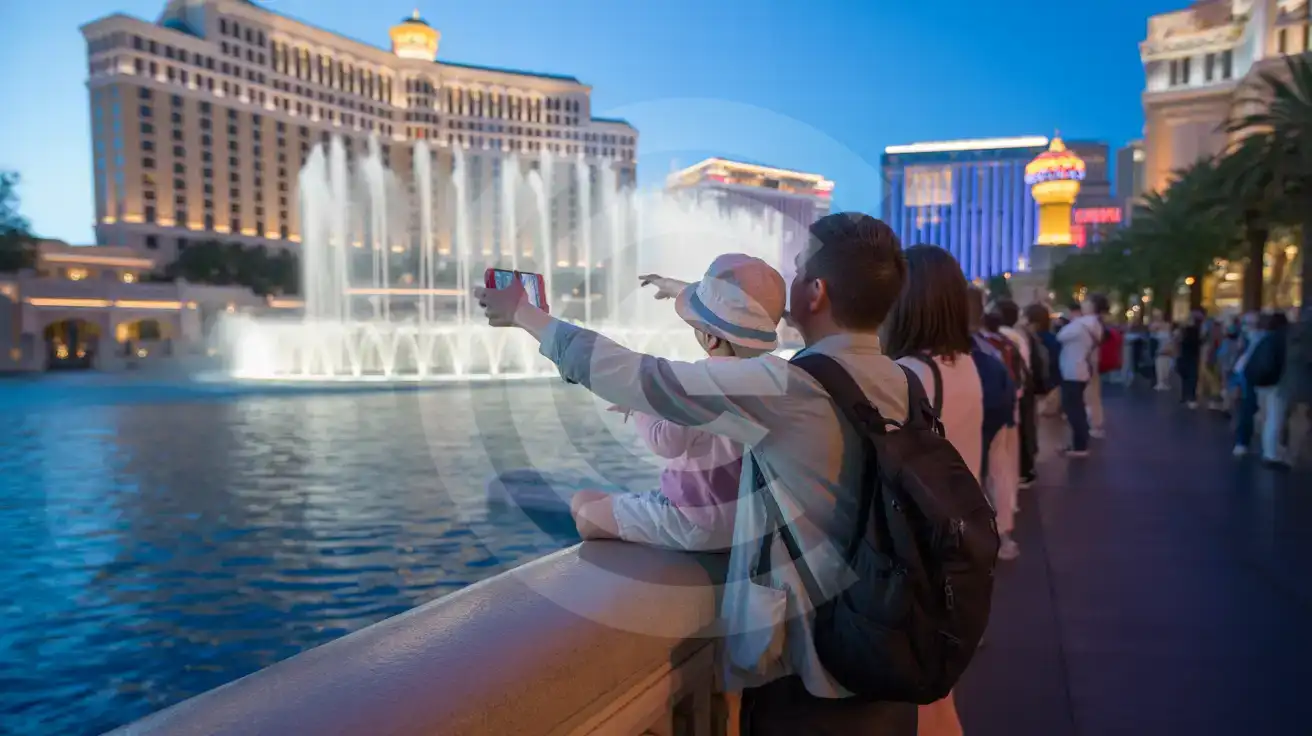
Fountains of Bellagio water show with towering jets illuminated against the Bellagio Hotel facade at twilight on the Las Vegas Strip

Fountains of Bellagio eSIM: Las Vegas Data That Works Across All USA

You're standing at the railing as the Bellagio fountains launch their next choreographed sequence, phone raised to capture the spray against the neon glow, with a dinner reservation at the Conservatory restaurant to confirm and a rideshare pickup to coordinate afterward. With eSIMno, your US data activates the moment you land at Harry Reid International Airport, keeping Maps, reservations, and group chats running from the fountain viewing to the rest of your Strip itinerary.
View Plans
GET A FULL20%OFFon your first order
Use code: FIRSTWELCOME20

Stay connected,
wherever you go

Seamless global eSIM coverage

Explore our plans below

Plan Your Trip

Tell us what you'll do and how long you'll be away — we'll highlight the right plan.

7 days
1102030

What will you do?

Tap an activity above to see which plan fits your trip

Already a customer?

EARN UP TOON EVERY FRIEND'S PURCHASE
NETWORK: AT&T & T-Mobile & Verizon Wireless Depending on the plan you choose, you'll connect to one or more of these networks.

Quick Facts

Time Zone
Pacific Time (PT, UTC−8 / UTC−7 DST)
Dialing Code
+1
Currency
US Dollar (USD, $)
Power Plug
Type A, B (flat 2-pin, common across North America)
Language
English
Emergency
911 (police, fire, ambulance)
eSIMno Networks
AT&T, Verizon Wireless

How to Get Your eSIM

  1. Pick your US data plan
    Choose from eSIMno plans sized for a weekend Vegas trip or a multi-week cross-country itinerary. Plans connect through AT&T and Verizon — the same networks locals use on the Strip.
  2. Install at home before your flight
    Scan the QR code over your home WiFi and save the eSIM profile to your phone. The whole process takes under 3 minutes — finish it before you leave for the airport.
  3. Activate after landing at Harry Reid International
    Once the aircraft reaches the gate and you switch off airplane mode, toggle the eSIM line to 'data' in your phone settings. Your device registers on AT&T or Verizon within seconds.
  4. Keep your home SIM for calls
    Enable both lines in dual-SIM mode. Incoming calls reach your home number normally; outgoing calls go through WhatsApp, FaceTime, or Google Meet over eSIMno data — skip native voice roaming charges entirely.
  5. Head to Bellagio with data ready
    By the time your rideshare pulls onto Las Vegas Boulevard, Maps is routing, Uber is tracking, and the Bellagio fountain schedule loads without hunting for casino WiFi.

Traveler Tips

  • Fountain shows run every 15 minutes from 8 PM to midnight on weekdays, every 30 minutes in the afternoon — check the live schedule on your phone to time your arrival between performances.
  • The viewing promenade along the lake railing gets crowded 5-10 minutes before each show; stake a spot early and use data to coordinate where your group is standing.
  • Bellagio Conservatory entrance is free and sits directly behind the lobby — no ticket QR needed, but the seasonal installation photos upload faster on eSIM data than on the lobby WiFi.
  • Rideshare pickup at Bellagio is at the south valet entrance off Flamingo Road; Uber and Lyft apps show the exact pin once you request the ride.
  • Day trips to Red Rock Canyon or Hoover Dam need offline map caching — download before leaving the Strip where signal is strong, especially for Hoover Dam's patchy canyon coverage.
  • Enable WiFi calling on your home SIM as a backup for voice — Vegas hotel rooms sometimes have stronger WiFi than cellular deep inside the tower floors.

Why Data Matters at Fountains of Bellagio

The Bellagio fountain promenade sits at the heart of the Las Vegas Strip's pedestrian flow — thousands of visitors gathered along the railing uploading video clips, texting meeting coordinates, and confirming restaurant reservations simultaneously. Free WiFi from neighboring casinos bleeds out inconsistently and throttles under the collective load. An eSIMno plan for Fountains of Bellagio connects through AT&T or Verizon the moment airplane mode switches off, bypassing the WiFi hunt entirely.

Real-Time Coordination on the Strip

The fountain show schedule runs every 15-30 minutes depending on the day and hour — checking the live timing beats guessing. Dinner reservations at Lago (Italian, lakeside patio), Prime (steakhouse, fountain-view tables), or Spago (Wolfgang Puck, Bellagio lobby level) require confirmation texts or OpenTable updates. The Bellagio Conservatory rotates seasonal installations every few weeks; visitors photograph the arrangements and share them before leaving the lobby. Each task assumes live data — not a captive-portal WiFi that demands email signup and drops after 30 minutes.

Transit and Pickup Logistics

The Las Vegas Monorail station at Bally's / Paris sits 7 minutes south on foot from the Bellagio fountain; Google Maps live directions beat guessing which pedestrian bridge crosses Las Vegas Boulevard. Rideshare pickups move to designated casino zones that shift periodically — the Bellagio pickup pin currently sits at the south valet entrance off Flamingo Road. Uber and Lyft apps show the exact spot once you request the ride; without data, you're texting your driver for directions or walking the wrong exit loop.

Beyond the Fountain

The same eSIM keeps working across the Strip and beyond. A 25-minute drive west on SR-159 reaches Red Rock Canyon National Conservation Area trailheads — download offline maps before leaving the city where signal is strong. Hoover Dam (45 minutes southeast on US-93) has patchy coverage at the dam observation deck; cache what you need in advance. Whether the trip extends to Los Angeles, California or loops through the Southwest, the data plan travels with you.

Visiting Fountains of Bellagio

The Fountains of Bellagio occupy an 8.5-acre artificial lake fronting the Bellagio Hotel on Las Vegas Boulevard between Flamingo Road and the Paris Las Vegas pedestrian bridge. Viewing is free from the public sidewalk railing — no ticket, no timed entry, no reservation. Shows run daily: Monday through Friday 3 PM to 8 PM every 30 minutes, then every 15 minutes until midnight; weekends extend the schedule with additional afternoon performances starting at noon. The fountain choreography syncs to music ranging from Sinatra to Bocelli to modern pop — each performance lasts roughly 5 minutes.

Getting There

From Harry Reid International Airport (LAS), the ride to Bellagio takes 15-20 minutes by rideshare (Uber / Lyft, $18-28 depending on surge) or 25-30 minutes via the RTC Route 109 bus to the Strip followed by a short walk north. The Las Vegas Monorail runs along the east side of the Strip with stations at MGM Grand, Bally's / Paris, and Flamingo / Caesars Palace — exit at Bally's / Paris and cross Las Vegas Boulevard via the elevated walkway to reach Bellagio in 7 minutes. No monorail station sits directly at Bellagio; the pedestrian bridges and crosswalks are the final leg regardless of transit mode.

Crowd Timing

The promenade fills 5-10 minutes before each evening show; arriving mid-performance means standing three rows back. Late-night shows after 11 PM draw thinner crowds. Midweek afternoons are quietest — fewer tour groups, easier railing access, and shorter waits at nearby restaurants.

Capturing the Show

Family photographing the Fountains of Bellagio water show from the promenade railing at twilight with the illuminated hotel facade behind
Activate your eSIM before landing so Maps, reservations, and video uploads work the moment the fountain jets rise.

Compare eSIM Options at Fountains of Bellagio

Recommended
Local SIM / Operator
Roaming
Setup timeStore kit, needs activationAuto
No local ID neededNo SSN; passport at carrier storesUse home account
SpeedOne carrier onlyPartner-dependent
Travel supportEnglish-language serviceHome carrier hours
Keep home numberReplaces itSame number
Cost predictabilityAdvertised price needs Auto PayBill-shock risk
5GB / 30 daysLight traveler
15GB / 30 days
₺2170.69
First month without Auto Pay; 35 USD after enrolling. Taxes and fees are extra.
$12-18 / day
₺723.56
Typical daily roaming rate; varies by home carrier
10GB / 30 daysStandard travelerMost popular
20GB / 30 daysHeavy traveler

Frequently Asked Questions (FAQs)

Install the eSIM profile at home over WiFi before your flight. Once your aircraft reaches the gate at Harry Reid International and you switch off airplane mode, toggle the eSIM line to data — by the time your rideshare pulls onto Las Vegas Boulevard toward the Bellagio fountain promenade, your phone is already pulling live directions.
AT&T and Verizon maintain strong macro coverage across the Las Vegas Strip, including inside Bellagio's casino floor, lobby, and tower corridors. Signal can dip in elevator shafts and deep interior conference rooms, but the fountain promenade, Conservatory, and main walkways hold steady.
Yes — enable dual-SIM mode so your home SIM stays active for incoming calls and texts while eSIMno handles all data. Outgoing calls go through WhatsApp, FaceTime, or Google Meet over eSIM data to avoid home-network roaming charges. Your home number rings normally; no forwarding setup needed.
The eSIMno plan covers the entire United States, not just the Strip. A drive to Red Rock Canyon (25 minutes west) or Hoover Dam (45 minutes southeast) stays connected on the same plan. Cache offline maps before leaving the city for canyon areas where coverage thins near the dam observation deck.
A typical 3-day Vegas trip with fountain videos, rideshare apps, restaurant reservations, and casual browsing runs 2-4 GB. Heavy video uploaders or those streaming show schedules should consider 5 GB or more. eSIMno plans range from light to unlimited — pick based on your upload habits.
The outdoor fountain promenade has no dedicated free WiFi — signal bleeds from neighboring casinos but throttles under crowd load. Inside the Bellagio lobby and casino, guest WiFi exists but requires registration and slows during peak hours. An eSIM bypasses the captive-portal friction entirely and keeps uploads moving at LTE / 5G speed.
GET A FULL20%OFFon your first order
Use code: FIRSTWELCOME20

Stay connected,
wherever you go

Seamless global eSIM coverage

Get Started
The Fountains of Bellagio run their water ballet every 15-30 minutes from afternoon through midnight, and the crowd gathered along the lake railing is uploading videos, texting meeting points, and checking showtimes simultaneously. Free WiFi from nearby casinos bleeds out inconsistently and crawls under the collective device load. An eSIM activated before departure means your phone connects to AT&T or Verizon the moment airplane mode switches off at the gate — no hunting for a SIM kiosk at the airport, no hoping the hotel lobby signal reaches the fountain promenade. The data demand at Bellagio extends beyond the fountain show itself. The Conservatory & Botanical Gardens behind the lobby runs seasonal installations that change every few weeks — visitors photograph arrangements and share them in real time. Dinner reservations at Lago, Prime, or Spago require confirmation texts. The monorail station at Bally's / Paris sits a 7-minute walk south; Google Maps live directions beat guessing which pedestrian bridge crosses Las Vegas Boulevard. Rideshare pickups along the Strip move to designated zones that shift by casino — Uber and Lyft apps pinpoint the current Bellagio pickup area at the south valet entrance. eSIMno plans purchased for the Bellagio visit keep working across the entire country. A day trip to Red Rock Canyon (25 minutes west on SR-159) needs offline map caching or live signal for trailhead navigation. Hoover Dam (45 minutes southeast on US-93) has patchy coverage at the dam deck — download what you need before leaving the city. Whether the trip extends to Los Angeles, San Francisco, or loops back through the Southwest, the same eSIM handles every state without swapping cards or buying new plans.
Back to United States
No more SIM kiosks

No more SIM kiosks

Skip the airport queues. Install your eSIM at home, activate when you land.

no roaming charges

No roaming surprises

Forget the $200 phone bill three weeks after your trip. Plain pricing, no hidden fees.

keep your physical sim

Keep your home number

Dual-SIM means your physical SIM stays active for calls and texts. eSIM handles only data.

easy installation

Setup in 2 minutes

Scan QR code, follow on-screen steps, you're connected. Works on any eSIM-compatible phone.

Pay SafelyVisa CardMaster CardGoogle PayPayPalApple Pay

How does eSIMNo Works?

Experience seamless global connectivity with our personal eSIM service. Enjoy faster speeds, wider coverage, and the convenience of online purchasing.

Buy a Data Plan

Buy a Data Plan

Search for your destination and pick any data plan

Step 1

Install your eSIM

Install your eSIM

Easy installation via qr code

Step 2

Activate Your eSIM

Activate Your eSIM

Only active when you are ready to use data

Step 3

Advantages

24/7 Customer Support

Reach our team via WhatsApp and email during business hours. Quick answers to common questions available anytime through our automated assistant.

Immediate delivery

Your eSIM arrives by email within minutes. Install it before you board your flight.

Worldwide Coverage

One eSIM, 160+ countries. Land anywhere and connect instantly — no SIM swapping, no roaming charges.

Check Compatibility

Check Compatibility

Before buying and installing an eSim, check if your phone supports one

Check if your phone is eSIM compatible

As you feel the need to use eSIM on your phone, the first question that arises is: does your mobile support eSIMs? And do eSIM-compatible devices work in all regions worldwide?

Some phones that support eSIM technology

  • IPhone XS and Later
  • Samsung Galaxy S20 and Later
  • Pixel 4 and Later
  • Xiaomi 12T Pro and Later
All eSIM-Compatible Phones

Frequently Asked Questions (FAQs)

Find helpful information to answer your questions

Can I use the eSIM for my smartwatch?
Some smartwatches (Apple Watch Cellular, Samsung Galaxy Watch LTE) support eSIM, but they typically require a plan from your home carrier rather than a travel eSIM. eSIMno plans are designed for phones and tablets - check device compatibility before purchase if you intend to use a wearable.
Will my eSIM work in airports immediately after landing?
Yes - eSIMs typically connect within seconds of switching off airplane mode at the gate. Major airports have strong cellular coverage from local partner networks, so you'll have data before reaching baggage claim. No setup needed at arrival.
Will my home phone number receive calls while I use the eSIM?
Yes - if your home SIM stays installed and active, calls and SMS to your home number arrive normally. The eSIM only handles data; voice service stays on your home line. Just remember that incoming calls and texts to your home number while abroad may trigger roaming charges from your home carrier.
Can I buy an eSIM for someone else as a gift?
Yes. Purchase the eSIM with your own details, then forward your order confirmation email - or share the "Install eSIM" link from it - with the recipient so they can install it on their own phone (the email contains the QR code and the manual SM-DP+ / activation codes). Make sure their device is eSIM-compatible first - installation usually cannot be reversed once completed.
What smartphones support eSIM?
Most modern devices support eSIM, including iPhone XS and later, Samsung Galaxy S20 through S25 series, Google Pixel 4 and later, Huawei P40 and later, and many recent iPads. Check our full compatibility list before purchasing to confirm your device is supported.
What makes eSIMno different from other eSIM services?
eSIMno partners directly with local operators in over 200 countries, eliminating intermediaries. This direct relationship lets us offer competitive pricing, extensive coverage, and faster activation than resellers who route data through third parties.
Will the eSIM work on my iPad?
Yes, if your iPad model supports eSIM. iPad Pro (3rd generation and later), iPad Air (3rd generation and later), iPad mini (5th generation and later), and standard iPad (7th generation and later with cellular) all support eSIM. Installation works the same way as on iPhone.
Can I share data from my eSIM with someone else's phone?
Yes, through Personal Hotspot. Activate hotspot on your phone, share the password, and the other device connects to your data. Data used by connected devices counts toward your eSIM plan, so monitor usage to avoid running out faster than expected.
How do I set up the eSIM on my device?
The fastest way is straight from your order confirmation email, which now contains - for each eSIM - the QR code, a one-tap install link, and the SM-DP+ / activation codes. On the phone you'll use, tap the one-tap install link; or, to use the QR, show it on another screen or a printout and scan it with that same phone (not another phone); or enter the codes manually. The email also has an "Install eSIM" button that opens your eSIM's detail page and launches the install pop-up (sign in if prompted), and you can reach the same pop-up anytime via Profile > My eSIMs > find your plan (shown as "Ready to install") > Install. After installing, turn Data Roaming ON for your eSIMno line (iPhone: Settings > Cellular; Android: Settings > Connections/Network) - without it the eSIM installs but shows no internet. Full guide in Help & Support.
What customer support is available if I have issues?
eSIMno offers 24/7 support via WhatsApp and email. Our human support team - not bots - handles installation help, troubleshooting, billing questions, and refund inquiries. Most issues are resolved within minutes during business hours and within a few hours overnight.
Will I get notifications when my data is running low?
Yes. eSIMno sends email and push notifications when you've used 50%, 80%, and 100% of your data allowance. You can also check usage anytime in the eSIMno Center or in your phone's cellular settings to track consumption in real time.
How do I activate the United-states eSIM?
Your eSIMno order confirmation email contains your QR code, your SM-DP+ address and activation code, a one-tap install link, and an "Install eSIM" button - so you can install right from the email. The same options are also on the website: sign in at esimno.com and go to Profile > My eSIMs > your plan > Install. To install, use any ONE of these methods: (1) on the phone you are setting up, tap the one-tap install link/button (iPhone on iOS 17.4+ or Android 9+); (2) use the QR code - because a phone cannot scan its own screen, show this QR on another screen (computer/tablet) or a printout and scan it WITH the phone you are setting up (never with someone else's phone, or the eSIM would install on that phone); or (3) enter the SM-DP+ address and activation code manually. Your United-states eSIM activates automatically when you connect to a local network at your destination.

Use Your Free Credit

You can earn up to 15% commission from your friends' purchases with your Reference code. Plus, your friends will get $2 off their first purchase when they use your code!

FIND OUT HOW
Refer a friend

Refer

A FRIEND

Step into the world of E-SIM, bring your friends and benefit together!