Review Your Cart

Your cart is empty.

You haven't added any eSIM packages yet. Start exploring our plans to get connected!

Browse our eSIM Packages
🎉 Welcome offer: 20% off with promo code FIRSTWELCOME20

United States United States   / Venice Beach

Venice Beach Boardwalk at golden hour with palm trees, colorful art walls, and the Pacific Ocean stretching along the sandy shore

Venice Beach eSIM: Boardwalk Data That Works Across All USA

You're stepping onto the Venice Boardwalk with sunset photos ready to upload, a bike rental to book along the Marvin Braude Trail, and a rideshare back to Los Angeles International Airport to coordinate after the drum circle ends. With eSIMno, your USA data plan activates before you land at LAX — no kiosk queue, no unreliable beach WiFi, just instant AT&T or Verizon coverage from the moment you switch off airplane mode.
View Plans
GET A FULL20%OFFon your first order
Use code: FIRSTWELCOME20

Stay connected,
wherever you go

Seamless global eSIM coverage

Explore our plans below

Plan Your Trip

Tell us what you'll do and how long you'll be away — we'll highlight the right plan.

7 days
1102030

What will you do?

Tap an activity above to see which plan fits your trip

Already a customer?

EARN UP TOON EVERY FRIEND'S PURCHASE
NETWORK: AT&T & Verizon Wireless The speed may vary depending on the location.

Quick Facts

Time Zone
Pacific Time (UTC-8 / UTC-7 DST)
Dialing Code
+1
Currency
US Dollar (USD, $)
Power Plug
Type A, B (flat 2-pin, common across North America)
Language
English
Emergency
911 (police, fire, ambulance)
eSIMno Networks
AT&T, Verizon Wireless

How to Get Your eSIM

  1. Pick Your USA Data Plan
    Choose a plan sized for your Venice Beach trip — lighter plans work for a beach day, larger plans cover multi-week California road trips. All plans use AT&T or Verizon networks.
  2. Install Before Your Flight
    Download the eSIM profile at home over WiFi before heading to LAX. The 6-mile transfer from the airport goes faster when your data is already configured.
  3. Activate After Landing
    Once your plane taxis to the gate at LAX, switch off airplane mode. Your eSIM connects to the local network within seconds — no kiosk visit, no physical card swap.
  4. Keep Your Home SIM for Calls
    Your phone runs both SIMs simultaneously. Incoming calls reach your home number normally; use WhatsApp, FaceTime, or Google Meet over eSIM data for outgoing calls to avoid roaming charges.
  5. Explore Venice Beach Connected
    From the skatepark at Windward Avenue to the canals south of Venice Boulevard, your data works everywhere. The same plan covers Santa Monica Pier, Downtown LA, and anywhere else in the country.

Traveler Tips

  • Arrive at Venice Beach before 11:00 AM on weekends — parking lots along Pacific Avenue fill early, and rideshare drop-off zones stay clearer in the morning hours.
  • Bring cash for boardwalk vendors: henna artists, street performers, and many Ocean Front Walk sellers accept only cash or Venmo, and ATM fees run $5 or more.
  • Download Google Maps offline for the Venice Canals area before you arrive — the residential streets south of Venice Boulevard have spotty coverage near the water.
  • The Marvin Braude Bike Trail connects Venice to Santa Monica Pier (1.5 miles north) in about 20 minutes — bike rentals along the boardwalk run around $10 per hour.
  • Peak boardwalk performer hours are Saturday and Sunday from noon to sunset — plan your stroll for that window to catch the full Venice Beach experience.
  • Keep valuables off the sand while swimming: petty theft happens, and the LAPD Pacific Division patrols cannot watch every towel.

Why Data Matters at Venice Beach

Venice Beach runs on spontaneity — the drum circle starts when enough drummers show up, the street performers rotate spots along Ocean Front Walk, and the best food trucks park wherever they find space near Windward Avenue. Your phone ties it all together. Google Maps pinpoints the current Muscle Beach workout session at 1800 Ocean Front Walk. Yelp loads real-time wait estimates for Gjelina on Abbot Kinney Boulevard. The Uber app shows surge pricing clearing after the sunset crowd disperses.

Transit and Rideshare Coordination

Getting to Venice Beach from LAX takes 15-25 minutes by rideshare depending on Lincoln Boulevard traffic. The Metro E Line runs to Downtown Santa Monica station, leaving a 30-minute walk or a Metro Bus 1 ride south to Venice. Real-time arrival updates on the Transit app or Google Maps beat waiting at a stop wondering when the next bus appears. After dark, rideshare pickup zones along Pacific Avenue fill with competing requests — live surge tracking helps you decide whether to walk north toward Santa Monica or wait out the peak.

Beach Day Data Tasks

Bike rental kiosks along the boardwalk increasingly accept mobile payment through Square or PayPal — your phone completes the transaction faster than counting cash. The Venice Skatepark at the foot of Windward Avenue draws photographers shooting sunset sessions; Instagram uploads and real-time edits happen on the spot. Group chats coordinate where to meet after someone wanders off to the Public Art Walls or the canal bridges. An eSIMno plan for Venice Beach keeps every app running without hunting for a coffee shop WiFi password or draining your home carrier's roaming allowance.

Visiting Venice Beach

The beach and boardwalk are open daily from 5:00 AM to midnight, with lifeguard coverage peaking Memorial Day through Labor Day. Access to the sand, skatepark, canals, and Ocean Front Walk is free. Paid options include Muscle Beach day passes (around $10), bike and surfboard rentals ($10-15 per hour), and parking structures along Lincoln Boulevard ($10-20 for the day).

Getting There

From LAX, a taxi or rideshare runs $20-30 and 15-25 minutes via Lincoln Boulevard. Public transit options include the Metro E Line to Downtown Santa Monica station followed by Metro Bus 1 southbound — base Metro fare is $1.75. Big Blue Bus Route 1 from Santa Monica also serves Venice directly. Street parking meters are cheaper than lots but harder to find on weekends.

Best Times to Visit

Late spring through early fall offers the warmest weather, though June marine layer ('June Gloom') can mute mornings. For photography, golden hour around 6:30-7:30 PM in summer lights up the boardwalk. For swimming, midday brings water temperatures into the high 60s°F. Saturday and Sunday afternoons from 11:00 AM onward deliver the densest performer lineup and classic Venice Beach atmosphere.

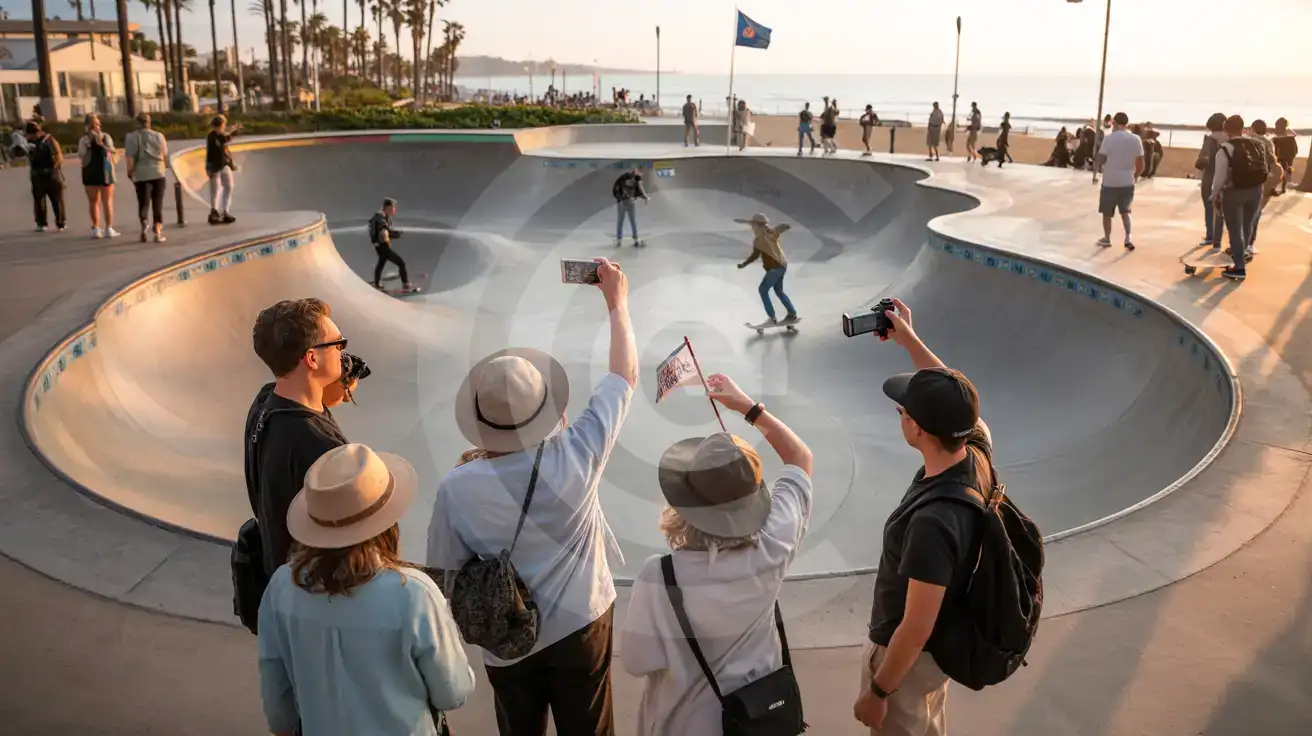
Venice Beach Skatepark at Sunset

Tour group filming skaters at Venice Beach Skatepark with the Pacific Ocean in the background at golden hour
Activate your eSIM before landing at LAX so your data is ready for Venice Beach boardwalk adventures.

Compare eSIM Options at Venice Beach

Recommended
Local SIM / Operator
Roaming
Setup timeStore visit + paperworkAuto
No local ID neededSSN/Credit checkUse home account
SpeedCarrier-gradePartner-dependent
Travel supportEnglish onlyHome carrier hours
Keep home numberReplaces itSame number
Cost predictabilityBills can spikeBill-shock risk
5GB / 30 daysLight traveler
15GB / 30 days
$45.00
~$45.00/mo + taxes & fees.
$12-18 / day
$15.00
Typical day-pass tariff varies by home carrier
10GB / 30 daysStandard travelerMost popular
20GB / 30 daysHeavy traveler

Frequently Asked Questions (FAQs)

Install your eSIM profile at home over WiFi before your flight. Once your plane lands at LAX and taxis to the gate, switch off airplane mode — by the time you're walking through the Tom Bradley International Terminal toward ground transport, your phone is already pulling Google Maps directions to Venice Beach.

Yes — coverage extends across the full 1.5-mile Ocean Front Walk from Navy Street to Washington Boulevard, including the skatepark at Windward Avenue, Muscle Beach, and the Public Art Walls. The same plan works at Abbot Kinney Boulevard shops one block inland and across the Venice Canals district to the south.

Absolutely. Your eSIMno USA plan covers the entire country, not just Venice Beach. Walk or bike the Marvin Braude Trail 1.5 miles north to Santa Monica Pier, catch a Dodgers game at Chavez Ravine, or fly out through LAX — the same data plan keeps working everywhere.

Your phone runs both SIMs simultaneously. Incoming calls reach your home number normally because your home SIM stays active for voice. For outgoing calls, use WhatsApp, FaceTime, or Google Meet over your eSIM data to avoid home-network roaming charges — coordinating rideshare pickups along Pacific Avenue works seamlessly this way.

Beach WiFi hotspots are patchy and crowded on weekends when boardwalk foot traffic peaks. Uploading photos from the Venice Skatepark, checking Uber surge pricing after sunset, or video-calling friends back home all work better over your eSIM data than hunting for a stable public connection.

Rideshare or taxi takes 15-25 minutes via Lincoln Boulevard and costs around $20-30 depending on traffic. Public transit runs through the Metro E Line to Downtown Santa Monica station, then Metro Bus 1 southbound — check real-time arrivals on the Transit app or Google Maps to avoid waiting at stops.

GET A FULL20%OFFon your first order
Use code: FIRSTWELCOME20

Stay connected,
wherever you go

Seamless global eSIM coverage

Get Started
Venice Beach delivers the quintessential Southern California boardwalk experience — street performers, skateboarders carving the concrete park, bodybuilders at Muscle Beach, and the Pacific stretching to the horizon. Your phone becomes essential the moment you arrive: coordinating bike rentals along Ocean Front Walk, pulling up directions to Abbot Kinney Boulevard boutiques, checking sunset timing for that perfect Boardwalk shot, and booking your rideshare before the evening crowds surge. An eSIMno plan connects you through AT&T or Verizon the instant your flight touches down at LAX, roughly 6 miles south. Skip the terminal SIM kiosk entirely — install your eSIM profile at home over WiFi, and your data is live by the time you clear customs. The same plan keeps working whether you're photographing the Venice Canals, grabbing Salt & Straw ice cream on Abbot Kinney, or catching a Dodgers game across town. Beach WiFi hotspots along the boardwalk are patchy at best and crowded on weekends when foot traffic peaks. Your eSIM bypasses that friction entirely — Google Maps directions load instantly, Uber surge pricing updates in real time, and your group chat stays connected while you explore. One data plan covers Venice Beach and every other stop across America, from Santa Monica Pier north to Downtown LA east.
Back to United States
No more SIM kiosks

No more SIM kiosks

Skip the airport queues. Install your eSIM at home, activate when you land.

no roaming charges

No roaming surprises

Forget the $200 phone bill three weeks after your trip. Plain pricing, no hidden fees.

keep your physical sim

Keep your home number

Dual-SIM means your physical SIM stays active for calls and texts. eSIM handles only data.

easy installation

Setup in 2 minutes

Scan QR code, follow on-screen steps, you're connected. Works on any eSIM-compatible phone.

Pay SafelyVisa CardMaster CardGoogle PayPayPalApple Pay

How does eSIMNo Works?

Experience seamless global connectivity with our personal eSIM service. Enjoy faster speeds, wider coverage, and the convenience of online purchasing.

Buy a Data Plan

Buy a Data Plan

Search for your destination and pick any data plan

Step 1

Install your eSIM

Install your eSIM

Easy installation via qr code

Step 2

Activate Your eSIM

Activate Your eSIM

Only active when you are ready to use data

Step 3

Advantages

24/7 Customer Support

Reach our team via WhatsApp and email during business hours. Quick answers to common questions available anytime through our automated assistant.

Immediate delivery

Your eSIM arrives by email within minutes. Install it before you board your flight.

Worldwide Coverage

One eSIM, 160+ countries. Land anywhere and connect instantly — no SIM swapping, no roaming charges.

Check Compatibility

Check Compatibility

Before buying and installing an eSim, check if your phone supports one

Check if your phone is eSIM compatible

As you feel the need to use eSIM on your phone, the first question that arises is: does your mobile support eSIMs? And do eSIM-compatible devices work in all regions worldwide?

Some phones that support eSIM technology

  • IPhone XS and Later
  • Samsung Galaxy S20 and Later
  • Pixel 4 and Later
  • Xiaomi 12T Pro and Later
All eSIM-Compatible Phones

Frequently Asked Questions (FAQs)

Find helpful information to answer your questions

Should I enable data roaming for the eSIM?
Yes - you must enable data roaming for the eSIM line, even though there are no roaming charges. The eSIM connects to a local partner network and your phone treats this as roaming. Enable it: iPhone > Settings > Cellular > eSIMno line > Data Roaming ON; Android > Settings > Network > SIMs > eSIMno > Roaming ON. This setting only affects the eSIM, not your home SIM.
What should I do if I lose my activation QR code?
You can't really lose it - your QR code is in your order confirmation email, and also in the install pop-up on the website. To reopen it any time before activation, tap "Install eSIM" in your order email, or sign in at esimno.com and go to Profile > My eSIMs > Install. Both show the QR code together with the one-tap install link and the manual SM-DP+ / activation code. Note the install codes are one-time-use: once the eSIM is installed on a device they can't be reused - reopen the installer (My eSIMs > Install) to display a fresh QR if you need one.
How do I set up the eSIM on my device?
The fastest way is straight from your order confirmation email, which now contains - for each eSIM - the QR code, a one-tap install link, and the SM-DP+ / activation codes. On the phone you'll use, tap the one-tap install link; or, to use the QR, show it on another screen or a printout and scan it with that same phone (not another phone); or enter the codes manually. The email also has an "Install eSIM" button that opens your eSIM's detail page and launches the install pop-up (sign in if prompted), and you can reach the same pop-up anytime via Profile > My eSIMs > find your plan (shown as "Ready to install") > Install. After installing, turn Data Roaming ON for your eSIMno line (iPhone: Settings > Cellular; Android: Settings > Connections/Network) - without it the eSIM installs but shows no internet. Full guide in Help & Support.
Will the eSIM work on my iPad?
Yes, if your iPad model supports eSIM. iPad Pro (3rd generation and later), iPad Air (3rd generation and later), iPad mini (5th generation and later), and standard iPad (7th generation and later with cellular) all support eSIM. Installation works the same way as on iPhone.
Can I tether or use Personal Hotspot with my eSIM?
Yes. Your eSIMno plan supports tethering and Personal Hotspot at no extra charge. Activate the Personal Hotspot feature in your device settings and connect other devices as you would with any cellular plan. Data used while tethering counts toward your plan allowance.
Can I use my SIM card and eSIM at the same time?
Yes. On dual-SIM devices (most modern iPhones and Android phones), you can run your physical SIM and the eSIM simultaneously. Use your home SIM for calls and SMS, and the eSIM for mobile data. Keep in mind that leaving your home SIM active may trigger roaming charges if you use it for calls or texts abroad.
Does the eSIM work on cruise ships or airplanes?
eSIMs use ground-based cellular networks, so they don't work in flight or at sea outside coastal coverage. They activate as soon as you connect to a partner network on land. For in-flight or maritime data, you'll need the airline or ship's onboard Wi-Fi.
Is the eSIM connection secure?
eSIM connections are as secure as standard cellular connections - encrypted by the carrier network. For added security on public networks (cafes, airports), use a VPN. The eSIM profile itself is digitally signed and can't be cloned like a physical SIM.
What happens if I pause my trip and return home?
Your eSIM keeps its validity period running whether you're using it or not - pausing your trip doesn't pause the timer. If you return home, the eSIM stays dormant on your device until you travel again or it expires. You can disable it in cellular settings to avoid accidental usage.
What smartphones support eSIM?
Most modern devices support eSIM, including iPhone XS and later, Samsung Galaxy S20 through S25 series, Google Pixel 4 and later, Huawei P40 and later, and many recent iPads. Check our full compatibility list before purchasing to confirm your device is supported.
Will my home phone number receive calls while I use the eSIM?
Yes - if your home SIM stays installed and active, calls and SMS to your home number arrive normally. The eSIM only handles data; voice service stays on your home line. Just remember that incoming calls and texts to your home number while abroad may trigger roaming charges from your home carrier.
Which eSIM is best for travelling to United-states?
eSIMno is an excellent option for travelers heading to United-states. We offer a diverse range of eSIM plans - including regional, local, and lifetime options - with reliable coverage on local networks.

Use Your Free Credit

You can earn up to 15% commission from your friends' purchases with your Reference code. Plus, your friends will get $2 off their first purchase when they use your code!

FIND OUT HOW
Refer a friend

Refer

A FRIEND

Step into the world of E-SIM, bring your friends and benefit together!