


Review Your Cart

Your cart is empty.

You haven't added any eSIM packages yet. Start exploring our plans to get connected!

Browse our eSIM Packages
🎉 Welcome offer: 20% off with promo code FIRSTWELCOME20

Turkey Turkey   / Grand Bazaar

Nuruosmaniye Gate entrance to the Grand Bazaar in Istanbul at golden hour with Ottoman archway and adjacent mosque dome

Grand Bazaar eSIM: Istanbul Data That Works Across All Turkey

You're stepping through the Nuruosmaniye Gate into the Grand Bazaar with translation apps ready for bargaining, a BiTaksi pickup to coordinate back to Taksim Square, and photos of ceramic lamps queuing to upload before you reach the Cevahir Bedesten. With eSIMno, your Turkey data activates the moment you switch off airplane mode after landing — no SIM kiosk queue, no hunting for patchy bazaar WiFi.
View Plans
GET A FULL20%OFFon your first order
Use code: FIRSTWELCOME20

Stay connected,
wherever you go

Seamless global eSIM coverage

Explore our plans below

Plan Your Trip

Tell us what you'll do and how long you'll be away — we'll highlight the right plan.

7 days
1102030

What will you do?

Tap an activity above to see which plan fits your trip

Already a customer?

EARN UP TOON EVERY FRIEND'S PURCHASE
NETWORK: Türk Telekom & Vodafone Depending on the plan you choose, you'll connect to one or more of these networks.

Quick Facts

Language
Turkish (Türkçe)
Currency
Turkish Lira (TL, ₺)
Time Zone
Turkey Standard Time (UTC+3)
Dialing Code
+90
Power Plug
Type C, E, F (round 2-pin, common across most of Europe)
Emergency
112 (general European emergency line)
eSIMno Networks
Türk Telekom, Vodafone

How to Get Your eSIM

  1. Pick your Turkey data plan
    Choose a package sized for your trip — a day browsing the bazaar plus Sultanahmet sightseeing needs less than a week-long Istanbul-to-Cappadocia itinerary. Plans start from a few days up to 30-day coverage.
  2. Install at home before your flight
    Scan the QR code over your home WiFi. The profile loads in under a minute — no store visit, no passport handover, no activation SMS to a Turkish number you don't have yet.
  3. Board your flight with the eSIM ready
    Keep it toggled off during the flight. The profile sits dormant until you need it — no accidental roaming charges at your departure airport.
  4. Activate after landing at Istanbul Airport
    Once the aircraft reaches the gate and you switch off airplane mode, enable the eSIM line. Your phone locks onto Türk Telekom or Vodafone within seconds — data is live before you reach passport control.
  5. Navigate straight to the bazaar
    Board the M11 metro toward Kağıthane (~25 min), transfer to the M2, then switch to the T1 tram at Yenikapı for Beyazıt-Kapalıçarşı. Live departure times on your phone beat platform guesswork — and your data keeps working through the stone-vaulted alleys once you arrive.

Traveler Tips

  • The bazaar closes Sundays and on major religious holidays (Eid al-Fitr, Eid al-Adha first days) — check the calendar before planning your visit.
  • Weekday mornings between 9:30 and 11:00 (Tuesday–Thursday) draw the smallest crowds; Saturday afternoons are peak chaos.
  • Download Google Translate's Turkish offline pack before entering — the dense stone ceilings can drop signal mid-haggle.
  • Prices in the main tourist lanes run higher than the back alleys near Zincirli Han; use your phone's currency converter before committing.
  • Keep your home SIM active for incoming calls — it receives them normally while your eSIM handles all data tasks like maps and messaging.
  • BiTaksi or Uber work for pickups at the Beyazıt or Nuruosmaniye gates; confirm the fare estimate on your app before the driver arrives.

Why Data Matters Inside the Grand Bazaar

The Grand Bazaar's low stone-vaulted ceilings and narrow chaotic alleys create a beautiful labyrinth — and an unpredictable cellular environment. One lane near Kalpakçılar Caddesi (the gold dealers' street) holds four bars; step into the Cevahir Bedesten's thick-walled antique hall and signal dips. An eSIMno plan for Grand Bazaar, Istanbul, Turkey keeps you connected on Türk Telekom or Vodafone infrastructure, so the coverage gap is a brief dip rather than a dead zone.

Translation and Currency

Bargaining is expected on carpets, leather, ceramics, and textiles. Google Translate's camera mode reads Turkish price tags instantly; XE or Wise currency converters turn ₺4,500 into your home currency before you counteroffer. Both apps need data — the bazaar's free WiFi hotspots are sparse and require Turkish-number SMS verification that tourists can't complete.

Coordination and Pickup

The bazaar has 22 gates scattered across 30,700 square meters. Coordinating a meetup with travel companions means sharing a live location pin on WhatsApp or iMessage — impossible without data. When you're ready to leave, BiTaksi or Uber confirms the nearest gate for pickup (Nuruosmaniye Gate faces the mosque plaza; Beyazıt Gate opens near Istanbul University). Real-time fare estimates beat arguing with a metered cab driver in a language gap.

Photos and Sharing

The hanging lamps, hand-painted ceramics, and gold-laden window displays are Instagram gold. Uploading a 4K video of the Sandal Bedesten's 20-domed ceiling burns through 200-300 MB in minutes — your eSIM handles it while public WiFi would choke. Share the haul with friends back home before you even reach the T1 tram stop at Beyazıt-Kapalıçarşı.

Visiting Grand Bazaar

The bazaar opens Monday through Saturday, roughly 9:00 to 19:00 — individual shops set their own hours within that window. It's closed Sundays and on the first days of Ramadan Bayramı and Kurban Bayramı. Entry is free; costs come only from purchases or guided tours.

Getting There

The T1 tram stops at Beyazıt-Kapalıçarşı, directly outside the western gates. From Sultanahmet (Hagia Sophia, Blue Mosque), it's a 10-15 minute walk west via the Çemberlitaş column. From Istanbul Airport, the M11 metro connects to the M2, then transfer to T1 at Yenikapı — total journey under 60 minutes with live departure boards on your phone.

Dress and Etiquette

No formal dress code applies — the bazaar is a marketplace, not a mosque. Comfortable closed shoes handle the uneven stone flooring across long walking distances. Photography in the public lanes is common; inside individual antique or jewelry shops, ask permission before shooting merchandise. Cash in Turkish lira yields better prices than card payment on negotiable items.

Grand Bazaar Interior

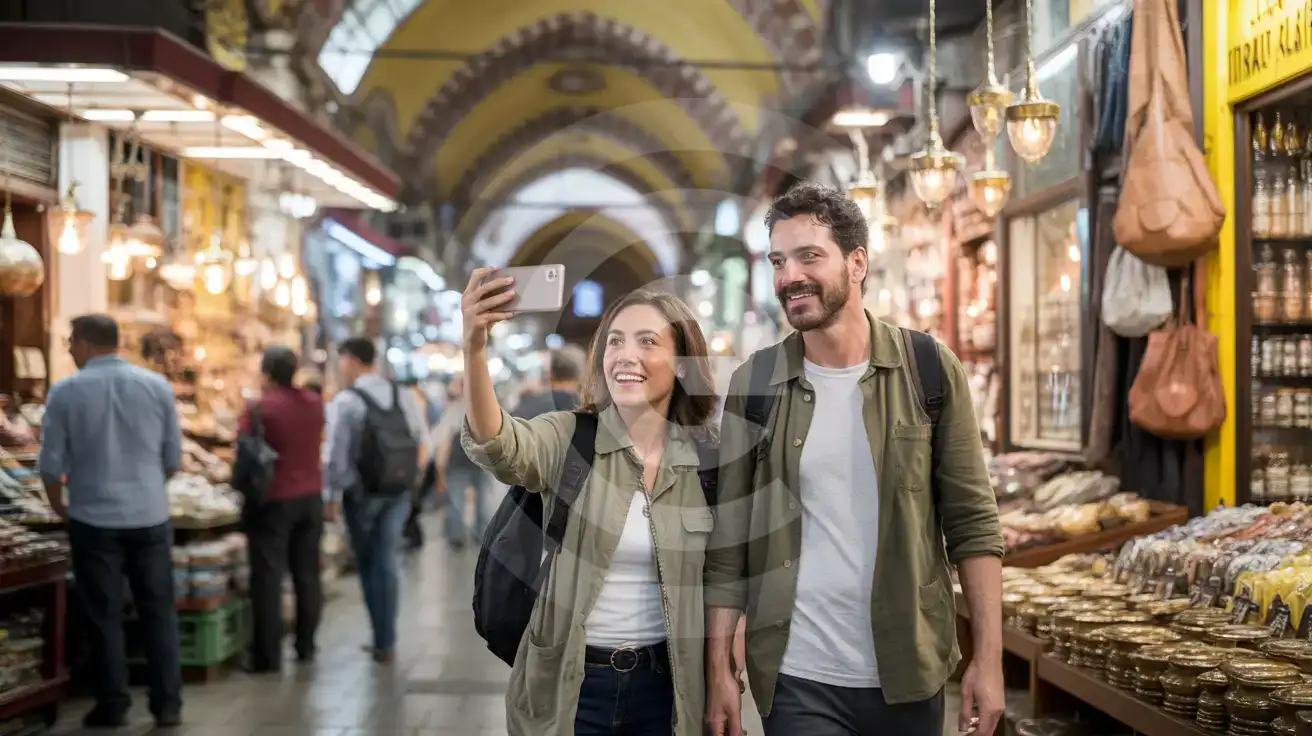
Couple photographing hanging lamps inside the Grand Bazaar's low stone-vaulted alleys with gold-detailed arches and market bustle
Activate your eSIM before arrival so translation and currency apps work the moment you step into the bazaar's stone-vaulted maze.

Compare Connectivity Options at Grand Bazaar

Recommended
Local SIM / Operator
Roaming
IMEI registrationBlocked after 120 daysNever required
Setup timeStore queue + passportAuto
No local ID neededPassport tied to the SIMUse home account
SpeedCarrier-gradePartner-dependent
Travel supportTurkish-language serviceHome carrier hours
Keep home numberReplaces itSame number
Cost predictabilityIMEI fee risk: ~1,213 USDOutside EU roaming
5GB / 30 daysLight traveler
20GB / 28 days
₺1800.22
Tourist Welcome Pack for new Turkcell customers, valid 28 days, on the Turkcell network only.
$12-18 / day
₺723.56
Typical daily roaming rate; varies by home carrier
10GB / 30 daysStandard travelerMost popular
20GB / 30 daysHeavy traveler

Frequently Asked Questions (FAQs)

Activate after your flight lands at Istanbul Airport. By the time you board the M11 metro toward Kağıthane and transfer to the T1 tram for Beyazıt-Kapalıçarşı, your phone is already pulling live departure times and directions to the bazaar entrance.
Coverage on Türk Telekom and Vodafone holds through the Grand Bazaar's stone-vaulted lanes, though signal can dip briefly inside the thick-walled Cevahir Bedesten antique hall. An eSIMno plan keeps you connected for translation apps and currency converters even where the bazaar's sparse WiFi hotspots don't reach.
Yes — your home SIM stays on for incoming calls while the eSIM handles all data tasks. For outgoing calls, use WhatsApp, FaceTime, or Google Meet over your eSIM data to avoid home-network roaming charges.
Take the M11 metro from the airport toward Kağıthane (~25 min), transfer to the M2, then switch to the T1 tram at Yenikapı. Exit at Beyazıt-Kapalıçarşı — the western bazaar gates are steps from the tram platform. Live departure boards on your phone beat guessing at platform schedules.
Weekday mornings between 9:30 and 11:00, especially Tuesday through Thursday, draw the smallest crowds. Saturday afternoons are peak chaos. The bazaar closes Sundays and on major religious holidays — check the calendar on your phone before planning your visit.
Your eSIMno plan covers all of Turkey. The same data that powers your Grand Bazaar haul keeps working at the Spice Bazaar near Eminönü, the ferry crossing to Kadıköy, or a weekend extension to Cappadocia balloon flights.
GET A FULL20%OFFon your first order
Use code: FIRSTWELCOME20

Stay connected,
wherever you go

Seamless global eSIM coverage

Get Started
The Grand Bazaar sprawls across 60 covered streets with over 4,000 shops, and the dense stone vaults that make it architecturally stunning also block cellular signal in unpredictable ways. One alley has full bars; the next drops to edge. An eSIM on Türk Telekom or Vodafone keeps you connected through the maze — translation apps for price negotiation, currency converters for lira math, and real-time messaging to coordinate meetups at the Beyazıt Gate. Activate your eSIM before departure so your phone connects the moment you taxi to the gate at Istanbul Airport. By the time you clear customs and board the M11 metro toward Gayrettepe, your data is already pulling directions to the bazaar. The T1 tram from Yenikapı drops you at Beyazıt-Kapalıçarşı in under 40 minutes from the city center — live departure boards on your phone beat platform guesswork. Your eSIMno plan covers the entire country, so the same data that powers your Grand Bazaar haul keeps working at the Spice Bazaar near Eminönü, the ferry crossing to Kadıköy, or a weekend extension to Cappadocia. One purchase, one QR install, nationwide coverage from Istanbul to the Aegean coast.
Back to Turkey
No more SIM kiosks

No more SIM kiosks

Skip the airport queues. Install your eSIM at home, activate when you land.

no roaming charges

No roaming surprises

Forget the $200 phone bill three weeks after your trip. Plain pricing, no hidden fees.

keep your physical sim

Keep your home number

Dual-SIM means your physical SIM stays active for calls and texts. eSIM handles only data.

easy installation

Setup in 2 minutes

Scan QR code, follow on-screen steps, you're connected. Works on any eSIM-compatible phone.

Pay SafelyVisa CardMaster CardGoogle PayPayPalApple Pay

How does eSIMNo Works?

Experience seamless global connectivity with our personal eSIM service. Enjoy faster speeds, wider coverage, and the convenience of online purchasing.

Buy a Data Plan

Buy a Data Plan

Search for your destination and pick any data plan

Step 1

Install your eSIM

Install your eSIM

Easy installation via qr code

Step 2

Activate Your eSIM

Activate Your eSIM

Only active when you are ready to use data

Step 3

Advantages

24/7 Customer Support

Reach our team via WhatsApp and email during business hours. Quick answers to common questions available anytime through our automated assistant.

Immediate delivery

Your eSIM arrives by email within minutes. Install it before you board your flight.

Worldwide Coverage

One eSIM, 160+ countries. Land anywhere and connect instantly — no SIM swapping, no roaming charges.

Check Compatibility

Check Compatibility

Before buying and installing an eSim, check if your phone supports one

Check if your phone is eSIM compatible

As you feel the need to use eSIM on your phone, the first question that arises is: does your mobile support eSIMs? And do eSIM-compatible devices work in all regions worldwide?

Some phones that support eSIM technology

  • IPhone XS and Later
  • Samsung Galaxy S20 and Later
  • Pixel 4 and Later
  • Xiaomi 12T Pro and Later
All eSIM-Compatible Phones

Frequently Asked Questions (FAQs)

Find helpful information to answer your questions

Can I extend my eSIM plan validity?
The validity of a package that is already running cannot be extended, but you can top up: a top-up adds a new package with its own data AND its own validity days. Packages run one at a time - the top-up waits in queue and activates automatically when your current package ends (data used up or days expired), and its own days start counting from that moment. In practice this keeps you connected longer, even though the current package's own end date does not move.
What happens if I pause my trip and return home?
Your eSIM keeps its validity period running whether you're using it or not - pausing your trip doesn't pause the timer. If you return home, the eSIM stays dormant on your device until you travel again or it expires. You can disable it in cellular settings to avoid accidental usage.
How can I verify if my eSIM is activated?
There are two clear indicators: (1) your phone's status bar shows the local carrier name once you arrive at your destination, and (2) the data icon (4G, LTE, or 5G) appears next to the eSIMno line in your cellular settings. If neither shows up, toggle airplane mode off and on, or restart your phone.
What is the price range for the Turkey eSIM plans?
Prices commence at $4.90 and vary according to data allowance and plan duration. Larger data plans and longer durations cost more, but the per-GB rate decreases with bigger packages.
How do I delete an eSIM I no longer need?
On iPhone: Settings > Cellular > tap the eSIM line > Remove eSIM. On Android: Settings > Network & Internet > SIMs > tap the eSIM > Erase. Deleting the eSIM frees up a profile slot. Make sure you don't need it anymore - once deleted, you can't reinstall the same profile.
Do I need to remove my eSIM after my trip?
You don't have to remove it. Once your data plan expires, the eSIM simply stops providing data. You can leave the dormant profile on your phone and reuse it next time by purchasing a new plan, or delete it from cellular settings to free up an eSIM slot.
Can I install my eSIM before traveling?
Yes - setting it up before your trip is the easiest approach. Your confirmation email contains the QR code, a one-tap install link and the manual SM-DP+ / activation codes (the same options are also available via sign in > Profile > My eSIMs > Install). While on Wi-Fi at home, install it with the one-tap link on your phone, or - to use the QR - show it on another screen or a printout and scan it with the phone you are setting up (not another phone). Installing does not start your plan: the validity countdown only begins when the eSIM connects to a mobile network inside your plan's coverage area. Keep the eSIM line and its Data Roaming off until you are ready to start - if your plan covers the country you are in right now, turning the line on connects and starts the countdown immediately, even if you do not browse anything. Please note: once installed, an eSIM is considered used and is no longer eligible for a refund.
Can I tether or use Personal Hotspot with my eSIM?
Yes. Your eSIMno plan supports tethering and Personal Hotspot at no extra charge. Activate the Personal Hotspot feature in your device settings and connect other devices as you would with any cellular plan. Data used while tethering counts toward your plan allowance.
Can I use the eSIM for my smartwatch?
Some smartwatches (Apple Watch Cellular, Samsung Galaxy Watch LTE) support eSIM, but they typically require a plan from your home carrier rather than a travel eSIM. eSIMno plans are designed for phones and tablets - check device compatibility before purchase if you intend to use a wearable.
Can I use the eSIM to make video calls?
Yes - apps like FaceTime, WhatsApp, Zoom, Google Meet, and Microsoft Teams all work over your eSIM data. Video calls use about 200-400 MB per hour depending on quality, so factor that into your plan choice if you make long calls regularly.
Can I use my SIM card and eSIM at the same time?
Yes. On dual-SIM devices (most modern iPhones and Android phones), you can run your physical SIM and the eSIM simultaneously. Use your home SIM for calls and SMS, and the eSIM for mobile data. Keep in mind that leaving your home SIM active may trigger roaming charges if you use it for calls or texts abroad.
Can I get a refund after purchase?
Refunds are not available once an eSIM has been installed or activated - install codes are one-time-use, so an installed eSIM is considered used even if no data has been consumed. If you have not installed your eSIM yet and want a refund, contact support within the refund window stated at checkout. We recommend reviewing plan details carefully before purchase to avoid any issues.

Use Your Free Credit

You can earn up to 15% commission from your friends' purchases with your Reference code. Plus, your friends will get $2 off their first purchase when they use your code!

FIND OUT HOW
Refer a friend

Refer

A FRIEND

Step into the world of E-SIM, bring your friends and benefit together!