


Review Your Cart

Your cart is empty.

You haven't added any eSIM packages yet. Start exploring our plans to get connected!

Browse our eSIM Packages
🎉 Welcome offer: 20% off with promo code FIRSTWELCOME20

Turkey Turkey   / Milas-Bodrum Airport

Milas-Bodrum Airport international terminal exterior at golden hour with control tower and Aegean hills in the background

BJV Airport eSIM: Bodrum Data That Works Across Turkey

Your flight taxis to the gate at Milas-Bodrum Airport and you're already pulling up the HAVAŞ coach schedule to Bodrum, messaging your villa transfer, and checking which pickup zone handles arrivals. With eSIMno, you install before takeoff and switch on the moment you clear arrivals — no kiosk queue, no passport handover, just data that works from BJV to every beach club on the peninsula.
View Plans
GET A FULL20%OFFon your first order
Use code: FIRSTWELCOME20

Stay connected,
wherever you go

Seamless global eSIM coverage

Explore our plans below

Plan Your Trip

Tell us what you'll do and how long you'll be away — we'll highlight the right plan.

7 days
1102030

What will you do?

Tap an activity above to see which plan fits your trip

Already a customer?

EARN UP TOON EVERY FRIEND'S PURCHASE
NETWORK: Türk Telekom & Vodafone Depending on the plan you choose, you'll connect to one or more of these networks.

Quick Facts

Language
Turkish (Türkçe)
Currency
Turkish Lira (TL, ₺)
Time Zone
Turkey Standard Time (UTC+3)
Dialing Code
+90
Power Plug
Type C, E, F (round 2-pin, common across most of Europe)
Emergency
112 (general European emergency line)
eSIMno Networks
Türk Telekom, Vodafone

How to Get Your eSIM

  1. Pick your Turkey data plan
    Choose a package that covers your peninsula stay plus any side trips to Istanbul, Cappadocia, or the Aegean coast — one plan works nationwide.
  2. Install over WiFi before your flight
    Scan the QR code at home or in the departure lounge. The profile loads in under two minutes and sits dormant until you activate.
  3. Activate after you land at BJV
    Once your flight reaches the gate and the cabin crew clears phone use, switch off airplane mode. Your eSIM connects to Türk Telekom or Vodafone within seconds.
  4. Skip the arrivals SIM queue
    Walk past the crowded kiosk near currency exchange. Your data is already live for HAVAŞ schedules, transfer messages, and Google Maps directions to Bodrum.
  5. Keep your home SIM active for calls
    Incoming calls reach your home number normally. For outgoing calls, use WhatsApp or FaceTime over your eSIMno data to avoid roaming charges.

Traveler Tips

  • HAVAŞ coaches to Bodrum Otogar depart after major arrivals — check the live schedule on your phone as you exit customs so you don't miss the next bus by five minutes.
  • Summer taxi queues at BJV stretch 20-30 minutes on weekend turnover days. Message your pre-booked transfer driver while still inside arrivals to confirm the pickup zone.
  • The domestic and international terminals are separate buildings — if you're self-connecting, allow 90 minutes minimum and use Google Maps to navigate the landside walk.
  • Airport WiFi requires captive-portal registration that can stall on overloaded summer evenings. Your eSIM bypasses the friction entirely.
  • Peninsula destinations like Yalıkavak and Türkbükü add 30-45 minutes beyond central Bodrum — confirm your driver has the correct villa address via WhatsApp before you leave the forecourt.

Why You Need an eSIM at BJV

Milas-Bodrum Airport funnels summer charter traffic from across Europe into a compact international terminal where every traveler needs the same thing at once: data. The HAVAŞ coach to Bodrum Otogar runs on a flight-timed schedule — miss the departure board update and you're waiting 40 minutes for the next bus. Your villa transfer driver sends a WhatsApp pin for the pickup lane, not a printed sign. The taxi rank negotiation goes smoother when you can pull up a live fare estimate on BiTaksi or Uber Turkey.

Inside the terminal, free WiFi exists but requires registration that times out under peak-season load. By the time the captive portal loads, the first shuttle has left. An eSIMno plan for Milas-Bodrum Airport, Bodrum, Turkey activates the moment you switch off airplane mode — no portal, no SMS verification to a Turkish number you don't have, no queue at the SIM kiosk sandwiched between duty-free and currency exchange.

The same plan keeps working as you ride the D330 toward the peninsula, check marina berth availability at Yalıkavak, translate a seafood menu in Gümüşlük, or book a gulet day trip from Bodrum Castle's waterfront. Real-time Google Maps traffic matters when summer congestion turns a 35-minute ride into 70 minutes — and group chats with the friends picking you up at the villa gate depend on data, not hope.

Visiting Milas-Bodrum Airport

BJV handles both domestic flights (Turkish Airlines, Pegasus, AJet to Istanbul and Ankara) and international charters (easyJet, Jet2, TUI, SunExpress from UK and continental Europe). The domestic terminal and international terminal are separate facilities — transfers between them require a landside walk or vehicle. Allow 90+ minutes for self-made connections, especially when rechecking bags.

Car rental desks (Avis, Europcar, Sixt, Garenta) cluster near arrivals; summer demand is high, so pre-book online. ATMs sit landside near the exit. Dining options include Turkish café counters and grab-and-go bakeries — selection narrows sharply after the evening departure bank, so don't count on late-night meals.

The airport is closer to Milas (18 km, 20-25 minutes) than to Bodrum town (36 km, 35-45 minutes off-peak). If your destination is Yalıkavak, Türkbükü, or Turgutreis, add another 20-40 minutes beyond Bodrum center depending on traffic.

Ready for Bodrum

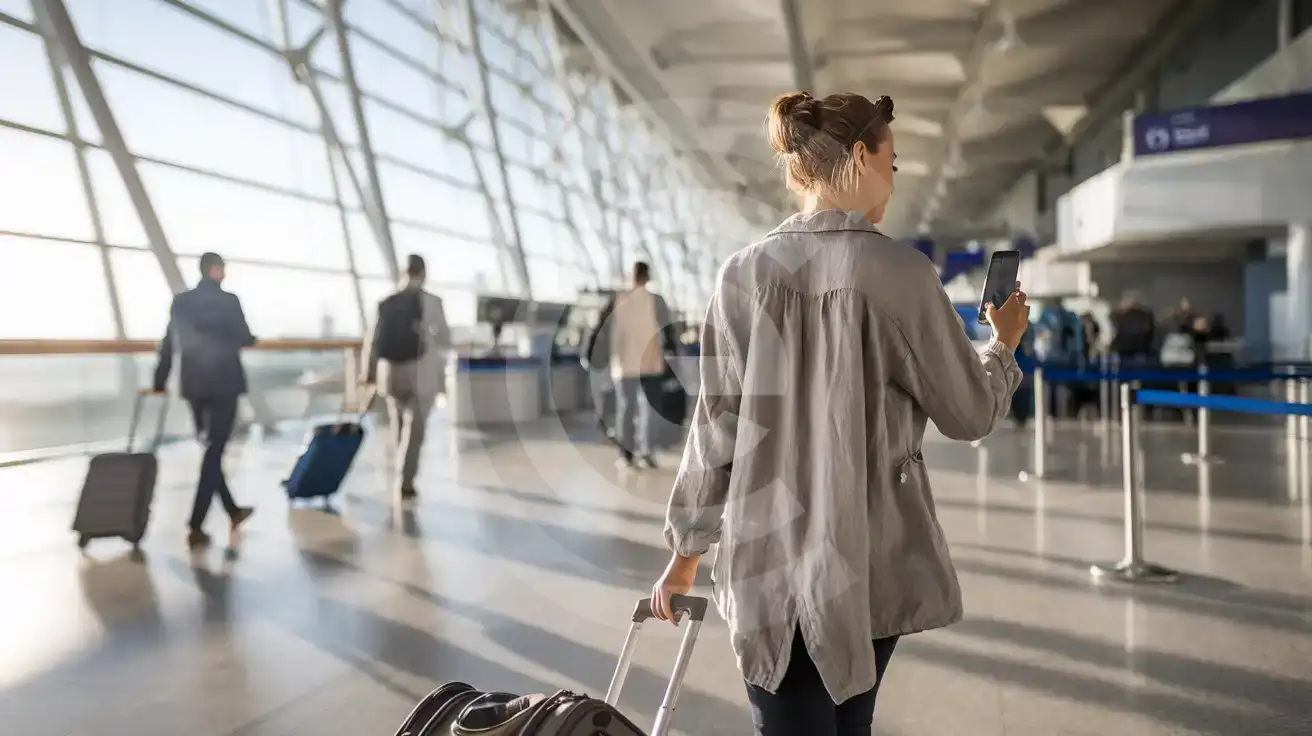
Solo female traveler walking through Milas-Bodrum Airport arrivals hall with smartphone in hand
Activate your eSIM after landing at BJV so directions and transfer messages load before you reach the forecourt.

Compare Connectivity Options at Milas-Bodrum Airport

Recommended
Local SIM / Operator
Roaming
IMEI registrationBlocked after 120 daysNever required
Setup timeStore queue + passportAuto
No local ID neededPassport tied to the SIMUse home account
SpeedCarrier-gradePartner-dependent
Travel supportTurkish-language serviceHome carrier hours
Keep home numberReplaces itSame number
Cost predictabilityIMEI fee risk: ~1,213 USDOutside EU roaming
5GB / 30 daysLight traveler
20GB / 28 days
₺1800.22
Tourist Welcome Pack for new Turkcell customers, valid 28 days, on the Turkcell network only.
$12-18 / day
₺723.56
Typical daily roaming rate; varies by home carrier
10GB / 30 daysStandard travelerMost popular
20GB / 30 daysHeavy traveler

Frequently Asked Questions (FAQs)

Activate after your flight reaches the gate and cabin crew clear phone use. By the time you're walking toward the baggage carousel at BJV, your data is already pulling up HAVAŞ schedules and transfer messages — no waiting for airport WiFi to load a captive portal.
HAVAŞ coaches connect arrivals to Bodrum Otogar in 40-50 minutes. Taxis take 35-45 minutes off-peak. Pre-booked transfers are common for peninsula villas. Having data ready lets you check live departure times, message your driver, and pull up Google Maps traffic before you leave the terminal.
Yes — eSIMno plans are data-only, so your home SIM stays active for incoming calls and texts. Use WhatsApp, FaceTime, or Google Meet over your eSIMno data for outgoing calls to avoid roaming charges on your home line.
The same plan covers all of Turkey. Whether you're headed to Istanbul for a layover, Cappadocia for balloon flights, or Antalya for the Turquoise Coast, your data keeps working on Türk Telekom and Vodafone nationwide — no SIM swap needed at each stop.
Free WiFi exists but requires captive-portal registration that can stall when charter arrivals flood the terminal. An eSIM bypasses the portal entirely — your data is live the moment you switch off airplane mode, which matters when everyone around you is fighting for bandwidth.
BJV's two terminals are separate buildings, so self-connections require a landside walk and re-check. Allow 90+ minutes and use Google Maps to navigate the route. Your eSIM data keeps you oriented and lets you message ahead if timing gets tight.
GET A FULL20%OFFon your first order
Use code: FIRSTWELCOME20

Stay connected,
wherever you go

Seamless global eSIM coverage

Get Started
Milas-Bodrum Airport sits 36 km northeast of Bodrum town, and the ride into the peninsula depends entirely on your phone working the moment you step outside arrivals. HAVAŞ coaches, pre-booked villa transfers, and taxi negotiations all flow through messaging apps and real-time schedules — waiting for airport WiFi to load a captive portal costs you the first shuttle and adds friction to every interaction. An eSIMno plan activates after you land, so your data is live before you even reach the baggage belt. BJV splits traffic between a domestic terminal handling Istanbul and Ankara flights and an international terminal packed with summer charters from the UK, Germany, and the Netherlands. Peak-season queues at SIM kiosks stretch past the currency exchange, while eSIM users walk straight through to the forecourt with directions already loading. Whether you're headed to Yalıkavak Marina, Gümbet Beach, or a boutique hotel in Türkbükü, your transfer confirmation and live traffic updates travel with you. The same eSIMno plan that gets you out of Milas-Bodrum Airport keeps working across Turkey — from the Aegean coast to Cappadocia balloon flights, from Istanbul's M11 metro to Antalya's Kaleiçi lanes. One purchase, one install, nationwide coverage on Türk Telekom and Vodafone. Skip the SIM swap at every stop and focus on the trip.
Back to Turkey
No more SIM kiosks

No more SIM kiosks

Skip the airport queues. Install your eSIM at home, activate when you land.

no roaming charges

No roaming surprises

Forget the $200 phone bill three weeks after your trip. Plain pricing, no hidden fees.

keep your physical sim

Keep your home number

Dual-SIM means your physical SIM stays active for calls and texts. eSIM handles only data.

easy installation

Setup in 2 minutes

Scan QR code, follow on-screen steps, you're connected. Works on any eSIM-compatible phone.

Pay SafelyVisa CardMaster CardGoogle PayPayPalApple Pay

How does eSIMNo Works?

Experience seamless global connectivity with our personal eSIM service. Enjoy faster speeds, wider coverage, and the convenience of online purchasing.

Buy a Data Plan

Buy a Data Plan

Search for your destination and pick any data plan

Step 1

Install your eSIM

Install your eSIM

Easy installation via qr code

Step 2

Activate Your eSIM

Activate Your eSIM

Only active when you are ready to use data

Step 3

Advantages

24/7 Customer Support

Reach our team via WhatsApp and email during business hours. Quick answers to common questions available anytime through our automated assistant.

Immediate delivery

Your eSIM arrives by email within minutes. Install it before you board your flight.

Worldwide Coverage

One eSIM, 160+ countries. Land anywhere and connect instantly — no SIM swapping, no roaming charges.

Check Compatibility

Check Compatibility

Before buying and installing an eSim, check if your phone supports one

Check if your phone is eSIM compatible

As you feel the need to use eSIM on your phone, the first question that arises is: does your mobile support eSIMs? And do eSIM-compatible devices work in all regions worldwide?

Some phones that support eSIM technology

  • IPhone XS and Later
  • Samsung Galaxy S20 and Later
  • Pixel 4 and Later
  • Xiaomi 12T Pro and Later
All eSIM-Compatible Phones

Frequently Asked Questions (FAQs)

Find helpful information to answer your questions

How can I check my data usage?
Log in to the eSIMno Center on our website or mobile app to see your remaining data balance and usage history. You can also check usage in your phone's cellular data settings - most devices show data consumed per line.
Is the eSIM connection secure?
eSIM connections are as secure as standard cellular connections - encrypted by the carrier network. For added security on public networks (cafes, airports), use a VPN. The eSIM profile itself is digitally signed and can't be cloned like a physical SIM.
Can I use the eSIM right after purchase or do I need to wait?
Yes - you can install it immediately after purchase. Your order email arrives within minutes and contains the QR code, a one-tap install link and the manual codes, plus an "Install eSIM" button; you can also sign in > My eSIMs > Install any time. Installing right away does not start your plan - the validity countdown only begins when the eSIM connects to a mobile network inside your plan's coverage area. Keep the eSIM line and Data Roaming off until you are ready to start; if your plan covers the country you are in right now, turning the line on starts the countdown immediately.
What should I do if I see a 'No network' message after activating my eSIM?
If you see a 'No network' message after activation, try these steps in order: (1) Toggle airplane mode on for 10 seconds, then off. (2) Confirm data roaming is enabled for the eSIM line. (3) Manually select a network in cellular settings. (4) Restart your phone. If the issue continues, contact eSIMno support via WhatsApp or email.
What customer support is available if I have issues?
eSIMno offers 24/7 support via WhatsApp and email. Our human support team - not bots - handles installation help, troubleshooting, billing questions, and refund inquiries. Most issues are resolved within minutes during business hours and within a few hours overnight.
Can I switch the eSIM to a different phone after activation?
Generally no. Once an eSIM is activated on a device, it's tied to that device. If you switch phones, you'll need to install a new eSIM. Some carriers offer eSIM transfer features, but eSIMno plans don't currently support transfer between devices.
Can I tether or use Personal Hotspot with my eSIM?
Yes. Your eSIMno plan supports tethering and Personal Hotspot at no extra charge. Activate the Personal Hotspot feature in your device settings and connect other devices as you would with any cellular plan. Data used while tethering counts toward your plan allowance.
Do I need to deactivate my original SIM?
We recommend turning off cellular data and data roaming on your original SIM while abroad to avoid accidental roaming charges. You don't need to physically remove the SIM - just disable data and set the eSIM as your primary data line.
Can I get a refund after purchase?
Refunds are not available once an eSIM has been installed or activated - install codes are one-time-use, so an installed eSIM is considered used even if no data has been consumed. If you have not installed your eSIM yet and want a refund, contact support within the refund window stated at checkout. We recommend reviewing plan details carefully before purchase to avoid any issues.
Will the eSIM work on my iPad?
Yes, if your iPad model supports eSIM. iPad Pro (3rd generation and later), iPad Air (3rd generation and later), iPad mini (5th generation and later), and standard iPad (7th generation and later with cellular) all support eSIM. Installation works the same way as on iPhone.
Are there any hidden fees or extra charges?
No. The price you see at checkout is the total price - no activation fees, no hidden taxes, no roaming surcharges. Your data plan is fixed-price, and you'll never receive a surprise bill from your home carrier as long as you keep cellular data off on your home SIM.
How do I delete an eSIM I no longer need?
On iPhone: Settings > Cellular > tap the eSIM line > Remove eSIM. On Android: Settings > Network & Internet > SIMs > tap the eSIM > Erase. Deleting the eSIM frees up a profile slot. Make sure you don't need it anymore - once deleted, you can't reinstall the same profile.

Use Your Free Credit

You can earn up to 15% commission from your friends' purchases with your Reference code. Plus, your friends will get $2 off their first purchase when they use your code!

FIND OUT HOW
Refer a friend

Refer

A FRIEND

Step into the world of E-SIM, bring your friends and benefit together!