







No more SIM kiosks
Skip the airport queues. Install your eSIM at home, activate when you land.


Land connected. No SIM kiosk hunt, no roaming charges, no setup at the airport. One plan covers your whole trip.
 United States / University of Washington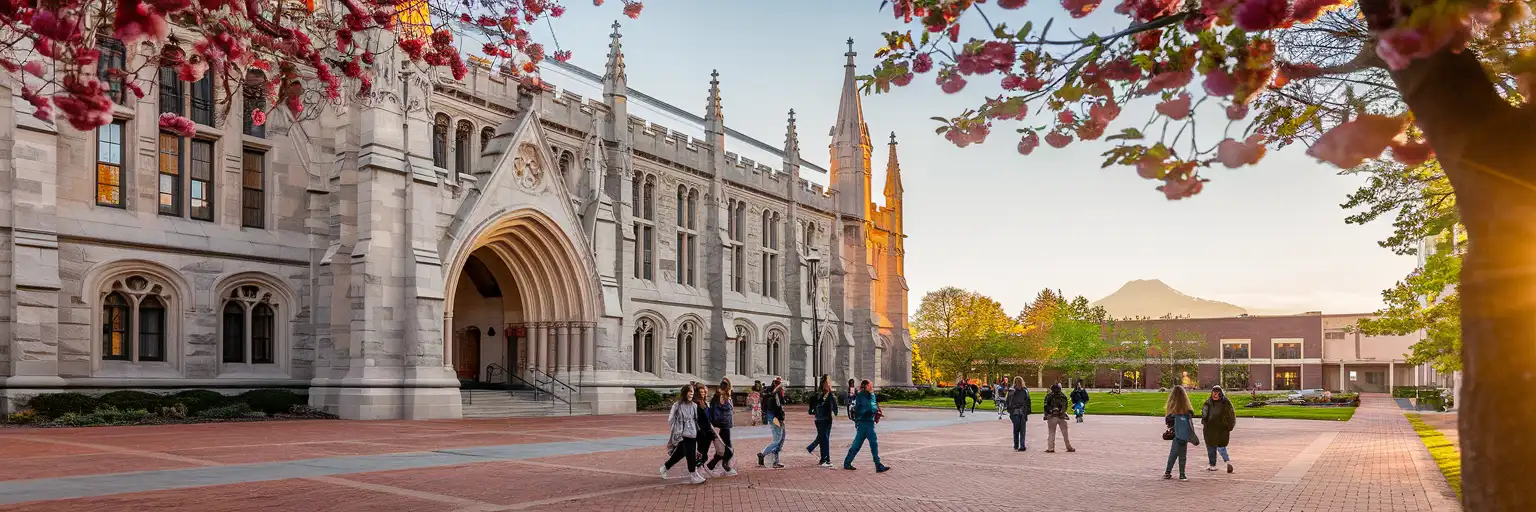
Tell us what you'll do and how long you'll be away — we'll highlight the right plan.
What will you do?

The University of Washington campus covers over 700 acres with buildings dating from 1895 to last year — and that architectural range means wildly inconsistent indoor WiFi. Denny Hall's thick masonry walls swallow Eduroam signals; the Health Sciences complex tunnels between buildings where coverage vanishes mid-hallway. Your eSIMno plans for University of Washington, Seattle, Washington, United States give you reliable AT&T and Verizon coverage that works inside lecture halls, across the Quad, and down on the Burke-Gilman Trail.
Getting around UW means juggling multiple transit apps. OneBusAway tracks King County Metro routes along 15th Ave NE and the U District. Sound Transit's 1 Line connects U District Station to downtown Seattle (12 minutes to Westlake) and Sea-Tac (45 minutes). The campus shuttles between upper and lower campus run on their own schedule — real-time tracking through the UW Transportation app saves you standing in Seattle drizzle. Data keeps all three systems visible on one screen.
MyUW portal access between classes, Canvas assignment uploads from the Allen Library study rooms, Zoom office hours from a bench on Rainier Vista, Slack channels with your research lab — none of it works reliably on congested campus WiFi during midterms week. Your eSIM bypasses the network crunch entirely. When the libraries fill up and you relocate to Café Allegro on the Ave, your data follows without reconnecting to anything.
The main campus is open to visitors year-round, with the most photogenic windows during cherry blossom season (late March–early April) and autumn quarter when the vine maples turn. Prospective student tours depart from the Office of Admissions in Schmitz Hall — book online, as walk-ups fill fast during peak weekends.
From Sea-Tac, the Link 1 Line runs directly to U District Station (45 minutes, tap-to-pay or ORCA card). From downtown Seattle, the same line reaches U District Station in 12 minutes from Westlake. King County Metro Route 44 connects the campus to Ballard and Wallingford. Parking on campus requires a day permit from UW Transportation Services — expect to pay $15–$20 for visitor lots near Kane Hall.
The Quad and Suzzallo Library anchor the historic core. The Burke Museum of Natural History reopened in 2019 with a modern glass building at the campus edge. Drumheller Fountain offers the classic Rainier Vista photo op on clear days. Husky Stadium tours run during non-game weeks — check the athletics site for availability.

 Recommended Recommended | Local SIM / Operator | Roaming | |
|---|---|---|---|
| FEATURES | |||
| Setup time | Few minutes | Store kit, needs activation | Auto |
| No local ID needed | Online checkout | No SSN; passport at carrier stores | Use home account |
| Speed | 4G/LTE on AT&T, T-Mobile and Verizon; 5G in some areas | One carrier only | Partner-dependent |
| Travel support | English support 24/7 | English-language service | Home carrier hours |
| Keep home number | Dual SIM | Replaces it | Same number |
| Cost predictability | Fixed price | Advertised price needs Auto Pay | Bill-shock risk |
| PRICING | |||
5GB / 30 daysLight traveler | 15GB / 30 days ₺2170.69 First month without Auto Pay; 35 USD after enrolling. Taxes and fees are extra. | $12-18 / day ₺723.56 Typical daily roaming rate; varies by home carrier | |
10GB / 30 daysStandard travelerMost popular | |||
20GB / 30 daysHeavy traveler | |||
No more SIM kiosks
Skip the airport queues. Install your eSIM at home, activate when you land.

No roaming surprises
Forget the $200 phone bill three weeks after your trip. Plain pricing, no hidden fees.

Keep your home number
Dual-SIM means your physical SIM stays active for calls and texts. eSIM handles only data.

Setup in 2 minutes
Scan QR code, follow on-screen steps, you're connected. Works on any eSIM-compatible phone.


Experience seamless global connectivity with our personal eSIM service. Enjoy faster speeds, wider coverage, and the convenience of online purchasing.

Buy a Data Plan
Search for your destination and pick any data plan
Step 1
Install your eSIM
Easy installation via qr code
Step 2
Activate Your eSIM
Only active when you are ready to use data
Step 3
24/7 Customer Support
Reach our team via WhatsApp and email during business hours. Quick answers to common questions available anytime through our automated assistant.
Immediate delivery
Your eSIM arrives by email within minutes. Install it before you board your flight.
Worldwide Coverage
One eSIM, 160+ countries. Land anywhere and connect instantly — no SIM swapping, no roaming charges.
Check Compatibility
Before buying and installing an eSim, check if your phone supports one
As you feel the need to use eSIM on your phone, the first question that arises is: does your mobile support eSIMs? And do eSIM-compatible devices work in all regions worldwide?
Find helpful information to answer your questions

Refer
A FRIEND
Step into the world of E-SIM, bring your friends and benefit together!