Review Your Cart

Your cart is empty.

You haven't added any eSIM packages yet. Start exploring our plans to get connected!

Browse our eSIM Packages
🎉 Welcome offer: 20% off with promo code FIRSTWELCOME20

United States United States   / Apollo Theater

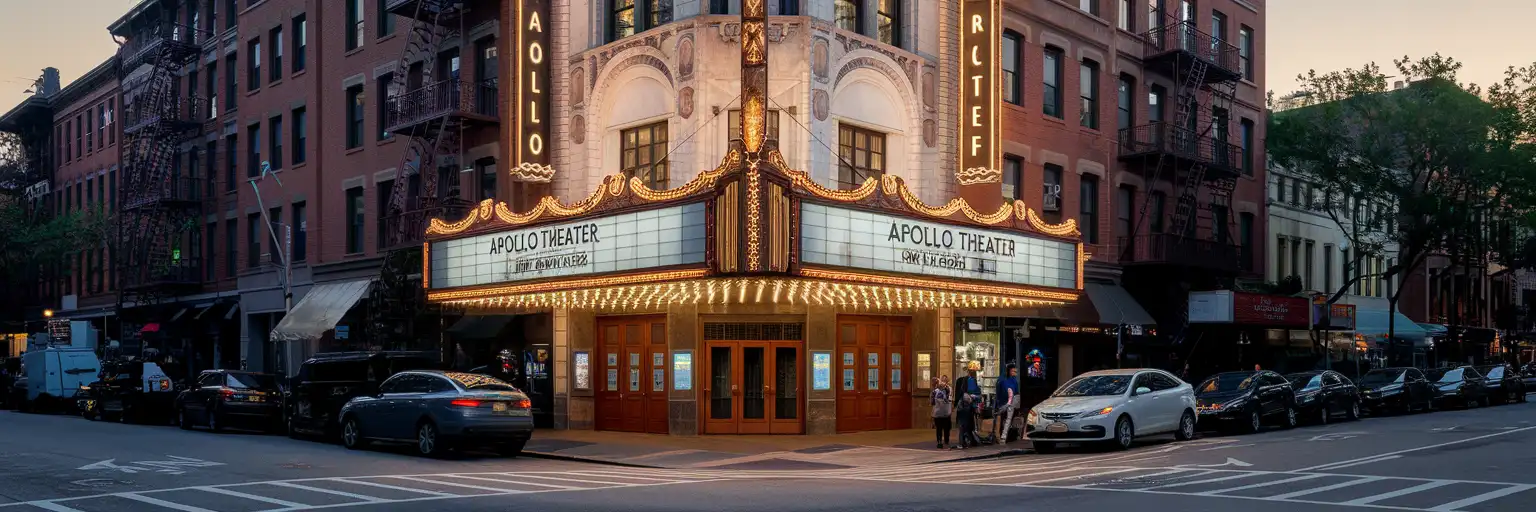
Exterior view of the Apollo Theater on 125th Street in Harlem at golden hour

Apollo Theater eSIM: Harlem Data That Works Across the USA

You're outside the Apollo with a mobile ticket to pull up, a ride back downtown to book, and Harlem plans still shifting after your flight into John F. Kennedy International Airport. eSIMno gives you USA-wide data without hunting for a SIM shop in Manhattan, and you can install it before the trip so it's ready to switch on after landing.
View Plans
GET A FULL20%OFFon your first order
Use code: FIRSTWELCOME20

Stay connected,
wherever you go

Seamless global eSIM coverage

Explore our plans below

Plan Your Trip

Tell us what you'll do and how long you'll be away — we'll highlight the right plan.

7 days
1102030

What will you do?

Tap an activity above to see which plan fits your trip

Already a customer?

EARN UP TOON EVERY FRIEND'S PURCHASE
NETWORK: AT&T & T-Mobile & Verizon Wireless Depending on the plan you choose, you'll connect to one or more of these networks.

Quick Facts

Language
English
Currency
US Dollar (USD, $)
Time Zone
Eastern Time (UTC-5 / UTC-4)
Dialing Code
+1
Power Plug
Type A, B (flat 2-pin, common across North America)
Emergency
911 (police, fire, ambulance)
eSIMno Networks
AT&T, Verizon Wireless

How to Get Your eSIM

  1. Pick Your USA Plan Before The Trip
    Choose the data amount you want for New York first, then keep using the same plan across the rest of the United States if your itinerary continues after Harlem.
  2. Install While You Still Have Reliable WiFi
    Set up the eSIM at home or at your hotel before you head toward Apollo Theater. That way you are not troubleshooting on 125th Street while trying to open a ticket email, message friends, or compare subway routes.
  3. Keep Your Home SIM On For Voice
    eSIMno is data-only. Your home SIM stays active for incoming voice calls with no setup needed, while apps like WhatsApp, FaceTime, and Telegram use your eSIMno data for messages and internet calls.
  4. Activate After Landing
    Turn on the eSIM after you land in New York and airplane mode is off. By the time you are riding in from JFK, LaGuardia, or Newark, your phone can already handle live navigation, ride apps, and ticket access.
  5. Use It On The Way To The Apollo
    Before the show, use your data to check Citymapper or Google Maps for the best route to 125th Street, pull up your confirmation email, and lock in your return ride before the crowd spills out after the performance.

Traveler Tips

  • Arrive 20-30 minutes before showtime at Apollo Theater so your ticket barcode, seat details, and bag check questions are sorted before the line tightens on 125th Street.
  • For subway arrivals, compare the 125 St stations on the A/B/C/D and the 2/3 before you set off; a live route check saves extra blocks of walking when service patterns shift at night.
  • If you're leaving after a sold-out show, request your Uber or Lyft from inside or right at the curb once the app shows the driver's approach; that short wait with working data beats trying to reconnect on the sidewalk.
  • Keep your home SIM active for incoming calls and let the eSIM handle data. For outgoing calls, use WhatsApp, FaceTime Audio, or Telegram so you avoid roaming voice charges through your home line.
  • Harlem plans can change fast after the performance. With data ready, you can book a table, pull up walking directions toward Adam Clayton Powell Jr. Boulevard, or switch from subway to rideshare in under a minute.
  • Screenshotting your ticket helps, but don't rely on screenshots alone. A live connection is still useful for seat updates, transfer checks, and meeting-point messages around the Apollo Theater block.

Why Data Matters at Apollo Theater

Apollo Theater is one of those New York stops where your phone keeps doing real work right up to the door. You may be opening the Apollo Theater confirmation email, checking the venue ticket flow, comparing a subway route to 125 St, or warning your group that you are 8 minutes away. In Harlem, that decision can shift between the A or D trains, the 2 or 3 trains, and a last-minute Uber or Lyft pickup depending on where you started and how late the show ends. Data is what lets those choices happen in real time instead of on guesswork.

The area around the venue rewards instant decisions. A dinner reservation can move from West Harlem to Midtown in one text. A post-show drink can turn into a ride south to Times Square or a late train back near Pennsylvania Station. If you are meeting people outside the theater, live location sharing through WhatsApp, iMessage, or Telegram saves the back-and-forth on a crowded block. If you are visiting from abroad, internet calling matters too: your eSIMno data can handle FaceTime Audio, Google Meet, and messaging apps while your home SIM remains active for incoming voice calls.

That is why travelers buy before they go. eSIMno plans for Apollo Theater, New York City, New York, United States make sense because the data need starts on the way in, not later at the hotel. Install in advance, activate after landing, and your phone is ready for maps, ticket access, rides, reservations, and every update between Harlem and the rest of your US trip. If tomorrow includes Broadway Theatre District or another city entirely, the same plan keeps working.

Visiting Apollo Theater

Apollo Theater sits on West 125th Street in Harlem, and visit patterns depend on the event on your booking rather than an all-day drop-in schedule. Performance nights create the key arrival window, so it is smart to have your confirmation email, exact start time, and entry instructions available before you leave your hotel. Ticket rules, seating details, and arrival guidance can differ by show, and the official event page is the right place to confirm the current policy.

For transit, the theater is served by multiple Harlem subway options within walking distance, which is useful if uptown and downtown service patterns change late in the evening. The block also stays busy with restaurants, bars, and curbside pickups after performances, so the exit flow can feel much different at 10 PM than it did when you arrived. If accessibility, bag policy, or camera rules matter for your event, check them in advance because live performances and special programs can use different house rules.

This is not a venue where you want loose ends. Knowing your entrance instructions, meeting point, and late-night route home before you arrive makes the evening smoother, especially if your plans continue elsewhere in Manhattan after the show.

Inside the Apollo Atmosphere

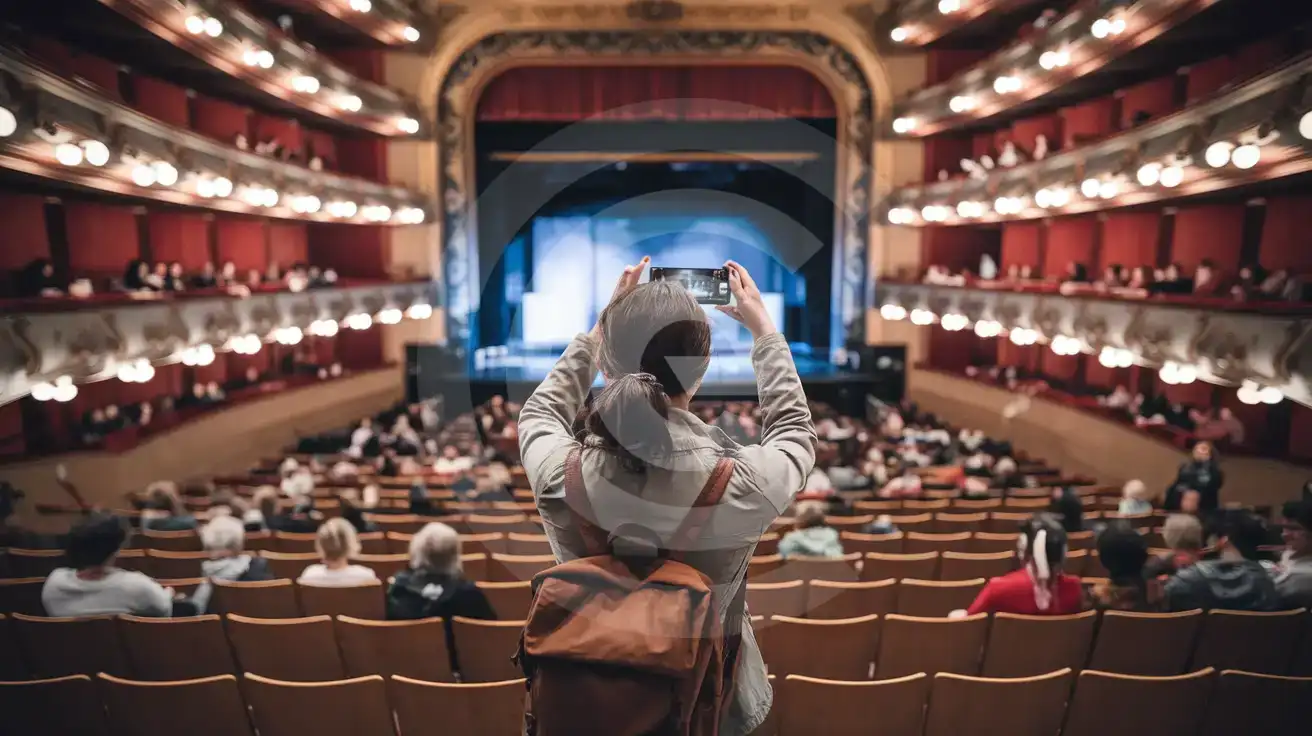
Solo female traveler photographing the interior auditorium of Apollo Theater in New York City
At Apollo Theater, New York City, New York, United States, set up your eSIM before the show so tickets and ride apps load fast.

Compare eSIM Options at Apollo Theater

Recommended
Local SIM / Operator
Roaming
Setup timeStore kit, needs activationAuto
No local ID neededNo SSN; passport at carrier storesUse home account
SpeedOne carrier onlyPartner-dependent
Travel supportEnglish-language serviceHome carrier hours
Keep home numberReplaces itSame number
Cost predictabilityAdvertised price needs Auto PayBill-shock risk
5GB / 30 daysLight traveler
15GB / 30 days
₺2170.69
First month without Auto Pay; 35 USD after enrolling. Taxes and fees are extra.
$12-18 / day
₺723.56
Typical daily roaming rate; varies by home carrier
10GB / 30 daysStandard travelerMost popular
20GB / 30 daysHeavy traveler

Frequently Asked Questions (FAQs)

Activate it after you land in New York, not while you are still departing home. That timing means your data is ready by the time you are routing yourself to Apollo Theater on 125th Street with Citymapper, Google Maps, or a rideshare app.
Yes. eSIMno is data-only, so your home SIM can stay active for incoming voice calls while you use data around Apollo Theater for messaging, maps, and app-based calls. If you need to call out after the show in Harlem, use WhatsApp, FaceTime Audio, or Telegram over data instead of placing a roaming voice call.
Install before your trip, then switch the eSIM on after landing so directions start immediately from JFK. That helps when you are comparing AirTrain plus subway options, checking Citymapper for the fastest Harlem route, or booking a direct car to Apollo Theater if luggage or a late arrival makes the train less appealing.
It helps a lot. Apollo Theater visitors often rely on a confirmation email or mobile ticket page, and a live connection is useful if the barcode needs to refresh, the event timing changes, or you need to pull up seat details while joining the line outside.
You can keep using it across the United States. If your night continues from Apollo Theater to Midtown, downtown Manhattan, or even another stop like Boston or Miami later in the trip, eSIMno keeps the same plan working without buying another SIM.
GET A FULL20%OFFon your first order
Use code: FIRSTWELCOME20

Stay connected,
wherever you go

Seamless global eSIM coverage

Get Started
The Apollo Theater visit starts before you reach the doors. Travelers headed to Harlem are checking ticket emails, confirming entry times, messaging friends, and deciding whether to arrive by subway, bus, or rideshare from Midtown. That is exactly where a USA eSIM helps: install over home WiFi before departure, then activate after landing so your phone is ready for directions, booking confirmations, and real-time route changes the moment you step into New York. If your evening stretches from the Apollo to dinner downtown or a late ride back to your hotel, your plan keeps working well beyond this one block. Around Apollo Theater, data matters in short bursts that still need to work instantly. You may need Citymapper or Google Maps to compare the A, B, C, D, 2, and 3 trains, Uber or Lyft for a late pickup on 125th Street, or your email for a barcode that refuses to load at the worst moment. Venue and cafe WiFi can add friction when you just need one thing done fast. A travel eSIM removes that pause and keeps your phone useful for navigation, reservations, messaging, and internet calls through apps like WhatsApp or FaceTime Audio. This page is about Apollo Theater, but the value is national. Buy once for New York and keep using the same data plan if your trip continues to Washington D.C., Boston, Miami, or Los Angeles. That matters on multi-stop itineraries where airport, train, hotel, and venue connections all change in one week. Your home SIM can stay active for incoming voice calls with no special setup, while your eSIM handles maps, browsing, app-based calling, and every internet task that keeps the trip moving.
Back to United States
No more SIM kiosks

No more SIM kiosks

Skip the airport queues. Install your eSIM at home, activate when you land.

no roaming charges

No roaming surprises

Forget the $200 phone bill three weeks after your trip. Plain pricing, no hidden fees.

keep your physical sim

Keep your home number

Dual-SIM means your physical SIM stays active for calls and texts. eSIM handles only data.

easy installation

Setup in 2 minutes

Scan QR code, follow on-screen steps, you're connected. Works on any eSIM-compatible phone.

Pay SafelyVisa CardMaster CardGoogle PayPayPalApple Pay

How does eSIMNo Works?

Experience seamless global connectivity with our personal eSIM service. Enjoy faster speeds, wider coverage, and the convenience of online purchasing.

Buy a Data Plan

Buy a Data Plan

Search for your destination and pick any data plan

Step 1

Install your eSIM

Install your eSIM

Easy installation via qr code

Step 2

Activate Your eSIM

Activate Your eSIM

Only active when you are ready to use data

Step 3

Advantages

24/7 Customer Support

Reach our team via WhatsApp and email during business hours. Quick answers to common questions available anytime through our automated assistant.

Immediate delivery

Your eSIM arrives by email within minutes. Install it before you board your flight.

Worldwide Coverage

One eSIM, 160+ countries. Land anywhere and connect instantly — no SIM swapping, no roaming charges.

Check Compatibility

Check Compatibility

Before buying and installing an eSim, check if your phone supports one

Check if your phone is eSIM compatible

As you feel the need to use eSIM on your phone, the first question that arises is: does your mobile support eSIMs? And do eSIM-compatible devices work in all regions worldwide?

Some phones that support eSIM technology

  • IPhone XS and Later
  • Samsung Galaxy S20 and Later
  • Pixel 4 and Later
  • Xiaomi 12T Pro and Later
All eSIM-Compatible Phones

Frequently Asked Questions (FAQs)

Find helpful information to answer your questions

Will my eSIM work in airports immediately after landing?
Yes - eSIMs typically connect within seconds of switching off airplane mode at the gate. Major airports have strong cellular coverage from local partner networks, so you'll have data before reaching baggage claim. No setup needed at arrival.
Will the eSIM work on my iPad?
Yes, if your iPad model supports eSIM. iPad Pro (3rd generation and later), iPad Air (3rd generation and later), iPad mini (5th generation and later), and standard iPad (7th generation and later with cellular) all support eSIM. Installation works the same way as on iPhone.
How can I verify if my eSIM is activated?
There are two clear indicators: (1) your phone's status bar shows the local carrier name once you arrive at your destination, and (2) the data icon (4G, LTE, or 5G) appears next to the eSIMno line in your cellular settings. If neither shows up, toggle airplane mode off and on, or restart your phone.
Does the eSIM work on cruise ships or airplanes?
eSIMs use ground-based cellular networks, so they don't work in flight or at sea outside coastal coverage. They activate as soon as you connect to a partner network on land. For in-flight or maritime data, you'll need the airline or ship's onboard Wi-Fi.
What network speeds can I expect?
Most eSIMno plans connect at 4G/LTE or 5G speeds depending on local network availability and your device's capabilities. Speed varies by location, network congestion, and signal strength. In major cities and tourist areas, expect speeds comparable to local mobile carriers.
What should I do if I lose my activation QR code?
You can't really lose it - your QR code is in your order confirmation email, and also in the install pop-up on the website. To reopen it any time before activation, tap "Install eSIM" in your order email, or sign in at esimno.com and go to Profile > My eSIMs > Install. Both show the QR code together with the one-tap install link and the manual SM-DP+ / activation code. Note the install codes are one-time-use: once the eSIM is installed on a device they can't be reused - reopen the installer (My eSIMs > Install) to display a fresh QR if you need one.
Can I tether or use Personal Hotspot with my eSIM?
Yes. Your eSIMno plan supports tethering and Personal Hotspot at no extra charge. Activate the Personal Hotspot feature in your device settings and connect other devices as you would with any cellular plan. Data used while tethering counts toward your plan allowance.
Can I install my eSIM before traveling?
Yes - setting it up before your trip is the easiest approach. Your confirmation email contains the QR code, a one-tap install link and the manual SM-DP+ / activation codes (the same options are also available via sign in > Profile > My eSIMs > Install). While on Wi-Fi at home, install it with the one-tap link on your phone, or - to use the QR - show it on another screen or a printout and scan it with the phone you are setting up (not another phone). Installing does not start your plan: the validity countdown only begins when the eSIM connects to a mobile network inside your plan's coverage area. Keep the eSIM line and its Data Roaming off until you are ready to start - if your plan covers the country you are in right now, turning the line on connects and starts the countdown immediately, even if you do not browse anything. Please note: once installed, an eSIM is considered used and is no longer eligible for a refund.
Can I use the eSIM on more than one device?
Each eSIM profile is tied to a single device once activated. If you need data on multiple devices (e.g., phone and tablet), you can either purchase separate eSIMs for each device or use the Personal Hotspot feature on your phone to share data with other devices.
Can I use the eSIM right after purchase or do I need to wait?
Yes - you can install it immediately after purchase. Your order email arrives within minutes and contains the QR code, a one-tap install link and the manual codes, plus an "Install eSIM" button; you can also sign in > My eSIMs > Install any time. Installing right away does not start your plan - the validity countdown only begins when the eSIM connects to a mobile network inside your plan's coverage area. Keep the eSIM line and Data Roaming off until you are ready to start; if your plan covers the country you are in right now, turning the line on starts the countdown immediately.
Is unlimited data really unlimited?
Unlimited plans provide unlimited data at high speed (4G/5G) up to a fair-use threshold defined per plan. Beyond that threshold, speeds may be reduced to 128 Kbps for the remainder of the validity period - still usable for messaging and basic browsing, but slower for streaming and video calls.
How fast does the eSIM activate after I switch off airplane mode?
Activation typically takes 10-30 seconds after airplane mode is switched off, depending on local network availability. In some cases it's nearly instant; in remote areas it may take a minute or two. If it doesn't connect within 5 minutes, restart your phone or check that data roaming is enabled.

Use Your Free Credit

You can earn up to 15% commission from your friends' purchases with your Reference code. Plus, your friends will get $2 off their first purchase when they use your code!

FIND OUT HOW
Refer a friend

Refer

A FRIEND

Step into the world of E-SIM, bring your friends and benefit together!