Review Your Cart

Your cart is empty.

You haven't added any eSIM packages yet. Start exploring our plans to get connected!

Browse our eSIM Packages
🎉 Welcome offer: 20% off with promo code FIRSTWELCOME20

United States United States   / SeaQuest Las Vegas

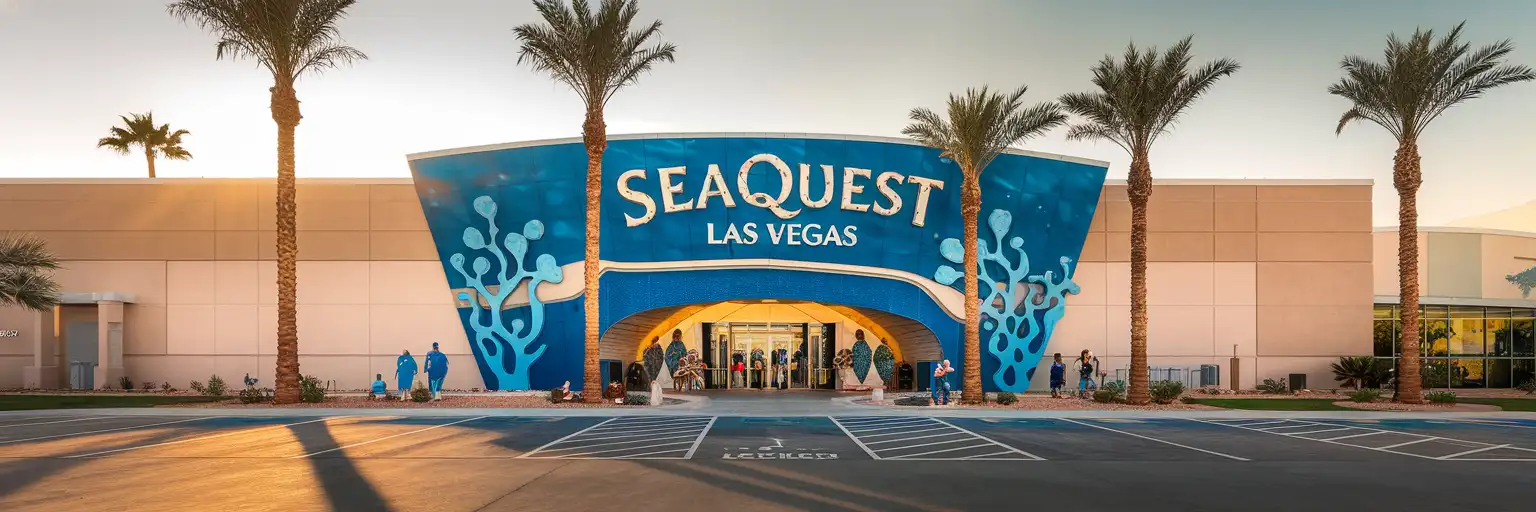
Exterior entrance of SeaQuest Las Vegas interactive aquarium at Boulevard Mall during golden hour

SeaQuest Las Vegas eSIM: Aquarium Data That Works Across the US

Your SeaQuest timed-entry confirmation needs pulling up, the kids want photos with the stingrays uploaded before you even leave the shark tunnel, and the Lyft back to Las Vegas Strip is 18 minutes out according to the app. eSIMno gets your US data sorted before you land at Harry Reid International, so your phone works the moment you walk through the aquarium doors.
View Plans
GET A FULL20%OFFon your first order
Use code: FIRSTWELCOME20

Stay connected,
wherever you go

Seamless global eSIM coverage

Explore our plans below

Plan Your Trip

Tell us what you'll do and how long you'll be away — we'll highlight the right plan.

7 days
1102030

What will you do?

Tap an activity above to see which plan fits your trip

Already a customer?

EARN UP TOON EVERY FRIEND'S PURCHASE
NETWORK: AT&T & T-Mobile & Verizon Wireless Depending on the plan you choose, you'll connect to one or more of these networks.

Quick Facts

Time Zone
Pacific Time (UTC-8 / UTC-7 DST)
Dialing Code
+1
Currency
US Dollar (USD, $)
Power Plug
Type A, B (flat 2-pin, common across North America)
Language
English
Emergency
911 (police, fire, ambulance)
eSIMno Networks
AT&T, Verizon Wireless

How to Get Your eSIM

  1. Pick Your US Data Plan
    Choose a plan that covers your SeaQuest visit plus any Strip exploration, day trips to Red Rock Canyon, or Hoover Dam excursions. One plan works nationwide.
  2. Install Over WiFi Before Your Flight
    Download the eSIM profile at home or your hotel using stable WiFi. The install takes under 3 minutes and your phone stores the profile until activation.
  3. Activate After Landing at Harry Reid
    Once your flight taxis to the gate, switch off airplane mode. Your eSIM connects to AT&T or Verizon within seconds — data is live before you reach baggage claim.
  4. Pull Up Your SeaQuest Ticket
    Open your timed-entry confirmation email or the venue's booking page. The QR code loads instantly with your new data connection — no fumbling with mall WiFi at the entrance kiosk.
  5. Share Stingray Selfies in Real Time
    Inside SeaQuest, upload photos from the shark tunnel, the aviary, and the reptile encounters as you go. Your data works through the indoor mall structure without hunting for hotspots.

Traveler Tips

  • Book SeaQuest timed-entry slots 2-3 days ahead during school holidays and weekends — the 10 AM and 2 PM windows fill fastest.
  • Boulevard Mall sits on Maryland Parkway, roughly 4 miles east of the Strip. Lyft and Uber pickups run $12-$18 each way depending on surge; RTC bus Route 109 stops directly outside for around $3.
  • Feeding encounters (stingrays, sharks, capybaras) have separate timed slots inside the venue — check the schedule board near the entrance and set phone reminders.
  • Keep your home SIM active for incoming calls. Voice stays on your home number; use WhatsApp or FaceTime over your eSIMno data for outbound calls to avoid roaming charges.
  • The aquarium interior is climate-controlled but the parking lot and mall approach hit 100°F+ in summer — have your rideshare app ready so you're not waiting outside.

Why Data Matters at SeaQuest Las Vegas

SeaQuest Las Vegas is a hands-on interactive aquarium inside Boulevard Mall, and every touchpoint runs through your phone. The timed-entry ticket arrives as a QR code in your confirmation email — staff scan it at the entrance kiosk, so you need that email loading before you join the queue. Inside, feeding encounter times rotate throughout the day; the stingray pool opens at fixed 30-minute windows, the shark feeding runs twice daily, and the capybara sessions fill within minutes of announcement. Real-time schedule updates on the venue's signage boards pair with phone reminders to make sure you don't miss a slot.

Photo sharing is half the experience. The shark tunnel, the aviary walk-through, and the reptile handling stations all produce content families want uploaded before they leave the building — not hours later over hotel WiFi. With eSIMno plans for SeaQuest Las Vegas, your data works through Boulevard Mall's indoor structure without hunting for a café hotspot or burning mobile roaming credits.

After SeaQuest, your plan keeps working. Lyft and Uber pickups from the mall run $12-$18 to the Strip depending on time of day. RTC bus Route 109 stops on Maryland Parkway directly outside — $3 cash or tap-to-pay, real-time arrival tracked on the Transit app. Head to the Fountains of Bellagio for the evening show, catch a Knights game at T-Mobile Arena, or drive out to Valley of Fire State Park the next morning. One eSIM, one activation, and your data follows you from the aquarium floor to the desert trails.

Visiting SeaQuest Las Vegas

Hours and Tickets

SeaQuest opens daily, with hours running roughly 10 AM to 8 PM on weekdays and extending to 9 PM on weekends. Timed-entry slots book through the venue's website; walk-ups are possible but weekend afternoons and school-holiday weeks sell out. Ticket tiers include general admission and VIP packages that add animal encounters and skip-the-line perks.

Getting There

Boulevard Mall sits at 3528 S Maryland Parkway, approximately 4 miles east of the Las Vegas Strip. From Harry Reid International Airport, rideshare runs 12-15 minutes and $15-$22 depending on traffic and surge. RTC bus Route 109 connects the mall to downtown and the Strip corridor; the fare is around $3 for a 2-hour pass. Parking at the mall is free and plentiful.

What to Expect Inside

The venue spans multiple themed zones — shark tunnel, stingray pool, aviary, reptile encounters, and a capybara habitat. Feeding sessions rotate on a posted schedule; staff announce openings over the PA, but phone reminders help you catch the exact window. Dress casually — sleeves may get wet at the touch tanks. Photography is encouraged; flash is prohibited near nocturnal exhibits.

Inside the Shark Tunnel

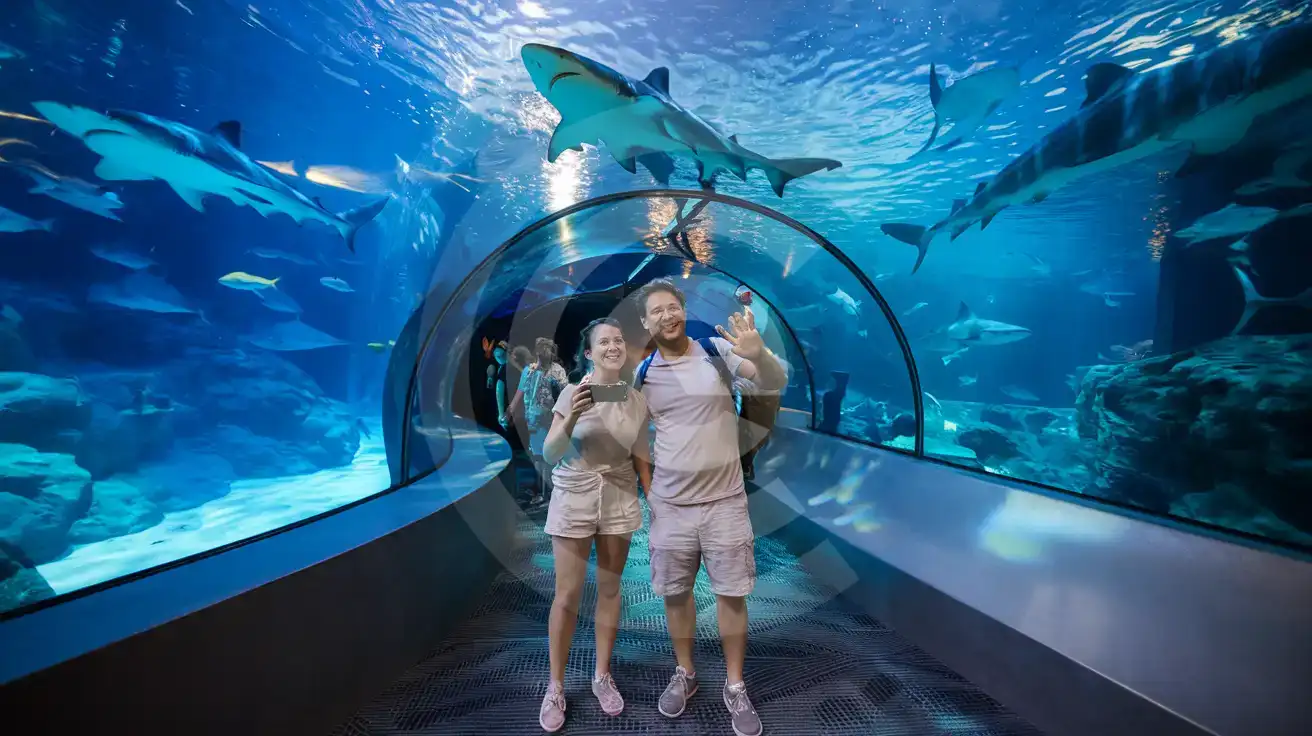
Couple photographing sharks overhead inside the SeaQuest Las Vegas tunnel walkway
Activate your eSIM before visiting SeaQuest Las Vegas so your shark tunnel photos upload instantly.

Compare eSIM Options at SeaQuest Las Vegas

Recommended
Local SIM / Operator
Roaming
Setup timeStore kit, needs activationAuto
No local ID neededNo SSN; passport at carrier storesUse home account
SpeedOne carrier onlyPartner-dependent
Travel supportEnglish-language serviceHome carrier hours
Keep home numberReplaces itSame number
Cost predictabilityAdvertised price needs Auto PayBill-shock risk
5GB / 30 daysLight traveler
15GB / 30 days
₺2170.69
First month without Auto Pay; 35 USD after enrolling. Taxes and fees are extra.
$12-18 / day
₺723.56
Typical daily roaming rate; varies by home carrier
10GB / 30 daysStandard travelerMost popular
20GB / 30 daysHeavy traveler

Frequently Asked Questions (FAQs)

Activate after your flight lands at Harry Reid International. By the time you clear baggage claim and tap into your Lyft heading toward Boulevard Mall, your phone is already pulling directions and your SeaQuest timed-entry QR code loads without hunting for WiFi.
Yes. SeaQuest sits inside Boulevard Mall, and AT&T and Verizon macro coverage reaches through the indoor structure. You'll have signal in the shark tunnel, the aviary, and at the stingray pool feeding stations — no dead zones to worry about.
Boulevard Mall is roughly 12-15 minutes by rideshare from the airport, running $15-$22 depending on traffic. RTC bus Route 109 connects the Strip corridor to Maryland Parkway outside the mall for around $3. Have your eSIMno data active so the Transit app and Lyft work the moment you step outside arrivals.
Absolutely. The eSIMno plan is data-only, so your home SIM stays active for incoming calls and texts. Use WhatsApp, FaceTime, or Google Meet over your eSIM data for outbound calls — that way you avoid roaming charges while still receiving calls on your regular number.
Yes. Your plan covers the entire US on AT&T and Verizon networks. After the aquarium, head to the Fountains of Bellagio, catch a show at T-Mobile Arena, or drive out to Red Rock Canyon or Hoover Dam — one activation, nationwide coverage.
Weekday mornings see lighter crowds; the 10 AM opening slot is popular but clears out by noon. Weekend afternoons and school-holiday weeks fill fastest — book timed-entry 2-3 days ahead and set phone reminders for feeding encounter windows once you're inside.
GET A FULL20%OFFon your first order
Use code: FIRSTWELCOME20

Stay connected,
wherever you go

Seamless global eSIM coverage

Get Started
SeaQuest Las Vegas sits inside Boulevard Mall on Maryland Parkway, a 15-minute rideshare from the Strip and roughly 20 minutes from Harry Reid International Airport arrivals. The interactive aquarium draws families, couples, and solo travelers looking for a break from casino floors — and every visitor needs data working from the moment they scan their mobile ticket at the entrance kiosk through the final stingray photo upload in the parking lot. Activate your eSIM after touchdown at Harry Reid. By the time you clear baggage claim and tap into your Lyft or taxi, your phone is already pulling directions to Boulevard Mall. Inside SeaQuest, you'll want data for the QR ticket scan, real-time wait updates at feeding stations, and instant photo sharing from the shark encounter. The venue's indoor layout means you're not relying on outdoor cell towers — AT&T and Verizon macro coverage reaches through the mall structure without dead zones. Beyond SeaQuest, your eSIMno plan keeps working across the entire US. Head to the Fountains of Bellagio that evening, catch a show at T-Mobile Arena, or extend your trip to Red Rock Canyon the next morning. One data plan, one activation, nationwide coverage from the aquarium floor to the desert trails.
Back to United States
No more SIM kiosks

No more SIM kiosks

Skip the airport queues. Install your eSIM at home, activate when you land.

no roaming charges

No roaming surprises

Forget the $200 phone bill three weeks after your trip. Plain pricing, no hidden fees.

keep your physical sim

Keep your home number

Dual-SIM means your physical SIM stays active for calls and texts. eSIM handles only data.

easy installation

Setup in 2 minutes

Scan QR code, follow on-screen steps, you're connected. Works on any eSIM-compatible phone.

Pay SafelyVisa CardMaster CardGoogle PayPayPalApple Pay

How does eSIMNo Works?

Experience seamless global connectivity with our personal eSIM service. Enjoy faster speeds, wider coverage, and the convenience of online purchasing.

Buy a Data Plan

Buy a Data Plan

Search for your destination and pick any data plan

Step 1

Install your eSIM

Install your eSIM

Easy installation via qr code

Step 2

Activate Your eSIM

Activate Your eSIM

Only active when you are ready to use data

Step 3

Advantages

24/7 Customer Support

Reach our team via WhatsApp and email during business hours. Quick answers to common questions available anytime through our automated assistant.

Immediate delivery

Your eSIM arrives by email within minutes. Install it before you board your flight.

Worldwide Coverage

One eSIM, 160+ countries. Land anywhere and connect instantly — no SIM swapping, no roaming charges.

Check Compatibility

Check Compatibility

Before buying and installing an eSim, check if your phone supports one

Check if your phone is eSIM compatible

As you feel the need to use eSIM on your phone, the first question that arises is: does your mobile support eSIMs? And do eSIM-compatible devices work in all regions worldwide?

Some phones that support eSIM technology

  • IPhone XS and Later
  • Samsung Galaxy S20 and Later
  • Pixel 4 and Later
  • Xiaomi 12T Pro and Later
All eSIM-Compatible Phones

Frequently Asked Questions (FAQs)

Find helpful information to answer your questions

Can I install multiple eSIMs on the same phone?
Yes. Modern iPhones and Android devices support multiple eSIM profiles - typically 5 to 8 stored profiles, with 1 or 2 active simultaneously. You can install eSIMs for different countries and switch between them in settings without removing any.
Can I use my SIM card and eSIM at the same time?
Yes. On dual-SIM devices (most modern iPhones and Android phones), you can run your physical SIM and the eSIM simultaneously. Use your home SIM for calls and SMS, and the eSIM for mobile data. Keep in mind that leaving your home SIM active may trigger roaming charges if you use it for calls or texts abroad.
Can I tether or use Personal Hotspot with my eSIM?
Yes. Your eSIMno plan supports tethering and Personal Hotspot at no extra charge. Activate the Personal Hotspot feature in your device settings and connect other devices as you would with any cellular plan. Data used while tethering counts toward your plan allowance.
Can I get a refund after purchase?
Refunds are not available once an eSIM has been installed or activated - install codes are one-time-use, so an installed eSIM is considered used even if no data has been consumed. If you have not installed your eSIM yet and want a refund, contact support within the refund window stated at checkout. We recommend reviewing plan details carefully before purchase to avoid any issues.
Does the eSIM work on cruise ships or airplanes?
eSIMs use ground-based cellular networks, so they don't work in flight or at sea outside coastal coverage. They activate as soon as you connect to a partner network on land. For in-flight or maritime data, you'll need the airline or ship's onboard Wi-Fi.
Can I keep my WhatsApp number while using an eSIM?
Yes. Your WhatsApp number stays linked to your home SIM, so all your chats, contacts, and groups remain unchanged. WhatsApp uses data (not the SIM line directly) for messages and calls, so it works seamlessly over your eSIMno data.
Should I enable data roaming for the eSIM?
Yes - you must enable data roaming for the eSIM line, even though there are no roaming charges. The eSIM connects to a local partner network and your phone treats this as roaming. Enable it: iPhone > Settings > Cellular > eSIMno line > Data Roaming ON; Android > Settings > Network > SIMs > eSIMno > Roaming ON. This setting only affects the eSIM, not your home SIM.
What should I do if I see a 'No network' message after activating my eSIM?
If you see a 'No network' message after activation, try these steps in order: (1) Toggle airplane mode on for 10 seconds, then off. (2) Confirm data roaming is enabled for the eSIM line. (3) Manually select a network in cellular settings. (4) Restart your phone. If the issue continues, contact eSIMno support via WhatsApp or email.
What happens when my data plan runs out?
When you use up your data allowance, your connection stops until you top up or purchase a new plan. You can top up directly from the eSIMno Center while connected to Wi-Fi, or buy a new plan if your validity period has expired.
What payment methods does eSIMno accept?
eSIMno accepts major credit and debit cards (Visa, Mastercard, American Express), PayPal, Apple Pay, and Google Pay. All transactions are processed through secure encrypted gateways, and we don't store full card details on our servers.
How do I activate the United-states eSIM?
Your eSIMno order confirmation email contains your QR code, your SM-DP+ address and activation code, a one-tap install link, and an "Install eSIM" button - so you can install right from the email. The same options are also on the website: sign in at esimno.com and go to Profile > My eSIMs > your plan > Install. To install, use any ONE of these methods: (1) on the phone you are setting up, tap the one-tap install link/button (iPhone on iOS 17.4+ or Android 9+); (2) use the QR code - because a phone cannot scan its own screen, show this QR on another screen (computer/tablet) or a printout and scan it WITH the phone you are setting up (never with someone else's phone, or the eSIM would install on that phone); or (3) enter the SM-DP+ address and activation code manually. Your United-states eSIM activates automatically when you connect to a local network at your destination.
What network speeds can I expect?
Most eSIMno plans connect at 4G/LTE or 5G speeds depending on local network availability and your device's capabilities. Speed varies by location, network congestion, and signal strength. In major cities and tourist areas, expect speeds comparable to local mobile carriers.

Use Your Free Credit

You can earn up to 15% commission from your friends' purchases with your Reference code. Plus, your friends will get $2 off their first purchase when they use your code!

FIND OUT HOW
Refer a friend

Refer

A FRIEND

Step into the world of E-SIM, bring your friends and benefit together!