Review Your Cart

Your cart is empty.

You haven't added any eSIM packages yet. Start exploring our plans to get connected!

Browse our eSIM Packages
🎉 Welcome offer: 20% off with promo code FIRSTWELCOME20

United States / Miami, Florida United States   / Miami, Florida

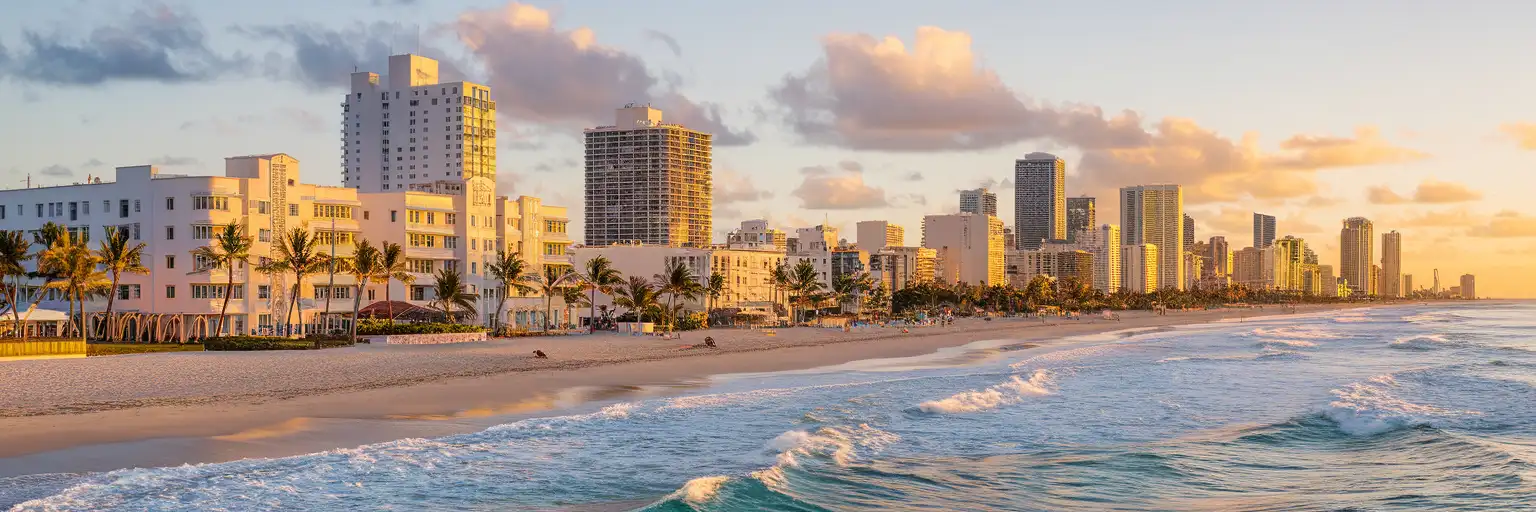
Miami Beach skyline and Art Deco hotels along Ocean Drive at golden hour with palm trees and Atlantic Ocean

Miami eSIM: South Beach Data That Works Across All 50 States

Your flight is descending toward Miami International Airport and you're already confirming your Ocean Drive hotel transfer, checking the Metromover schedule to Brickell, and pulling up tonight's Little Havana dinner reservation. With an eSIMno plan activated before takeoff, your phone connects the moment you taxi to the gate—Uber to South Beach, timed-entry QR for Vizcaya, and real-time storm alerts all working while other passengers hunt for airport WiFi.
View Plans
GET A FULL20%OFFon your first order
Use code: FIRSTWELCOME20

Stay connected,
wherever you go

Seamless global eSIM coverage

Explore our plans below

Plan Your Trip

Tell us what you'll do and how long you'll be away — we'll highlight the right plan.

7 days
1102030

What will you do?

Tap an activity above to see which plan fits your trip

Already a customer?

EARN UP TOON EVERY FRIEND'S PURCHASE
NETWORK: AT&T & Verizon Wireless The speed may vary depending on the location.

Quick Facts

Time Zone
Eastern Time (UTC-5 / UTC-4 DST)
Dialing Code
+1
Currency
US Dollar (USD, $)
Power Plug
Type A, B (flat 2-pin, common across North America)
Language
English
Emergency
911 (police, fire, ambulance)
eSIMno Networks
AT&T, Verizon Wireless

How to Get Your eSIM

  1. Pick Your Miami Data Plan
    Choose from 1GB to unlimited options based on your trip length. A week exploring South Beach, Wynwood, and the Everglades typically needs 3-5GB for maps, rideshare, and photo uploads.
  2. Buy Before Your Flight
    Complete your purchase at home over WiFi. You'll receive a QR code and installation link within minutes—no physical card ships, nothing to lose in transit.
  3. Install the eSIM Profile
    Scan the QR code in your phone's settings (iPhone: Settings → Cellular → Add eSIM; Android: Settings → Network → Add eSIM). Label it 'Miami Data' so you recognize it later.
  4. Activate After Landing at MIA
    Once your plane taxis to the gate, switch off airplane mode. Your phone connects to AT&T or Verizon within seconds—faster than the seatbelt sign turns off.
  5. Keep Your Home SIM for Calls
    Your existing number stays active for incoming calls and texts. Use WhatsApp, FaceTime, or Google Meet over your eSIMno data for outgoing calls—no roaming charges, no bill shock.

Traveler Tips

  • Afternoon thunderstorms hit Miami daily from June through September between 3-6 PM—check both Uber and Lyft simultaneously when surge pricing spikes to find the cheaper option.
  • The Metromover loop through downtown, Brickell, and Omni is free and runs every 90 seconds during peak hours, but real-time arrival info lives on the Miami-Dade Transit app, not posted at platforms.
  • South Beach restaurant reservations on OpenTable release same-day cancellation slots around 4 PM—set alerts to grab prime 8 PM tables at spots like Joe's Stone Crab during season.
  • Wynwood Walls opens at 10:30 AM; arrive by 10:15 to photograph murals without crowds blocking shots, and use Google Translate's camera mode on any Spanish artist plaques.
  • Your eSIM works through the Everglades and down to Key West—no need for a separate plan if you day-trip to Shark Valley or drive the Overseas Highway.

Why Data Matters in Miami

Miami runs on real-time information that airport WiFi and hotel lobbies can't deliver when you're moving. From MIA's sprawling concourses to the sun-drenched strips of South Beach, your phone becomes the tool that separates smooth travel from missed connections.

Airport to Hotel

Miami International spans North, Central, and South terminals connected by a people-mover that confuses first-time visitors. Your Uber or Lyft pickup zones sit at different levels depending on your terminal—the apps show your exact door number and driver ETA, information the static terminal signs don't provide. The Metrorail Orange Line runs to downtown every 15 minutes from the MIA station for $2.25, but knowing whether the next train is 2 minutes or 14 minutes away changes whether you sprint or stroll. That real-time countdown lives on the Miami-Dade Transit app.

Neighborhoods That Demand Connectivity

South Beach and Ocean Drive pack restaurants that don't answer phones—reservations happen through Resy and OpenTable exclusively, with same-day slots appearing and vanishing within minutes. Wynwood's galleries post pop-up events to Instagram Stories hours before they start; miss the notification and you miss the show. Little Havana's Calle Ocho stretches 15 blocks with no English menus at the best ventanitas—Google Translate's camera mode turns a Cuban sandwich order from pointing and hoping into confident conversation. Brickell's glass towers look walkable on a map but the August heat index hits 105°F by noon; checking the Freebee rideshare app for a free circulator saves a sweaty half-mile.

When Weather Wins

Miami's summer storms arrive fast. A 2 PM blue sky becomes a 3 PM downpour that floods streets within minutes. The National Weather Service radar on your phone shows exactly when the cell will pass—usually 45 minutes—so you can duck into a Wynwood gallery or Lincoln Road café instead of standing under a leaky awning. After the rain clears, both Uber and Lyft surge pricing spikes hard; checking both apps simultaneously finds the gap. With eSIMno plans for Miami, Florida, United States, you're comparing prices while others wait for café WiFi to load.

About Miami & What Travelers Come For

Miami sits at the southeastern tip of Florida where the Atlantic Ocean meets Biscayne Bay, a subtropical metropolis that blends Latin American energy with American beach culture. The city sprawls across Miami-Dade County, but visitors cluster in distinct neighborhoods connected by causeways, expressways, and a free downtown circulator.

Neighborhoods at a Glance

South Beach anchors the visitor experience—Art Deco hotels from the 1930s line Ocean Drive, and the wide beach stretches north to Mid-Beach and Bal Harbour. Little Havana runs along Calle Ocho (SW 8th Street) with Cuban coffee windows, cigar shops, and Domino Park's afternoon games. Wynwood Walls clusters street art across 80+ murals between NW 2nd Avenue and NW 6th Avenue, with galleries and craft breweries filling converted warehouses. The Miami Design District packs luxury boutiques and experimental restaurants into a walkable grid north of Midtown. Downtown and Brickell rise as the financial core—glass towers, the free Metromover loop, and waterfront parks along Biscayne Boulevard.

What Travelers Come For

Beaches draw the crowds: the turquoise shallows of South Beach, the quieter sands of Key Biscayne's Crandon Park, the kite-surfing flats north of Haulover. Art Basel Miami Beach transforms the city each December into a global contemporary art hub with satellite fairs across Wynwood, the Design District, and waterfront venues. The Pérez Art Museum Miami (PAMM) and the Phillip and Patricia Frost Museum of Science anchor Museum Park on Biscayne Bay. Vizcaya Museum and Gardens preserves a 1916 Gilded Age estate with Italian Renaissance gardens overlooking the water. The Everglades begin 45 minutes west—airboat tours through sawgrass marshes and alligator sightings at Shark Valley. Nightlife spans rooftop lounges in Brickell, salsa clubs in Little Havana, and mega-clubs on Miami Beach that draw headliners from Ultra Music Festival lineups.

When to Visit

High season runs December through April—warm days around 75-80°F, low humidity, minimal rain, and peak hotel prices. Summer brings daily afternoon thunderstorms, temperatures in the low 90s, and hurricane season from June through November. Art Basel week (first week of December) and the Miami Open tennis tournament (March) pack hotels and inflate rates. The shoulder months of November and early May balance reasonable weather with thinner crowds.

Getting Around Miami

Miami rewards those who understand its transit patchwork—rideshare fills the gaps, but public options save money and sometimes time.

Airport Transfers

Miami International Airport (MIA) connects to downtown via the Metrorail Orange Line, a 15-minute ride from the airport station to Government Center. Trains run every 15 minutes during peak hours and cost around $2.25 per ride with an EASY Card. Rideshare pickup zones vary by terminal—check your app for the exact door number at Arrivals Level 1. Taxis run flat-rate zones to South Beach (around $35-40) and downtown ($25-30). Fort Lauderdale-Hollywood International (FLL), 30 miles north, serves budget carriers; the Tri-Rail commuter line connects FLL to MIA and downtown Miami with transfers.

Public Transit

The Metrorail runs two lines—Green and Orange—connecting the airport, downtown, Brickell, Coconut Grove, and south to Dadeland. Trains run every 15-30 minutes depending on time of day. The Metromover is a free elevated people-mover looping through downtown, Brickell, and Omni with stations every few blocks—useful for short hops between Bayfront Park and the Design District connector. Miami-Dade Transit buses cover routes the rail misses, though traffic can slow service significantly on busy corridors like Biscayne Boulevard.

Rideshare & Walking

Uber and Lyft operate throughout Miami-Dade County with surge pricing common during afternoon storms and late-night club hours. The Freebee app offers free neighborhood circulators in areas like Brickell and Coconut Grove—short-hop rides in golf carts that beat walking in summer heat. South Beach is walkable along Ocean Drive and Lincoln Road, but distances between neighborhoods require wheels. Citi Bike Miami operates docked bike-share stations across Miami Beach, downtown, and Wynwood—single rides run a few dollars, and the 30-minute limit works for short connections.

Wynwood Walls

Friends taking a group selfie in front of colorful Wynwood Walls street art murals in Miami
Activate your eSIM before exploring Wynwood so you can share mural photos instantly and check gallery pop-up alerts.

Compare eSIM Providers in Miami, Florida

Recommended
Local SIM / Operator
Roaming
Setup timeStore visit + paperworkAuto
No local ID neededSSN/Credit checkUse home account
SpeedCarrier-gradePartner-dependent
Travel supportEnglish onlyHome carrier hours
Keep home numberReplaces itSame number
Cost predictabilityBills can spikeBill-shock risk
5GB / 30 daysLight traveler
15GB / 30 days
₺2106.38 TL
~$45.00/mo + taxes & fees.
$12-18 / day
₺702.13 TL
Typical day-pass tariff varies by home carrier
10GB / 30 daysStandard travelerMost popular
20GB / 30 daysHeavy traveler

Frequently Asked Questions (FAQs)

Install the eSIM profile at home over WiFi before your flight. Keep it dormant during the journey, then switch off airplane mode once your plane taxis to the gate at MIA. By the time you're walking through the Central Terminal toward baggage claim, your phone is already pulling Uber directions to your South Beach hotel.
Yes—your eSIMno plan covers the entire United States, not just Miami-Dade County. Drive to the Everglades for an airboat tour at Shark Valley, road-trip down the Overseas Highway to Key West, or fly out through Fort Lauderdale instead of MIA. The same plan handles every mile.
Absolutely. Your home SIM stays active in your phone's second slot, so incoming calls and texts reach you normally. Use WhatsApp, FaceTime, or Google Meet over your eSIMno data for outgoing calls—this avoids roaming charges on your home carrier while keeping your number available for friends and family.
A week exploring South Beach, Wynwood, and Little Havana with daily rideshare, maps, and social media uploads runs 3-5GB comfortably. Add Everglades day trips or heavy video streaming and consider 5-7GB. Check your plan options before departure—upgrading mid-trip is straightforward if you need more.
Rideshare is fastest—Uber and Lyft pick up at Arrivals Level 1, and the drive takes 25-40 minutes depending on traffic and your exact hotel location. Taxis run flat-rate zones around $35-40 to South Beach. Budget option: take the Metrorail Orange Line to Government Center (15 minutes, around $2.25), then transfer to the Miami Beach Airport Express bus (Route 150) for the final leg.
The network infrastructure handles rain well—you'll keep data through typical afternoon thunderstorms. The bigger win is using your phone to check the National Weather Service radar when a cell approaches. Miami storms usually pass within 45 minutes, so you can duck into a Lincoln Road café and watch the cell move east while comparing Uber and Lyft surge prices for your next move.
GET A FULL20%OFFon your first order
Use code: FIRSTWELCOME20

Stay connected,
wherever you go

Seamless global eSIM coverage

Get Started
Landing at Miami International means stepping into a city where data keeps your trip running smoothly from the jet bridge to the beach. The airport sprawls across multiple concourses, and finding your rideshare pickup zone or the Metrorail Orange Line platform to downtown takes live navigation—not a static terminal map. Activate your eSIM before departure so your phone locks onto AT&T or Verizon the moment you switch off airplane mode after touchdown. Miami rewards the connected traveler at every turn. South Beach restaurants release same-day OpenTable slots that vanish within minutes. Wynwood Walls galleries update their Instagram stories with pop-up installations you'll miss without mobile alerts. The Metromover is free but its real-time arrival board lives on your phone, not at every platform. When afternoon thunderstorms roll in—daily from June through September—surge pricing on Uber and Lyft spikes hard; checking both apps simultaneously finds the gap. Your eSIMno plan doesn't stop at the Miami-Dade county line. Drive to the Everglades for an airboat tour and your data keeps working through Shark Valley. Rent a car to Key West and you're still covered across the Overseas Highway's 113-mile stretch. Fly out through Fort Lauderdale instead of MIA and the same plan handles the switch. One purchase, full nationwide US coverage, zero SIM-kiosk lines.
Back to United States
No more SIM kiosks

No more SIM kiosks

Skip the airport queues. Install your eSIM at home, activate when you land.

no roaming charges

No roaming surprises

Forget the $200 phone bill three weeks after your trip. Plain pricing, no hidden fees.

keep your physical sim

Keep your home number

Dual-SIM means your physical SIM stays active for calls and texts. eSIM handles only data.

easy installation

Setup in 2 minutes

Scan QR code, follow on-screen steps, you're connected. Works on any eSIM-compatible phone.

Pay SafelyVisa CardMaster CardGoogle PayPayPalApple Pay

How does eSIMNo Works?

Experience seamless global connectivity with our personal eSIM service. Enjoy faster speeds, wider coverage, and the convenience of online purchasing.

Buy a Data Plan

Buy a Data Plan

Search for your destination and pick any data plan

Step 1

Install your eSIM

Install your eSIM

Easy installation via qr code

Step 2

Activate Your eSIM

Activate Your eSIM

Only active when you are ready to use data

Step 3

Advantages

24/7 Customer Support

Reach our team via WhatsApp and email during business hours. Quick answers to common questions available anytime through our automated assistant.

Immediate delivery

Your eSIM arrives by email within minutes. Install it before you board your flight.

Worldwide Coverage

One eSIM, 160+ countries. Land anywhere and connect instantly — no SIM swapping, no roaming charges.

Check Compatibility

Check Compatibility

Before buying and installing an eSim, check if your phone supports one

Check if your phone is eSIM compatible

As you feel the need to use eSIM on your phone, the first question that arises is: does your mobile support eSIMs? And do eSIM-compatible devices work in all regions worldwide?

Some phones that support eSIM technology

  • IPhone XS and Later
  • Samsung Galaxy S20 and Later
  • Pixel 4 and Later
  • Xiaomi 12T Pro and Later
All eSIM-Compatible Phones

Frequently Asked Questions (FAQs)

Find helpful information to answer your questions

Does the eSIM work in rural areas and small towns?
Coverage depends on the partner network's reach in United-states. Major cities, tourist areas, and highways typically have strong 4G/5G coverage. Remote rural areas may have weaker signal or fall back to 3G. Download offline maps before heading off the beaten path.
Will my home phone number receive calls while I use the eSIM?
Yes - if your home SIM stays installed and active, calls and SMS to your home number arrive normally. The eSIM only handles data; voice service stays on your home line. Just remember that incoming calls and texts to your home number while abroad may trigger roaming charges from your home carrier.
How can I purchase the United-states eSIM?
You can purchase your eSIM directly from the eSIMno website - select a United-states plan and complete the payment. Within minutes you'll receive an order confirmation email that contains everything you need to install: a QR code, a one-tap install link, the SM-DP+ address and activation code, plus an "Install eSIM" button. You can install straight from that email, or sign in anytime and go to Profile > My eSIMs > Install to get the same options.
Should I enable data roaming for the eSIM?
Yes - you must enable data roaming for the eSIM line, even though there are no roaming charges. The eSIM connects to a local partner network and your phone treats this as roaming. Enable it: iPhone > Settings > Cellular > eSIMno line > Data Roaming ON; Android > Settings > Network > SIMs > eSIMno > Roaming ON. This setting only affects the eSIM, not your home SIM.
How can I verify if my eSIM is activated?
There are two clear indicators: (1) your phone's status bar shows the local carrier name once you arrive at your destination, and (2) the data icon (4G, LTE, or 5G) appears next to the eSIMno line in your cellular settings. If neither shows up, toggle airplane mode off and on, or restart your phone.
Can I buy an eSIM for someone else as a gift?
Yes. Purchase the eSIM with your own details, then forward your order confirmation email - or share the "Install eSIM" link from it - with the recipient so they can install it on their own phone (the email contains the QR code and the manual SM-DP+ / activation codes). Make sure their device is eSIM-compatible first - installation usually cannot be reversed once completed.
What payment methods does eSIMno accept?
eSIMno accepts major credit and debit cards (Visa, Mastercard, American Express), PayPal, Apple Pay, and Google Pay. All transactions are processed through secure encrypted gateways, and we don't store full card details on our servers.
What data plans are available for the United-states eSIM?
eSIMno provides various data plans ranging from 1 GB to unlimited data, with options from 7 days to 90 days of service. Plans also include regional and lifetime options for travelers who want flexibility across multiple destinations.
Can I switch the eSIM to a different phone after activation?
Generally no. Once an eSIM is activated on a device, it's tied to that device. If you switch phones, you'll need to install a new eSIM. Some carriers offer eSIM transfer features, but eSIMno plans don't currently support transfer between devices.
How long is the validity of the United-states eSIM plans?
The validity of eSIM plans varies from 7 days to 90 days depending on the plan you choose. Lifetime options are also available for travelers who don't want their data to expire after a fixed period.
Is unlimited data really unlimited?
Unlimited plans provide unlimited data at high speed (4G/5G) up to a fair-use threshold defined per plan. Beyond that threshold, speeds may be reduced to 128 Kbps for the remainder of the validity period - still usable for messaging and basic browsing, but slower for streaming and video calls.
How fast does the eSIM activate after I switch off airplane mode?
Activation typically takes 10-30 seconds after airplane mode is switched off, depending on local network availability. In some cases it's nearly instant; in remote areas it may take a minute or two. If it doesn't connect within 5 minutes, restart your phone or check that data roaming is enabled.

Use Your Free Credit

You can earn up to 15% commission from your friends' purchases with your Reference code. Plus, your friends will get $2 off their first purchase when they use your code!

FIND OUT HOW
Refer a friend

Refer

A FRIEND

Step into the world of E-SIM, bring your friends and benefit together!