Review Your Cart

Your cart is empty.

You haven't added any eSIM packages yet. Start exploring our plans to get connected!

Browse our eSIM Packages
🎉 Welcome offer: 20% off with promo code FIRSTWELCOME20

United States United States   / Washington Dulles International Airport

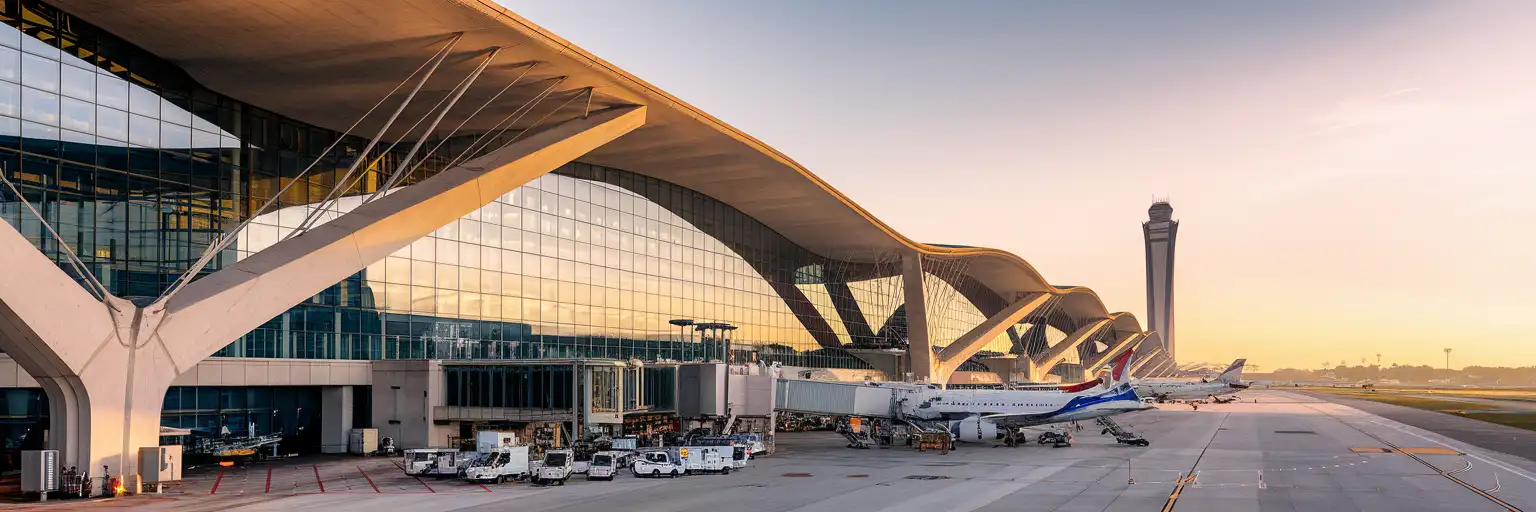
Eero Saarinen's iconic Main Terminal at Washington Dulles International Airport with sweeping roof and glass curtain walls at golden hour

IAD Airport eSIM: D.C. Data That Works Across All 50 States

Your flight taxis to the gate at Washington Dulles International Airport and you're already pulling up the Metro Silver Line schedule to Washington D.C, messaging your hotel, and checking which rideshare zone handles arrivals. With eSIMno, you install before departure and activate after touchdown — no kiosk queue, no fumbling with plastic SIM trays at baggage claim.
View Plans
GET A FULL20%OFFon your first order
Use code: FIRSTWELCOME20

Stay connected,
wherever you go

Seamless global eSIM coverage

Explore our plans below

Plan Your Trip

Tell us what you'll do and how long you'll be away — we'll highlight the right plan.

7 days
1102030

What will you do?

Tap an activity above to see which plan fits your trip

Already a customer?

EARN UP TOON EVERY FRIEND'S PURCHASE
NETWORK: AT&T & T-Mobile & Verizon Wireless Depending on the plan you choose, you'll connect to one or more of these networks.

Quick Facts

Time Zone
Eastern Time (UTC-5 / UTC-4 DST)
Dialing Code
+1
Currency
US Dollar (USD, $)
Power Plug
Type A, B (flat 2-pin, common across North America)
Language
English
Emergency
911 (police, fire, ambulance)
eSIMno Networks
AT&T, Verizon Wireless

How to Get Your eSIM

  1. Pick Your USA Data Plan
    Choose a plan that matches your trip length — a week in D.C. or a month-long cross-country drive. eSIMno plans work nationwide on AT&T and Verizon towers.
  2. Install Before Your Flight
    Download the eSIM profile at home over WiFi. The install takes under 2 minutes and doesn't activate data yet — you're just loading the profile onto your phone.
  3. Board With Data Ready
    Your home SIM stays active for calls and texts. The eSIMno profile sits dormant until you're ready to switch it on after landing at IAD.
  4. Activate After Touchdown
    Once the aircraft reaches the gate and the captain clears phone use, switch off airplane mode. Your eSIMno profile connects to AT&T or Verizon within seconds.
  5. Navigate IAD Arrivals Instantly
    By the time you're walking the AeroTrain platform toward the Main Terminal, your phone is pulling up Metro Silver Line schedules, rideshare pickup zones, and hotel confirmation messages.

Traveler Tips

  • The AeroTrain runs every 2-4 minutes between Concourse C/D and the Main Terminal — use that ride time to confirm your rideshare pickup zone (Door 2 on Arrivals level).
  • Metro Silver Line trains depart every 10-15 minutes and take 60-75 minutes to Metro Center downtown; have Google Maps loaded before you leave the terminal.
  • Immigration queues at IAD run 20-45 minutes depending on arrival bank — use that time to pull up your hotel address and customs declaration form on your phone.
  • Keep your home SIM active for incoming calls; use WhatsApp or FaceTime over eSIMno data for outgoing calls to avoid roaming charges.
  • Concourse C/D has the strongest WiFi, but eSIM data bypasses the captive-portal registration entirely — faster and more reliable.

Why You Need an eSIM at Dulles

Washington Dulles International Airport spreads across four midfield concourses connected by underground AeroTrain tunnels, and the moment you land you need data working for three immediate tasks: checking which AeroTrain station serves your gate, confirming your rideshare or Metro pickup logistics, and messaging whoever's meeting you curbside.

The airport's free WiFi exists but requires a registration flow that frustrates jet-lagged arrivals, and coverage drops in the underground AeroTrain corridors. An eSIMno plan for Washington Dulles International Airport, Washington D.C, United States bypasses that friction — install before departure, activate after touchdown, and your phone connects to AT&T or Verizon towers before you reach baggage claim.

From the Main Terminal, the Metro Silver Line runs directly to Foggy Bottom-GWU, L'Enfant Plaza, and Metro Center in 60-75 minutes. Real-time arrival boards on Google Maps or the WMATA app beat the static monitors at the platform. Rideshare pickup sits at Door 2 on the Arrivals level, and surge pricing alerts on Uber or Lyft help you decide between waiting 10 minutes or walking to the taxi queue. Data makes every decision faster — gate changes, connection updates, group-chat logistics with whoever's picking you up at the curb.

Visiting Dulles Airport

Terminal Layout & Transit

All check-in, TSA screening, and U.S. Customs processing happen in the Main Terminal. Gates are located on four midfield concourses — A, B, C, and D — connected by the AeroTrain, which runs underground every 2-4 minutes. Walking time from the Main Terminal AeroTrain station to Concourse C/D is around 6-8 minutes including the train ride. Allow 20-30 minutes between far concourse gates.

Getting Downtown

The Metro Silver Line station sits a short covered walkway from the Main Terminal arrivals level. Trains run every 10-15 minutes, reaching Metro Center in 60-75 minutes. Rideshare pickup is at Door 2 on Arrivals; taxi queues sit curbside near Door 4. Rental car shuttles loop continuously to the consolidated facility.

Customs & Connections

International arrivals clear CBP in the Main Terminal lower level. Build at least 2 hours for international-to-domestic connections — you must collect bags, clear customs, re-check, and re-screen through TSA. Global Entry kiosks speed the CBP step significantly.

Inside the Saarinen Terminal

Business travelers walking through the Eero Saarinen-designed Main Terminal at Washington Dulles International Airport with soaring white roof and glass walls
Activate your eSIM before boarding so your data connects the moment you step off the AeroTrain at Dulles.

Compare eSIM Options at Washington Dulles International Airport

Recommended
Local SIM / Operator
Roaming
Setup timeStore kit, needs activationAuto
No local ID neededNo SSN; passport at carrier storesUse home account
SpeedOne carrier onlyPartner-dependent
Travel supportEnglish-language serviceHome carrier hours
Keep home numberReplaces itSame number
Cost predictabilityAdvertised price needs Auto PayBill-shock risk
5GB / 30 daysLight traveler
15GB / 30 days
₺2170.69
First month without Auto Pay; 35 USD after enrolling. Taxes and fees are extra.
$12-18 / day
₺723.56
Typical daily roaming rate; varies by home carrier
10GB / 30 daysStandard travelerMost popular
20GB / 30 daysHeavy traveler

Frequently Asked Questions (FAQs)

Install the eSIM profile at home over WiFi before your flight. Keep it dormant during the journey, then switch off airplane mode after your aircraft reaches the gate at IAD. By the time you're walking the AeroTrain platform toward the Main Terminal, your phone is already pulling Metro Silver Line schedules and rideshare pickup zones.
Yes — eSIMno plans cover the entire United States, so the same data that connects at IAD keeps working underground on the Silver Line to Foggy Bottom, Metro Center, or anywhere else on the WMATA network. Coverage holds through most stations and drops only briefly in the deepest tunnel sections.
Absolutely. Your home SIM stays active for incoming calls and texts — dual-SIM mode handles both lines automatically. Use WhatsApp, FaceTime, or Google Meet over eSIMno data for outgoing calls so you avoid your home carrier's roaming charges.
CBP queues at Washington Dulles run 20-45 minutes depending on the arrival bank. Global Entry kiosks cut that to under 5 minutes. Either way, having data active lets you pull up your hotel confirmation, customs declaration, and pickup logistics while you wait.
The airport offers free WiFi, but it requires a registration flow that jet-lagged arrivals find frustrating, and coverage thins in the underground AeroTrain tunnels. An eSIM bypasses that friction — you connect to AT&T or Verizon towers instantly, no captive portal, no speed throttling.
Yes — eSIMno plans are nationwide. The same data that gets you through IAD arrivals keeps working on Amtrak to New York, a rental-car drive to Shenandoah, or a connecting flight to Chicago. One activation, full USA coverage.
GET A FULL20%OFFon your first order
Use code: FIRSTWELCOME20

Stay connected,
wherever you go

Seamless global eSIM coverage

Get Started
Washington Dulles International Airport handles over 25 million passengers annually, and the moment you step off the AeroTrain into the Main Terminal arrivals hall, you need data working. Immigration queues at IAD run 20-45 minutes depending on the arrival bank, and that's time you could spend pulling up your hotel confirmation, checking Metro Silver Line fares to Foggy Bottom, or coordinating pickup logistics with whoever's meeting you curbside at Door 2. The airport's free WiFi requires a registration flow that jet-lagged travelers find frustrating, and coverage thins out in the underground AeroTrain tunnels between concourses. An eSIMno plan bypasses that friction entirely — install the profile at home over WiFi, switch off airplane mode after the captain clears phone use, and your phone connects to AT&T or Verizon towers before you reach the seatbelt sign. Because eSIMno plans cover the entire United States, the same data that gets you through IAD arrivals keeps working on the Silver Line into D.C., on Amtrak to New York, or on a rental-car drive to Shenandoah. One purchase, one activation, nationwide coverage from the first gate update to the last rideshare home.
Back to United States
No more SIM kiosks

No more SIM kiosks

Skip the airport queues. Install your eSIM at home, activate when you land.

no roaming charges

No roaming surprises

Forget the $200 phone bill three weeks after your trip. Plain pricing, no hidden fees.

keep your physical sim

Keep your home number

Dual-SIM means your physical SIM stays active for calls and texts. eSIM handles only data.

easy installation

Setup in 2 minutes

Scan QR code, follow on-screen steps, you're connected. Works on any eSIM-compatible phone.

Pay SafelyVisa CardMaster CardGoogle PayPayPalApple Pay

How does eSIMNo Works?

Experience seamless global connectivity with our personal eSIM service. Enjoy faster speeds, wider coverage, and the convenience of online purchasing.

Buy a Data Plan

Buy a Data Plan

Search for your destination and pick any data plan

Step 1

Install your eSIM

Install your eSIM

Easy installation via qr code

Step 2

Activate Your eSIM

Activate Your eSIM

Only active when you are ready to use data

Step 3

Advantages

24/7 Customer Support

Reach our team via WhatsApp and email during business hours. Quick answers to common questions available anytime through our automated assistant.

Immediate delivery

Your eSIM arrives by email within minutes. Install it before you board your flight.

Worldwide Coverage

One eSIM, 160+ countries. Land anywhere and connect instantly — no SIM swapping, no roaming charges.

Check Compatibility

Check Compatibility

Before buying and installing an eSim, check if your phone supports one

Check if your phone is eSIM compatible

As you feel the need to use eSIM on your phone, the first question that arises is: does your mobile support eSIMs? And do eSIM-compatible devices work in all regions worldwide?

Some phones that support eSIM technology

  • IPhone XS and Later
  • Samsung Galaxy S20 and Later
  • Pixel 4 and Later
  • Xiaomi 12T Pro and Later
All eSIM-Compatible Phones

Frequently Asked Questions (FAQs)

Find helpful information to answer your questions

Can I use the eSIM for my smartwatch?
Some smartwatches (Apple Watch Cellular, Samsung Galaxy Watch LTE) support eSIM, but they typically require a plan from your home carrier rather than a travel eSIM. eSIMno plans are designed for phones and tablets - check device compatibility before purchase if you intend to use a wearable.
How fast does the eSIM activate after I switch off airplane mode?
Activation typically takes 10-30 seconds after airplane mode is switched off, depending on local network availability. In some cases it's nearly instant; in remote areas it may take a minute or two. If it doesn't connect within 5 minutes, restart your phone or check that data roaming is enabled.
Can I keep my WhatsApp number while using an eSIM?
Yes. Your WhatsApp number stays linked to your home SIM, so all your chats, contacts, and groups remain unchanged. WhatsApp uses data (not the SIM line directly) for messages and calls, so it works seamlessly over your eSIMno data.
Can I install multiple eSIMs on the same phone?
Yes. Modern iPhones and Android devices support multiple eSIM profiles - typically 5 to 8 stored profiles, with 1 or 2 active simultaneously. You can install eSIMs for different countries and switch between them in settings without removing any.
How do I activate the United-states eSIM?
Your eSIMno order confirmation email contains your QR code, your SM-DP+ address and activation code, a one-tap install link, and an "Install eSIM" button - so you can install right from the email. The same options are also on the website: sign in at esimno.com and go to Profile > My eSIMs > your plan > Install. To install, use any ONE of these methods: (1) on the phone you are setting up, tap the one-tap install link/button (iPhone on iOS 17.4+ or Android 9+); (2) use the QR code - because a phone cannot scan its own screen, show this QR on another screen (computer/tablet) or a printout and scan it WITH the phone you are setting up (never with someone else's phone, or the eSIM would install on that phone); or (3) enter the SM-DP+ address and activation code manually. Your United-states eSIM activates automatically when you connect to a local network at your destination.
What happens if I pause my trip and return home?
Your eSIM keeps its validity period running whether you're using it or not - pausing your trip doesn't pause the timer. If you return home, the eSIM stays dormant on your device until you travel again or it expires. You can disable it in cellular settings to avoid accidental usage.
Can I share data from my eSIM with someone else's phone?
Yes, through Personal Hotspot. Activate hotspot on your phone, share the password, and the other device connects to your data. Data used by connected devices counts toward your eSIM plan, so monitor usage to avoid running out faster than expected.
Can I get a refund after purchase?
Refunds are not available once an eSIM has been installed or activated - install codes are one-time-use, so an installed eSIM is considered used even if no data has been consumed. If you have not installed your eSIM yet and want a refund, contact support within the refund window stated at checkout. We recommend reviewing plan details carefully before purchase to avoid any issues.
What should I do if I see a 'No network' message after activating my eSIM?
If you see a 'No network' message after activation, try these steps in order: (1) Toggle airplane mode on for 10 seconds, then off. (2) Confirm data roaming is enabled for the eSIM line. (3) Manually select a network in cellular settings. (4) Restart your phone. If the issue continues, contact eSIMno support via WhatsApp or email.
How do I set up the eSIM on my device?
The fastest way is straight from your order confirmation email, which now contains - for each eSIM - the QR code, a one-tap install link, and the SM-DP+ / activation codes. On the phone you'll use, tap the one-tap install link; or, to use the QR, show it on another screen or a printout and scan it with that same phone (not another phone); or enter the codes manually. The email also has an "Install eSIM" button that opens your eSIM's detail page and launches the install pop-up (sign in if prompted), and you can reach the same pop-up anytime via Profile > My eSIMs > find your plan (shown as "Ready to install") > Install. After installing, turn Data Roaming ON for your eSIMno line (iPhone: Settings > Cellular; Android: Settings > Connections/Network) - without it the eSIM installs but shows no internet. Full guide in Help & Support.
How can I verify if my eSIM is activated?
There are two clear indicators: (1) your phone's status bar shows the local carrier name once you arrive at your destination, and (2) the data icon (4G, LTE, or 5G) appears next to the eSIMno line in your cellular settings. If neither shows up, toggle airplane mode off and on, or restart your phone.
Do I need to deactivate my original SIM?
We recommend turning off cellular data and data roaming on your original SIM while abroad to avoid accidental roaming charges. You don't need to physically remove the SIM - just disable data and set the eSIM as your primary data line.

Use Your Free Credit

You can earn up to 15% commission from your friends' purchases with your Reference code. Plus, your friends will get $2 off their first purchase when they use your code!

FIND OUT HOW
Refer a friend

Refer

A FRIEND

Step into the world of E-SIM, bring your friends and benefit together!