







No more SIM kiosks
Skip the airport queues. Install your eSIM at home, activate when you land.


Land connected. No SIM kiosk hunt, no roaming charges, no setup at the airport. One plan covers your whole trip.
 United States / San Diego International Airport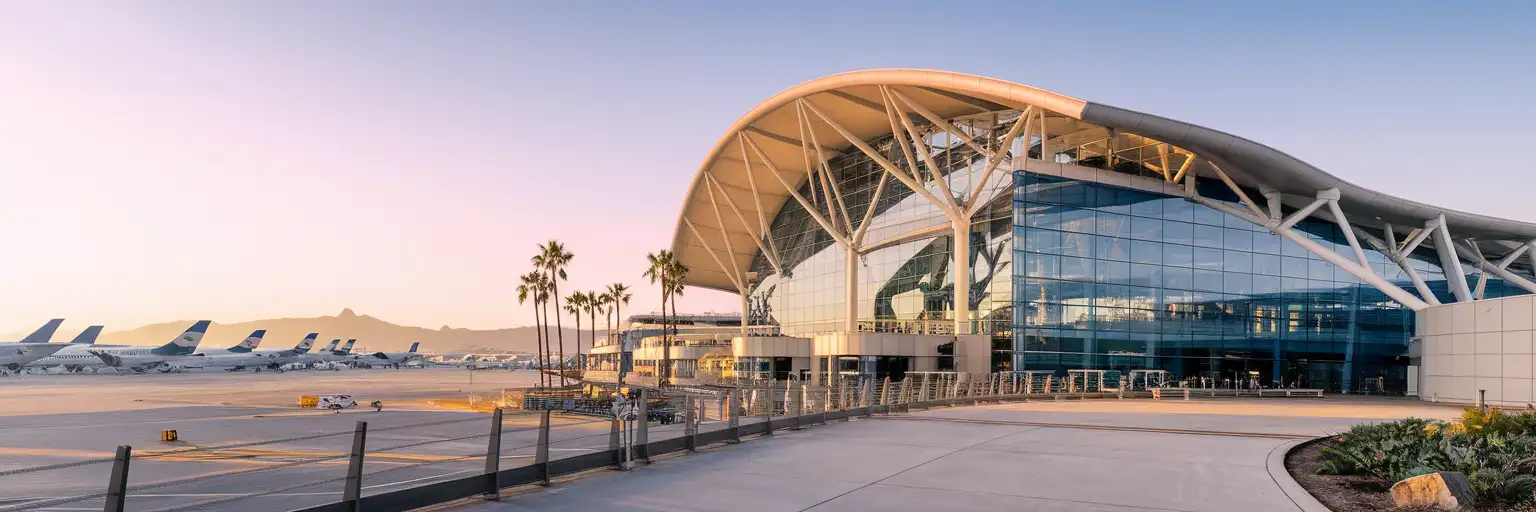
Tell us what you'll do and how long you'll be away — we'll highlight the right plan.
What will you do?

San Diego International Airport—SAN to frequent flyers, Lindbergh Field to locals—handles over 24 million passengers annually through just two terminals and a single runway. That compact layout means you're off the plane and at the curb faster than at most US hubs, but it also means every minute counts when coordinating your exit.
Rideshare pickups at SAN use designated zones outside each terminal, and during busy arrival windows the apps surge. Having data ready lets you request your Uber or Lyft while still walking the jetway, locking in a lower fare before the 8 AM wave hits. Terminal 2's pickup area sits near the west end—Google Maps live directions beat following outdated signage through construction zones.
If you're catching the San Diego Flyer to Old Town Transit Center, real-time shuttle tracking on the MTS app shows exactly when the next bus arrives (every 20-30 minutes). From Old Town, the Green Line Trolley reaches Santa Fe Depot in 12 minutes for around $2.50—tap your contactless card at the platform validator. Group chats with whoever's picking you up stay synced the whole way.
SAN's free terminal WiFi exists but requires registration and can crawl during peak hours. Your eSIMno plans for San Diego International Airport, San Diego, California, United States bypass that friction entirely—AT&T and Verizon macro coverage blankets the terminals, the curbside zones, and the rental car shuttle loop without a single login screen.
International arrivals clear US Customs and Border Protection in Terminal 2. Immigration queues vary from 20 minutes during off-peak to 90+ minutes after multiple wide-body arrivals—Mobile Passport Control speeds the process if you're a US, Canadian, or eligible visa-waiver traveler. After customs, you exit landside and cannot re-enter the secure side without a new boarding pass.
Terminal 1 hosts Southwest and several budget carriers; the ongoing Terminal 1 replacement project may shift walking routes, so check live construction updates on the SAN website. Terminal 2 handles Alaska, American, Delta, United, JetBlue, and international flights including British Airways and Air Canada. Both terminals have curbside departures on the upper level and arrivals on the lower level.
Taxis queue at the transportation plazas; expect $18-30 to downtown or Little Italy. Rideshare zones sit adjacent—follow terminal signage, as pickup points shift during construction. The free San Diego Flyer shuttle to Old Town Transit Center connects to the Green Line Trolley, COASTER commuter rail, and Amtrak Pacific Surfliner. Total travel time to Santa Fe Depot runs around 30-40 minutes including the shuttle wait.
 Recommended Recommended | Local SIM / Operator | Roaming | |
|---|---|---|---|
| FEATURES | |||
| Setup time | Few minutes | Store kit, needs activation | Auto |
| No local ID needed | Online checkout | No SSN; passport at carrier stores | Use home account |
| Speed | 4G/LTE on AT&T, T-Mobile and Verizon; 5G in some areas | One carrier only | Partner-dependent |
| Travel support | English support 24/7 | English-language service | Home carrier hours |
| Keep home number | Dual SIM | Replaces it | Same number |
| Cost predictability | Fixed price | Advertised price needs Auto Pay | Bill-shock risk |
| PRICING | |||
5GB / 30 daysLight traveler | 15GB / 30 days ₺2170.69 First month without Auto Pay; 35 USD after enrolling. Taxes and fees are extra. | $12-18 / day ₺723.56 Typical daily roaming rate; varies by home carrier | |
10GB / 30 daysStandard travelerMost popular | |||
20GB / 30 daysHeavy traveler | |||
No more SIM kiosks
Skip the airport queues. Install your eSIM at home, activate when you land.

No roaming surprises
Forget the $200 phone bill three weeks after your trip. Plain pricing, no hidden fees.

Keep your home number
Dual-SIM means your physical SIM stays active for calls and texts. eSIM handles only data.

Setup in 2 minutes
Scan QR code, follow on-screen steps, you're connected. Works on any eSIM-compatible phone.


Experience seamless global connectivity with our personal eSIM service. Enjoy faster speeds, wider coverage, and the convenience of online purchasing.

Buy a Data Plan
Search for your destination and pick any data plan
Step 1
Install your eSIM
Easy installation via qr code
Step 2
Activate Your eSIM
Only active when you are ready to use data
Step 3
24/7 Customer Support
Reach our team via WhatsApp and email during business hours. Quick answers to common questions available anytime through our automated assistant.
Immediate delivery
Your eSIM arrives by email within minutes. Install it before you board your flight.
Worldwide Coverage
One eSIM, 160+ countries. Land anywhere and connect instantly — no SIM swapping, no roaming charges.
Check Compatibility
Before buying and installing an eSim, check if your phone supports one
As you feel the need to use eSIM on your phone, the first question that arises is: does your mobile support eSIMs? And do eSIM-compatible devices work in all regions worldwide?
Find helpful information to answer your questions

Refer
A FRIEND
Step into the world of E-SIM, bring your friends and benefit together!