Review Your Cart

Your cart is empty.

You haven't added any eSIM packages yet. Start exploring our plans to get connected!

Browse our eSIM Packages
🎉 Welcome offer: 20% off with promo code FIRSTWELCOME20

Spain Spain   / Museo Nacional del Prado

Museo Nacional del Prado neoclassical Villanueva Building facade at golden hour with visitors approaching the columned entrance on Paseo del Prado

Museo del Prado eSIM: Madrid Data That Works Across All Spain

You're walking toward the Prado's Velázquez entrance with your timed-entry ticket QR ready to scan, gallery maps to pull up, and a taxi pickup to coordinate back to Madrid-Puerta de Atocha-Almudena Grandes afterward. With eSIMno, your Spain data activates instantly after landing — no SIM kiosk queue, no airport WiFi hassle.
View Plans
GET A FULL20%OFFon your first order
Use code: FIRSTWELCOME20

Stay connected,
wherever you go

Seamless global eSIM coverage

Explore our plans below

Plan Your Trip

Tell us what you'll do and how long you'll be away — we'll highlight the right plan.

7 days
1102030

What will you do?

Tap an activity above to see which plan fits your trip

Already a customer?

EARN UP TOON EVERY FRIEND'S PURCHASE
NETWORK: Movistar & Orange Depending on the plan you choose, you'll connect to one or more of these networks.

Quick Facts

Language
Valencian (Español)
Currency
Euro (EUR, €)
Time Zone
Central European Time (UTC+1, UTC+2 summer)
Dialing Code
+34
Power Plug
Type C, E, F (round 2-pin, common across most of Europe)
Emergency
112
eSIMno Networks
Movistar, Orange

How to Get Your eSIM

  1. Pick your Spain data plan
    Choose a plan that fits your visit length — a 3-day pass for museum-focused trips or 7+ days if you're extending to Barcelona or Seville. Plans work nationwide, not just at the Prado.
  2. Install at home over WiFi
    Download the eSIM profile before you leave. Your home WiFi handles the setup so there's no scrambling at Barajas Airport after a long flight.
  3. Keep your home SIM active
    Dual-SIM mode lets your regular number receive calls while eSIMno handles all data — maps, tickets, translation, rideshare. No switching needed.
  4. Activate after landing at Barajas
    Once the plane taxis to the gate and you switch off airplane mode, your eSIM connects to Movistar or Orange. By the time you clear customs, data is live.
  5. Walk into the Prado connected
    Your timed-entry QR loads instantly, gallery maps work offline or streaming, and your taxi back to Atocha coordinates through the app without searching for venue WiFi.

Traveler Tips

  • Book Prado timed-entry tickets 2-3 days ahead through the official site — slots fill quickly for morning hours and the ticket arrives as a QR code you'll scan at the Jerónimos entrance.
  • Free entry runs Monday-Saturday 18:00-20:00 and Sundays 17:00-19:00, but expect longer queues. Data helps you monitor wait times and pivot to a nearby café if the line stretches past the Goya doors.
  • Metro Line 2 to Banco de España drops you 400 meters from the main entrance — load Google Maps directions before descending into the station where signal dips.
  • The Prado's free WiFi covers the lobby but cuts out in deeper galleries. Streaming the official audio guide through your eSIM data keeps commentary uninterrupted past Room 012.
  • Use WhatsApp or FaceTime for calls over your eSIM data — placing native voice calls through your home SIM while abroad triggers roaming charges even if the call connects.
  • Screenshot your return taxi pickup point on Calle Felipe IV before you enter; signal is strongest at the Goya exit and weakest near the Velázquez sculpture court.

Why Data Matters at Museo del Prado

The Prado runs on digital tickets. Timed-entry slots purchased through the official site arrive as QR codes — no paper backup, no will-call window. If your phone can't load the code at the Jerónimos entrance scanner, you're stuck refreshing on patchy lobby WiFi while the queue builds behind you. eSIMno plans for Museo Nacional del Prado, Madrid, Spain keep that QR ready before you even reach the steps.

Inside the galleries, the official Prado audio guide app streams room-by-room commentary. Coverage holds strong in the main Villanueva Building halls — Room 012 (Velázquez's Las Meninas), Room 032 (Goya's Black Paintings), the Basque and Flemish wings — but the building's 18th-century stone walls create dead spots near the interior courtyards. Your eSIM pulls signal from Movistar or Orange macro towers along the Paseo del Prado; the museum's free WiFi does not follow you past the ticket lobby.

After 3 hours of Bosch triptychs and Titian altarpieces, you'll want a taxi or rideshare back to your hotel. The Goya exit on Calle Felipe IV is the designated pickup zone; Uber and Cabify both require live GPS confirmation. Surge pricing spikes after 14:00 when tour groups finish — checking real-time fares on data beats accepting the first quote. If you're continuing to El Retiro Park for an afternoon walk or catching a train to Toledo from Atocha, the same eSIM keeps working across every leg.

Visiting the Prado

The museum opens daily at 10:00 and closes at 20:00 (Sundays and holidays until 19:00). Ticket tiers include general admission, the Paseo del Arte combined pass (covers Prado + Reina Sofía + Thyssen-Bornemisza), and temporary exhibition add-ons — pricing updates seasonally, so check the official site before booking. Timed-entry is enforced; arriving outside your slot means re-queuing.

Photography without flash is permitted in permanent collection galleries but banned in special exhibitions. Bags larger than 40×40 cm go to the free cloakroom near the Jerónimos entrance — the coat-check line adds 5-10 minutes during peak hours. No food or drink inside; the museum café on the ground floor serves coffee and sandwiches if you need a mid-visit break.

The closest Metro stop is Banco de España (Line 2, yellow), 400 meters north. Atocha Cercanías is a 10-minute walk south for regional trains. Taxis queue along Paseo del Prado; rideshare pickups coordinate best from the Goya exit. Accessibility: step-free entry through the Jerónimos door, elevators to all floors, wheelchairs available at the information desk.

Inside the Prado Galleries

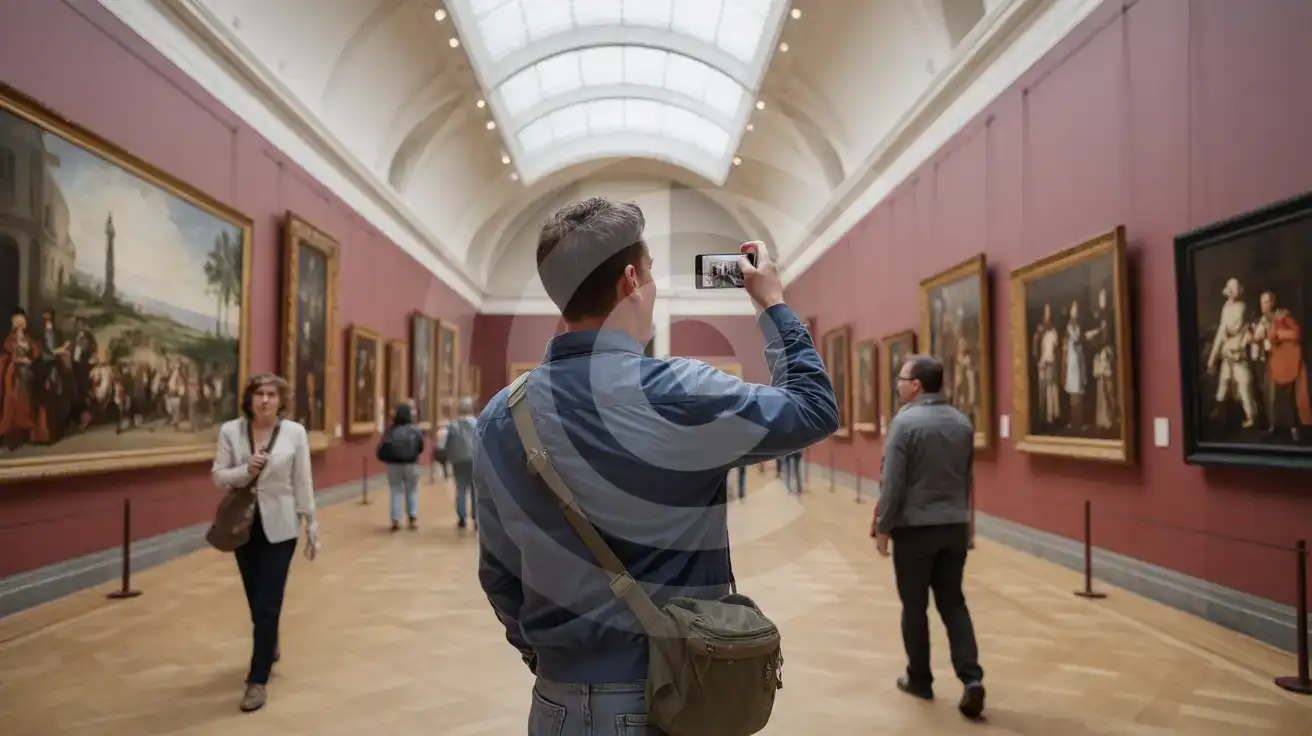
Solo male traveler photographing paintings inside Museo del Prado's barrel-vaulted central gallery with skylights and burgundy walls
Set up your eSIM before visiting so gallery maps and audio guides stream without hunting for WiFi inside the Prado.

Compare eSIM Options at Museo Nacional del Prado

Recommended
Local SIM / Operator
Roaming
Setup timeRegistered in store before the SIM worksAuto
No local ID neededPhoto ID required by law at purchaseUse home account
SpeedOne network onlyPartner-dependent
Travel supportSpanish-language serviceHome carrier hours
Keep home numberReplaces itSame number
Cost predictabilityPrepaid, no bill shockBill-shock risk
Typical pricing
The SIM must be registered with your passport before it works, and it runs on one network.
Prepaid, billed every 28 days, on the Vodafone network only.
$12-18 / day
Typical daily roaming rate; varies by home carrier

PRICING — PICK YOUR ESIMNO PLAN

Light traveler
5GB / 30d
₺689.00
20% off with code FIRSTWELCOME20on your first order
≈ ₺551.20 TRY with code
Buy now
Heavy traveler
20GB / 30d
₺1599.00
20% off with code FIRSTWELCOME20on your first order
≈ ₺1,279.20 TRY with code
Buy now

Frequently Asked Questions (FAQs)

Install the eSIM profile at home over WiFi before your flight. After your plane lands at Barajas and taxis to the gate, switch off airplane mode — by the time you're walking through the Prado's Jerónimos entrance, your phone is already pulling the timed-entry QR and gallery maps.
The Villanueva Building's 18th-century stone walls create some signal variation, but Movistar and Orange macro towers along Paseo del Prado keep coverage strong in the main halls — Room 012 for Velázquez, Room 032 for Goya. Deeper interior courtyards may see brief dips, but your eSIM reconnects as you move between wings.
Yes — dual-SIM mode keeps your home number active for incoming calls while eSIMno handles all data tasks: ticket QR codes, audio guide streaming, rideshare coordination. Use WhatsApp or FaceTime over your eSIM data for outgoing calls to avoid roaming charges on your home line.
Metro Line 8 runs from Terminal 4 to Nuevos Ministerios, where you transfer to Line 10 toward Tribunal, then Line 1 to Atocha. Total trip runs 40-50 minutes. A taxi from T4 to Paseo del Prado costs around €30-35 flat rate. Your eSIM keeps Google Maps and Cabify live for real-time routing and surge alerts.
Absolutely — your eSIMno plan covers all of Spain, not just Madrid. Catch the AVE from Atocha to Toledo (33 minutes) or a Cercanías to Segovia and the same data keeps working: train schedules, translation apps for Alcázar signage, rideshare back to the station. One plan, nationwide coverage.
The eSIM activates once and stays active across your entire trip — Barcelona's Sagrada Família, Seville's Alcázar, Valencia's City of Arts and Sciences. No need to buy separate SIMs for each city. Choose a plan length that matches your itinerary and your data follows you everywhere.
GET A FULL20%OFFon your first order
Use code: FIRSTWELCOME20

Stay connected,
wherever you go

Seamless global eSIM coverage

Get Started
The Museo del Prado draws millions of visitors annually to its galleries housing Velázquez, Goya, and El Greco masterworks — and every one of them needs data the moment they arrive. Timed-entry tickets display as QR codes on your phone. Audio guide apps stream commentary as you move between rooms. Rideshare pickups coordinate through the Goya entrance on Calle Felipe IV. Having your eSIM activated before you reach the museum means none of this waits on unreliable lobby WiFi. Madrid's transit network connects the Prado to the rest of the city and beyond. Metro Line 2 stops at Banco de España, a 5-minute walk from the main entrance. The Atocha Cercanías hub sits 10 minutes south for day trips to Toledo or Segovia. Each connection works better with live data: real-time train schedules, platform updates, surge pricing alerts for taxis during exhibition openings. Your eSIMno plan covers all of it. The same data that loads your Prado ticket keeps working as you cross Spain — from tapas reservations in La Latina to beach directions on the Costa Brava. Buy once, install at home, activate after your flight touches down at Barajas. By the time you're walking the Paseo del Prado toward the museum steps, your phone is already pulling directions, translation, and everything else a day at one of Europe's great art museums demands.
Back to Spain
No more SIM kiosks

No more SIM kiosks

Skip the airport queues. Install your eSIM at home, activate when you land.

no roaming charges

No roaming surprises

Forget the $200 phone bill three weeks after your trip. Plain pricing, no hidden fees.

keep your physical sim

Keep your home number

Dual-SIM means your physical SIM stays active for calls and texts. eSIM handles only data.

easy installation

Setup in 2 minutes

Scan QR code, follow on-screen steps, you're connected. Works on any eSIM-compatible phone.

Pay SafelyVisa CardMaster CardGoogle PayPayPalApple Pay

How does eSIMNo Works?

Experience seamless global connectivity with our personal eSIM service. Enjoy faster speeds, wider coverage, and the convenience of online purchasing.

Buy a Data Plan

Buy a Data Plan

Search for your destination and pick any data plan

Step 1

Install your eSIM

Install your eSIM

Easy installation via qr code

Step 2

Activate Your eSIM

Activate Your eSIM

Only active when you are ready to use data

Step 3

Advantages

24/7 Customer Support

Reach our team via WhatsApp and email during business hours. Quick answers to common questions available anytime through our automated assistant.

Immediate delivery

Your eSIM arrives by email within minutes. Install it before you board your flight.

Worldwide Coverage

One eSIM, 160+ countries. Land anywhere and connect instantly — no SIM swapping, no roaming charges.

Check Compatibility

Check Compatibility

Before buying and installing an eSim, check if your phone supports one

Check if your phone is eSIM compatible

As you feel the need to use eSIM on your phone, the first question that arises is: does your mobile support eSIMs? And do eSIM-compatible devices work in all regions worldwide?

Some phones that support eSIM technology

  • IPhone XS and Later
  • Samsung Galaxy S20 and Later
  • Pixel 4 and Later
  • Xiaomi 12T Pro and Later
All eSIM-Compatible Phones

Frequently Asked Questions (FAQs)

Find helpful information to answer your questions

What happens if I pause my trip and return home?
Your eSIM keeps its validity period running whether you're using it or not - pausing your trip doesn't pause the timer. If you return home, the eSIM stays dormant on your device until you travel again or it expires. You can disable it in cellular settings to avoid accidental usage.
Does the eSIM work in rural areas and small towns?
Coverage depends on the partner network's reach in Spain. Major cities, tourist areas, and highways typically have strong 4G/5G coverage. Remote rural areas may have weaker signal or fall back to 3G. Download offline maps before heading off the beaten path.
What payment methods does eSIMno accept?
eSIMno accepts major credit and debit cards (Visa, Mastercard, American Express), PayPal, Apple Pay, and Google Pay. All transactions are processed through secure encrypted gateways, and we don't store full card details on our servers.
Is the eSIM connection secure?
eSIM connections are as secure as standard cellular connections - encrypted by the carrier network. For added security on public networks (cafes, airports), use a VPN. The eSIM profile itself is digitally signed and can't be cloned like a physical SIM.
Does the eSIM work on cruise ships or airplanes?
eSIMs use ground-based cellular networks, so they don't work in flight or at sea outside coastal coverage. They activate as soon as you connect to a partner network on land. For in-flight or maritime data, you'll need the airline or ship's onboard Wi-Fi.
Will the eSIM work on my iPad?
Yes, if your iPad model supports eSIM. iPad Pro (3rd generation and later), iPad Air (3rd generation and later), iPad mini (5th generation and later), and standard iPad (7th generation and later with cellular) all support eSIM. Installation works the same way as on iPhone.
Are there any hidden fees or extra charges?
No. The price you see at checkout is the total price - no activation fees, no hidden taxes, no roaming surcharges. Your data plan is fixed-price, and you'll never receive a surprise bill from your home carrier as long as you keep cellular data off on your home SIM.
How do I activate the Spain eSIM?
Your eSIMno order confirmation email contains your QR code, your SM-DP+ address and activation code, a one-tap install link, and an "Install eSIM" button - so you can install right from the email. The same options are also on the website: sign in at esimno.com and go to Profile > My eSIMs > your plan > Install. To install, use any ONE of these methods: (1) on the phone you are setting up, tap the one-tap install link/button (iPhone on iOS 17.4+ or Android 9+); (2) use the QR code - because a phone cannot scan its own screen, show this QR on another screen (computer/tablet) or a printout and scan it WITH the phone you are setting up (never with someone else's phone, or the eSIM would install on that phone); or (3) enter the SM-DP+ address and activation code manually. Your Spain eSIM activates automatically when you connect to a local network at your destination.
Is unlimited data really unlimited?
Unlimited plans provide unlimited data at high speed (4G/5G) up to a fair-use threshold defined per plan. Beyond that threshold, speeds may be reduced to 128 Kbps for the remainder of the validity period - still usable for messaging and basic browsing, but slower for streaming and video calls.
Can I use the eSIM right after purchase or do I need to wait?
Yes - you can install it immediately after purchase. Your order email arrives within minutes and contains the QR code, a one-tap install link and the manual codes, plus an "Install eSIM" button; you can also sign in > My eSIMs > Install any time. Installing right away does not start your plan - the validity countdown only begins when the eSIM connects to a mobile network inside your plan's coverage area. Keep the eSIM line and Data Roaming off until you are ready to start; if your plan covers the country you are in right now, turning the line on starts the countdown immediately.
How can I verify if my eSIM is activated?
There are two clear indicators: (1) your phone's status bar shows the local carrier name once you arrive at your destination, and (2) the data icon (4G, LTE, or 5G) appears next to the eSIMno line in your cellular settings. If neither shows up, toggle airplane mode off and on, or restart your phone.
When should I set up my eSIM?
A Wi-Fi connection is required to install your eSIM, so we recommend setting it up before you leave home. Activation can happen later, either right before departure or after you land at your destination - but the initial QR scan needs Wi-Fi.

Use Your Free Credit

You can earn up to 15% commission from your friends' purchases with your Reference code. Plus, your friends will get $2 off their first purchase when they use your code!

FIND OUT HOW
Refer a friend

Refer

A FRIEND

Step into the world of E-SIM, bring your friends and benefit together!