


Review Your Cart

Your cart is empty.

You haven't added any eSIM packages yet. Start exploring our plans to get connected!

Browse our eSIM Packages
🎉 Welcome offer: 20% off with promo code FIRSTWELCOME20

Mexico Mexico   / Island Marketing Ltd. Cozumel Tours

Tour boat departing Cozumel pier toward turquoise Caribbean waters at golden hour

Cozumel Tours eSIM: Mexico Data That Works Island-Wide and Beyond

Your tour boat pulls away from the Cozumel pier and your phone needs to confirm the pickup time, pull up the reef map, and message the group still sorting gear on the dock. eSIMno gets your Mexico data ready before you board the ferry from Cozumel Ferry Pier, so you skip the SIM kiosk scramble and land with connectivity that works from the dive boat to the mainland.
View Plans
GET A FULL20%OFFon your first order
Use code: FIRSTWELCOME20

Stay connected,
wherever you go

Seamless global eSIM coverage

Explore our plans below

Plan Your Trip

Tell us what you'll do and how long you'll be away — we'll highlight the right plan.

7 days
1102030

What will you do?

Tap an activity above to see which plan fits your trip

Already a customer?

EARN UP TOON EVERY FRIEND'S PURCHASE
NETWORK: AT&T & Telcel Depending on the plan you choose, you'll connect to one or more of these networks.

Quick Facts

Language
Spanish (Español)
Currency
Mexican Peso (MXN, $)
Time Zone
Eastern Standard Time (UTC-5)
Dialing Code
+52
Power Plug
Type A, B (flat 2-pin, common across North America)
Emergency
911 (general)
eSIMno Networks
Movistar

How to Get Your eSIM

  1. Choose Your Mexico Plan
    Pick a data package that covers your full Cozumel stay plus any mainland travel — Playa del Carmen day trips, Cancún airport departure, Tulum extension. One plan works across the country.
  2. Install at Home Over WiFi
    Scan the QR code on your home network before you leave. The profile sits dormant until you activate, so there's no charge yet and no rush at the airport.
  3. Activate After Landing
    Once your flight touches down at Cozumel International or your ferry docks at the pier, switch off airplane mode. Your phone finds the Movistar network within seconds.
  4. Set eSIM as Data Line
    In your phone's cellular settings, assign the eSIM for mobile data while keeping your home SIM active for voice. Incoming calls reach you normally; outgoing calls go through WhatsApp or FaceTime over your new data.
  5. Board Your Tour With Data Ready
    By the time you're checking in at the dive shop or scanning your ticket at the catamaran gangway, Maps, messaging, and your operator's confirmation are already live.

Traveler Tips

  • Morning snorkel departures leave San Miguel's main pier around 8:00-9:00 AM — arrive 20 minutes early with your ticket QR loaded so the crew can scan and board without delay.
  • Cozumel's western reef sites (Palancar, Colombia, Paradise) have solid cell signal from shore towers; the wild east coast has coverage gaps, but organized tours rarely go there.
  • Download your dive operator's WhatsApp contact before leaving home — group chats are how most Cozumel tour companies coordinate pickup times and last-minute changes.
  • Keep your home SIM active for incoming calls; use eSIM data for everything else including FaceTime and WhatsApp calls to avoid roaming voice charges.
  • Waterproof phone pouches cost around $10-15 USD at San Miguel shops — cheaper than replacing a phone dropped off the boat ladder.
  • Ferry schedules from Playa del Carmen run every 30-45 minutes; real-time updates on the Ultramar or WinJet apps beat guessing at the pier.

Why Data Matters on Cozumel Tours

Cozumel tour operators communicate almost entirely through WhatsApp. The dive shop confirms your 7:30 AM hotel pickup via message. The catamaran crew drops a live location pin for the alternate pier when the main dock is crowded. The snorkel guide sends underwater photos to the group chat before you've even toweled off. Without data, you're refreshing a café WiFi login while the boat leaves without you.

On the Water

Signal holds along Cozumel's western shore where macro towers on the coast keep boats connected within a few kilometers of land. Between dive sites at Palancar Reef and Columbia Reef, you can upload a GoPro clip, check the weather radar for afternoon squalls, or message the friend who stayed onshore at Mr. Sancho's Beach Club. The eastern wild side has dead zones, but organized tours stick to the sheltered west — your phone works where the boats go.

Back on Land

After the tour, your phone handles the ride back to San Miguel, the restaurant reservation at Hard Rock Cafe Cozumel, and the ferry ticket purchase for the return to Playa del Carmen. eSIMno plans for Island Marketing Ltd. Cozumel Tours, Cozumel, Mexico keep working when you hop the Ultramar ferry, bus to Tulum Archaeological Zone, or fly out of Cancún International — one plan, no card swap, no kiosk queue.

Visiting Cozumel for Tours

Most snorkel and dive tours depart from the main pier area in San Miguel de Cozumel, a 10-minute taxi ride from the airport or a short walk from the ferry terminal. Operators run morning departures (around 8:00-9:00 AM) and afternoon trips (around 1:00-2:00 PM); sunset cruises leave closer to 4:00-5:00 PM depending on season.

Booking happens online or through hotel concierges — either way, the confirmation arrives as a PDF or WhatsApp message you'll need to show at check-in. Bring reef-safe sunscreen (required by Mexican marine park law), a towel, and cash for tips; most crews expect around 10-15% of the tour cost. Seasickness pills help on choppy days, especially for the ride out to distant reefs like Palancar Gardens or Columbia Shallows.

The Cozumel Reefs National Marine Park charges a small access fee (usually included in tour price) that funds reef conservation. Touching coral or feeding fish is prohibited — guides enforce this strictly. Underwater cameras are welcome; waterproof phone cases work for snorkelers, while divers use dedicated housings.

Cozumel Tour Boat

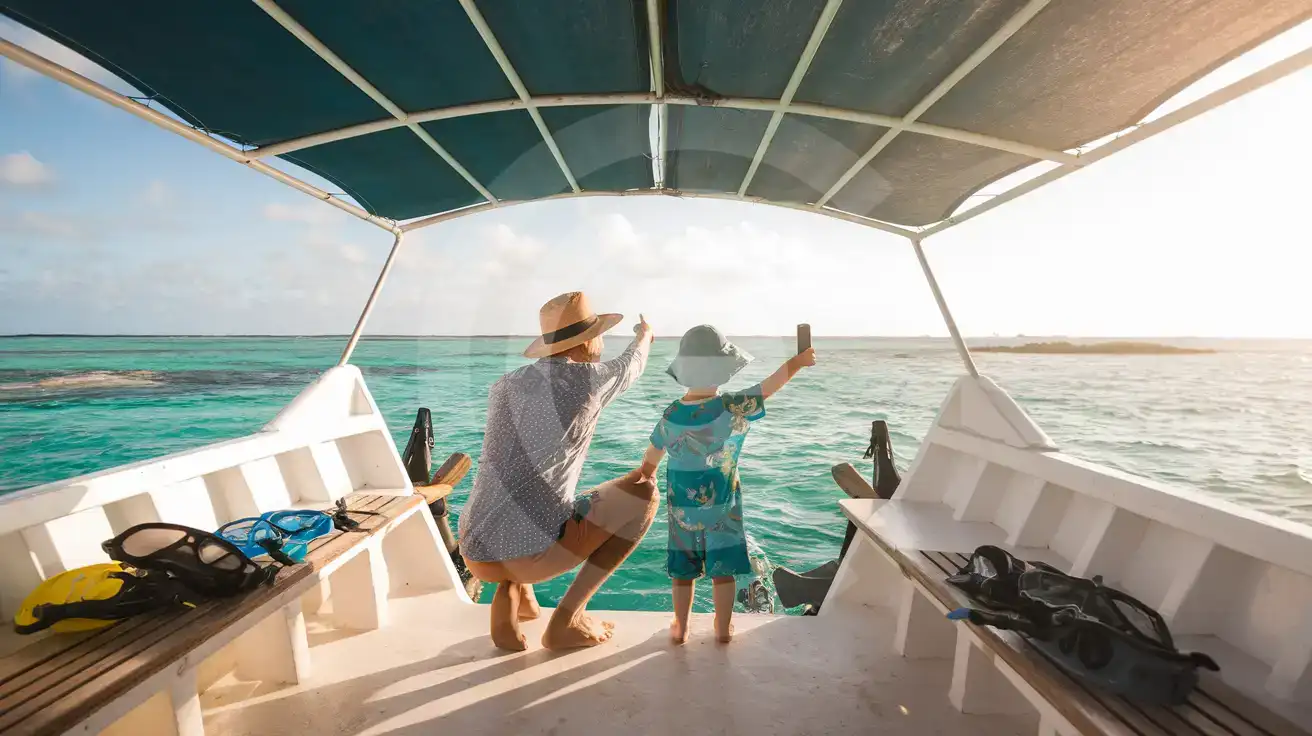
Family on Cozumel snorkel tour boat pointing toward reef while holding smartphone
Activate your eSIM before boarding so tour confirmations and group messages load the moment you reach the reef.

Compare eSIM Options at Island Marketing Ltd. Cozumel Tours

Recommended
Local SIM / Operator
Roaming
Setup timeDoes not work until registration is completeAuto
No local ID neededPassport plus a live face checkUse home account
SpeedOne network onlyPartner-dependent
Travel supportSpanish-language serviceHome carrier hours
Keep home numberReplaces itSame number
Cost predictabilityPrepaid, no bill shockBill-shock risk
5GB / 30 daysLight traveler
5.5GB / 30 days
₺849.46
Prepaid package on the Telcel network only.
$12-18 / day
₺723.56
Typical daily roaming rate; varies by home carrier
10GB / 30 daysStandard travelerMost popular
8GB / 30 days
₺1415.77
Prepaid package on the Telcel network only.
20GB / 30 daysHeavy traveler
8GB / 30 days
₺1415.77
Prepaid package on the Telcel network only.

Frequently Asked Questions (FAQs)

Install the eSIM profile at home over WiFi before your trip, then activate after your flight lands at Cozumel International or your ferry docks at the San Miguel pier. By the time you're walking to the dive shop check-in desk, your phone is already pulling the operator's WhatsApp confirmation.
Cozumel's western reef sites — Palancar, Colombia, Paradise — stay within range of shore towers along the island's hotel coast. Signal holds well enough to upload photos between dives or message the friend who stayed at the beach club. The wild east coast has gaps, but organized tours rarely head there.
Yes. Set the eSIMno plan as your data line and keep your home SIM active for voice. Incoming calls reach you normally; for outgoing calls, use WhatsApp, FaceTime, or another data-based app over your eSIM connection to avoid roaming charges on your home line.
The plan covers all of Mexico. Ferry back to Playa del Carmen, bus to Tulum, or fly out of Cancún International — same eSIM, same data, no card swap. One install handles the entire Riviera Maya stretch and beyond.
A 3-5 day Cozumel visit with daily tours, messaging, maps, and photo uploads runs comfortably on 3-5 GB. If you're uploading GoPro clips or streaming video calls to show the family back home, budget closer to 7-10 GB.
Cozumel dive shops and snorkel operators send changes via WhatsApp — sometimes just 30 minutes before departure. Having data active means the message arrives instantly instead of waiting until you find café WiFi on the San Miguel waterfront.
GET A FULL20%OFFon your first order
Use code: FIRSTWELCOME20

Stay connected,
wherever you go

Seamless global eSIM coverage

Get Started
Cozumel tour operators run tight schedules — morning snorkel departures, midday reef dives, sunset catamaran cruises — and each one sends confirmation details to your phone. Having data ready before you board the ferry from Playa del Carmen means the WhatsApp group chat, the operator's location pin, and your ticket QR all load without hunting for café WiFi along the San Miguel waterfront. Once you're on the water, cellular signal holds surprisingly well across Cozumel's western coastline where macro towers line the shore. The eastern wild side has gaps, but most organized tours stick to the sheltered west — Palancar, Colombia, Paradise reefs — where your phone can upload that underwater GoPro clip between dives. Real-time messaging keeps your group synced when half the boat heads to lunch at a beach club and the other half signs up for a second tank. The eSIM works across Mexico, so after Cozumel you can ferry back to Playa del Carmen, bus to Tulum, or fly out of Cancún International without swapping cards. One plan, one QR install at home, and your data just keeps working — whether you're comparing ceviche prices on the malecón or booking a last-minute cenote tour from the hotel lobby.
Back to Mexico
No more SIM kiosks

No more SIM kiosks

Skip the airport queues. Install your eSIM at home, activate when you land.

no roaming charges

No roaming surprises

Forget the $200 phone bill three weeks after your trip. Plain pricing, no hidden fees.

keep your physical sim

Keep your home number

Dual-SIM means your physical SIM stays active for calls and texts. eSIM handles only data.

easy installation

Setup in 2 minutes

Scan QR code, follow on-screen steps, you're connected. Works on any eSIM-compatible phone.

Pay SafelyVisa CardMaster CardGoogle PayPayPalApple Pay

How does eSIMNo Works?

Experience seamless global connectivity with our personal eSIM service. Enjoy faster speeds, wider coverage, and the convenience of online purchasing.

Buy a Data Plan

Buy a Data Plan

Search for your destination and pick any data plan

Step 1

Install your eSIM

Install your eSIM

Easy installation via qr code

Step 2

Activate Your eSIM

Activate Your eSIM

Only active when you are ready to use data

Step 3

Advantages

24/7 Customer Support

Reach our team via WhatsApp and email during business hours. Quick answers to common questions available anytime through our automated assistant.

Immediate delivery

Your eSIM arrives by email within minutes. Install it before you board your flight.

Worldwide Coverage

One eSIM, 160+ countries. Land anywhere and connect instantly — no SIM swapping, no roaming charges.

Check Compatibility

Check Compatibility

Before buying and installing an eSim, check if your phone supports one

Check if your phone is eSIM compatible

As you feel the need to use eSIM on your phone, the first question that arises is: does your mobile support eSIMs? And do eSIM-compatible devices work in all regions worldwide?

Some phones that support eSIM technology

  • IPhone XS and Later
  • Samsung Galaxy S20 and Later
  • Pixel 4 and Later
  • Xiaomi 12T Pro and Later
All eSIM-Compatible Phones

Frequently Asked Questions (FAQs)

Find helpful information to answer your questions

Can I extend my eSIM plan validity?
The validity of a package that is already running cannot be extended, but you can top up: a top-up adds a new package with its own data AND its own validity days. Packages run one at a time - the top-up waits in queue and activates automatically when your current package ends (data used up or days expired), and its own days start counting from that moment. In practice this keeps you connected longer, even though the current package's own end date does not move.
Will the eSIM affect my phone's battery life?
Running two SIM lines (physical + eSIM) uses slightly more battery than one, since the phone monitors both networks. The difference is usually 5-10% over a full day. To minimize impact, disable the line you're not actively using or turn off cellular data on the inactive line.
How do I set up the eSIM on my device?
The fastest way is straight from your order confirmation email, which now contains - for each eSIM - the QR code, a one-tap install link, and the SM-DP+ / activation codes. On the phone you'll use, tap the one-tap install link; or, to use the QR, show it on another screen or a printout and scan it with that same phone (not another phone); or enter the codes manually. The email also has an "Install eSIM" button that opens your eSIM's detail page and launches the install pop-up (sign in if prompted), and you can reach the same pop-up anytime via Profile > My eSIMs > find your plan (shown as "Ready to install") > Install. After installing, turn Data Roaming ON for your eSIMno line (iPhone: Settings > Cellular; Android: Settings > Connections/Network) - without it the eSIM installs but shows no internet. Full guide in Help & Support.
Can I share data from my eSIM with someone else's phone?
Yes, through Personal Hotspot. Activate hotspot on your phone, share the password, and the other device connects to your data. Data used by connected devices counts toward your eSIM plan, so monitor usage to avoid running out faster than expected.
Will I get notifications when my data is running low?
Yes. eSIMno sends email and push notifications when you've used 50%, 80%, and 100% of your data allowance. You can also check usage anytime in the eSIMno Center or in your phone's cellular settings to track consumption in real time.
What customer support is available if I have issues?
eSIMno offers 24/7 support via WhatsApp and email. Our human support team - not bots - handles installation help, troubleshooting, billing questions, and refund inquiries. Most issues are resolved within minutes during business hours and within a few hours overnight.
How do I activate the Mexico eSIM?
Your eSIMno order confirmation email contains your QR code, your SM-DP+ address and activation code, a one-tap install link, and an "Install eSIM" button - so you can install right from the email. The same options are also on the website: sign in at esimno.com and go to Profile > My eSIMs > your plan > Install. To install, use any ONE of these methods: (1) on the phone you are setting up, tap the one-tap install link/button (iPhone on iOS 17.4+ or Android 9+); (2) use the QR code - because a phone cannot scan its own screen, show this QR on another screen (computer/tablet) or a printout and scan it WITH the phone you are setting up (never with someone else's phone, or the eSIM would install on that phone); or (3) enter the SM-DP+ address and activation code manually. Your Mexico eSIM activates automatically when you connect to a local network at your destination.
Do I need to remove my eSIM after my trip?
You don't have to remove it. Once your data plan expires, the eSIM simply stops providing data. You can leave the dormant profile on your phone and reuse it next time by purchasing a new plan, or delete it from cellular settings to free up an eSIM slot.
Does the eSIM work on cruise ships or airplanes?
eSIMs use ground-based cellular networks, so they don't work in flight or at sea outside coastal coverage. They activate as soon as you connect to a partner network on land. For in-flight or maritime data, you'll need the airline or ship's onboard Wi-Fi.
What should I do if I see a 'No network' message after activating my eSIM?
If you see a 'No network' message after activation, try these steps in order: (1) Toggle airplane mode on for 10 seconds, then off. (2) Confirm data roaming is enabled for the eSIM line. (3) Manually select a network in cellular settings. (4) Restart your phone. If the issue continues, contact eSIMno support via WhatsApp or email.
Will the eSIM work on my iPad?
Yes, if your iPad model supports eSIM. iPad Pro (3rd generation and later), iPad Air (3rd generation and later), iPad mini (5th generation and later), and standard iPad (7th generation and later with cellular) all support eSIM. Installation works the same way as on iPhone.
What should I do if I lose my activation QR code?
You can't really lose it - your QR code is in your order confirmation email, and also in the install pop-up on the website. To reopen it any time before activation, tap "Install eSIM" in your order email, or sign in at esimno.com and go to Profile > My eSIMs > Install. Both show the QR code together with the one-tap install link and the manual SM-DP+ / activation code. Note the install codes are one-time-use: once the eSIM is installed on a device they can't be reused - reopen the installer (My eSIMs > Install) to display a fresh QR if you need one.

Use Your Free Credit

You can earn up to 15% commission from your friends' purchases with your Reference code. Plus, your friends will get $2 off their first purchase when they use your code!

FIND OUT HOW
Refer a friend

Refer

A FRIEND

Step into the world of E-SIM, bring your friends and benefit together!