


Review Your Cart

Your cart is empty.

You haven't added any eSIM packages yet. Start exploring our plans to get connected!

Browse our eSIM Packages
🎉 Welcome offer: 20% off with promo code FIRSTWELCOME20

Mexico Mexico   / Chichén Itzá

El Castillo pyramid at Chichén Itzá archaeological site during golden hour with dramatic sky

Chichén Itzá eSIM: Archaeological Site Data Across All Mexico

You're standing in the shadow of El Castillo with a cenote swim booked for the afternoon, a rideshare pickup to coordinate back toward Cancun, and photos queuing to upload before your guide moves the group to the Ball Court. With eSIMno, you can install your Mexico eSIM before leaving home and have reliable Movistar data working the moment your bus rolls into the Yucatán interior.
View Plans
GET A FULL20%OFFon your first order
Use code: FIRSTWELCOME20

Stay connected,
wherever you go

Seamless global eSIM coverage

Explore our plans below

Plan Your Trip

Tell us what you'll do and how long you'll be away — we'll highlight the right plan.

7 days
1102030

What will you do?

Tap an activity above to see which plan fits your trip

Already a customer?

EARN UP TOON EVERY FRIEND'S PURCHASE
NETWORK: Movistar The speed may vary depending on the location.

Quick Facts

Time Zone
Central Standard Time (UTC-6)
Dialing Code
+52
Currency
Mexican Peso (MXN, $)
Power Plug
Type A, B (flat 2-pin, common across North America)
Language
Spanish (Español)
Emergency
911 (general)
eSIMno Networks
Movistar

How to Get Your eSIM

  1. Buy Your Mexico Plan Before the Road Trip
    Purchase your eSIM while you're still at your Cancún hotel or even before flying to Mexico. The 2.5-hour transfer to Chichén Itzá passes through areas with limited roadside services — you'll want data working before you leave the coast.
  2. Install Over Hotel WiFi the Night Before
    Download the eSIM profile to your phone using your hotel's WiFi. The installation takes 2-3 minutes through your device settings. Your phone stores the profile locally, ready for activation.
  3. Activate as Your Bus Leaves Cancún
    Once your tour bus or rental car heads west on Highway 180D, enable the eSIM data line in your phone settings. Movistar coverage picks up along the toll road and stays solid through Valladolid and into the archaeological zone.
  4. Keep Your Home SIM Active for Calls
    Your phone's dual-SIM mode lets your home number receive calls while eSIMno handles all data. Use WhatsApp, FaceTime, or Google Meet for outgoing calls over data — avoid placing native voice calls that trigger roaming charges.
  5. Use Data for the Entire Yucatán Circuit
    Your plan covers Chichén Itzá, the cenote stop at Ik Kil, the colonial town of Valladolid, and the return to Cancún. Same eSIM works if you extend to Tulum, Playa del Carmen, or fly onward to Mexico City.

Traveler Tips

  • Arrive at the archaeological zone by 8:00 AM opening to explore El Castillo and the Great Ball Court before tour buses arrive around 10:30 AM and midday heat peaks.
  • Bring 600-700 MXN in cash for foreign-visitor entry fees — card readers at the gate can be intermittent, and the combined INAH federal fee plus Yucatán state tax must be paid on-site.
  • Download offline maps of the 5-square-kilometer site before leaving Cancún — cellular signal inside the zone is reliable but having the internal paths cached saves battery.
  • Screenshot your return pickup confirmation and share your live location with your driver via WhatsApp so they can track when you're heading toward the exit.
  • The Sacred Cenote is a 300-meter walk north via the ancient sacbé causeway — budget 20 minutes each way and use data to coordinate regrouping with your tour.
  • Cenote Ik Kil (entry around 150 MXN) is 5 kilometers south and makes an ideal post-site cooldown — confirm your driver's pickup timing via message before you descend the 26-meter sinkhole.

Why Data Matters at Chichén Itzá

Chichén Itzá is 200 kilometers from the nearest major airport and sits in rural Yucatán where your phone becomes the coordination hub for every logistical piece of the day. The ADO bus from Cancún's downtown terminal takes roughly 2.5 hours via Highway 180D — real-time traffic updates through Google Maps or Waze flag slowdowns near Valladolid that can shift your arrival window by 30 minutes. If you're on an organized tour, WhatsApp group chats with your guide handle pickup timing, rest-stop coordination, and any schedule changes that ripple through the day.

Inside the archaeological zone, data powers the tasks that separate a smooth visit from a frustrating one. The site spans 5 square kilometers with major structures — El Castillo, the Great Ball Court, the Temple of the Warriors, El Caracol, the Sacred Cenote — spread across unshaded plazas. Live navigation keeps you oriented between monuments without backtracking under the midday sun. Photo uploads to iCloud or Google Photos can run in the background while you walk, freeing storage for the next shot. Currency converter apps handle the mental math when vendors quote prices for obsidian replicas or embroidered huipiles in the Pisté craft market 2 kilometers west.

The return journey demands the same connectivity. Most day itineraries combine Chichén Itzá with a cenote swim at Ik Kil and an optional 45-minute detour east to Valladolid's colonial plaza. Coordinating pickup times, checking restaurant availability on Google Maps, and sending live-location updates to your driver all require working data. Your eSIMno plans for Chichén Itzá, Cancun, Mexico keep the connection stable from the moment you leave the hotel zone until you're back on the beach — no SIM-card swap, no WiFi hunting, no gap in coverage when you need it.

Visiting Chichén Itzá

Hours and Entry

The archaeological zone opens daily from 8:00 AM to 5:00 PM, with last entry around 4:00 PM. Foreign visitors pay approximately 600-700 MXN (combined INAH federal fee plus Yucatán state tax); Mexican nationals pay around 250-300 MXN, with free entry on Sundays for citizens. Children under 13, students with valid Mexican ID, and seniors with INAPAM cards enter free. An evening sound-and-light show runs on selected nights with separate ticketing.

Getting There

From Cancún, the ADO bus line runs direct services from the downtown terminal to the site entrance — departures leave early morning and the ride takes approximately 2.5 hours via the 180D toll highway. Colectivos connect from Pisté village (2 kilometers west) and from Valladolid (45 minutes east). Most visitors arrive on organized day tours that bundle transport with a cenote stop and lunch. Rental cars offer flexibility but require toll payments (keep pesos ready) and parking fees at the site.

What to Wear

Light, breathable clothing, closed walking shoes, a wide-brimmed hat, sunscreen, and at least one liter of water per person are essential. Shaded rest areas are limited across the 5-square-kilometer site. Climbing on structures is prohibited, but the walking distances between monuments add up quickly under Yucatán humidity.

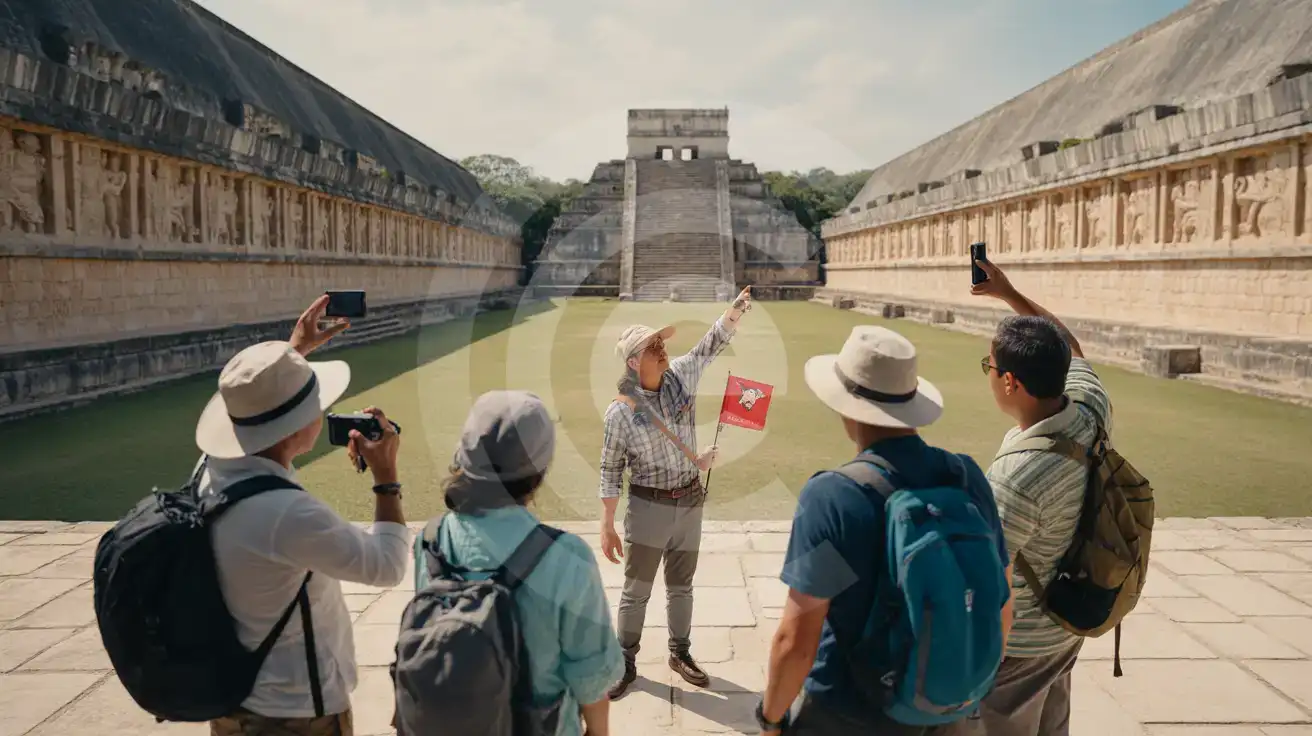
Tour Group at the Great Ball Court

Guided tour group with phones raised recording inside the Great Ball Court at Chichén Itzá archaeological site
Activate your Mexico eSIM before the road trip so your data works from Cancún through the Yucatán interior.

Compare eSIM Options at Chichén Itzá

Recommended
Local SIM / Operator
Roaming
Setup timeStore visit + paperworkAuto
No local ID neededLocal ID requiredUse home account
SpeedCarrier-gradePartner-dependent
Travel supportSpanish onlyHome carrier hours
Keep home numberReplaces itSame number
Cost predictabilityBills can spikeBill-shock risk
Typical pricing
$12-18 / day
Typical day-pass tariff varies by home carrier

PRICING — PICK YOUR ESIMNO PLAN

Light traveler
5GB / 30d
$30.90
20% off with code FIRSTWELCOME20on your first order
≈ $24.72 USD with code
Buy now
Heavy traveler
20GB / 30d
$89.90
20% off with code FIRSTWELCOME20on your first order
≈ $71.92 USD with code
Buy now

Frequently Asked Questions (FAQs)

Activate as your tour bus or rental car leaves Cancún heading west on Highway 180D. The 2.5-hour road transfer passes through areas with limited services, and you'll want working data for traffic updates near Valladolid, WhatsApp coordination with your driver, and navigation as you approach the site entrance. By the time you're walking through the turnstile toward El Castillo, your eSIMno connection is already handling maps and messages.

The archaeological zone has minimal public WiFi, and what exists near the entrance and cafeteria is slow and overloaded during peak visitor hours (10:30 AM onward when tour buses arrive). The 5-square-kilometer site has no WiFi coverage between monuments. Cellular data through your eSIM is the reliable option for navigation, photo uploads, and coordinating your group across the plazas.

Yes — your Mexico eSIM covers the entire Yucatán Peninsula. Cenote Ik Kil sits 5 kilometers south of the archaeological zone and has solid Movistar coverage in the parking area and restaurant level. Signal can dip once you descend the 26-meter sinkhole, but it returns as soon as you climb back up. The same plan works if your itinerary continues east to Valladolid or back to Cancún.

Share your live location via WhatsApp with your tour driver or rental car pickup contact. The main exit leads to the parking area near Pisté village — send a message when you're 15-20 minutes from finishing at the Sacred Cenote so your driver can position. Data makes the coordination seamless instead of wandering the parking lot searching for your vehicle.

Your plan covers all of Mexico, not just the Yucatán. The same data that powers your archaeological visit handles the beach return to Cancún, a day trip to Tulum's ruins, the ferry crossing to Isla Mujeres, or a flight onward to Mexico City. No SIM swap needed — one purchase covers the entire country.

Navigation between the major monuments (El Castillo, Great Ball Court, Temple of the Warriors, Sacred Cenote, El Caracol) across 5 square kilometers of unshaded plazas. Photo uploads running in the background. Currency converter checks when vendors quote prices in pesos. WhatsApp messages to regroup with your tour after someone splits off toward El Caracol. Live location sharing for your return pickup. Traffic checks on Google Maps or Waze for the 2.5-hour drive back to Cancún.

GET A FULL20%OFFon your first order
Use code: FIRSTWELCOME20

Stay connected,
wherever you go

Seamless global eSIM coverage

Get Started
Chichén Itzá sits roughly 200 kilometers inland from the Cancún hotel zone, a 2.5-hour road transfer through the Yucatán scrubland where roadside WiFi is nonexistent and cellular signal becomes your only link to the outside world. Activating your eSIM before departure means your phone connects to Movistar's regional network as soon as you leave the coast, giving you working data for navigation updates, WhatsApp coordination with your tour operator, and real-time traffic checks if the highway backs up near Valladolid. Once you arrive at the archaeological zone, data handles the tasks that make or break your visit. Entry tickets involve two combined fees totaling 600-700 MXN for foreign visitors — having confirmation screenshots accessible offline or synced to your gallery saves fumbling at the turnstile. Inside the site, the 5-square-kilometer footprint means walking between El Castillo, the Great Ball Court, the Temple of the Warriors, and the Sacred Cenote without a live map can burn an extra hour under the Yucatán sun. Data keeps Google Maps responsive for the internal paths and lets you message your group when someone splits off toward El Caracol. The return journey matters as much as the visit itself. Most day trips combine Chichén Itzá with a cenote swim at Ik Kil (5 kilometers south) and an optional stop in Valladolid — both requiring real-time coordination for pickup times, restaurant reservations, and traffic-adjusted ETAs back to Cancún. Your eSIMno plan keeps working across the entire Yucatán Peninsula and the rest of Mexico, so the same data that powered your archaeological morning handles your beachfront evening without a second thought.
Back to Mexico
No more SIM kiosks

No more SIM kiosks

Skip the airport queues. Install your eSIM at home, activate when you land.

no roaming charges

No roaming surprises

Forget the $200 phone bill three weeks after your trip. Plain pricing, no hidden fees.

keep your physical sim

Keep your home number

Dual-SIM means your physical SIM stays active for calls and texts. eSIM handles only data.

easy installation

Setup in 2 minutes

Scan QR code, follow on-screen steps, you're connected. Works on any eSIM-compatible phone.

Pay SafelyVisa CardMaster CardGoogle PayPayPalApple Pay

How does eSIMNo Works?

Experience seamless global connectivity with our personal eSIM service. Enjoy faster speeds, wider coverage, and the convenience of online purchasing.

Buy a Data Plan

Buy a Data Plan

Search for your destination and pick any data plan

Step 1

Install your eSIM

Install your eSIM

Easy installation via qr code

Step 2

Activate Your eSIM

Activate Your eSIM

Only active when you are ready to use data

Step 3

Advantages

24/7 Customer Support

Reach our team via WhatsApp and email during business hours. Quick answers to common questions available anytime through our automated assistant.

Immediate delivery

Your eSIM arrives by email within minutes. Install it before you board your flight.

Worldwide Coverage

One eSIM, 160+ countries. Land anywhere and connect instantly — no SIM swapping, no roaming charges.

Check Compatibility

Check Compatibility

Before buying and installing an eSim, check if your phone supports one

Check if your phone is eSIM compatible

As you feel the need to use eSIM on your phone, the first question that arises is: does your mobile support eSIMs? And do eSIM-compatible devices work in all regions worldwide?

Some phones that support eSIM technology

  • IPhone XS and Later
  • Samsung Galaxy S20 and Later
  • Pixel 4 and Later
  • Xiaomi 12T Pro and Later
All eSIM-Compatible Phones

Frequently Asked Questions (FAQs)

Find helpful information to answer your questions

How do I delete an eSIM I no longer need?
On iPhone: Settings > Cellular > tap the eSIM line > Remove eSIM. On Android: Settings > Network & Internet > SIMs > tap the eSIM > Erase. Deleting the eSIM frees up a profile slot. Make sure you don't need it anymore - once deleted, you can't reinstall the same profile.
Will I get notifications when my data is running low?
Yes. eSIMno sends email and push notifications when you've used 50%, 80%, and 100% of your data allowance. You can also check usage anytime in the eSIMno Center or in your phone's cellular settings to track consumption in real time.
Can I use the eSIM to make video calls?
Yes - apps like FaceTime, WhatsApp, Zoom, Google Meet, and Microsoft Teams all work over your eSIM data. Video calls use about 200-400 MB per hour depending on quality, so factor that into your plan choice if you make long calls regularly.
What should I do if I see a 'No network' message after activating my eSIM?
If you see a 'No network' message after activation, try these steps in order: (1) Toggle airplane mode on for 10 seconds, then off. (2) Confirm data roaming is enabled for the eSIM line. (3) Manually select a network in cellular settings. (4) Restart your phone. If the issue continues, contact eSIMno support via WhatsApp or email.
Can I tether or use Personal Hotspot with my eSIM?
Yes. Your eSIMno plan supports tethering and Personal Hotspot at no extra charge. Activate the Personal Hotspot feature in your device settings and connect other devices as you would with any cellular plan. Data used while tethering counts toward your plan allowance.
Will the eSIM affect my phone's battery life?
Running two SIM lines (physical + eSIM) uses slightly more battery than one, since the phone monitors both networks. The difference is usually 5-10% over a full day. To minimize impact, disable the line you're not actively using or turn off cellular data on the inactive line.
What makes eSIMno different from other eSIM services?
eSIMno partners directly with local operators in over 200 countries, eliminating intermediaries. This direct relationship lets us offer competitive pricing, extensive coverage, and faster activation than resellers who route data through third parties.
Does the eSIM work in rural areas and small towns?
Coverage depends on the partner network's reach in Mexico. Major cities, tourist areas, and highways typically have strong 4G/5G coverage. Remote rural areas may have weaker signal or fall back to 3G. Download offline maps before heading off the beaten path.
Can I switch the eSIM to a different phone after activation?
Generally no. Once an eSIM is activated on a device, it's tied to that device. If you switch phones, you'll need to install a new eSIM. Some carriers offer eSIM transfer features, but eSIMno plans don't currently support transfer between devices.
Can I keep my WhatsApp number while using an eSIM?
Yes. Your WhatsApp number stays linked to your home SIM, so all your chats, contacts, and groups remain unchanged. WhatsApp uses data (not the SIM line directly) for messages and calls, so it works seamlessly over your eSIMno data.
What should I do if I lose my activation QR code?
You can't really lose it - your QR code is in your order confirmation email, and also in the install pop-up on the website. To reopen it any time before activation, tap "Install eSIM" in your order email, or sign in at esimno.com and go to Profile > My eSIMs > Install. Both show the QR code together with the one-tap install link and the manual SM-DP+ / activation code. Note the install codes are one-time-use: once the eSIM is installed on a device they can't be reused - reopen the installer (My eSIMs > Install) to display a fresh QR if you need one.
What is the price range for the Mexico eSIM plans?
Prices commence at $10.90 and vary according to data allowance and plan duration. Larger data plans and longer durations cost more, but the per-GB rate decreases with bigger packages.

Use Your Free Credit

You can earn up to 15% commission from your friends' purchases with your Reference code. Plus, your friends will get $2 off their first purchase when they use your code!

FIND OUT HOW
Refer a friend

Refer

A FRIEND

Step into the world of E-SIM, bring your friends and benefit together!