


Review Your Cart

Your cart is empty.

You haven't added any eSIM packages yet. Start exploring our plans to get connected!

Browse our eSIM Packages
🎉 Welcome offer: 20% off with promo code FIRSTWELCOME20

Mexico Mexico   / Licenciado Gustavo Díaz Ordaz International Airport

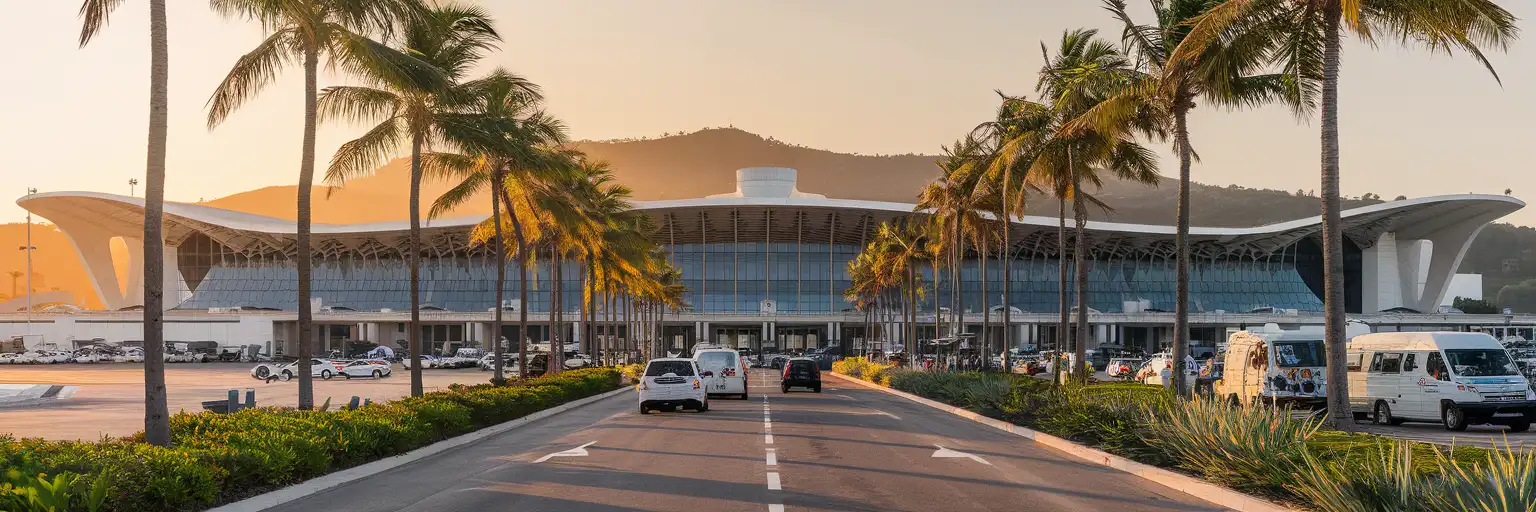
Terminal facade of Licenciado Gustavo Díaz Ordaz International Airport in Puerto Vallarta at golden hour with palm trees and Sierra Madre foothills

PVR Airport eSIM: Puerto Vallarta Data That Works Across Mexico

Your flight taxis to the gate at Licenciado Gustavo Díaz Ordaz International Airport and you're already pulling up your hotel transfer confirmation, checking the taxi zone layout, and messaging your ride to Marina Vallarta. With eSIMno, you can install your Mexico data plan before takeoff and switch it on the moment you clear the runway at PVR.
View Plans
GET A FULL20%OFFon your first order
Use code: FIRSTWELCOME20

Stay connected,
wherever you go

Seamless global eSIM coverage

Explore our plans below

Plan Your Trip

Tell us what you'll do and how long you'll be away — we'll highlight the right plan.

7 days
1102030

What will you do?

Tap an activity above to see which plan fits your trip

Already a customer?

EARN UP TOON EVERY FRIEND'S PURCHASE
NETWORK: AT&T & Telcel Depending on the plan you choose, you'll connect to one or more of these networks.

Quick Facts

Language
Spanish (Español)
Currency
Mexican Peso (MXN, $)
Time Zone
Central Standard Time (UTC-6)
Dialing Code
+52
Power Plug
Type A, B (flat 2-pin, common across North America)
Emergency
911 (general)
eSIMno Networks
Movistar

How to Get Your eSIM

  1. Choose Your Mexico Plan
    Pick a data package that matches your Puerto Vallarta trip length — whether it's a weekend beach escape or a two-week Riviera Nayarit exploration. The same plan works at PVR and across all of Mexico.
  2. Install Before Your Flight
    Scan the QR code over your home WiFi while you're still packing. The profile sits dormant until you activate it, so there's zero data charge until you land at Licenciado Gustavo Díaz Ordaz International Airport.
  3. Keep Your Home SIM Active
    Your phone runs both SIMs simultaneously — eSIMno handles all data (maps, rideshare, messaging), while your home number stays reachable for incoming calls without any manual routing.
  4. Activate After Landing at PVR
    Once the aircraft reaches the gate and the captain clears phone use, switch off airplane mode. Your eSIM connects to Movistar within seconds — before you even reach the immigration queue.
  5. Navigate Arrivals With Live Data
    Pull up your transfer confirmation, check which taxi booth handles your hotel zone, and message your driver while walking from baggage claim to the curb. No kiosk stop, no registration forms.

Traveler Tips

  • Immigration queues at PVR peak around 11:00-14:00 when US and Canadian flights stack — having data ready lets you message your transfer driver with real-time delay updates instead of hoping they wait.
  • The pedestrian bridge over Highway 200 leads to the budget bus stop for routes toward Centro, Zona Romántica, and Bucerías; Google Maps live transit shows the next departure time so you don't wait in the sun.
  • Official airport taxi booths inside arrivals charge zone-based fares (MXN 300-500 to Marina Vallarta); compare against Uber pricing outside the federal zone before committing.
  • Activate your eSIM after touchdown, not during boarding — activating at your home airport can burn data before you even leave the gate.
  • WhatsApp is the default communication app across Puerto Vallarta hotels, tour operators, and restaurants; your eSIM data keeps it running without WiFi hunting.
  • If crossing into Nayarit state for Nuevo Vallarta or Punta Mita, your Mexico-wide eSIM coverage continues seamlessly — no roaming, no second SIM.

Why You Need an eSIM at PVR

Licenciado Gustavo Díaz Ordaz International Airport is a compact gateway — the walk from your gate to the curb takes under 15 minutes — but that short window packs in immigration, baggage claim, customs, and the transport decision that sets up your entire trip. Your phone becomes the control center the moment you power it on after landing.

The first task is confirming your transfer. Resort shuttles, private drivers, and taxi-booth dispatchers all coordinate via WhatsApp. Without data, you're stuck at the curb hoping your name appears on a handwritten sign. With your eSIMno plans for Licenciado Gustavo Díaz Ordaz International Airport, Puerta Vallarta, Mexico already active, you can message your driver from the immigration queue, share your live location as you exit customs, and confirm the pickup bay number before stepping outside.

The second task is routing. Highway 200 connects PVR south into Puerto Vallarta's Centro and Zona Romántica, and north toward Marina Vallarta, Nuevo Vallarta, and the Nayarit coast. Traffic on the two-lane stretches near the airport entrance can slow to a crawl during Saturday turnover or cruise-ship days. Google Maps with live traffic shows whether the direct route or the libramiento bypass saves time — information you can't get from a static hotel printout.

Beyond the Terminal

PVR's free WiFi requires registration that resets each session and slows under peak-hour load. Your eSIM bypasses that friction entirely. Pull up Uber or InDriver to compare against the taxi-booth quote. Check the ADO bus schedule if you're continuing to Guadalajara. Load your Airbnb check-in instructions while waiting for luggage. The same Movistar connection that links you at the airport keeps working on the Malecón boardwalk, inside the Zona Romántica taco stands, and on the ferry pier at Marina Vallarta — one plan, one activation, full Mexico coverage.

Visiting PVR Airport

PVR operates as a single-terminal complex with domestic and international passengers sharing the same building but passing through separate processing zones. Arrivals follow a straightforward sequence: immigration, baggage claim, customs, then the exit corridor leading to ground transport. The walk from gate to curb runs 10-15 minutes depending on queue length.

Ground transport splits into four main options. Official taxi booths inside arrivals sell zone-based tickets — quote your destination before paying. Rideshare pickup requires walking outside the federal concession zone, across the pedestrian bridge over Highway 200 or along the curb road; drivers cannot enter the terminal lot. Local buses run along Highway 200 outside the perimeter, with routes toward Centro, Bucerías, and Nuevo Vallarta departing every 15-20 minutes during daylight hours. Resort shuttles and private transfers meet passengers in the designated pickup lanes outside the arrivals exit — confirm your driver's vehicle description via WhatsApp before you walk out.

Departures passengers should arrive 2-3 hours before international flights during winter high season (December-April) when check-in lines peak. The terminal offers coffee counters, bar-and-grill dining, and duty-free shopping airside. Lounges accept Priority Pass and similar memberships; access rules vary by airline class and day-pass availability.

Connected at the Gate

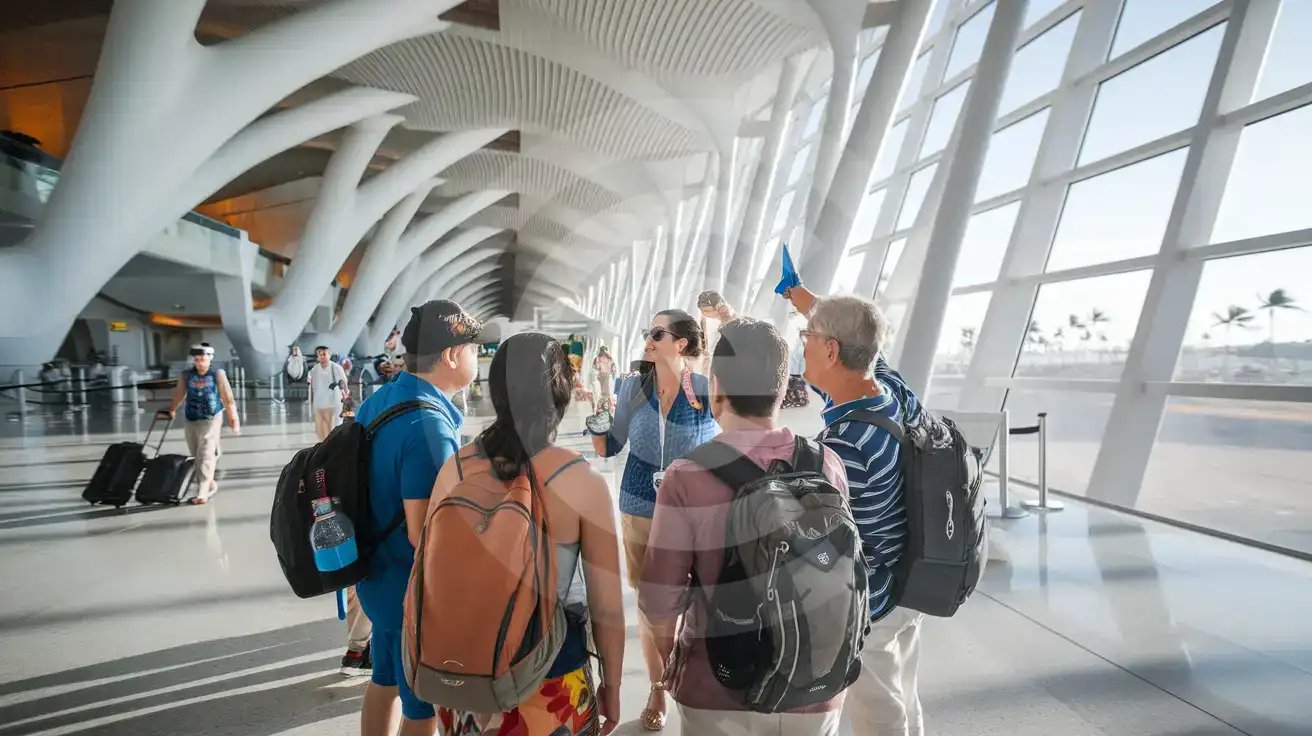
Tour group with guide holding flag inside arrivals concourse at PVR Puerto Vallarta airport with tropical architecture and tarmac views
Activate your eSIM before landing at PVR so your group chat and transfer details load instantly at the gate.

Compare eSIM Options at Licenciado Gustavo Díaz Ordaz International Airport

Recommended
Local SIM / Operator
Roaming
Setup timeDoes not work until registration is completeAuto
No local ID neededPassport plus a live face checkUse home account
SpeedOne network onlyPartner-dependent
Travel supportSpanish-language serviceHome carrier hours
Keep home numberReplaces itSame number
Cost predictabilityPrepaid, no bill shockBill-shock risk
5GB / 30 daysLight traveler
5.5GB / 30 days
₺849.46
Prepaid package on the Telcel network only.
$12-18 / day
₺723.56
Typical daily roaming rate; varies by home carrier
10GB / 30 daysStandard travelerMost popular
8GB / 30 days
₺1415.77
Prepaid package on the Telcel network only.
20GB / 30 daysHeavy traveler
8GB / 30 days
₺1415.77
Prepaid package on the Telcel network only.

Frequently Asked Questions (FAQs)

Activate after your flight lands at PVR, not during boarding at your home airport. Once the aircraft taxis to the gate and the crew clears phone use, switch off airplane mode — by the time you're walking toward the immigration queue at Licenciado Gustavo Díaz Ordaz International Airport, your phone is already pulling up your transfer confirmation.
Yes — the same plan that connects you at PVR keeps working across all of Mexico. Walk the Malecón boardwalk, catch a sunset at Playa Los Muertos, or take a colectivo north to Sayulita in Nayarit state. One activation, nationwide Movistar coverage, no second SIM needed when you leave the airport zone.
Your eSIMno data activates the moment you switch off airplane mode after landing. Message your shuttle driver via WhatsApp from the immigration line, share your live location as you exit customs, and confirm the pickup bay number before stepping outside into the PVR arrivals curb.
Uber and InDriver operate in Puerto Vallarta, but airport pickup rules require you to walk outside the federal concession zone — across the pedestrian bridge over Highway 200 or along the curb road. Your eSIM data lets you request the ride, track driver arrival, and compare pricing against the official taxi booth before committing.
Those destinations sit in Nayarit state, just north of Puerto Vallarta in Jalisco. Your Mexico-wide eSIM coverage continues seamlessly across the state border — no roaming charges, no signal hunting. Google Maps with live traffic shows whether Highway 200 direct or the libramiento bypass saves time during Saturday turnover congestion.
A week-long beach trip with daily Maps navigation, WhatsApp messaging, rideshare booking, and moderate social sharing runs around 3-5 GB. Add more if you plan to stream video at the hotel or upload full-resolution photos to cloud backup. Choose a plan that matches your usage and top up from your phone if you need more mid-trip.
GET A FULL20%OFFon your first order
Use code: FIRSTWELCOME20

Stay connected,
wherever you go

Seamless global eSIM coverage

Get Started
Arriving at PVR means navigating a compact but busy terminal where the walk from immigration to the arrivals curb takes under 10 minutes but the decisions pile up fast. Your transfer confirmation, the taxi booth queue, the rideshare pickup zone outside the federal concession area, and the route to Marina Vallarta or Zona Romántica all depend on having data ready. Installing your eSIM before departure means you skip the currency-exchange kiosk SIM upsell entirely and step into the Pacific coast sunshine already connected. Licenciado Gustavo Díaz Ordaz International Airport handles both domestic Volaris and Viva flights and international arrivals from the US and Canada, so passenger banks can stack quickly around midday. The free terminal WiFi requires registration and slows under crowd load during peak Saturday turnover. Your eSIM bypasses that friction completely — live Maps directions to the pedestrian bridge for budget bus pickup, WhatsApp confirmation to your resort shuttle driver, real-time traffic on Highway 200 toward Nuevo Vallarta or Bucerías. The same data plan that connects you at PVR keeps working as you explore the Malecón boardwalk, book a sunset cruise from the marina pier, or hop a colectivo north to Sayulita. One purchase, one QR install, nationwide Mexico coverage on Movistar — no kiosk queue, no passport photocopy, no second SIM swap when you cross from Jalisco into Nayarit.
Back to Mexico
No more SIM kiosks

No more SIM kiosks

Skip the airport queues. Install your eSIM at home, activate when you land.

no roaming charges

No roaming surprises

Forget the $200 phone bill three weeks after your trip. Plain pricing, no hidden fees.

keep your physical sim

Keep your home number

Dual-SIM means your physical SIM stays active for calls and texts. eSIM handles only data.

easy installation

Setup in 2 minutes

Scan QR code, follow on-screen steps, you're connected. Works on any eSIM-compatible phone.

Pay SafelyVisa CardMaster CardGoogle PayPayPalApple Pay

How does eSIMNo Works?

Experience seamless global connectivity with our personal eSIM service. Enjoy faster speeds, wider coverage, and the convenience of online purchasing.

Buy a Data Plan

Buy a Data Plan

Search for your destination and pick any data plan

Step 1

Install your eSIM

Install your eSIM

Easy installation via qr code

Step 2

Activate Your eSIM

Activate Your eSIM

Only active when you are ready to use data

Step 3

Advantages

24/7 Customer Support

Reach our team via WhatsApp and email during business hours. Quick answers to common questions available anytime through our automated assistant.

Immediate delivery

Your eSIM arrives by email within minutes. Install it before you board your flight.

Worldwide Coverage

One eSIM, 160+ countries. Land anywhere and connect instantly — no SIM swapping, no roaming charges.

Check Compatibility

Check Compatibility

Before buying and installing an eSim, check if your phone supports one

Check if your phone is eSIM compatible

As you feel the need to use eSIM on your phone, the first question that arises is: does your mobile support eSIMs? And do eSIM-compatible devices work in all regions worldwide?

Some phones that support eSIM technology

  • IPhone XS and Later
  • Samsung Galaxy S20 and Later
  • Pixel 4 and Later
  • Xiaomi 12T Pro and Later
All eSIM-Compatible Phones

Frequently Asked Questions (FAQs)

Find helpful information to answer your questions

Is the eSIM connection secure?
eSIM connections are as secure as standard cellular connections - encrypted by the carrier network. For added security on public networks (cafes, airports), use a VPN. The eSIM profile itself is digitally signed and can't be cloned like a physical SIM.
Can I share data from my eSIM with someone else's phone?
Yes, through Personal Hotspot. Activate hotspot on your phone, share the password, and the other device connects to your data. Data used by connected devices counts toward your eSIM plan, so monitor usage to avoid running out faster than expected.
Can I get a refund after purchase?
Refunds are not available once an eSIM has been installed or activated - install codes are one-time-use, so an installed eSIM is considered used even if no data has been consumed. If you have not installed your eSIM yet and want a refund, contact support within the refund window stated at checkout. We recommend reviewing plan details carefully before purchase to avoid any issues.
Will I get notifications when my data is running low?
Yes. eSIMno sends email and push notifications when you've used 50%, 80%, and 100% of your data allowance. You can also check usage anytime in the eSIMno Center or in your phone's cellular settings to track consumption in real time.
What should I do if I lose my activation QR code?
You can't really lose it - your QR code is in your order confirmation email, and also in the install pop-up on the website. To reopen it any time before activation, tap "Install eSIM" in your order email, or sign in at esimno.com and go to Profile > My eSIMs > Install. Both show the QR code together with the one-tap install link and the manual SM-DP+ / activation code. Note the install codes are one-time-use: once the eSIM is installed on a device they can't be reused - reopen the installer (My eSIMs > Install) to display a fresh QR if you need one.
How long is the validity of the Mexico eSIM plans?
The validity of eSIM plans varies from 7 days to 90 days depending on the plan you choose. Lifetime options are also available for travelers who don't want their data to expire after a fixed period.
How do I activate the Mexico eSIM?
Your eSIMno order confirmation email contains your QR code, your SM-DP+ address and activation code, a one-tap install link, and an "Install eSIM" button - so you can install right from the email. The same options are also on the website: sign in at esimno.com and go to Profile > My eSIMs > your plan > Install. To install, use any ONE of these methods: (1) on the phone you are setting up, tap the one-tap install link/button (iPhone on iOS 17.4+ or Android 9+); (2) use the QR code - because a phone cannot scan its own screen, show this QR on another screen (computer/tablet) or a printout and scan it WITH the phone you are setting up (never with someone else's phone, or the eSIM would install on that phone); or (3) enter the SM-DP+ address and activation code manually. Your Mexico eSIM activates automatically when you connect to a local network at your destination.
Will my home phone number receive calls while I use the eSIM?
Yes - if your home SIM stays installed and active, calls and SMS to your home number arrive normally. The eSIM only handles data; voice service stays on your home line. Just remember that incoming calls and texts to your home number while abroad may trigger roaming charges from your home carrier.
Can I use the eSIM right after purchase or do I need to wait?
Yes - you can install it immediately after purchase. Your order email arrives within minutes and contains the QR code, a one-tap install link and the manual codes, plus an "Install eSIM" button; you can also sign in > My eSIMs > Install any time. Installing right away does not start your plan - the validity countdown only begins when the eSIM connects to a mobile network inside your plan's coverage area. Keep the eSIM line and Data Roaming off until you are ready to start; if your plan covers the country you are in right now, turning the line on starts the countdown immediately.
How do I delete an eSIM I no longer need?
On iPhone: Settings > Cellular > tap the eSIM line > Remove eSIM. On Android: Settings > Network & Internet > SIMs > tap the eSIM > Erase. Deleting the eSIM frees up a profile slot. Make sure you don't need it anymore - once deleted, you can't reinstall the same profile.
How fast does the eSIM activate after I switch off airplane mode?
Activation typically takes 10-30 seconds after airplane mode is switched off, depending on local network availability. In some cases it's nearly instant; in remote areas it may take a minute or two. If it doesn't connect within 5 minutes, restart your phone or check that data roaming is enabled.
What happens when my data plan runs out?
When you use up your data allowance, your connection stops until you top up or purchase a new plan. You can top up directly from the eSIMno Center while connected to Wi-Fi, or buy a new plan if your validity period has expired.

Use Your Free Credit

You can earn up to 15% commission from your friends' purchases with your Reference code. Plus, your friends will get $2 off their first purchase when they use your code!

FIND OUT HOW
Refer a friend

Refer

A FRIEND

Step into the world of E-SIM, bring your friends and benefit together!