







No more SIM kiosks
Skip the airport queues. Install your eSIM at home, activate when you land.


Land connected. No SIM kiosk hunt, no roaming charges, no setup at the airport. One plan covers your whole trip.
 Japan / Tokyo Skytree
Tell us what you'll do and how long you'll be away — we'll highlight the right plan.
What will you do?

The Skytree experience runs on data from the moment you leave Oshiage Station. Your timed-entry ticket lives in an email or the official reservation confirmation — pull it up at the fourth-floor gate or risk scrambling for the Solamachi lobby WiFi with a hundred other visitors. The elevator ride to Floor 350 takes about 50 seconds, but the queue to board can stretch 30 minutes on busy weekends; real-time wait updates on the Skytree app save standing in the wrong line.
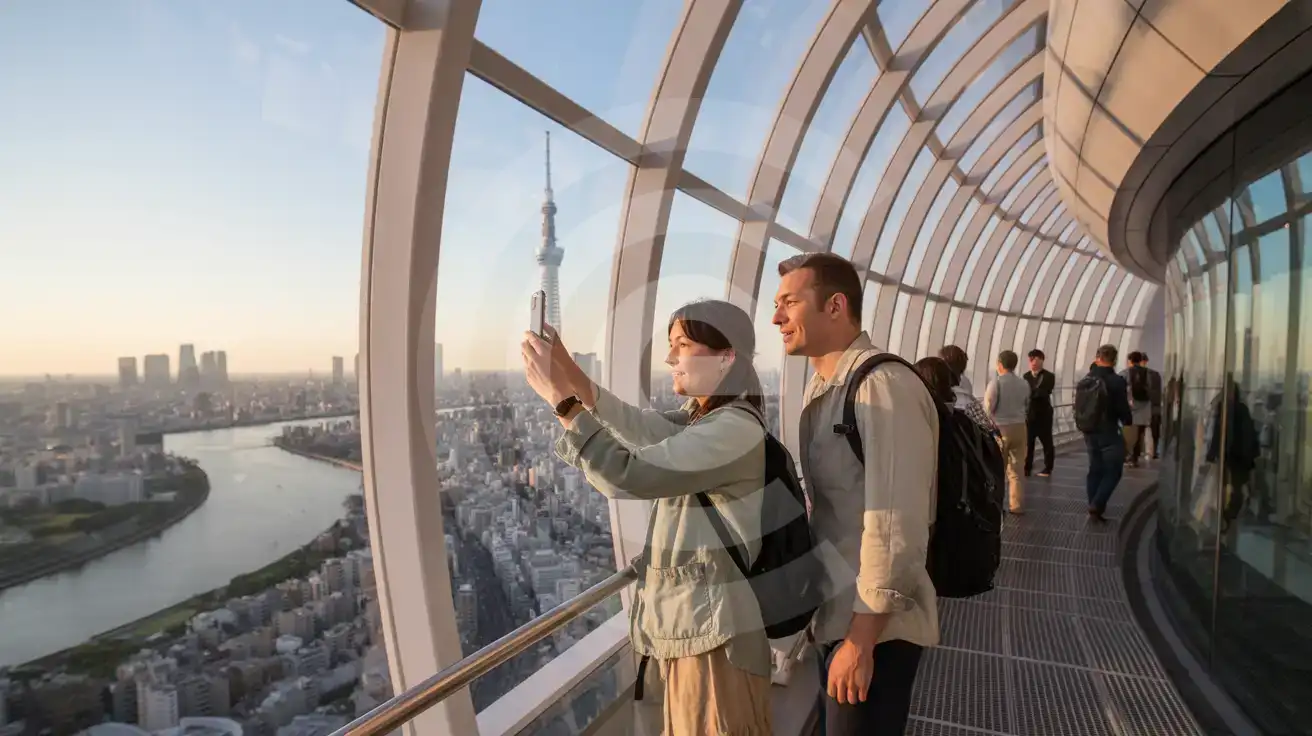
At the Tembo Deck, KDDI signal holds strong across all three floors. The photo opportunity at the Glass Floor section on 340 and the panoramic windows on 350 both demand instant sharing — Instagram, LINE, WhatsApp — while the view is fresh. The upper Tembo Galleria at 450 meters has the same coverage, but the spiral glass-walled air walk creates reflection glare; editing apps like Snapseed or Lightroom Mobile let you fix the shot before descending.
After the observation deck, the data demand shifts to transit. Google Maps or Navitime Japan navigate the Tobu Skytree Line back toward Asakusa (one stop, 2 minutes) or the Hanzomon metro toward Shibuya (direct, 25 minutes). The 15-minute walk across the Sumida River to Senso-ji needs live directions unless you've memorized the Kototoi Bridge route. A rideshare pickup along the Solamachi taxi lane requires DiDi or Uber Japan — both need data to confirm driver ETA. eSIMno plans for Tokyo Skytree, Tokyo, Japan keep every transition seamless from 634 meters down to street level.
The observation decks open daily from 10:00 to 22:00, with last admission around 21:00. Elevator service to the upper Tembo Galleria suspends during high winds — check the official site before booking a combined ticket. Foreign passport holders can use the Fast Skytree Ticket counter on the fourth floor for priority boarding at a small premium over standard rates.
Dress comfortably for temperature differences; the upper deck at 450 meters can feel several degrees cooler than the Sumida streets below. Photography is unrestricted, though tripods longer than 50 centimeters and flash toward the windows are prohibited. The Solamachi complex at the tower's base holds restaurants, the Sumida Aquarium, and the Konica Minolta Planetarium — each has its own ticket flow, so plan data for multiple QR scans if you're combining visits.
 Recommended Recommended | Local SIM / Operator | Roaming | |
|---|---|---|---|
| FEATURES | |||
| Setup time | Few minutes | Counter pickup or pre-order by post | Auto |
| No local ID needed | Online checkout | Passport scan since April 2026 | Use home account |
| Speed | 4G/LTE on KDDI + Softbank; 5G in some areas | Carrier-grade | Partner-dependent |
| Travel support | English support 24/7 | Japanese-language service | Home carrier hours |
| Keep home number | Dual SIM | Data-only: no Japanese number | Same number |
| Cost predictability | Fixed price | Prepaid, fixed term | Bill-shock risk |
| PRICING | |||
5GB / 30 daysLight traveler | 5GB / month ₺2479.41 Monthly data-only plan on docomo. Price shown is the first month: monthly fee plus the one-time 5,500 JPY line activation fee. | $12-18 / day ₺723.56 Typical daily roaming rate; varies by home carrier | |
10GB / 30 daysStandard travelerMost popular | 15GB / month ₺2644.86 Monthly data-only plan on docomo. Price shown is the first month: monthly fee plus the one-time 5,500 JPY line activation fee. | ||
20GB / 30 daysHeavy traveler | 30GB / month ₺2810.80 Monthly data-only plan on docomo. Price shown is the first month: monthly fee plus the one-time 5,500 JPY line activation fee. | ||
No more SIM kiosks
Skip the airport queues. Install your eSIM at home, activate when you land.

No roaming surprises
Forget the $200 phone bill three weeks after your trip. Plain pricing, no hidden fees.

Keep your home number
Dual-SIM means your physical SIM stays active for calls and texts. eSIM handles only data.

Setup in 2 minutes
Scan QR code, follow on-screen steps, you're connected. Works on any eSIM-compatible phone.


Experience seamless global connectivity with our personal eSIM service. Enjoy faster speeds, wider coverage, and the convenience of online purchasing.

Buy a Data Plan
Search for your destination and pick any data plan
Step 1
Install your eSIM
Easy installation via qr code
Step 2
Activate Your eSIM
Only active when you are ready to use data
Step 3
24/7 Customer Support
Reach our team via WhatsApp and email during business hours. Quick answers to common questions available anytime through our automated assistant.
Immediate delivery
Your eSIM arrives by email within minutes. Install it before you board your flight.
Worldwide Coverage
One eSIM, 160+ countries. Land anywhere and connect instantly — no SIM swapping, no roaming charges.
Check Compatibility
Before buying and installing an eSim, check if your phone supports one
As you feel the need to use eSIM on your phone, the first question that arises is: does your mobile support eSIMs? And do eSIM-compatible devices work in all regions worldwide?
Find helpful information to answer your questions

Refer
A FRIEND
Step into the world of E-SIM, bring your friends and benefit together!