


Review Your Cart

Your cart is empty.

You haven't added any eSIM packages yet. Start exploring our plans to get connected!

Browse our eSIM Packages
🎉 Welcome offer: 20% off with promo code FIRSTWELCOME20

Italy Italy   / Baths of Caracalla

Wide exterior view of the Baths of Caracalla ruins in Rome at golden hour

Baths of Caracalla eSIM: Rome Data That Works Across Italy

You're walking up to the Baths of Caracalla with your ticket email open, Google Maps already plotting the nearest bus stop, and the next leg of your day pointing toward Colosseum or Trastevere. eSIMno gives you Italy-wide data without hunting for a SIM shop, so you can install in minutes and turn it on after landing in Rome. It keeps working far beyond this site too, whether your trip continues across the capital or on to Florence, Venice, or Milan.
View Plans
GET A FULL20%OFFon your first order
Use code: FIRSTWELCOME20

Stay connected,
wherever you go

Seamless global eSIM coverage

Explore our plans below

Plan Your Trip

Tell us what you'll do and how long you'll be away — we'll highlight the right plan.

7 days
1102030

What will you do?

Tap an activity above to see which plan fits your trip

Already a customer?

EARN UP TOON EVERY FRIEND'S PURCHASE
NETWORK: Vodafone & Wind Tre Depending on the plan you choose, you'll connect to one or more of these networks.

Quick Facts

Language
Italian (Italiano)
Currency
Euro (EUR, €)
Time Zone
Central European Standard Time (UTC+1)
Dialing Code
+39
Power Plug
Type C, E, F (round 2-pin, common across most of Europe)
Emergency
112
eSIMno Networks
Vodafone, Wind Tre

How to Get Your eSIM

  1. Choose Your Italy Plan
    Pick the eSIM that fits your Rome stay before you fly. If Baths of Caracalla is one stop on a longer Italy route, choose enough data for maps, messaging, ticket emails, and rides across multiple cities.
  2. Install It Before Departure
    Set up the eSIM profile while you still have stable home WiFi. That way you are not troubleshooting in the arrivals flow at Fiumicino or while heading into Rome by train or shuttle.
  3. Activate After Landing
    Turn the eSIM on after landing in Italy, once phone use is allowed. Your device can connect as you leave the airport, board the train toward Roma Termini, or ride into the center before your Baths of Caracalla visit.
  4. Use It On The Way To The Site
    The moment you're heading south from central Rome, you'll want live data for Google Maps, bus timings, taxi apps, and your Baths of Caracalla booking email. That matters if you are connecting from Circo Massimo, Termini, or a hotel in Trastevere.
  5. Keep Your Day Moving After The Visit
    Once you're done at the ruins, your eSIM is already working for the next stop: ordering a ride, checking buses, finding lunch near Aventine Hill, or navigating onward to the Colosseum, Roma Termini, or another city in Italy.

Traveler Tips

  • Arrive with your Baths of Caracalla confirmation already saved, but keep data live so the email version loads if staff ask for the latest QR or booking details at the entrance.
  • The site is easiest in the first part of the day or in the final 90 minutes before closing, when the open grounds feel less punishing in summer heat and it's easier to book your next ride or bus on the spot.
  • If you keep your home SIM active for voice, your home number still receives incoming calls with no extra setup needed. For outgoing calls, use WhatsApp, FaceTime, Telegram, or another internet calling app over your data plan.
  • The walk between Baths of Caracalla and Circo Massimo looks short on a static map, but real-time directions matter once you factor in road crossings and bus options along Viale delle Terme di Caracalla.
  • Bring a power bank if you plan to combine the Baths of Caracalla with the Colosseum or Roma Termini on the same day. Ticket emails, camera use, and live navigation can drain a phone before dinner.

Why Data Matters at Baths of Caracalla

The Baths of Caracalla are one of those Rome stops where mobile data solves very practical problems fast. You are not stepping into a compact museum with one obvious exit and a café next door. You are entering a large open archaeological site south of the historic center, with onward connections that depend on live decisions. One minute you are opening your ticket confirmation, the next you are checking the quickest route toward Circo Massimo, comparing a bus with a rideshare, or sending your location to friends headed over from Roma Termini. That is exactly the moment when eSIMno plans for Baths of Caracalla, Rome, Italy make more sense than waiting to find WiFi somewhere else.

There are several concrete data tasks here. First, your entry details matter: the Baths of Caracalla ticket flow, confirmation email, and any barcode or QR need to open cleanly at the gate. Second, real-time navigation matters because this site sits between major Rome landmarks rather than inside a single dense pedestrian cluster. You may be heading onward to Trastevere, back toward Piazza Venezia, or across to Aventine Hill, and Google Maps or Citymapper gives you live route changes instead of a stale screenshot. Third, transport apps matter the moment you leave. Free Now and Uber help when you want a direct car, while bus planning becomes more useful if you are trying to connect efficiently without walking too far in midday heat.

Data also helps inside the visit itself. You can translate Italian signage, message family across time zones, back up photos to the cloud, and check whether your next timed reservation in Rome is still realistic. If your day continues to Roman Forum or the Vatican side of town, your connection does not stop at the ruins. That is the real advantage here: buy for this venue, use it across the whole country, and keep the same setup working through every transfer, ticket check, and navigation switch that follows.

Visiting Baths of Caracalla

The Baths of Caracalla are an open-air archaeological site, so visit planning is less about history and more about keeping your day efficient. Opening hours shift by season, and last-entry timing matters because large sites like this take longer to clear than a quick church or piazza stop. Before you leave your hotel, check the official listing for that day's closing window and entry rules so you do not arrive with an outdated screenshot.

Buy tickets through the official channel before you set out, then keep the confirmation accessible on your phone. Policies and admission formats can change, and having live access to the current booking page is more reliable than relying on a saved image alone. If your plans move during the day, the ability to reopen the purchase email, confirm access details, or pull up the venue page while en route saves time.

For the visit itself, wear solid walking shoes and bring water. The grounds are extensive, surfaces are uneven, and shade is limited in warmer months. Photography is part of the appeal here, so battery life becomes a real issue if you are also using navigation and messaging. If you are continuing to another reservation afterward, recharge before you leave or carry a compact power bank so your phone is still useful once you exit the site.

A Different View Of The Site

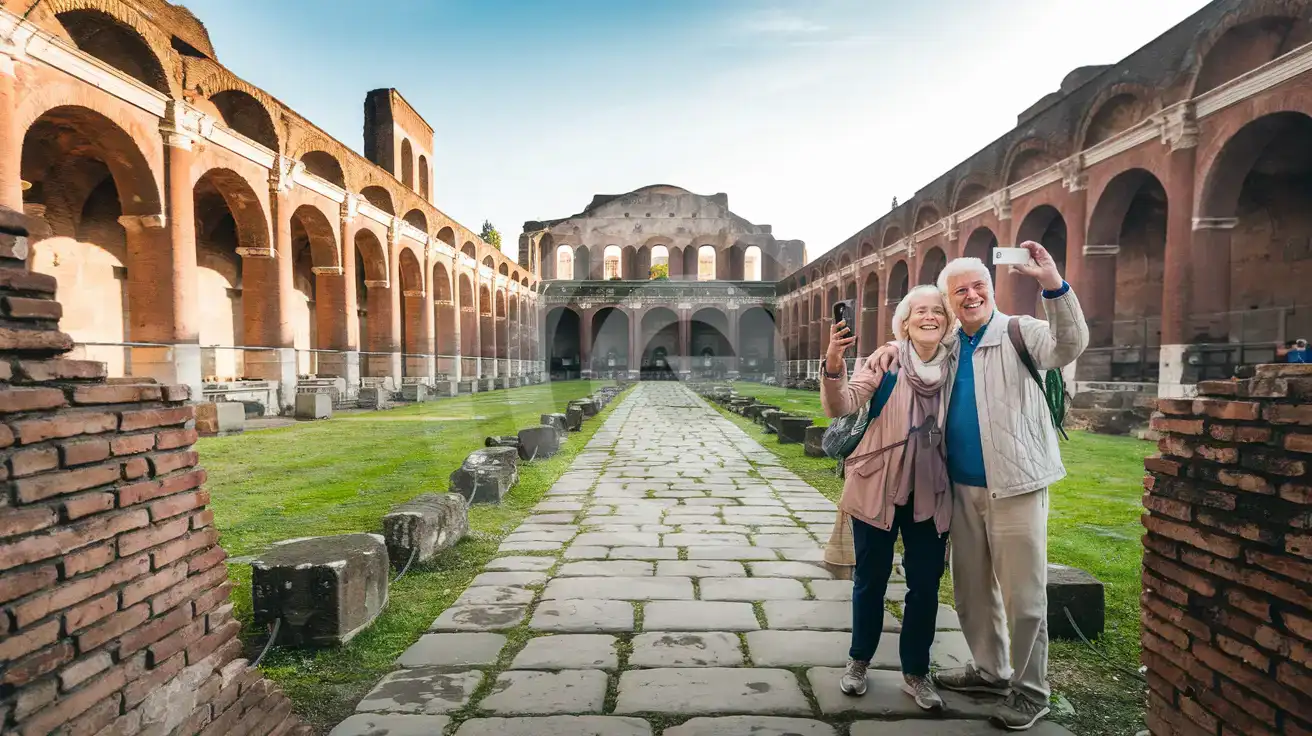
Senior couple photographing the interior archaeological grounds of Baths of Caracalla in Rome
At Baths of Caracalla, Rome, Italy, having data ready helps your tickets, maps, and next ride load without delay.

Compare eSIM Options at Baths of Caracalla

Recommended
Local SIM / Operator
Roaming
Setup timeStore registration, about ten minutesAuto
No local ID neededPassport is required by law; some also ask for a tax codeUse home account
SpeedOne network onlyPartner-dependent
Travel supportItalian-language serviceHome carrier hours
Keep home numberReplaces itSame number
Cost predictabilityPrepaid, no bill shockBill-shock risk
5GB / 30 daysLight travelerMost popular
200GB / 1 month
₺1396.96
Tourist offer for visitors without an Italian tax code, on the WindTre network only.
A typical traveler uses about 1–2 GB a day.
$12-18 / day
₺723.56
Typical daily roaming rate; varies by home carrier
10GB / 30 daysStandard traveler
20GB / 30 daysHeavy traveler

Frequently Asked Questions (FAQs)

Activate it after landing in Italy, not before departure. That way your data is ready as you head from the airport into Rome and pull up directions, ticket email details, or a rideshare before reaching Baths of Caracalla.
Screenshots help, but live data is still useful at Baths of Caracalla for reopening the official confirmation email, checking any change to entry details, translating Italian text, and planning the next route toward Circo Massimo or Roma Termini.
From central Rome, many travelers connect by bus or come via the Circo Massimo area and then continue on foot. A live data connection helps more than a static map here because the cleanest route changes with traffic, walking conditions, and where you are starting from.
Yes — your home SIM can stay active for voice while your eSIM handles data around Baths of Caracalla and the rest of Italy. If you need to make calls, use WhatsApp, FaceTime, or another internet calling app over data and avoid placing native roaming calls through your home line.
That is exactly where eSIMno helps. If your day shifts from Baths of Caracalla to the Colosseum, Trastevere, or a train out of Roma Termini, your data plan keeps working without needing a new setup.
GET A FULL20%OFFon your first order
Use code: FIRSTWELCOME20

Stay connected,
wherever you go

Seamless global eSIM coverage

Get Started
The Baths of Caracalla sit a little outside Rome's tight historic core, which is exactly why having mobile data helps more than travelers expect. This isn't a venue where you want to rely on a weak café connection five streets away while pulling up your booking confirmation, checking entry details, or finding the right bus back toward Circo Massimo or Termini. If you're arriving from Leonardo da Vinci–Fiumicino or Ciampino, the clean move is to install your eSIM over home WiFi, then activate it after landing so maps, messaging, and ticket emails load the second you start sightseeing. At the Baths of Caracalla, data matters for practical tasks: opening the venue confirmation email at the gate, translating Italian notices, checking live bus routes, calling a rideshare when the sun gets strong, and sharing your next plan with travel companions. The site is broad and open-air, and the easiest onward moves depend on real-time decisions rather than a static screenshot. A live connection lets you compare the walk to Circo Massimo with a bus ride toward Piazza Venezia, check restaurant hours nearby, and keep your day moving without detours. This page is built for purchase intent, but the plan itself is not limited to one ruin in Rome. Buy once for your Baths of Caracalla visit, then keep using the same data plan through the Vatican area, Roma Termini, day trips, and the rest of Italy. That matters if Rome is only your first stop. A country-wide eSIM is the cleaner option than patching together hotel WiFi, station WiFi, and venue-by-venue fixes throughout the trip.
Back to Italy
No more SIM kiosks

No more SIM kiosks

Skip the airport queues. Install your eSIM at home, activate when you land.

no roaming charges

No roaming surprises

Forget the $200 phone bill three weeks after your trip. Plain pricing, no hidden fees.

keep your physical sim

Keep your home number

Dual-SIM means your physical SIM stays active for calls and texts. eSIM handles only data.

easy installation

Setup in 2 minutes

Scan QR code, follow on-screen steps, you're connected. Works on any eSIM-compatible phone.

Pay SafelyVisa CardMaster CardGoogle PayPayPalApple Pay

How does eSIMNo Works?

Experience seamless global connectivity with our personal eSIM service. Enjoy faster speeds, wider coverage, and the convenience of online purchasing.

Buy a Data Plan

Buy a Data Plan

Search for your destination and pick any data plan

Step 1

Install your eSIM

Install your eSIM

Easy installation via qr code

Step 2

Activate Your eSIM

Activate Your eSIM

Only active when you are ready to use data

Step 3

Advantages

24/7 Customer Support

Reach our team via WhatsApp and email during business hours. Quick answers to common questions available anytime through our automated assistant.

Immediate delivery

Your eSIM arrives by email within minutes. Install it before you board your flight.

Worldwide Coverage

One eSIM, 160+ countries. Land anywhere and connect instantly — no SIM swapping, no roaming charges.

Check Compatibility

Check Compatibility

Before buying and installing an eSim, check if your phone supports one

Check if your phone is eSIM compatible

As you feel the need to use eSIM on your phone, the first question that arises is: does your mobile support eSIMs? And do eSIM-compatible devices work in all regions worldwide?

Some phones that support eSIM technology

  • IPhone XS and Later
  • Samsung Galaxy S20 and Later
  • Pixel 4 and Later
  • Xiaomi 12T Pro and Later
All eSIM-Compatible Phones

Frequently Asked Questions (FAQs)

Find helpful information to answer your questions

What should I do if I see a 'No network' message after activating my eSIM?
If you see a 'No network' message after activation, try these steps in order: (1) Toggle airplane mode on for 10 seconds, then off. (2) Confirm data roaming is enabled for the eSIM line. (3) Manually select a network in cellular settings. (4) Restart your phone. If the issue continues, contact eSIMno support via WhatsApp or email.
Do I need to deactivate my original SIM?
We recommend turning off cellular data and data roaming on your original SIM while abroad to avoid accidental roaming charges. You don't need to physically remove the SIM - just disable data and set the eSIM as your primary data line.
Can I make phone calls or send SMS?
eSIMno is a data-only service, so you can't make traditional voice calls or send SMS through the eSIM line. However, you can use messaging and calling apps over data - WhatsApp, iMessage, FaceTime, Telegram, Signal, and Google Meet all work normally.
How do I set up the eSIM on my device?
The fastest way is straight from your order confirmation email, which now contains - for each eSIM - the QR code, a one-tap install link, and the SM-DP+ / activation codes. On the phone you'll use, tap the one-tap install link; or, to use the QR, show it on another screen or a printout and scan it with that same phone (not another phone); or enter the codes manually. The email also has an "Install eSIM" button that opens your eSIM's detail page and launches the install pop-up (sign in if prompted), and you can reach the same pop-up anytime via Profile > My eSIMs > find your plan (shown as "Ready to install") > Install. After installing, turn Data Roaming ON for your eSIMno line (iPhone: Settings > Cellular; Android: Settings > Connections/Network) - without it the eSIM installs but shows no internet. Full guide in Help & Support.
How fast does the eSIM activate after I switch off airplane mode?
Activation typically takes 10-30 seconds after airplane mode is switched off, depending on local network availability. In some cases it's nearly instant; in remote areas it may take a minute or two. If it doesn't connect within 5 minutes, restart your phone or check that data roaming is enabled.
Can I install multiple eSIMs on the same phone?
Yes. Modern iPhones and Android devices support multiple eSIM profiles - typically 5 to 8 stored profiles, with 1 or 2 active simultaneously. You can install eSIMs for different countries and switch between them in settings without removing any.
Can I share data from my eSIM with someone else's phone?
Yes, through Personal Hotspot. Activate hotspot on your phone, share the password, and the other device connects to your data. Data used by connected devices counts toward your eSIM plan, so monitor usage to avoid running out faster than expected.
What happens when my data plan runs out?
When you use up your data allowance, your connection stops until you top up or purchase a new plan. You can top up directly from the eSIMno Center while connected to Wi-Fi, or buy a new plan if your validity period has expired.
Does the eSIM work on cruise ships or airplanes?
eSIMs use ground-based cellular networks, so they don't work in flight or at sea outside coastal coverage. They activate as soon as you connect to a partner network on land. For in-flight or maritime data, you'll need the airline or ship's onboard Wi-Fi.
What should I do if I lose my activation QR code?
You can't really lose it - your QR code is in your order confirmation email, and also in the install pop-up on the website. To reopen it any time before activation, tap "Install eSIM" in your order email, or sign in at esimno.com and go to Profile > My eSIMs > Install. Both show the QR code together with the one-tap install link and the manual SM-DP+ / activation code. Note the install codes are one-time-use: once the eSIM is installed on a device they can't be reused - reopen the installer (My eSIMs > Install) to display a fresh QR if you need one.
How long is the validity of the Italy eSIM plans?
The validity of eSIM plans varies from 7 days to 90 days depending on the plan you choose. Lifetime options are also available for travelers who don't want their data to expire after a fixed period.
Can I use my SIM card and eSIM at the same time?
Yes. On dual-SIM devices (most modern iPhones and Android phones), you can run your physical SIM and the eSIM simultaneously. Use your home SIM for calls and SMS, and the eSIM for mobile data. Keep in mind that leaving your home SIM active may trigger roaming charges if you use it for calls or texts abroad.

Use Your Free Credit

You can earn up to 15% commission from your friends' purchases with your Reference code. Plus, your friends will get $2 off their first purchase when they use your code!

FIND OUT HOW
Refer a friend

Refer

A FRIEND

Step into the world of E-SIM, bring your friends and benefit together!