


Review Your Cart

Your cart is empty.

You haven't added any eSIM packages yet. Start exploring our plans to get connected!

Browse our eSIM Packages
🎉 Welcome offer: 20% off with promo code FIRSTWELCOME20

Greece Greece   / Art Space Santorini

Whitewashed exterior of Art Space Santorini gallery and winery carved into volcanic rock in Exo Gonia village at golden hour

Art Space Santorini eSIM: Gallery Data Across All Greece

You're descending the stone steps into a 19th-century cave winery turned contemporary art gallery, wine tasting confirmation on your phone and a sunset reservation in Pyrgos Kallistis to coordinate afterward. With eSIMno, your Greece data plan activates after you land at Santorini International Airport — no SIM kiosk queue, no patchy gallery WiFi, just instant coverage from the cave tunnels of Art Space Santorini to anywhere else your trip takes you across Greece.
View Plans
GET A FULL20%OFFon your first order
Use code: FIRSTWELCOME20

Stay connected,
wherever you go

Seamless global eSIM coverage

Explore our plans below

Plan Your Trip

Tell us what you'll do and how long you'll be away — we'll highlight the right plan.

7 days
1102030

What will you do?

Tap an activity above to see which plan fits your trip

Already a customer?

EARN UP TOON EVERY FRIEND'S PURCHASE
NETWORK: Cosmote & Vodafone & Wind Depending on the plan you choose, you'll connect to one or more of these networks.

Quick Facts

Language
Greek (Ελληνικά)
Currency
Euro (EUR, €)
Time Zone
E. Europe Standard Time (UTC+2)
Dialing Code
+30
Power Plug
Type C, E, F (round 2-pin, common across most of Europe)
Emergency
112
eSIMno Networks
Cosmote, Vodafone, Wind

How to Get Your eSIM

  1. Pick Your Greece Plan
    Choose a data package that fits your Santorini stay — most gallery and winery visitors find 3-5 GB covers a full week of maps, reservations, and photo sharing across the island.
  2. Install Before Your Flight
    Download the eSIM profile at home over WiFi. The whole process takes under 5 minutes and your phone stores it until activation — no physical card, no airport kiosk stop after landing at Santorini International.
  3. Activate After Landing
    Once your aircraft reaches the gate at JTR, switch off airplane mode. Your phone connects to Cosmote, Vodafone, or Wind within seconds — data is live before you reach the arrivals hall.
  4. Keep Your Home SIM for Calls
    Your home number stays active for incoming calls and texts. Use your eSIMno data for WhatsApp, FaceTime, and internet calls — avoid home-network roaming charges by keeping voice dormant.
  5. Head to Art Space Santorini
    From the airport, it's a 15-minute taxi or rental ATV ride to Exo Gonia. Pull up directions, confirm your tasting reservation, and message your group — all on your own data, not the gallery's patchy WiFi.

Traveler Tips

  • Late afternoon (16:00-18:00) is the best window to visit Art Space Santorini — the cave interior stays cool, the courtyard light softens, and you can time your tasting to lead into sunset plans in Pyrgos or Oia.
  • Wear closed-toe shoes with grip — the volcanic-rock floors inside the cave tunnels are uneven and can be slippery near the winemaking equipment.
  • Download your tasting confirmation email before you leave WiFi — cellular signal reaches the courtyard and entrance corridors but can dip in the deepest cave sections.
  • KTEL buses from Fira pass Exo Gonia every 30-40 minutes on the Fira-Kamari route — ask the driver for the Episkopi stop, then walk 10-15 minutes uphill to the gallery.
  • Your eSIMno plan covers the entire country — if you're island-hopping to Mykonos or connecting through Athens, the same data keeps working without buying a second SIM.

Why Data Matters at Art Space Santorini

Art Space Santorini sits inside a converted 1861 cave winery — beautiful for art, challenging for WiFi. The volcanic tuff walls that keep the cellars cool also block most wireless signals once you're deep in the tunnel galleries. Your phone needs to handle tasting reservation confirmations, translation of Greek wine labels (Assyrtiko, Vinsanto, Mavrotragano), and sharing photos of the permanent sculpture installations to your group chat before you lose signal in the rear chambers.

Getting here requires live navigation. From Santorini International Airport (JTR), most visitors grab a taxi (flat fare around €25-30 to Exo Gonia) or rent an ATV for the 7 km drive. KTEL public buses run the Fira-Kamari route with a stop at Episkopi Gonias — Google Maps or Moovit show real-time schedules that the paper timetables at the bus station don't update. The final 10-15 minute walk from the bus stop climbs through narrow village lanes where street signs disappear — your phone's GPS matters more than any printed map.

After your visit, the same eSIMno plans for Art Space Santorini, Santorini, Greece keep working as you head to Santo Wines for a caldera-view sunset tasting, or down to Kamari Beach for dinner. Book a table at Selene in Pyrgos through Resy or TheFork, coordinate a rideshare pickup through the BEAT app, or check ferry schedules to Ios or Mykonos on the Blue Star Ferries site — all tasks that stall when you're hunting for café WiFi in a village with three tavernas and no signal.

Visiting Art Space Santorini

The gallery operates seasonally from late March through October, opening daily around 11:00 and closing near sunset (19:00-20:00 in summer). Winter hours are reduced or the venue closes entirely — check their official page before off-season visits. Entry to the gallery is free; the paid offering is the wine tasting, which runs €15-40 per person depending on flight size and food pairings.

Photography is permitted throughout for personal, non-flash use. The cave interior runs 8-10°C cooler than the outdoor temperature year-round — bring a light layer even in August. No formal dress code, but closed sturdy shoes are recommended for the uneven volcanic-rock floors. Free parking is available on site for those driving or arriving by ATV.

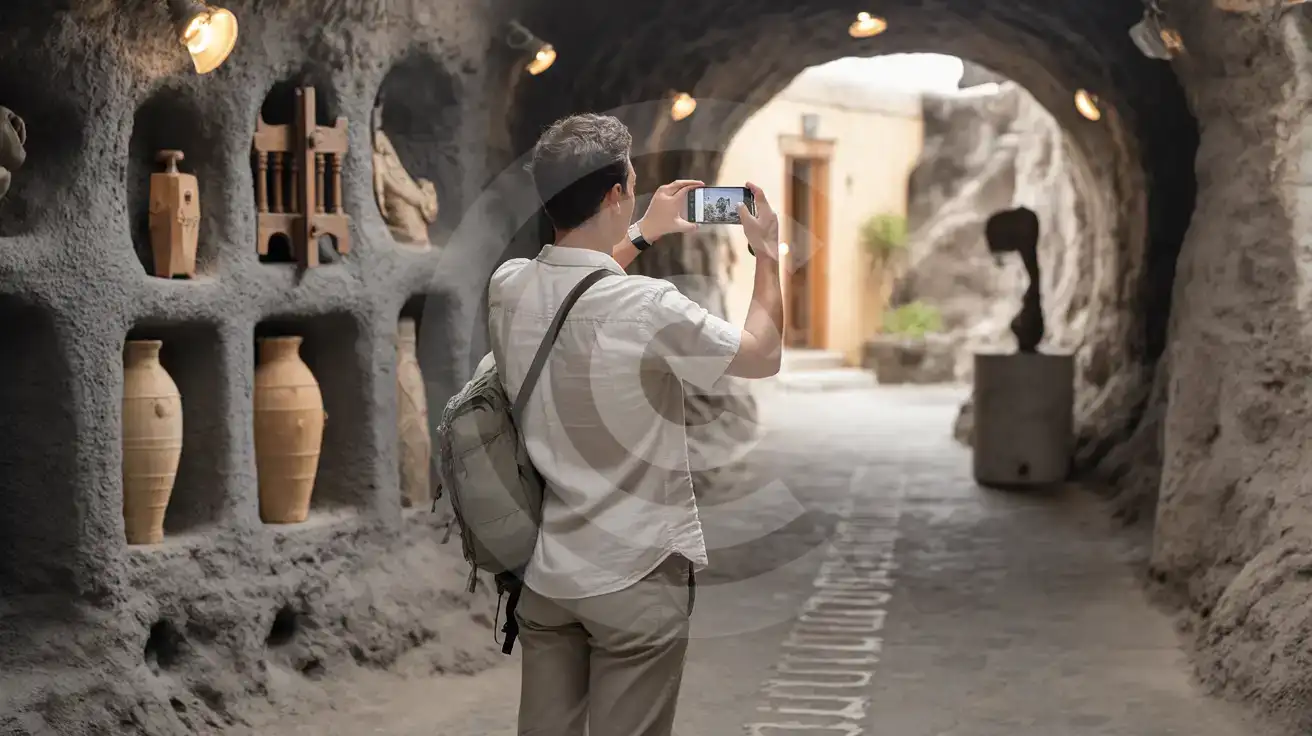
Inside the Cave Gallery

Solo male traveler photographing sculpture installations inside the volcanic cave gallery at Art Space Santorini
Activate your Greece eSIM before arriving so your data works from the cave tunnels to your next Santorini stop.

Compare eSIM Options at Art Space Santorini

Recommended
Local SIM / Operator
Roaming
Setup timeDoes not work until it is registered at purchaseAuto
No local ID neededPassport or ID required by lawUse home account
SpeedOne network onlyPartner-dependent
Travel supportGreek-language serviceHome carrier hours
Keep home numberReplaces itSame number
Cost predictabilityPrepaid, no bill shockBill-shock risk
5GB / 30 daysLight travelerMost popular
7GB / 1 month
₺837.89
Prepaid monthly package on the Cosmote network only.
$12-18 / day
₺723.56
Typical daily roaming rate; varies by home carrier
10GB / 30 daysStandard traveler
12GB / 1 month
₺893.84
Prepaid monthly package on the Cosmote network only.
20GB / 30 daysHeavy traveler
22GB / 1 month
₺1117.66
Prepaid monthly package on the Cosmote network only.

Frequently Asked Questions (FAQs)

Install the eSIM profile at home over WiFi before your flight. Once your aircraft reaches the gate at Santorini International Airport, switch off airplane mode — by the time you're grabbing your bag from the carousel, your phone is already pulling directions to Exo Gonia.
The gallery is about 7 km from Santorini International Airport — a 15-minute taxi or rental ATV ride. KTEL buses run the Fira-Kamari route with a stop at Episkopi Gonias, from which it's a 10-15 minute uphill walk. Your eSIMno data lets you check real-time bus schedules on Google Maps or Moovit instead of waiting at the stop hoping one shows up.
Signal from Cosmote, Vodafone, and Wind reaches the courtyard, entrance corridors, and tasting room reliably. Deeper in the volcanic-rock tunnels, coverage can dip — download your reservation confirmation and any audio guide content before you head into the rear galleries.
Absolutely. The plan covers the entire country — it works at Santo Wines on the caldera rim, on the black-sand beach at Kamari, on your ferry to Mykonos, and through your Athens connection. One purchase, nationwide coverage.
Late afternoon between 16:00 and 18:00 is ideal — the cave interior stays cool, the courtyard light softens for photos, and you can time a wine tasting to lead into sunset plans at nearby Pyrgos or a short drive to Oia.
Walk-ins are possible during quieter shoulder-season months, but booking ahead through email or the gallery's contact page guarantees your spot during peak summer. Having data on arrival lets you confirm the reservation and adjust timing if your ferry or flight runs late.
GET A FULL20%OFFon your first order
Use code: FIRSTWELCOME20

Stay connected,
wherever you go

Seamless global eSIM coverage

Get Started
Art Space Santorini sits in the village of Exo Gonia on the eastern slopes of the island, away from the caldera-rim crowds of Oia and Fira. Your phone handles the tasting reservation confirmation, the rideshare back to your hotel, and the group chat coordinating sunset plans — tasks that stall when gallery WiFi drops inside the volcanic-rock tunnels. An eSIMno Greece plan installs before your flight and switches on the moment you taxi to the gate at Santorini Airport, giving you data for the entire island visit and beyond. The gallery's cave cellars maintain cool temperatures year-round but cellular signal from Cosmote, Vodafone, and Wind reaches reliably through the entrance corridors and courtyard. You'll pull up tasting notes, translate wine labels, and share photos of the permanent sculpture installations without hunting for a hotspot. After the visit, the same plan covers your KTEL bus ride back to Fira, your ferry booking to Mykonos, or your domestic flight connection through Athens — one plan, nationwide coverage. Buying before departure means your data is ready when you step off the plane. No paperwork at the airport kiosk, no hunting for a SIM shop in Fira, no relying on hotel WiFi that cuts out during peak hours. Art Space Santorini is best enjoyed late afternoon when the light softens and the wine flows — your phone should be working long before you arrive.
Back to Greece
No more SIM kiosks

No more SIM kiosks

Skip the airport queues. Install your eSIM at home, activate when you land.

no roaming charges

No roaming surprises

Forget the $200 phone bill three weeks after your trip. Plain pricing, no hidden fees.

keep your physical sim

Keep your home number

Dual-SIM means your physical SIM stays active for calls and texts. eSIM handles only data.

easy installation

Setup in 2 minutes

Scan QR code, follow on-screen steps, you're connected. Works on any eSIM-compatible phone.

Pay SafelyVisa CardMaster CardGoogle PayPayPalApple Pay

How does eSIMNo Works?

Experience seamless global connectivity with our personal eSIM service. Enjoy faster speeds, wider coverage, and the convenience of online purchasing.

Buy a Data Plan

Buy a Data Plan

Search for your destination and pick any data plan

Step 1

Install your eSIM

Install your eSIM

Easy installation via qr code

Step 2

Activate Your eSIM

Activate Your eSIM

Only active when you are ready to use data

Step 3

Advantages

24/7 Customer Support

Reach our team via WhatsApp and email during business hours. Quick answers to common questions available anytime through our automated assistant.

Immediate delivery

Your eSIM arrives by email within minutes. Install it before you board your flight.

Worldwide Coverage

One eSIM, 160+ countries. Land anywhere and connect instantly — no SIM swapping, no roaming charges.

Check Compatibility

Check Compatibility

Before buying and installing an eSim, check if your phone supports one

Check if your phone is eSIM compatible

As you feel the need to use eSIM on your phone, the first question that arises is: does your mobile support eSIMs? And do eSIM-compatible devices work in all regions worldwide?

Some phones that support eSIM technology

  • IPhone XS and Later
  • Samsung Galaxy S20 and Later
  • Pixel 4 and Later
  • Xiaomi 12T Pro and Later
All eSIM-Compatible Phones

Frequently Asked Questions (FAQs)

Find helpful information to answer your questions

Can I use the eSIM right after purchase or do I need to wait?
Yes - you can install it immediately after purchase. Your order email arrives within minutes and contains the QR code, a one-tap install link and the manual codes, plus an "Install eSIM" button; you can also sign in > My eSIMs > Install any time. Installing right away does not start your plan - the validity countdown only begins when the eSIM connects to a mobile network inside your plan's coverage area. Keep the eSIM line and Data Roaming off until you are ready to start; if your plan covers the country you are in right now, turning the line on starts the countdown immediately.
What customer support is available if I have issues?
eSIMno offers 24/7 support via WhatsApp and email. Our human support team - not bots - handles installation help, troubleshooting, billing questions, and refund inquiries. Most issues are resolved within minutes during business hours and within a few hours overnight.
Can I buy an eSIM for someone else as a gift?
Yes. Purchase the eSIM with your own details, then forward your order confirmation email - or share the "Install eSIM" link from it - with the recipient so they can install it on their own phone (the email contains the QR code and the manual SM-DP+ / activation codes). Make sure their device is eSIM-compatible first - installation usually cannot be reversed once completed.
How do I top up my Greece eSIM?
To top up your Greece eSIM data, log in to the 'My eSIMs' section in the eSIMno Center on our website or mobile app. Select the eSIM you want to top up and follow the on-screen instructions to add more data without losing your current connection.
Can I install multiple eSIMs on the same phone?
Yes. Modern iPhones and Android devices support multiple eSIM profiles - typically 5 to 8 stored profiles, with 1 or 2 active simultaneously. You can install eSIMs for different countries and switch between them in settings without removing any.
How do I set up the eSIM on my device?
The fastest way is straight from your order confirmation email, which now contains - for each eSIM - the QR code, a one-tap install link, and the SM-DP+ / activation codes. On the phone you'll use, tap the one-tap install link; or, to use the QR, show it on another screen or a printout and scan it with that same phone (not another phone); or enter the codes manually. The email also has an "Install eSIM" button that opens your eSIM's detail page and launches the install pop-up (sign in if prompted), and you can reach the same pop-up anytime via Profile > My eSIMs > find your plan (shown as "Ready to install") > Install. After installing, turn Data Roaming ON for your eSIMno line (iPhone: Settings > Cellular; Android: Settings > Connections/Network) - without it the eSIM installs but shows no internet. Full guide in Help & Support.
Will the eSIM affect my phone's battery life?
Running two SIM lines (physical + eSIM) uses slightly more battery than one, since the phone monitors both networks. The difference is usually 5-10% over a full day. To minimize impact, disable the line you're not actively using or turn off cellular data on the inactive line.
Can I use the eSIM to make video calls?
Yes - apps like FaceTime, WhatsApp, Zoom, Google Meet, and Microsoft Teams all work over your eSIM data. Video calls use about 200-400 MB per hour depending on quality, so factor that into your plan choice if you make long calls regularly.
What smartphones support eSIM?
Most modern devices support eSIM, including iPhone XS and later, Samsung Galaxy S20 through S25 series, Google Pixel 4 and later, Huawei P40 and later, and many recent iPads. Check our full compatibility list before purchasing to confirm your device is supported.
Will I get notifications when my data is running low?
Yes. eSIMno sends email and push notifications when you've used 50%, 80%, and 100% of your data allowance. You can also check usage anytime in the eSIMno Center or in your phone's cellular settings to track consumption in real time.
Will my home phone number receive calls while I use the eSIM?
Yes - if your home SIM stays installed and active, calls and SMS to your home number arrive normally. The eSIM only handles data; voice service stays on your home line. Just remember that incoming calls and texts to your home number while abroad may trigger roaming charges from your home carrier.
What payment methods does eSIMno accept?
eSIMno accepts major credit and debit cards (Visa, Mastercard, American Express), PayPal, Apple Pay, and Google Pay. All transactions are processed through secure encrypted gateways, and we don't store full card details on our servers.

Use Your Free Credit

You can earn up to 15% commission from your friends' purchases with your Reference code. Plus, your friends will get $2 off their first purchase when they use your code!

FIND OUT HOW
Refer a friend

Refer

A FRIEND

Step into the world of E-SIM, bring your friends and benefit together!