Review Your Cart

Your cart is empty.

You haven't added any eSIM packages yet. Start exploring our plans to get connected!

Browse our eSIM Packages
🎉 Welcome offer: 20% off with promo code FIRSTWELCOME20

Ecuador Ecuador  

Giant tortoises in their natural highland habitat on Santa Cruz Island in the Galápagos, Ecuador, with volcanic terrain and misty mountains at golden hour

Ecuador eSIM: Nationwide Data From Quito to the Galápagos and the Amazon Basin

Your flight descends into Quito's Mariscal Sucre International and you're already pulling up your hotel transfer confirmation, checking Uber availability for the ride to La Mariscal, and translating the Spanish arrival announcements. With an eSIMno plan installed before takeoff, your phone connects the moment you switch off airplane mode — no fumbling for a SIM kiosk after an 11,000-foot elevation arrival.
View Plans
GET A FULL20%OFFon your first order
Use code: FIRSTWELCOME20

Stay connected,
wherever you go

Seamless global eSIM coverage

Explore our plans below

Plan Your Trip

Tell us what you'll do and how long you'll be away — we'll highlight the right plan.

7 days
1102030

What will you do?

Tap an activity above to see which plan fits your trip

Already a customer?

EARN UP TOON EVERY FRIEND'S PURCHASE
NETWORK: Movistar Depending on the plan you choose, you'll connect to one or more of these networks.

Quick Facts

Capital
Quito
Language
Spanish (Español)
Currency
US Dollar (USD, $)
Time Zone
Cuba Standard Time (UTC-5)
Dialing Code
+593
Power Plug
Type A + B
Emergency
911 (general)
eSIMno Networks
Movistar

How to Get Your Ecuador eSIM

  1. Choose Your Data Plan
    Select from 7-day, 15-day, or 30-day Ecuador plans based on whether you're doing a quick Quito visit or a full Galápagos expedition. Plans include Movistar 4G LTE coverage nationwide.
  2. Complete Your Purchase
    Check out in under 2 minutes. You'll receive your eSIM QR code and installation instructions via email immediately — no shipping, no waiting.
  3. Install Before Your Flight
    Scan the QR code on your iPhone or Android while connected to home WiFi. The profile downloads in seconds. Do this at home, not at 35,000 feet.
  4. Activate After Landing in Ecuador
    Once your plane reaches the gate at Mariscal Sucre or José Joaquín de Olmedo, switch off airplane mode. Your eSIM connects to Movistar automatically — Uber, Maps, and WhatsApp work before you reach the arrivals hall.
  5. Keep Your Home Number Active
    Your phone runs both SIMs simultaneously. Incoming calls reach your home number normally. Use WhatsApp, FaceTime, or Google Meet over your eSIMno data for outgoing calls — avoid roaming charges on your home carrier.

Traveler Tips for Ecuador

  • Quito sits at 2,850 meters elevation — download offline maps before arrival so you're not waiting on slow-loading tiles while adjusting to altitude.
  • Galápagos inter-island ferries (Santa Cruz to Isabela: $30, 2 hours) sell tickets at the dock starting 6 AM — having data lets you check availability and weather cancellations before walking to the pier.
  • Uber operates in Quito and Guayaquil but not in smaller cities — download inDriver as a backup rideshare app before leaving home.
  • Ecuador uses US dollars, so your existing currency converter app shows you local prices without exchange math — one less thing to calculate when negotiating at Otavalo market.
  • Activate your eSIM profile the night before departure, not at the boarding gate — airport WiFi congestion can slow the QR scan when you're rushing.
  • Cell coverage drops in remote Amazon lodges — screenshot your booking confirmation and lodge coordinates while you still have signal in Coca or Tena.

Why Data Matters Across Ecuador

Ecuador packs Andean peaks, Pacific beaches, Amazon jungle, and the Galápagos into a country smaller than Colorado — and each zone has its own connectivity demands. In Quito's historic center, Google Maps navigation through one-way colonial streets saves 20 minutes of wrong turns between Plaza Grande and the Basílica del Voto Nacional. The Teleferico cable car to Cruz Loma (4,100 meters) has minimal WiFi at the summit — your eSIM keeps the camera uploads flowing while you photograph the Cotopaxi volcano 50 kilometers south.

Coast and Highlands

Guayaquil's Malecón 2000 riverfront spans 2.5 kilometers with restaurants, museums, and the landmark Moorish Clock Tower. Real-time Uber availability shows surge pricing patterns around Parque Seminario (the iguana park) during lunch hours. The 4-hour bus ride from Guayaquil to Cuenca on Transportes Ecuador costs $12-15 and runs every 30 minutes — checking seat availability on RedBus before reaching the terminal beats standing in the Cooperativa de Transportes queue.

Galápagos Logistics

The Galápagos archipelago requires advance planning that falls apart without data. Baltra Airport (GPS) sits on a separate island from Puerto Ayora on Santa Cruz — the ferry crossing ($1) plus bus ($5) takes 45 minutes total, and having Google Maps open helps you find the correct dock on arrival. Day tours to Bartolomé Island, Seymour Norte, or Santa Fe book through agencies along Avenida Charles Darwin — WhatsApp confirmations and QR tickets beat paper printouts in the equatorial humidity. eSIMno plans for Ecuador work across all inhabited islands including San Cristóbal and Isabela, keeping your snorkeling photos uploading to cloud backup while you're still drying off at Tortuga Bay.

About Ecuador & What Travelers Come For

Gateway Cities

Quito serves as the primary international gateway, with Mariscal Sucre International Airport (UIO) sitting 18 kilometers east of the colonial center in Tababela. The Aeroservicios shuttle runs every 30 minutes to Parque Bicentenario ($8, 45 minutes). Guayaquil's José Joaquín de Olmedo International (GYE) handles flights to the Galápagos and serves as the coastal hub — Metrovía bus Line 1 connects the airport area to downtown in 40 minutes for $0.30.

What Travelers Come For

The Galápagos Islands draw wildlife enthusiasts to see giant tortoises at the Charles Darwin Research Station, blue-footed boobies on Española, and marine iguanas basking on Fernandina's lava fields. On the mainland, Quito's UNESCO-listed colonial center features the golden altars of La Compañía church and the Mitad del Mundo equator monument 23 kilometers north. Cuenca's cobblestone streets, flower markets, and Panama hat workshops make it Ecuador's cultural heart. Adventure travelers head to Cotopaxi National Park for glacier hiking or Baños for waterfall rappelling and thermal baths. The Amazon basin around Tena and Coca offers jungle lodges, indigenous community visits, and wildlife spotting along the Napo River.

When to Visit

Ecuador's climate varies by altitude rather than season. Quito stays spring-like year-round (15-21°C), with drier months from June through September. The Galápagos has two seasons: warm and wet (January-May) with calmer seas for snorkeling, and cool and dry (June-December) with nutrient-rich currents bringing marine life closer to shore. Peak tourist months — July, August, and late December — see higher Galápagos cruise prices and fuller day-tour boats.

Getting Around Ecuador

Airport Transfers

From Quito's Mariscal Sucre Airport, the Aeroservicios shuttle departs from the arrivals hall every 30 minutes to Parque Bicentenario ($8, 45-50 minutes depending on traffic). Taxis charge a flat rate of $25-30 to La Mariscal or the historic center. Uber operates at UIO — request from the designated rideshare pickup zone outside arrivals. In Guayaquil, Metrovía Line 1 buses run along Avenida de las Américas toward downtown ($0.30, 40 minutes). Airport taxis to the Malecón 2000 area cost $5-8.

Domestic Flights

LATAM and Avianca operate the Quito-Guayaquil route (45 minutes, $60-120 one-way). Galápagos flights depart from both cities — TAME, LATAM, and Avianca serve Baltra (GPS) and San Cristóbal (SCY). Round-trip Galápagos airfare runs $350-500 plus the $100 Galápagos National Park entry fee collected on arrival.

Inter-City Buses

Ecuador's bus network connects every major city through the terminal terrestre system. Quito's Quitumbe terminal serves southern routes — Cuenca ($12-15, 10 hours), Guayaquil ($10-12, 8 hours), Baños ($6, 3.5 hours). Cooperativa Reina del Camino and Transportes Ecuador run the most frequent schedules. Book through RedBus or at the terminal; assigned seating and air conditioning are standard on ejecutivo-class coaches.

Local Transit

Quito's Ecovía, Trole, and Metrobús lines run dedicated lanes through the city ($0.25 per ride). The Teleférico cable car ($8.50 round-trip) climbs to Cruz Loma in 10 minutes. Guayaquil's Metrovía covers the main urban corridors. Cuenca is walkable within the historic center; taxis anywhere in town cost $2-4.

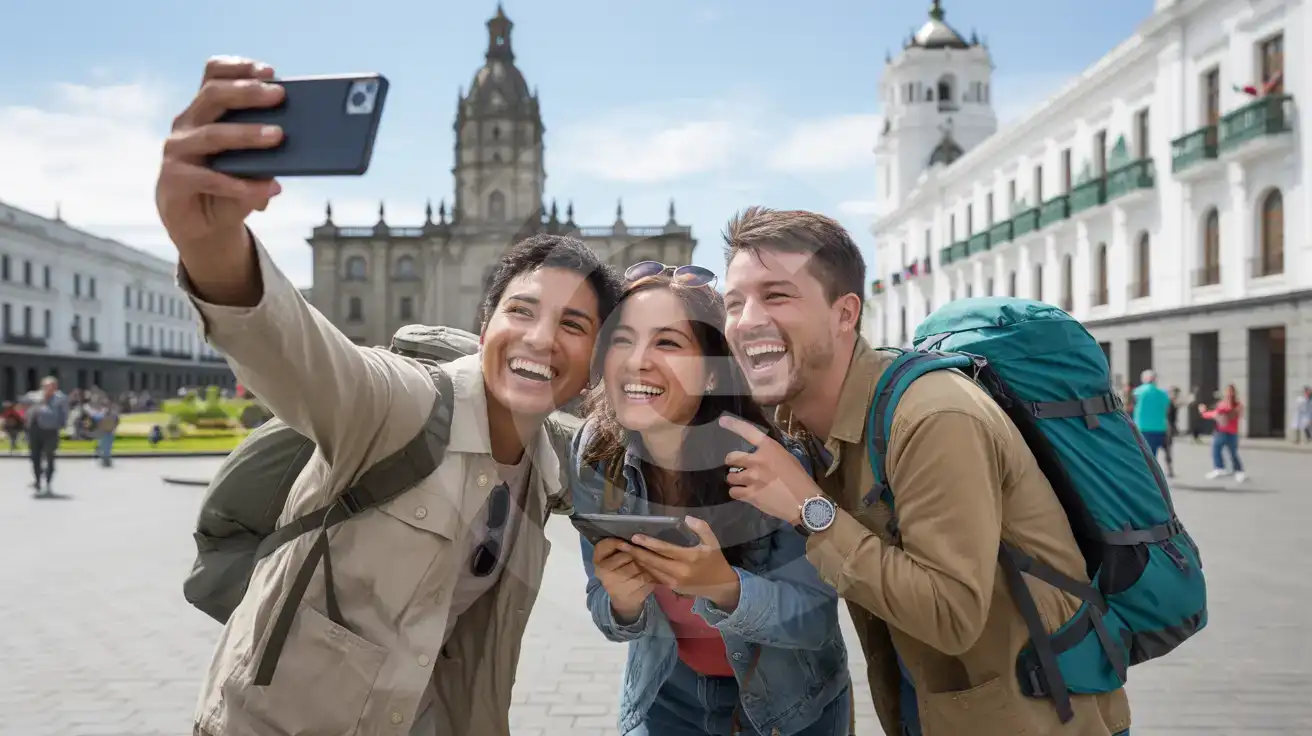
Quito Colonial Center

Three friends taking a group selfie in Quito's Plaza Grande with the Presidential Palace and Metropolitan Cathedral in the background under clear blue skies
Activate your Ecuador eSIM before departure so your group photos upload instantly from Plaza Grande.

Compare eSIM Providers for Ecuador

Recommended
Local SIM / Operator
Roaming
Setup timeStore visit + paperworkAuto
No local ID neededLocal ID requiredUse home account
SpeedCarrier-gradePartner-dependent
Travel supportOperator shops and call centreHome carrier hours
Keep home numberReplaces itSame number
Cost predictabilityBills can spikeBill-shock risk
Typical pricing
$12-18 / day
Typical daily roaming rate; varies by home carrier

PRICING — PICK YOUR ESIMNO PLAN

Light traveler
5GB / 30d
₺1399.00
20% off with code FIRSTWELCOME20on your first order
≈ ₺1,119.20 TRY with code
Buy now
Heavy traveler
20GB / 30d
₺3099.00
20% off with code FIRSTWELCOME20on your first order
≈ ₺2,479.20 TRY with code
Buy now

Frequently Asked Questions (FAQs)

Install the eSIM profile at home over WiFi the night before your flight. Keep it dormant during the journey, then switch off airplane mode once your plane reaches the gate at Mariscal Sucre or José Joaquín de Olmedo — by the time you're walking through the arrivals hall toward the Aeroservicios shuttle stand, your phone is already pulling up transfer directions.
Yes, eSIMno plans for Ecuador include coverage across the inhabited Galápagos islands — Santa Cruz, San Cristóbal, and Isabela all have Movistar signal in the main towns like Puerto Ayora, Puerto Baquerizo Moreno, and Puerto Villamil. Remote areas and uninhabited islands have limited or no coverage, so download offline maps before hiking to Tortuga Bay or taking day trips to Bartolomé.
Your phone runs both SIMs simultaneously in dual-SIM mode. Incoming calls reach your home number normally without any setup required — the eSIM handles data while your home SIM stays active for voice. For outgoing calls, use WhatsApp, FaceTime, or Google Meet over your eSIMno data to avoid roaming charges from your home carrier.
A 5GB plan covers typical daily use — Maps navigation through Quito's colonial streets, Uber requests in Guayaquil, WhatsApp coordination with tour operators, and photo uploads from the Galápagos. If you're streaming video, video-calling family, or uploading hundreds of wildlife photos daily, consider 10GB or higher. Heavy backup uploaders on Galápagos cruises often burn through 15GB in a week.
The Aeroservicios shuttle departs from the arrivals hall every 30 minutes, reaching Parque Bicentenario in 45-50 minutes for $8. Taxis charge a flat $25-30 to La Mariscal or the historic center. Uber operates at Mariscal Sucre — request from the designated rideshare pickup zone and track your driver's arrival on the app while you clear customs.
Coverage holds strong through major cities and along the Panamericana highway, though signal dips in mountainous sections between Riobamba and Cuenca. The 10-hour journey passes through varying terrain — download entertainment and offline maps before boarding at Quitumbe terminal. Your eSIM reconnects automatically each time the bus enters a coverage zone.
GET A FULL20%OFFon your first order
Use code: FIRSTWELCOME20

Stay connected,
wherever you go

Seamless global eSIM coverage

Get Started
Ecuador spans three distinct worlds — Andean highlands, Pacific coast, and Amazon rainforest — plus the Galápagos archipelago 1,000 kilometers offshore. Each region demands reliable mobile data for different reasons: real-time altitude sickness guidance in Quito, ferry booking confirmations in the Galápagos, and lodge coordination deep in the Oriente. An Ecuador eSIM from eSIMno activates before your flight, giving you Movistar coverage from the moment you clear customs at Mariscal Sucre or José Joaquín de Olmedo International in Guayaquil. Travelers moving between Quito, Cuenca, and Guayaquil rely on data for inter-city bus bookings through apps like RedBus, real-time traffic updates on the Panamericana, and restaurant reservations in colonial centers where WiFi networks require registration that drains patience after long travel days. The Galápagos adds another layer: island-hopping ferries between Santa Cruz, Isabela, and San Cristóbal sell out during peak season, and having data means securing your seat from Puerto Ayora's waterfront rather than queuing at a ticket office. Whether you're photographing blue-footed boobies on Española, haggling at Otavalo's Saturday market, or navigating Guayaquil's Malecón 2000, your eSIMno plan keeps maps, translation, and rideshare apps working without hunting for café WiFi. Buy your ec esim or ecuador esim plan before departure, install over home WiFi, and land with connectivity already sorted — the Andes, the Amazon, and the Galápagos await.
No more SIM kiosks

No more SIM kiosks

Skip the airport queues. Install your eSIM at home, activate when you land.

no roaming charges

No roaming surprises

Forget the $200 phone bill three weeks after your trip. Plain pricing, no hidden fees.

keep your physical sim

Keep your home number

Dual-SIM means your physical SIM stays active for calls and texts. eSIM handles only data.

easy installation

Setup in 2 minutes

Scan QR code, follow on-screen steps, you're connected. Works on any eSIM-compatible phone.

Pay SafelyVisa CardMaster CardGoogle PayPayPalApple Pay

How does eSIMNo Works?

Experience seamless global connectivity with our personal eSIM service. Enjoy faster speeds, wider coverage, and the convenience of online purchasing.

Buy a Data Plan

Buy a Data Plan

Search for your destination and pick any data plan

Step 1

Install your eSIM

Install your eSIM

Easy installation via qr code

Step 2

Activate Your eSIM

Activate Your eSIM

Only active when you are ready to use data

Step 3

Advantages

24/7 Customer Support

Reach our team via WhatsApp and email during business hours. Quick answers to common questions available anytime through our automated assistant.

Immediate delivery

Your eSIM arrives by email within minutes. Install it before you board your flight.

Worldwide Coverage

One eSIM, 160+ countries. Land anywhere and connect instantly — no SIM swapping, no roaming charges.

Check Compatibility

Check Compatibility

Before buying and installing an eSim, check if your phone supports one

Check if your phone is eSIM compatible

As you feel the need to use eSIM on your phone, the first question that arises is: does your mobile support eSIMs? And do eSIM-compatible devices work in all regions worldwide?

Some phones that support eSIM technology

  • IPhone XS and Later
  • Samsung Galaxy S20 and Later
  • Pixel 4 and Later
  • Xiaomi 12T Pro and Later
All eSIM-Compatible Phones

Frequently Asked Questions (FAQs)

Find helpful information to answer your questions

What should I do if I lose my activation QR code?
You can't really lose it - your QR code is in your order confirmation email, and also in the install pop-up on the website. To reopen it any time before activation, tap "Install eSIM" in your order email, or sign in at esimno.com and go to Profile > My eSIMs > Install. Both show the QR code together with the one-tap install link and the manual SM-DP+ / activation code. Note the install codes are one-time-use: once the eSIM is installed on a device they can't be reused - reopen the installer (My eSIMs > Install) to display a fresh QR if you need one.
How can I purchase the Ecuador eSIM?
You can purchase your eSIM directly from the eSIMno website - select a Ecuador plan and complete the payment. Within minutes you'll receive an order confirmation email that contains everything you need to install: a QR code, a one-tap install link, the SM-DP+ address and activation code, plus an "Install eSIM" button. You can install straight from that email, or sign in anytime and go to Profile > My eSIMs > Install to get the same options.
What happens if I pause my trip and return home?
Your eSIM keeps its validity period running whether you're using it or not - pausing your trip doesn't pause the timer. If you return home, the eSIM stays dormant on your device until you travel again or it expires. You can disable it in cellular settings to avoid accidental usage.
How can I verify if my eSIM is activated?
There are two clear indicators: (1) your phone's status bar shows the local carrier name once you arrive at your destination, and (2) the data icon (4G, LTE, or 5G) appears next to the eSIMno line in your cellular settings. If neither shows up, toggle airplane mode off and on, or restart your phone.
How do I activate the Ecuador eSIM?
Your eSIMno order confirmation email contains your QR code, your SM-DP+ address and activation code, a one-tap install link, and an "Install eSIM" button - so you can install right from the email. The same options are also on the website: sign in at esimno.com and go to Profile > My eSIMs > your plan > Install. To install, use any ONE of these methods: (1) on the phone you are setting up, tap the one-tap install link/button (iPhone on iOS 17.4+ or Android 9+); (2) use the QR code - because a phone cannot scan its own screen, show this QR on another screen (computer/tablet) or a printout and scan it WITH the phone you are setting up (never with someone else's phone, or the eSIM would install on that phone); or (3) enter the SM-DP+ address and activation code manually. Your Ecuador eSIM activates automatically when you connect to a local network at your destination.
What smartphones support eSIM?
Most modern devices support eSIM, including iPhone XS and later, Samsung Galaxy S20 through S25 series, Google Pixel 4 and later, Huawei P40 and later, and many recent iPads. Check our full compatibility list before purchasing to confirm your device is supported.
Can I make phone calls or send SMS?
eSIMno is a data-only service, so you can't make traditional voice calls or send SMS through the eSIM line. However, you can use messaging and calling apps over data - WhatsApp, iMessage, FaceTime, Telegram, Signal, and Google Meet all work normally.
What customer support is available if I have issues?
eSIMno offers 24/7 support via WhatsApp and email. Our human support team - not bots - handles installation help, troubleshooting, billing questions, and refund inquiries. Most issues are resolved within minutes during business hours and within a few hours overnight.
Will my eSIM work in airports immediately after landing?
Yes - eSIMs typically connect within seconds of switching off airplane mode at the gate. Major airports have strong cellular coverage from local partner networks, so you'll have data before reaching baggage claim. No setup needed at arrival.
Can I use the eSIM right after purchase or do I need to wait?
Yes - you can install it immediately after purchase. Your order email arrives within minutes and contains the QR code, a one-tap install link and the manual codes, plus an "Install eSIM" button; you can also sign in > My eSIMs > Install any time. Installing right away does not start your plan - the validity countdown only begins when the eSIM connects to a mobile network inside your plan's coverage area. Keep the eSIM line and Data Roaming off until you are ready to start; if your plan covers the country you are in right now, turning the line on starts the countdown immediately.
Can I get a refund after purchase?
Refunds are not available once an eSIM has been installed or activated - install codes are one-time-use, so an installed eSIM is considered used even if no data has been consumed. If you have not installed your eSIM yet and want a refund, contact support within the refund window stated at checkout. We recommend reviewing plan details carefully before purchase to avoid any issues.
Will I get notifications when my data is running low?
Yes. eSIMno sends email and push notifications when you've used 50%, 80%, and 100% of your data allowance. You can also check usage anytime in the eSIMno Center or in your phone's cellular settings to track consumption in real time.

Use Your Free Credit

You can earn up to 15% commission from your friends' purchases with your Reference code. Plus, your friends will get $2 off their first purchase when they use your code!

FIND OUT HOW
Refer a friend

Refer

A FRIEND

Step into the world of E-SIM, bring your friends and benefit together!