

Quick Facts
- Language
- Valencian (Español)
- Currency
- Euro (EUR, €)
- Time Zone
- Central European Time (UTC+1)
- Dialing Code
- +34
- Power Plug
- Type C, E, F (round 2-pin, common across most of Europe)
- Emergency
- 112
- eSIMno Networks
- Movistar, Orange
How to Get Your eSIM
- Pick Your Spain Plan Before The Trip
Choose the data amount that fits your Madrid stay before you fly. If Puerta de Alcalá is one stop on a wider Spain itinerary, buy once for the whole country instead of planning another SIM change after Madrid. - Install It While You Still Have Stable WiFi
Set up the eSIM QR at home or at your hotel before heading out. That way you are not standing by Plaza de la Independencia trying to install a plan while traffic circles the monument and your map keeps reloading. - Activate After Landing In Spain
Turn the eSIM on after landing, once phone use is allowed again. By the time you leave the airport train, Metro, or taxi and walk toward Puerta de Alcalá, your data is already live for directions, messaging, and booking apps. - Use Data For The First Move From The Monument
From Puerta de Alcalá, travelers usually split three ways: into El Retiro, west toward the Prado area, or down to the nearest Metro connection. Live data helps you compare walking times, call Cabify or Uber, and pull up the exact route instead of guessing at the roundabout. - Keep Your Home SIM On For Voice
eSIMno is data-only, so your home SIM can stay active for incoming calls on your usual number with no special setup. For outgoing calls, use WhatsApp, FaceTime, Telegram, or another internet-based app over your eSIM data and avoid roaming voice charges from your home carrier.
Traveler Tips
- If you want cleaner photos of Puerta de Alcalá, go early around 08:00-09:00 before the traffic ring and Retiro entrances get busier; that is also the easiest time to upload and share photos on the spot.
- Puerta de Alcalá is a walking pivot between El Retiro, the Prado axis, and Serrano, so keep live maps open instead of relying on one screenshot; a 10-minute wrong turn here can send you toward the wrong side of Plaza de la Independencia.
- For the ride back after sunset, compare Cabify and Uber on your phone at the monument instead of walking off to hunt a pickup point first; fare display and wait time change block by block around the roundabout.
- If your home SIM stays active for voice, leave mobile data assigned to the eSIMno line only. That keeps WhatsApp, maps, and browsing on your Spain plan while your regular number remains reachable for incoming calls.
- Bring your eSIM online before a museum-heavy day around Retiro and the Prado area. Timed-entry emails, reservation confirmations, and navigation between stops all land on the same phone within a 2-3 km stretch.
Why Data Matters at Puerta de Alcalá
Puerta de Alcalá is not a destination where you arrive, stare for 5 minutes, and leave with no other decisions to make. It sits at a real movement point in Madrid: El Retiro to one side, the museum corridor toward Museo Nacional del Prado to another, and the shopping and dining streets around Serrano and Salamanca close by. That means your phone becomes a live planning tool the second you arrive. You are checking Google Maps for the fastest walking route, opening Citymapper to compare Metro and bus options, and using Cabify or Uber when the heat, rain, or timing makes a car the better call. Without working data, the monument is easy to find but the next 30 minutes of your day become guesswork.
Data also matters because this area compresses several phone-based tasks into one short stretch. A traveler can leave Puerta de Alcalá, reserve lunch near Retiro, pull up an entry confirmation for the Prado, then message friends to meet at Puerta del Sol later the same afternoon. Add translation for menus, Google reviews for nearby cafés, and cloud backup for photos shot at the arch, and the need is not just “internet” in the abstract. It is active, minute-by-minute use. That is why eSIMno plans for Puerta de Alcalá, Madrid, Spain work better than hoping for random WiFi during a walking day in central Madrid.
The venue itself is outdoors, but the practical challenge is transition. One minute you are in open plaza space, the next you are descending into the Metro, entering Retiro through a side gate, or moving toward museum ticket checks. Having data already active means your route keeps working through each handoff. It is the difference between flowing from monument to museum to dinner, and stopping at each step to reconnect, reload, and figure out where the plan went next.
Visiting Puerta de Alcalá
Puerta de Alcalá is an open-air landmark on Plaza de la Independencia, so there is no entry ticket, security lane, or timed slot to manage at the monument itself. The practical issue is circulation: you will view it from the surrounding pavements, nearby crossings, and the Retiro side rather than from a controlled visitor queue. That makes live navigation more useful than a saved screenshot, especially if you are linking the stop with a museum booking, a lunch reservation, or a walk deeper into Salamanca.
The easiest way to work Puerta de Alcalá into a day is to pair it with nearby stops rather than treat it as a standalone excursion. It fits naturally before or after Retiro, on the walk toward the museum zone, or as a meeting point before heading into central Madrid. Morning light is cleaner for photos, while evening gives the arch a stronger atmosphere but also creates more demand for rides and restaurant checks on your phone.
Because the stop itself is brief, this is exactly the kind of place where instant data helps. You are not settling in for an hour with a stable connection. You are arriving, deciding, moving, and booking the next thing quickly. That makes an already-installed eSIM more useful here than trying to solve connectivity after you are standing at the roundabout.
Retiro Side Approach
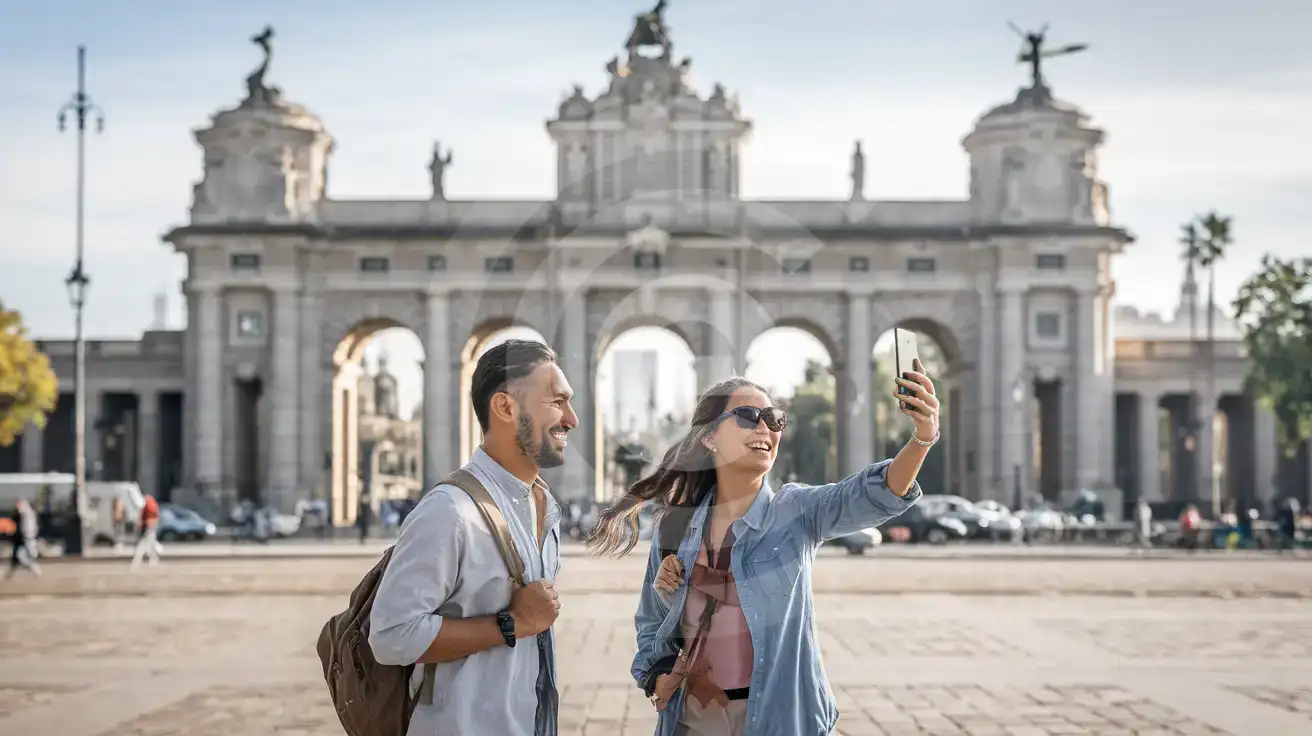
Compare eSIM Options at Puerta de Alcalá
eSIMno | Local SIM / Operator | Roaming | |
|---|---|---|---|
| FEATURES | |||
| Setup time | Few minutes | Registered in store before the SIM works | Auto |
| No local ID needed | Online checkout | Photo ID required by law at purchase | Use home account |
| Speed | 4G/LTE on Movistar and Orange; 5G in some areas | One network only | Partner-dependent |
| Travel support | English support 24/7 | Spanish-language service | Home carrier hours |
| Keep home number | Dual SIM | Replaces it | Same number |
| Cost predictability | Fixed price | Prepaid, no bill shock | Bill-shock risk |