

Quick Facts
- Language
- Spanish (Español)
- Currency
- Mexican Peso (MXN, $)
- Time Zone
- Central Standard Time (UTC-6)
- Dialing Code
- +52
- Power Plug
- Type A, B (flat 2-pin, common across North America)
- Emergency
- 911 (general)
- eSIMno Networks
- Movistar
How to Get Your eSIM
- Choose Your Mexico Plan Before The Trip
Buy your Mexico eSIM before you fly so you are not dealing with SIM shops after arriving in Mexico City. If the cathedral is on your day-one plan from Centro Histórico or the airport, having the install finished in advance saves time immediately. - Install Over Stable WiFi At Home
Scan the QR code and install your eSIM profile while you still have reliable home internet. That way your phone is ready before you head out for the Zócalo, the cathedral, or nearby stops like Zócalo. - Keep It Off Until After Landing
Leave the eSIM installed but inactive during the flight. Turn it on after landing in Mexico, once the captain clears phone use and you are ready to connect on the ground. - Use Data As You Head Into Centro Histórico
Once connected, use Google Maps, Uber, DiDi, and WhatsApp while traveling from the airport into the center. This is the moment when live directions, pickup coordination, and reservation messages matter more than waiting for patchy public internet. - Keep Your Home SIM For Voice, Use Data Apps For Everything Else
Your eSIMno plan is data-only. Your home SIM can stay active for incoming calls with no extra setup needed, while WhatsApp, FaceTime, Telegram, and other internet-based apps handle outgoing calls and messages over your Mexico data.
Traveler Tips
- Arrive at the cathedral early in the day if you want cleaner photos of the facade and less crowd pressure across the Zócalo; that is also a better window to load maps and meeting points before the square fills up.
- If you are visiting the cathedral together with Templo Mayor or Palacio Nacional, keep your data ready for back-to-back navigation and ticket emails within a walk of roughly 5 to 10 minutes around the same plaza zone.
- Use Uber or DiDi for the last leg if you are starting from neighborhoods like Roma or Polanco; pickup pins around the Zócalo can shift block by block, so live app positioning matters more than a screenshot.
- Download one offline map of Centro Histórico before your trip, then use your eSIM for live traffic, restaurant hours, and reroutes once you are on the ground.
- Your eSIMno plan is data-only, so use WhatsApp or FaceTime Audio for outgoing calls while your home SIM stays available for incoming voice on dual-SIM phones.
- Have a power bank with at least 5000 mAh if you plan to combine the cathedral, the Zócalo, and an afternoon at Bellas Artes; camera use plus live navigation can drain a battery fast.
Why Data Matters at Metropolitan Cathedral of Mexico City
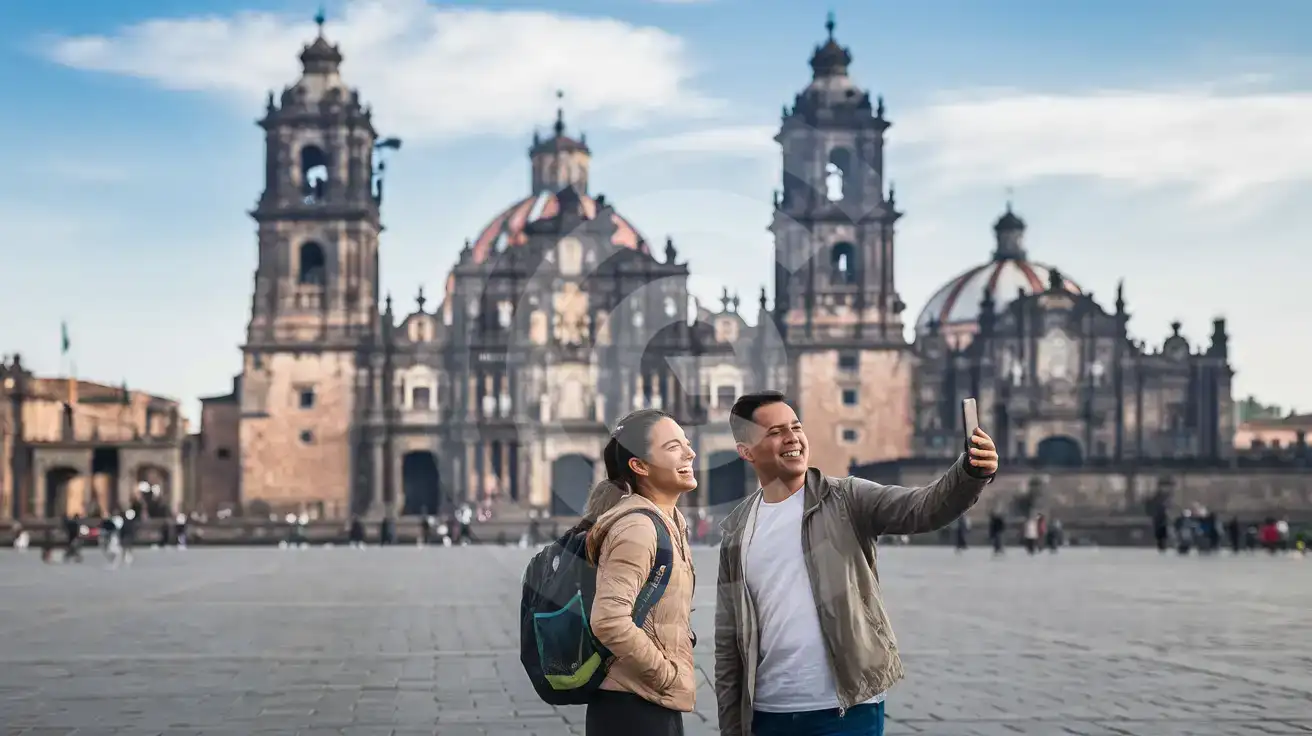
The Metropolitan Cathedral sits right on the Zócalo, which sounds simple on paper and turns busy in real life. You are moving through one of the biggest public squares in the world, crossing heavy foot traffic, checking the exact entrance point, and deciding whether to walk onward to Templo Mayor Museum, Palacio Nacional, or Palacio de Bellas Artes. That is not a place where you want to rely on memory alone. Live Google Maps, WhatsApp location sharing, and translation tools help you stay efficient when your plan changes block by block.
The cathedral stop also connects directly to the rest of your day. You may arrive via Zócalo/Tenochtitlan on Metro Line 2, route onward from Allende on Line 2, or compare traffic before booking an Uber or DiDi out of Centro Histórico. Those are all live-data tasks, not things you solve once and forget. Add in reservation lookups for cafés near Madero, cloud photo backups from the square, and quick searches for opening-time updates nearby, and the case for mobile data becomes obvious.
This is why eSIMno plans for Metropolitan Cathedral of Mexico City, Mexico City, Mexico make sense before the trip starts. You install once, activate after landing, and skip the airport SIM detour entirely. The plan is data-only, which is exactly what cathedral visitors use: maps, ride apps, messages, browser searches, ticket emails, and internet calls. And because the coverage continues across Mexico, your purchase still works if the cathedral is only one stop before Reforma, Coyoacán, Puebla, or the beach leg of your trip.
Visiting Metropolitan Cathedral Of Mexico City
The Metropolitan Cathedral is an easy add-on to any Centro Histórico day because it sits directly beside the Zócalo and within a short walk of several headline sights. Entry flow and access conditions can change around religious services, civic events in the square, and security activity near government buildings, so it helps to check the current situation on your phone before you arrive. That is especially useful on weekends and public-holiday periods when the plaza fills quickly.
Dress respectfully if you plan to step inside, keep your bag setup simple for faster entry, and be ready for a few minutes of waiting near the doors during busy periods. If your itinerary stacks the cathedral with nearby museums or viewpoints, data helps with opening-hour checks, route changes, and rideshare pickup after the visit. For travelers who want one connected plan for the full day in the center, setting up your eSIM before departure is the cleaner option than relying on ad-hoc WiFi once you are already in the square.
Connected In The Zócalo
Compare eSIM Options at Metropolitan Cathedral of Mexico City
eSIMno | Local SIM / Operator | Roaming | |
|---|---|---|---|
| FEATURES | |||
| Setup time | Few minutes | Does not work until registration is complete | Auto |
| No local ID needed | Online checkout | Passport plus a live face check | Use home account |
| Speed | 4G/LTE on Telcel and AT&T | One network only | Partner-dependent |
| Travel support | English support 24/7 | Spanish-language service | Home carrier hours |
| Keep home number | Dual SIM | Replaces it | Same number |
| Cost predictability | Fixed price | Prepaid, no bill shock | Bill-shock risk |