

Quick Facts
- Time Zone
- Pacific Time (UTC-8 / UTC-7 PDT)
- Dialing Code
- +1
- Currency
- US Dollar (USD, $)
- Power Plug
- Type A, B (flat 2-pin, common across North America)
- Language
- English
- Emergency
- 911 (police, fire, ambulance)
- eSIMno Networks
- AT&T, Verizon Wireless
How to Get Your eSIM
- Choose Your US Data Plan
Select from 1GB to unlimited options based on your Vegas trip length. A 3-5 day Luxor stay typically runs 3-5GB with photos, navigation, and show ticket management. - Install Before Your Flight
Add the eSIM profile at home over WiFi. Takes 2 minutes—scan the QR code, confirm the profile, and your phone is ready for US networks. - Activate After Landing at Harry Reid
Once your aircraft reaches the gate, switch off airplane mode. Your phone connects to AT&T or Verizon within seconds while you're still taxiing. - Navigate to the Luxor Instantly
By the time you reach baggage claim, Maps is routing rideshare pickups, Uber and Lyft apps show driver ETAs, and your hotel confirmation email loads for check-in details. - Keep Your Home Number Active
Your existing SIM stays in place for incoming calls and texts. Use WhatsApp, FaceTime, or Google Meet over your eSIMno data for outgoing calls—skip roaming charges entirely.
Traveler Tips
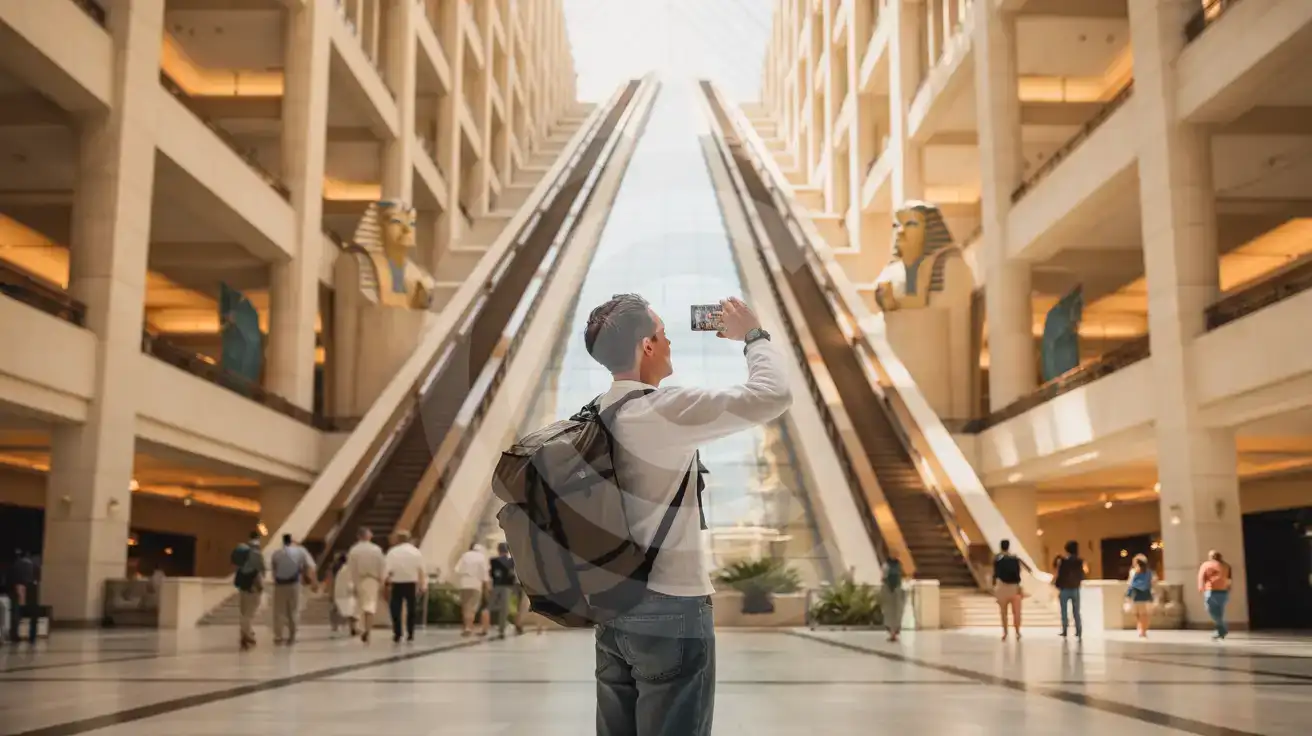
- The Luxor's inclined elevators (called inclinators) run at a 39-degree angle along the pyramid walls—your phone's gyroscope apps react interestingly if you're tracking the ride
- Peak check-in runs 3-5 PM when convention crowds arrive; have your confirmation QR ready on your phone to speed through the line
- The Luxor connects to Mandalay Bay and Excalibur via indoor walkways—use Maps indoor mode to navigate between properties without stepping outside
- Download show tickets to your Apple Wallet or Google Pay before leaving the hotel; cellular signal inside theater venues can be inconsistent during pre-show crowds
- Rideshare pickup at Luxor is at the north valet area near the Sphinx—pin the location in your Maps app before requesting to avoid the taxi queue confusion
Why Data Matters at Luxor Hotel
The Luxor sits at the south end of the Las Vegas Strip, 10 minutes by rideshare from Harry Reid International Airport. That proximity means you're checking in fast—and you'll want data working before you reach the lobby. Show tickets for resident productions load as mobile passes. Restaurant reservations at the property's steakhouse or the neighboring Mandalay Bay restaurants confirm through OpenTable and Resy. The casino floor spans 120,000 square feet where complimentary WiFi competes with thousands of simultaneous users.
Your own data line cuts through that congestion. Coordinate group dinners via iMessage or WhatsApp while half your party is still at the blackjack tables and the other half is walking through the Egypt-themed atrium. Pull up Uber or Lyft with real-time surge pricing before committing to a ride north to Fremont Street Experience for the evening light show. Check wait times at Fountains of Bellagio across the street or confirm your timed entry at Shark Reef Aquarium at Mandalay Bay inside the neighboring Mandalay Bay—all without hunting for a WiFi signal that actually loads.
eSIMno plans for Luxor Hotel and Casino connect through AT&T and Verizon, the two carriers with the strongest macro coverage along the entire Strip corridor. The same data that keeps you connected poolside at the Luxor's fourth-floor deck works seamlessly when you rideshare to T-Mobile Arena for a Golden Knights game or drive 25 minutes west to Red Rock Canyon for a morning hike. One plan, one purchase, nationwide coverage from your pyramid room to anywhere else your trip takes you.
Visiting Luxor Hotel
The Luxor operates 24 hours as a casino resort—there's no closing time for the gaming floor, restaurants rotate between breakfast-lunch-dinner service windows, and the pool deck runs seasonal hours (check the property app for current times, which shift between summer and winter). Standard check-in begins at 3 PM with checkout at 11 AM; early arrival and late departure depend on room availability and can be requested through the MGM Resorts app.
Getting to Luxor from Harry Reid International takes 10-15 minutes by rideshare depending on Strip traffic—$15-25 depending on surge pricing. The Las Vegas Monorail doesn't reach the south Strip, so rideshare or taxi is the practical option from the airport. The Deuce bus runs along Las Vegas Boulevard with a stop at Luxor/Mandalay Bay for around $6 per 2-hour pass, but luggage and crowds make rideshare the better arrival choice. Once settled, the Luxor's walkways connect to Excalibur (5-minute walk north) and Mandalay Bay (5-minute walk south) without stepping outside—useful during 110°F summer afternoons.
Inside the Pyramid
Compare eSIM Options at Luxor Hotel and Casino
eSIMno | Local SIM / Operator | Roaming | |
|---|---|---|---|
| FEATURES | |||
| Setup time | Few minutes | Store kit, needs activation | Auto |
| No local ID needed | Online checkout | No SSN; passport at carrier stores | Use home account |
| Speed | 4G/LTE on AT&T, T-Mobile and Verizon; 5G in some areas | One carrier only | Partner-dependent |
| Travel support | English support 24/7 | English-language service | Home carrier hours |
| Keep home number | Dual SIM | Replaces it | Same number |
| Cost predictability | Fixed price | Advertised price needs Auto Pay | Bill-shock risk |