

Quick Facts
- Airport WiFi
- Good for basic browsing, messages, and downloads while stationary inside the terminal
- Best for moving around
- Mobile data is usually better for rideshare pickup, live maps, and hotel navigation
- Typical arrival pain point
- Switching from terminal WiFi to curbside transport while juggling maps and messages
- eSIMno Networks
- AT&T, T-Mobile
- Good backup areas for WiFi
- Airport seating zones, hotel lobbies, larger cafes, and some convention spaces
WiFi vs mobile data at San Diego Airport
Free WiFi at San Diego International is handy, and for a lot of travelers it does the job at first. If you’re seated near your gate, waiting on bags, or checking a reservation before heading out, it’s usually enough. The problem isn’t the idea of airport WiFi. It’s the handoff.
San Diego moves quickly from terminal to city. You might be outside ordering a ride within minutes, then crossing toward downtown, Harbor Drive, or Coronado before you’ve really settled in. That’s where mobile data feels less fragile. Apps refresh faster, map reroutes are smoother, and you’re not depending on a signal that fades the moment you leave the building.
We’d use WiFi for low-stakes tasks inside the airport, then switch to data before stepping into pickup traffic. If you want that part sorted in advance, explore eSIMno plans for San Diego before you fly.
How to Connect
- 1. After landing at San Diego International Airport
Use airport WiFi while you’re still inside the terminal to check messages, pull up your hotel booking, or download anything large. Before you head to the curb for pickup, switch to mobile data so your rideshare app and live location don’t stall during the terminal handoff. - 2. If you’re heading through the Gaslamp Quarter or toward Petco Park
Crowded evening areas are where public WiFi stops being worth the effort. If you’re meeting friends for dinner or arriving before a game, mobile data is the better call for live navigation, ticket access, and last-minute group messages. - 3. On a Coronado transfer near Hotel del Coronado
If your route includes a bay crossing by car or a transfer toward Coronado, don’t count on hunting for WiFi mid-journey. Keep data active for directions, check-in messages, and timing changes, then use hotel WiFi once you’re settled. - 4. During hotel check-in at Hilton San Diego Bayfront or another large property
Hotel WiFi is usually fine once you’ve got the room details, but the lobby moment can be messy: reservation lookup, parking info, and messages from travel companions all at once. Stay on mobile data until you’re fully checked in, then join the hotel network for heavier use later.
Tips
- If your phone auto-joins weak public WiFi, turn that setting off before landing. In San Diego, the annoying part is often not having no signal, but having your phone cling to the wrong one.
- If you’re going from the airport straight to Mission Beach or another coastal stop, load your first destination before leaving the terminal. Beach parking searches and address checks are easier when your route is already running.
- Large hotels and event venues can have strong indoor WiFi but awkward login pages. Keep mobile data on until you’ve confirmed room numbers, ticket barcodes, or meeting details.
Simple cost breakdown
Here’s the practical version. Airport WiFi is usually free, and hotel WiFi may also be included, though some properties still reserve faster tiers for members or premium bookings. That sounds cheap, but it can cost you time if you’re constantly reconnecting while moving between the airport, transport, and your first stop.
Mobile data through an eSIM is the paid option, but it’s the one that keeps working during the parts of the day that matter most: pickup coordination, map reroutes, digital tickets, and check-in messages. For many travelers, that tradeoff is worth it because San Diego isn’t a city where you stay in one place for long.
I’ve noticed this especially on short stays. In San Diego, even a relaxed afternoon can turn into airport to hotel to waterfront to dinner without much pause, so the value isn’t just data volume. It’s not having to think about your connection every hour.
Arrival connection moment
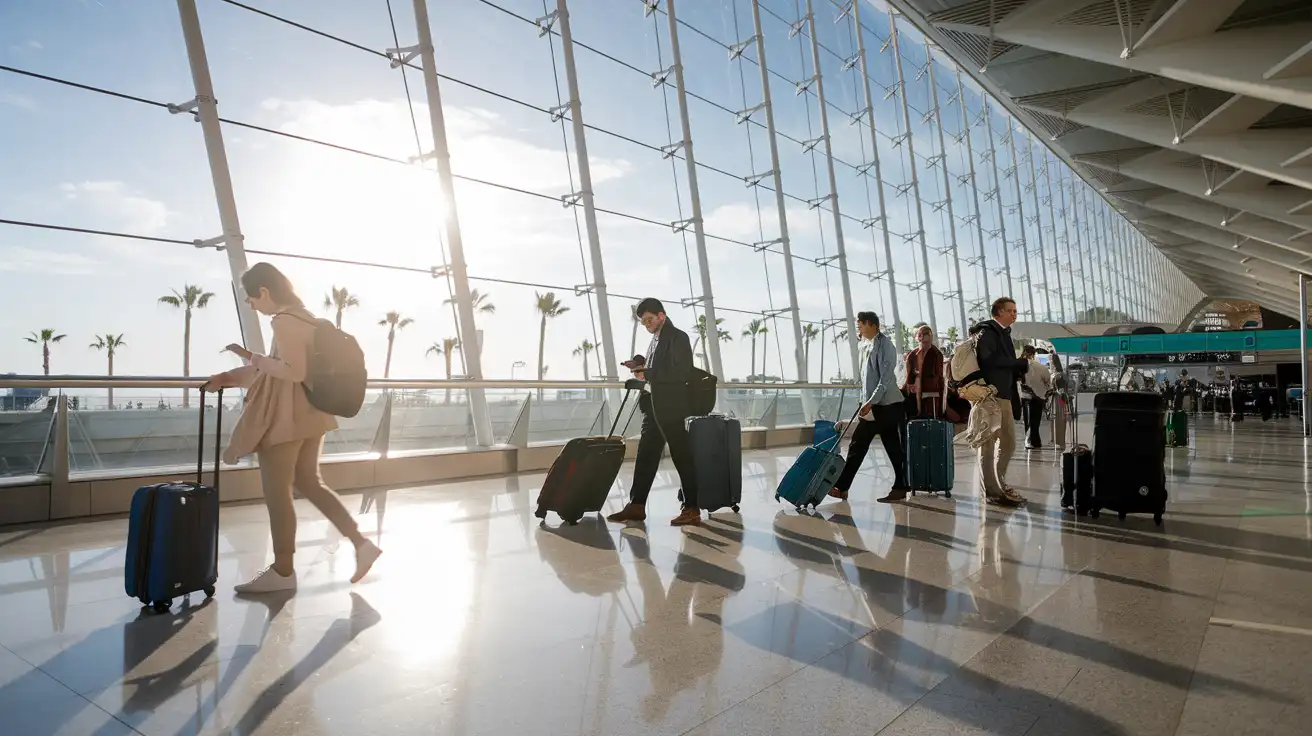
Compare WiFi Options at San Diego International Airport
 Recommended Recommended | Local SIM / Operator | Roaming | |
|---|---|---|---|
| FEATURES | |||
| Setup time | Few minutes | Store visit + paperwork | Auto |
| No local ID needed | Online checkout | Local ID required | Use home account |
| Speed | 4G/LTE; 5G in some areas | Carrier-grade | Partner-dependent |
| Travel support | English support 24/7 | Operator shops and call centre | Home carrier hours |
| Keep home number | Dual SIM | Replaces it | Same number |
| Cost predictability | Fixed price | Bills can spike | Bill-shock risk |
| PRICING | |||
Typical pricing | See plans below | — | — |
PRICING — PICK YOUR ESIMNO PLAN
Destination overview
Frequently Asked Questions
Featured eSIM plans
American Mobile

American Mobile
American Mobile
American Mobile
American Mobile
American Mobile