

Quick Facts
- Free Airport WiFi
- Available in terminal areas at LAX for light browsing, messaging, and travel checks
- Best Use for WiFi
- Baggage claim, quick downloads, checking hotel details, and basic messaging before leaving the terminal
- Best Use for Mobile Data
- Rideshare pickup, navigation across LA, ticket scanning, and moving between neighborhoods
- Typical Traveler Cost
- Airport WiFi: free; cafe or hotel backup WiFi: usually included with purchase or stay; eSIM data plans vary by allowance and trip length
- eSIMno Networks
- AT&T, T-Mobile
WiFi vs Mobile Data at LAX
LAX gives you a decent starting point with free airport WiFi, and for many travelers that's enough to get through arrival. If all you need is a message home, a quick hotel search, or a screenshot of your booking, use the free connection while you're still seated near baggage claim or waiting for your bags.
But Los Angeles changes the equation fast. The moment you step into pickup zones, shuttle areas, or bus connections, your phone starts doing heavier work: live maps, rideshare updates, mobile payments, event tickets, and restaurant searches. That's where mobile data usually feels smoother than hunting for the next free network.
A simple rule we use: WiFi is fine for stationary moments, data is better for moving moments. At LAX, there are a lot of moving moments.
How to Connect
- 1) At airport arrival: use LAX WiFi for setup, then switch before pickup
While you're still inside Los Angeles International Airport, connect to the airport WiFi to check baggage, message your hotel, or pull up your arrival details. If you're ordering a rideshare or heading to the FlyAway bus, switch to mobile data before you walk out. Pickup instructions around LAX can update quickly, and reconnecting to public WiFi once you're outside is rarely worth the hassle. - 2) On the way to Union Station or Downtown: rely on data, not stop-by-stop WiFi
If you're taking the FlyAway toward Union Station or continuing into Downtown Los Angeles for Grand Central Market, The Broad, or a hotel nearby, mobile data is the better call. You'll want live traffic, platform info, and the ability to message someone without waiting for the next hotspot. - 3) In busy visitor zones like Santa Monica Pier or Universal Studios Hollywood: keep data ready
These are the kinds of places where lots of people are online at once and public networks can feel crowded or inconsistent. If you're checking timed entry, mobile tickets, or ride wait times, data is usually faster and less annoying than reconnecting to guest WiFi every time you move. - 4) At hotel check-in near Hilton Los Angeles/Universal City or around the airport: use both strategically
Once you've checked in, hotel WiFi is great for larger downloads, video calls, and backups. Keep your eSIM active for the moments hotel WiFi doesn't cover well, like walking to dinner, calling a car, or heading out early to Griffith Observatory before the morning traffic builds.
Tips
- At LAX, finish any app logins before you leave the terminal. Security codes and verification prompts are much easier to handle while you're still on stable airport WiFi.
- If you're heading straight to a venue or attraction, download the ticket into your wallet app as well as keeping the email. LA entry lines move faster when your screen is ready offline.
- Battery drain can be sneaky after a flight because your phone starts searching hard for networks during transfers. If you're using maps from LAX to the westside or Downtown, low-power mode helps more than people expect.
A Simple Cost Breakdown
Here's the practical version. LAX airport WiFi is free, so use it for the easy stuff. Hotel WiFi is usually included with your stay, and coffee shops or casual stops may offer free access with a purchase. That sounds cheap, and sometimes it is.
The tradeoff is convenience. If you spend the day moving between LAX, Union Station, Santa Monica Pier, and somewhere like The Grove or Griffith Observatory, free WiFi stops being a full solution. You save money, but you lose time reconnecting, signing in, and waiting for pages to load when you need them now.
For many travelers, a short-stay eSIM is the cleaner middle ground: one setup, data ready from arrival, and no dependence on finding the next hotspot. If that sounds more your speed, explore eSIMno plans for Los Angeles International Airport before you fly.
Connected From Arrival
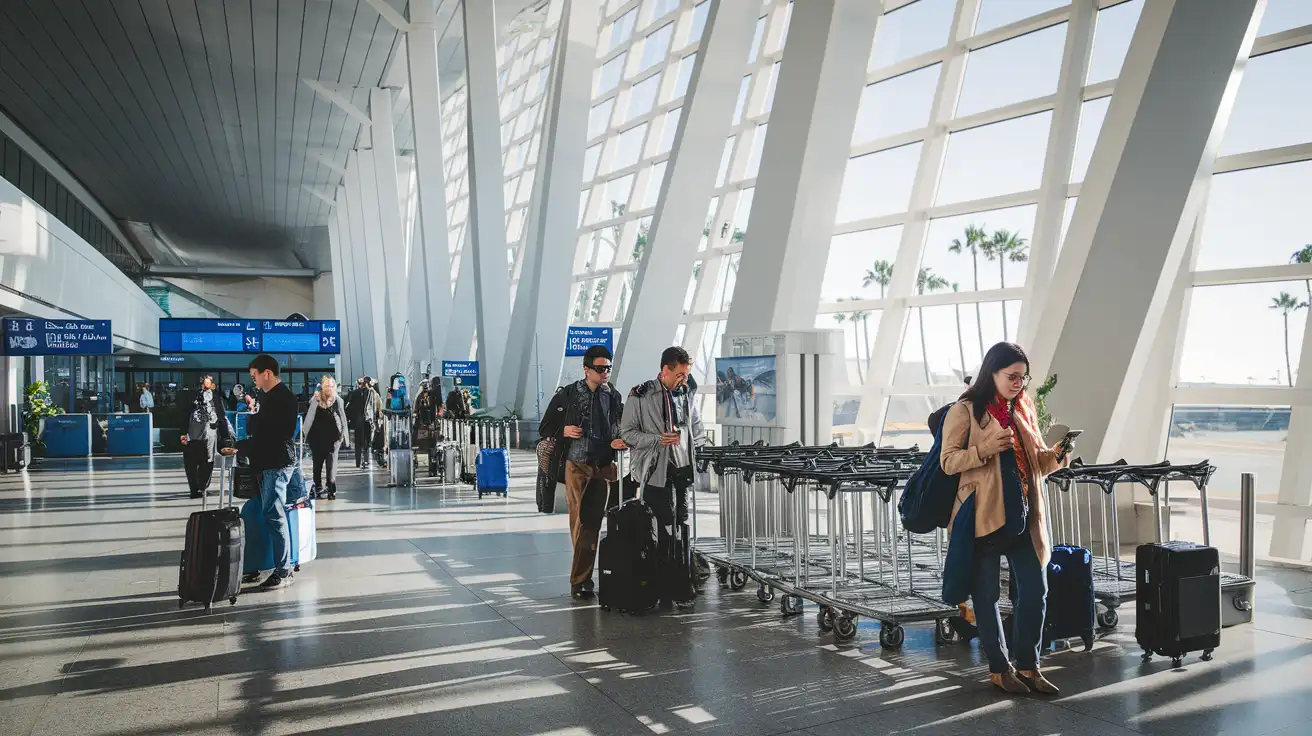
Compare WiFi Options at Los Angeles International Airport
 Recommended Recommended | Local SIM / Operator | Roaming | |
|---|---|---|---|
| FEATURES | |||
| Setup time | Few minutes | Store visit + paperwork | Auto |
| No local ID needed | Online checkout | Local ID required | Use home account |
| Speed | 4G/LTE; 5G in some areas | Carrier-grade | Partner-dependent |
| Travel support | English support 24/7 | Operator shops and call centre | Home carrier hours |
| Keep home number | Dual SIM | Replaces it | Same number |
| Cost predictability | Fixed price | Bills can spike | Bill-shock risk |
| PRICING | |||
Typical pricing | See plans below | — | — |
PRICING — PICK YOUR ESIMNO PLAN
Destination overview
Frequently Asked Questions
Featured eSIM plans
American Mobile

American Mobile
American Mobile
American Mobile
American Mobile
American Mobile