

Quick Facts
- Language
- Spanish (Español)
- Currency
- Mexican Peso (MXN, $)
- Time Zone
- Central Time (UTC-6, UTC-5 DST)
- Dialing Code
- +52
- Power Plug
- Type A, B (flat 2-pin, common across North America)
- Emergency
- 911 (general)
- eSIMno Networks
- Movistar
How to Get Your eSIM
- Pick your Mexico data plan
Choose from 1GB to 20GB options based on your trip length. A 3-5 day Zócalo visit with museum bookings, rideshare, and photo uploads runs comfortably on 5GB. - Install over home WiFi before departure
Scan the QR code from your confirmation email while still at home. The profile downloads in under a minute and sits dormant until you activate it. - Activate after landing at Mexico City International
Once your flight taxis to the gate at Mexico City International Airport, switch off airplane mode. Your eSIM connects to Movistar within seconds — no kiosk queue, no passport handover. - Navigate the Historic Center immediately
By the time you clear customs and step into the arrivals hall, Maps already shows the Metro Línea 1 transfer to Zócalo station (4 stops, 12 minutes) or the Uber pickup zone at Door 4. - Keep data working across all of Mexico
The same plan covers Teotihuacan pyramids, Coyoacán cafés, Xochimilco trajineras, and any extension to Oaxaca or the coast. One eSIM, nationwide reach.
Traveler Tips
- Arrive at the Zócalo before 8:30 AM to watch the military flag-raising ceremony — your phone captures the best video angles from the northwest corner near the cathedral steps.
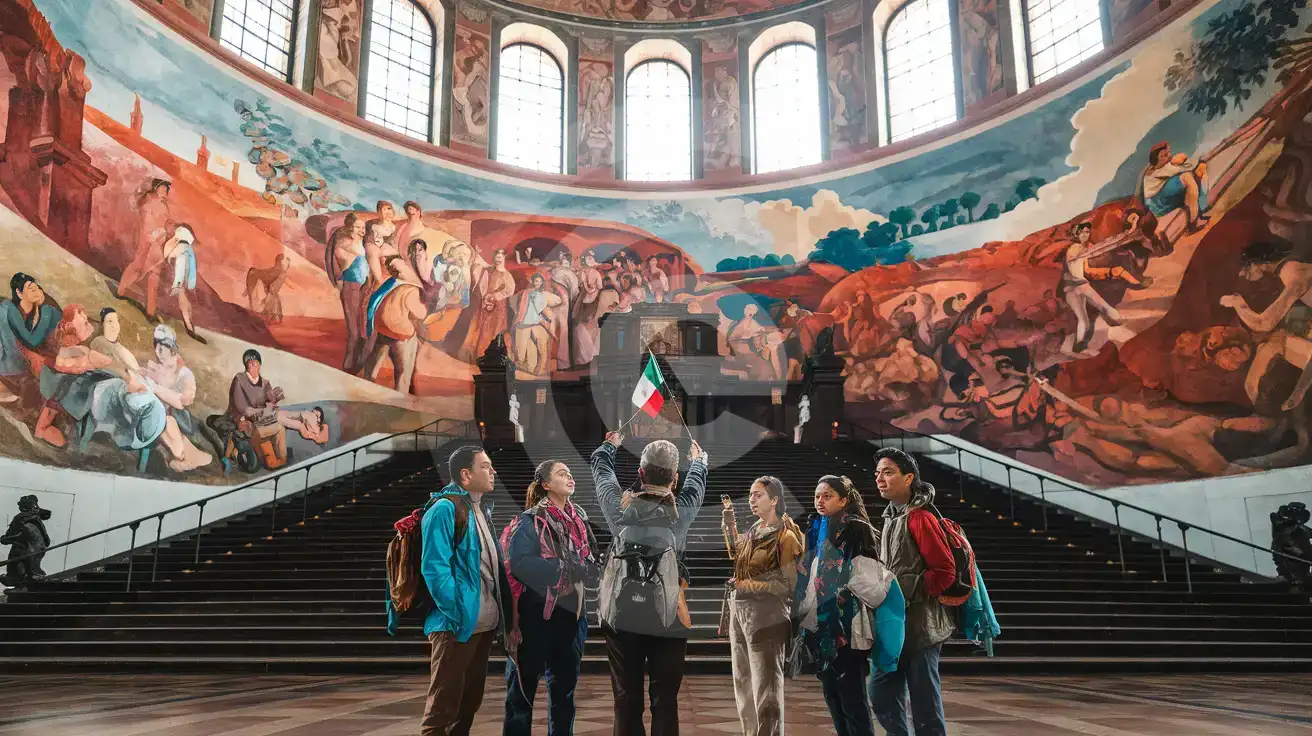
- The Palacio Nacional Diego Rivera murals require free timed-entry tickets booked online; your confirmation QR must load on-screen at the security checkpoint.
- Metro Línea 2 runs directly under the plaza — Zócalo station exits place you 50 meters from the cathedral facade, so save Maps for the above-ground navigation.
- Templo Mayor museum admission runs around 90 MXN and accepts cash or card; the ticket counter has no WiFi, so pull up your digital payment app before you queue.
- Dual-SIM setup keeps your home number active for incoming calls while eSIMno handles all data — use WhatsApp or FaceTime for outgoing calls to avoid roaming charges.
- Download offline maps for Centro Histórico before you leave your hotel; the stone arcades and underground metro transfers block signal briefly.
Why Data Matters at the Zócalo
The Zócalo puts five data-hungry tasks on your phone within the first hour. The Palacio Nacional security line checks your timed-entry QR before you reach the Diego Rivera murals — no WiFi at the checkpoint, no backup printer. The Templo Mayor museum ticket counter sits 200 meters northeast, and the admission confirmation needs to load on-screen before the attendant waves you through. Walking from the cathedral steps to the Gran Hotel rooftop terrace for sunset photos means crossing Calle Madero, where café WiFi drops the moment you step onto the cobblestones.
Transit decisions stack up fast. Metro Línea 2 runs directly under the plaza at Zócalo station, but the closest Metrobús stop (Línea 4) sits three blocks south at Museo de la Ciudad. Uber and DiDi pickups cluster along Calle 5 de Mayo near the Portal de Mercaderes arcade — surge pricing spikes after 6 PM on weekends, and checking the app before you commit saves 30-50 MXN per ride. Google Maps live traffic shows whether the Eje Central route or the Paseo de la Reforma corridor moves faster toward Chapultepec.
Group coordination across the 240-meter plaza relies on WhatsApp location pins. The cathedral steps, the flagpole, and the Templo Mayor entrance gate each sit far enough apart that voice descriptions fail — your group chat needs to show the pin in real time. Translation apps help at the Mercado de la Merced food stalls 800 meters east, where vendors speak rapid Chilango Spanish and menus list regional dishes by local names. eSIMno plans for Zócalo, Mexico City, Mexico keep all of this working on Movistar's network from the moment you land.
Visiting the Zócalo
The plaza itself stays open 24 hours with no admission fee. Surrounding monuments run their own schedules: the Metropolitan Cathedral opens daily from around 8 AM to 8 PM (restricted during Mass); Templo Mayor museum operates Tuesday through Sunday, roughly 9 AM to 5 PM, closed Mondays; Palacio Nacional opens Tuesday through Sunday, 10 AM to 5 PM, and requires a government-issued ID at the entrance — bring your passport.
Dress modestly for cathedral entry (covered shoulders, no very short shorts). Photography is permitted inside the cathedral without flash and inside Palacio Nacional's Rivera mural corridors. Templo Mayor allows non-flash photography; tripods need a permit. The Zócalo hosts rotating installations — Day of the Dead altars in late October, Independence decorations in September, a Christmas ice rink in December — so check the Mexico City tourism calendar before your visit to time your arrival.
Exploring the Zócalo
Compare eSIM Options at Zócalo
eSIMno | Local SIM / Operator | Roaming | |
|---|---|---|---|
| FEATURES | |||
| Setup time | Few minutes | Does not work until registration is complete | Auto |
| No local ID needed | Online checkout | Passport plus a live face check | Use home account |
| Speed | 4G/LTE on Telcel and AT&T | One network only | Partner-dependent |
| Travel support | English support 24/7 | Spanish-language service | Home carrier hours |
| Keep home number | Dual SIM | Replaces it | Same number |
| Cost predictability | Fixed price | Prepaid, no bill shock | Bill-shock risk |