

Quick Facts
- Language
- English
- Currency
- US Dollar (USD, $)
- Time Zone
- Pacific Time (UTC-8 / UTC-7 DST)
- Dialing Code
- +1
- Power Plug
- Type A, B (flat 2-pin, common across North America)
- Emergency
- 911 (police, fire, ambulance)
- eSIMno Networks
- AT&T, Verizon Wireless
How to Get Your eSIM
- Choose Your USA Plan Before The Trip
Pick your eSIM before you fly so you do not waste arrival time looking for a SIM shop in Los Angeles. A USA-wide plan fits a Watts Towers stop, the rest of LA, and any later legs to other cities in the country. - Install Over WiFi At Home Or At Your Hotel
Set up the eSIM profile while you still have stable WiFi and a few spare minutes. That way, once you are heading toward Watts Towers, your phone only needs a quick switch instead of a full install on the go. - Activate After Landing
Turn the eSIM on after landing in Los Angeles, once the aircraft has reached the gate and you can switch off airplane mode. Your phone connects right away for maps, arrival messages, and the trip south toward Watts. - Use Data For The Last-Mile Journey
From LAX or central LA, you will want live directions for Metro connections, Uber or Lyft pickup, and traffic-aware routing through South Los Angeles. Data matters most on that final stretch, not just at the airport. - Keep Your Home SIM For Voice, Use eSIMno For Data
Your home SIM can stay active for incoming calls with no extra setup needed. Use your eSIMno data for Google Maps, WhatsApp, FaceTime, Telegram, browsing, and internet calls, and avoid making native voice calls through your home SIM while abroad.
Traveler Tips
- Arrive with your route saved to Watts Towers and the Watts Towers Arts Center area already pinned in Google Maps; the final 10-20 minutes of the trip can change fast with live traffic or a Metro transfer.
- If you are visiting from downtown Los Angeles, check the A Line timing before you leave; live transit data helps more than a static screenshot when headways shift during the day.
- Carry your phone charged above 50% before you head into South LA so you can cover navigation, rideshare booking, and return-trip planning without hunting for a charging stop.
- Watts Towers visits are easier earlier in the day when you can photograph the site, confirm opening details, and plan your next stop before afternoon traffic builds on the roads around South Los Angeles.
- Keep your home SIM active for incoming calls, but use data apps for outgoing contact; WhatsApp and FaceTime over your eSIM are the safer option than placing native roaming calls.
- If Watts Towers is one stop on a bigger LA day, line up your next destination in advance such as Griffith Observatory, the Arts District, or Santa Monica so one eSIM purchase covers the full day without reconnecting on new WiFi networks.
Why Data Matters at Watts Towers
Watts Towers is a targeted stop, not a full-day campus where you can drift around offline and sort things out later. You are heading into South Los Angeles for a specific visit, which means your phone does real work before you even arrive. From LAX, downtown, or a hotel near Hollywood, you will likely check Google Maps for the fastest route, compare Uber and Lyft pickup times, and message anyone meeting you there. If you use Metro, the A Line and nearby bus connections matter more with live timings than with a screenshot taken an hour earlier. That is exactly where eSIMno plans for Watts Towers, Los Angeles, California, United States earn their keep: your data is already live when you need to make the next move, not after you find a backup connection.
Once you are on site, the data use case shifts but it does not disappear. You may pull up the Watts Towers confirmation email, check current visitor information, translate a page for a travel companion, upload photos, or book the next leg toward The Broad, Downtown LA, or Long Beach. If your day continues to Griffith Observatory or another part of Los Angeles, live traffic and route changes become even more important because LA planning works in real time, not on a paper itinerary. A USA eSIM also keeps working after Watts Towers, so the same plan covers hotel check-in, museum reservations, domestic flight updates, and messaging across the rest of your trip without swapping cards or buying another local SIM.
Visiting Watts Towers
Watts Towers is best treated as a planned stop rather than a spontaneous detour. Check the current opening day and entry flow before you set out, because site access and guided-visit timing can change across the year. Pulling that information up on the move is easier with your own data than with a venue search done hours earlier on hotel WiFi.
The site sits in the Watts neighborhood of South Los Angeles, far from the tourist clusters around Hollywood or Santa Monica, so transit and rideshare logistics matter. If you are using public transport, confirm the nearest working connection before departure and again as you get closer. If you are taking Uber or Lyft back out, having mobile data helps you compare wait times and avoid standing outside longer than needed after your visit.
Visits are compact, so a small disruption can eat a large share of the stop. Having data ready means you can pivot fast: reorder the day, head to a nearby lunch spot, or continue straight to another LA landmark without going back online from scratch. That is the practical difference between arriving connected and trying to piece the day together at the curb.
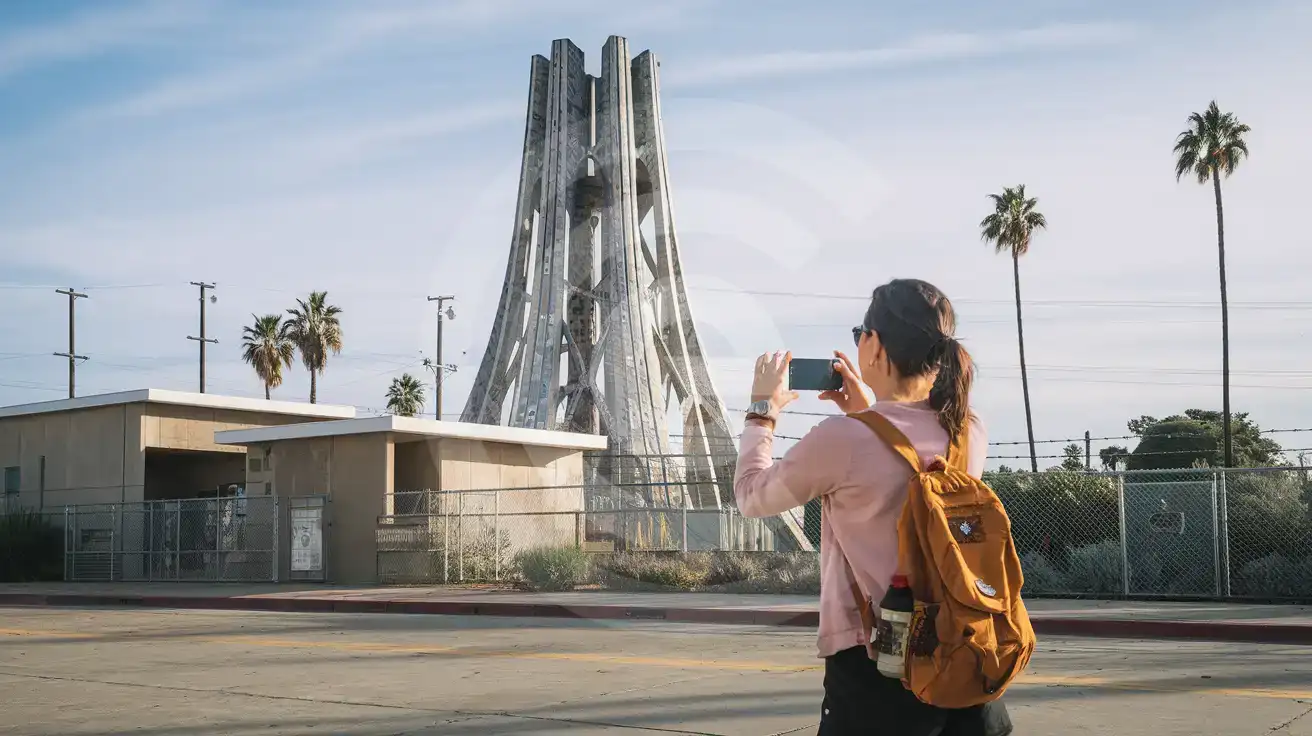
Watts Towers Arrival Moment
Compare eSIM Options at Watts Towers
eSIMno | Local SIM / Operator | Roaming | |
|---|---|---|---|
| FEATURES | |||
| Setup time | Few minutes | Store kit, needs activation | Auto |
| No local ID needed | Online checkout | No SSN; passport at carrier stores | Use home account |
| Speed | 4G/LTE on AT&T, T-Mobile and Verizon; 5G in some areas | One carrier only | Partner-dependent |
| Travel support | English support 24/7 | English-language service | Home carrier hours |
| Keep home number | Dual SIM | Replaces it | Same number |
| Cost predictability | Fixed price | Advertised price needs Auto Pay | Bill-shock risk |