

Quick Facts
- Time Zone
- Eastern Time (UTC-5 / UTC-4 DST)
- Dialing Code
- +1
- Currency
- US Dollar (USD, $)
- Power Plug
- Type A, B (flat 2-pin, common across North America)
- Language
- English
- Emergency
- 911 (police, fire, ambulance)
- eSIMno Networks
- AT&T, Verizon Wireless
How to Get Your eSIM
- Pick Your USA Data Plan
Select the data allowance that matches your Wall Street schedule — light plans for quick meetings, larger packages for extended stays with heavy app usage and real-time market feeds. - Install Before Your Flight
Add the eSIM profile to your phone over home WiFi. The QR code email arrives within minutes of purchase — scan it from Settings while still at your departure gate. - Keep Your Home SIM Active
Dual-SIM lets your home number receive calls while eSIMno handles all data. Incoming calls reach you normally; outgoing calls go through WhatsApp, FaceTime, or Google Meet over your eSIM data. - Activate After Landing at JFK or Newark
Switch off airplane mode once your aircraft reaches the gate. Your phone connects to AT&T or Verizon within seconds — transit directions to Fulton Center load before you clear the jet bridge. - Navigate Wall Street Immediately
Walk out of Fulton Street station with Google Maps open, trading apps syncing, and your afternoon rideshare already booked. Data works from the first step onto Broadway.
Traveler Tips
- The 2/3 trains at Wall Street station and 4/5 at Fulton Street put you within a 3-minute walk of the Stock Exchange — check real-time MTA arrival boards on your phone instead of waiting on platform screens.
- Weekday mornings between 7:30 AM and 9:00 AM see the heaviest foot traffic on Broad Street and Nassau Street — rideshare pickups coordinate faster via app from side streets like Pine or Cedar.
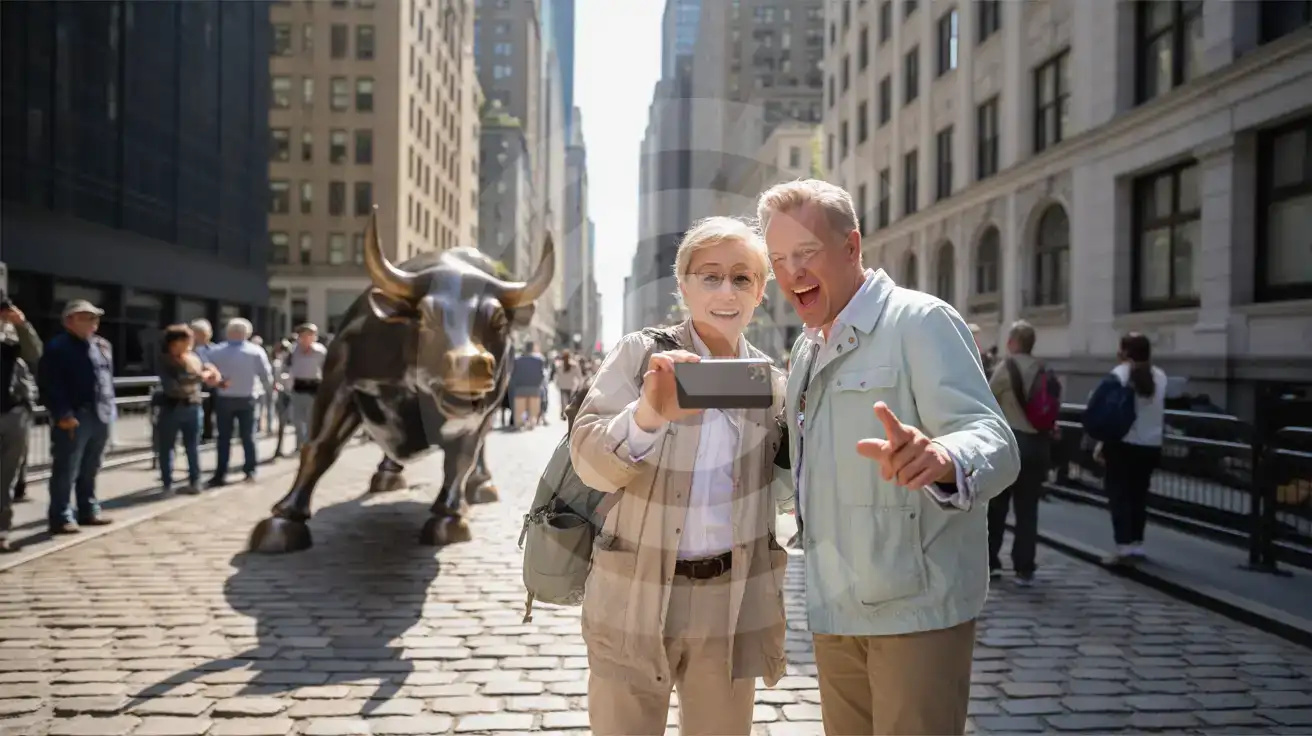
- Federal Hall and the Charging Bull sculpture sit 200 meters apart — use your phone's camera queue to time photos when tour groups rotate through every 8-10 minutes.
- The One World Observatory at the nearby World Trade Center requires timed-entry tickets — book via the official app the night before and have the QR code ready to scan at entry.
- Keep your home SIM active for incoming calls but place all outgoing calls through WhatsApp or FaceTime over your eSIM data to avoid roaming charges from your home carrier.
Why Data Matters at Wall Street
Wall Street packs more per-square-meter connectivity demand than almost anywhere in Manhattan. Between the New York Stock Exchange on Broad Street, Federal Reserve Bank on Liberty Street, and the cluster of bank headquarters along Water Street, you're moving through a district where real-time information defines the day.
Transit and Navigation
The Financial District sits at the southern tip of Manhattan where colonial-era street grids meet modern subway infrastructure. Fulton Center connects the A/C, J/Z, 2/3, and 4/5 trains in a single underground complex — Google Maps or Citymapper with live MTA data shows which platform to hit when connections are tight. The PATH train at World Trade Center runs to Newark and Jersey City; the Staten Island Ferry terminal at Whitehall sits 6 minutes on foot from the Charging Bull. Each transit decision loads faster on cellular than on the congested Fulton Center WiFi network.
Business and Market Apps
Trading apps, Bloomberg terminals, Slack channels, and real-time portfolio alerts demand stable data between meetings. Walking from a client office at 120 Broadway to a lunch spot on Stone Street takes 4 minutes — that's enough time for three market-moving headlines to land if your phone isn't connected. eSIMno plans for Wall Street, New York City, New York, United States keep your data active across every block of the district without hunting for lobby WiFi passwords.
After the Closing Bell
Post-market hours shift the district's rhythm toward Stone Street's outdoor bars and the Seaport District's waterfront restaurants. Resy and OpenTable reservations confirm via app; Uber and Lyft pickups coordinate from the narrow one-way streets where GPS accuracy matters. Your eSIM handles the 5 PM surge when every phone in Lower Manhattan reaches for the same cell towers.
Visiting Wall Street
The Financial District operates on weekday business hours — the Stock Exchange trading floor isn't open to public tours, but the facade and Broad Street pedestrian zone are accessible around the clock. Federal Hall (26 Wall Street) opens as a free museum Tuesday through Saturday, 9 AM to 5 PM, with security screening at the entrance. The Charging Bull on Broadway near Bowling Green draws crowds from early morning until after sunset; the Fearless Girl statue now stands at the Stock Exchange entrance.
From JFK, the AirTrain to Jamaica Station plus the E train to World Trade Center takes around 70 minutes and costs under $12 combined. From Newark, the AirTrain to Newark Penn plus PATH to World Trade Center runs about 45 minutes. Taxis and rideshares from JFK quote $60-$80 flat rate to Manhattan; expect 45-90 minutes depending on traffic through the Queens-Midtown or Brooklyn-Battery tunnels.
Dress code is business casual for most building lobbies — security desks may ask destination before allowing elevator access to upper floors. Street-level photography is unrestricted; tripods on the Stock Exchange steps occasionally draw security attention. Restrooms are scarce on the street — Brookfield Place (230 Vesey Street, 8 minutes north) has public facilities and a food hall.
The Charging Bull at Bowling Green
Compare eSIM Options at Wall Street
eSIMno | Local SIM / Operator | Roaming | |
|---|---|---|---|
| FEATURES | |||
| Setup time | Few minutes | Store kit, needs activation | Auto |
| No local ID needed | Online checkout | No SSN; passport at carrier stores | Use home account |
| Speed | 4G/LTE on AT&T, T-Mobile and Verizon; 5G in some areas | One carrier only | Partner-dependent |
| Travel support | English support 24/7 | English-language service | Home carrier hours |
| Keep home number | Dual SIM | Replaces it | Same number |
| Cost predictability | Fixed price | Advertised price needs Auto Pay | Bill-shock risk |