

Quick Facts
- Language
- Spanish (Español)
- Currency
- Mexican Peso (MXN, $)
- Time Zone
- Central Standard Time (UTC-6)
- Dialing Code
- +52
- Power Plug
- Type A, B (flat 2-pin, common across North America)
- Emergency
- 911 (general)
- eSIMno Networks
- Movistar
How to Get Your eSIM
- Pick Your Mexico Plan Before The Trip
Buy your eSIM before flying into Mexico City so you are not comparing SIM options after a long arrival at Benito Juárez airport. If Templo Mayor Museum is on your first-day list, having data ready saves time from the airport ride onward. - Install It Over Stable WiFi At Home
Complete the installation before departure while you still have reliable WiFi and time to read the setup steps carefully. That keeps your arrival day focused on getting into Centro Histórico, not troubleshooting in a taxi or hotel lobby. - Activate After Landing In Mexico
Turn the eSIM on after landing, once phone use is allowed and you are ready to connect on the ground. By the time you leave the airport or open your route into the historic center, your Mexico data is already live. - Use It For The Templo Mayor Arrival Flow
On the way to the museum, use data for Google Maps, rideshare pickup, WhatsApp messages, and your Templo Mayor Museum ticket email or confirmation page. That matters around the Zócalo, where short walking routes can still involve detours, crowds, and security barriers. - Keep It Running For The Rest Of Mexico
Your plan is not limited to the museum area. After Templo Mayor Museum, the same eSIM keeps working for Metro directions, restaurant bookings, airport transfers, and any onward travel across Mexico.
Traveler Tips
- Arrive close to opening if Templo Mayor Museum is part of a Zócalo morning, because the area fills quickly after 10:00 and live map routing helps you dodge street closures around the cathedral side.
- Keep your museum ticket confirmation and ID email easy to reach before you enter the Templo Mayor complex, since pulling it up on mobile data is faster than hunting for a café connection in Centro Histórico.
- If your home SIM stays active for voice, incoming calls still reach your regular number with no extra setup needed; use WhatsApp or FaceTime over data for outgoing calls so you do not trigger roaming charges on your home line.
- The walk from Templo Mayor Museum to Bellas Artes is about 20 to 25 minutes through the historic center, so live navigation on your phone is useful if you are chaining multiple stops in one afternoon.
- Metro riders heading away from the Zócalo should check Line 2 service and station entrances before they descend, because the nearest access points around Centro Histórico can shift with crowd control and civic events.
- Download your airline, hotel, and booking emails before your museum day, then let the eSIM handle everything dynamic: route changes, translation, ride-booking, and group chat updates while you are on foot.
Why Data Matters at Templo Mayor Museum
Templo Mayor Museum is one of those places where your phone is part of the visit from the first minute. You are in the middle of Centro Histórico, steps from Metropolitan Cathedral of Mexico City, the Zócalo, and busy pedestrian routes where plans change block by block. Mobile data lets you pull up the Templo Mayor Museum confirmation email, check opening details, message your travel partner on WhatsApp, and reroute with Google Maps if a street around the square is restricted for an event or security setup. That is a very different use case from sitting in a hotel on stable WiFi; here, movement is constant and every decision happens in real time.
The value continues after you leave the gate. A museum stop here often rolls straight into a walk toward Palacio Nacional, lunch in the historic core, or a Metro transfer toward Alameda or Reforma. With data on your phone, you can compare a walking route against a rideshare pickup, open Uber or DiDi without delay, translate menu items, and keep your group chat alive while everyone drifts between stops. If you are heading back toward your hotel before evening traffic tightens, live navigation matters more than static screenshots.
This is also where buying before the trip beats fixing connectivity on the day. If you land in Mexico City in the morning and visit Templo Mayor Museum that same afternoon, you do not want your first hour in the center spent hunting for a SIM shop. eSIMno plans for Templo Mayor Museum, Mexico City, Mexico let you install in advance, activate after landing, and arrive ready for the actual tasks that matter on-site: maps, booking lookups, ride apps, translation, messaging, cloud photos, and all the small checks that keep a packed Mexico City day running smoothly.
Visiting Templo Mayor Museum
Templo Mayor Museum and the adjacent archaeological zone are a compact stop on the map, but the visit works better when you treat it as part of a broader Centro Histórico day. The site sits just east of the main square, and the easiest approach is on foot once you are already in the Zócalo area. If you are arriving straight from another neighborhood, leave extra time for street-level congestion in the historic core, especially from late morning into the afternoon.
Check the official museum page shortly before your visit for current opening days, last-entry timing, and ticket policy, because museum schedules and admission rules can change. Screenshots help, but live access is better if you need to confirm a same-day detail at the entrance. Photography rules can also vary by exhibition area, so having data ready for the current visitor information page is useful.
Inside the wider district, mobile service matters because the next move comes fast: finding lunch, locating the nearest Metro entrance, booking a car when your feet give out, or checking traffic before returning to your hotel. Templo Mayor is not an isolated ruin outside the city; it is embedded in one of the busiest visitor zones in Mexico, where connected planning saves real time.
Inside The Templo Mayor Visit
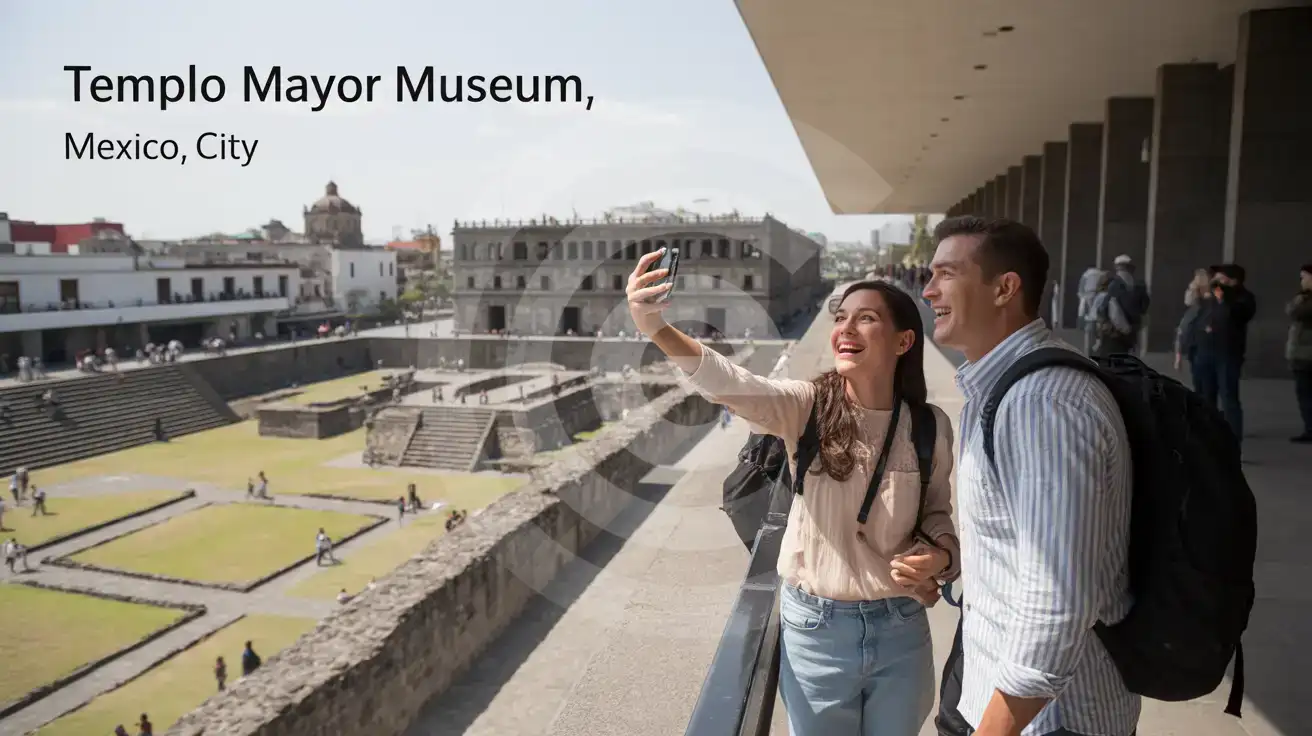
Compare eSIM Options at Templo Mayor Museum
eSIMno | Local SIM / Operator | Roaming | |
|---|---|---|---|
| FEATURES | |||
| Setup time | Few minutes | Does not work until registration is complete | Auto |
| No local ID needed | Online checkout | Passport plus a live face check | Use home account |
| Speed | 4G/LTE on Telcel and AT&T | One network only | Partner-dependent |
| Travel support | English support 24/7 | Spanish-language service | Home carrier hours |
| Keep home number | Dual SIM | Replaces it | Same number |
| Cost predictability | Fixed price | Prepaid, no bill shock | Bill-shock risk |