

Quick Facts
- Time Zone
- Pacific Time (UTC-8 / UTC-7 DST)
- Dialing Code
- +1
- Currency
- US Dollar (USD, $)
- Power Plug
- Type A, B (flat 2-pin, common across North America)
- Language
- English
- Emergency
- 911 (police, fire, ambulance)
- eSIMno Networks
- AT&T, Verizon Wireless
How to Get Your eSIM
- Pick your USA data plan
Choose a plan size that matches your trip length — a weekend visit to the Space Needle needs less than a two-week Pacific Northwest road trip. Select before you leave home. - Install over WiFi before departure
Scan the QR code eSIMno emails you while you're still on your home network. The profile installs in under 2 minutes; no physical card, no kiosk queue at Sea-Tac. - Keep your home SIM active for calls
Your phone's dual-SIM mode lets the eSIM handle data while your home number stays reachable for incoming calls. No forwarding setup needed — both lines run simultaneously. - Activate after landing at Sea-Tac
Switch off airplane mode once you taxi to the gate. Your eSIM connects to AT&T or Verizon towers before you reach baggage claim — directions to the Link Light Rail load instantly. - Head to the Space Needle with data ready
By the time you're walking from the Seattle Center Monorail to the tower base, your timed-entry QR is already pulled up and your sunset photo uploads are queued.
Traveler Tips
- Book your timed-entry slot 2-3 days ahead during summer weekends — the sunset window (7-9 PM July/August) sells out first, and your confirmation email needs data to load at the gate.
- The Loupe rotating glass floor completes a 360-degree turn in 45 minutes — plan your visit length around that rotation if you want the full perspective.
- Download offline maps for Seattle Center before you ride the elevator up; signal can dip briefly in the enclosed shaft, and you'll want directions ready the moment you step out.
- Use OneBusAway or Google Maps with live traffic for transit back to downtown — the Route 8 bus and the Seattle Center Monorail both depart within a 5-minute walk of the tower base.
- Keep your home SIM on for incoming calls; outgoing calls work best over WhatsApp or FaceTime using your eSIM data to avoid roaming charges on your home line.
Why Data Matters at the Space Needle
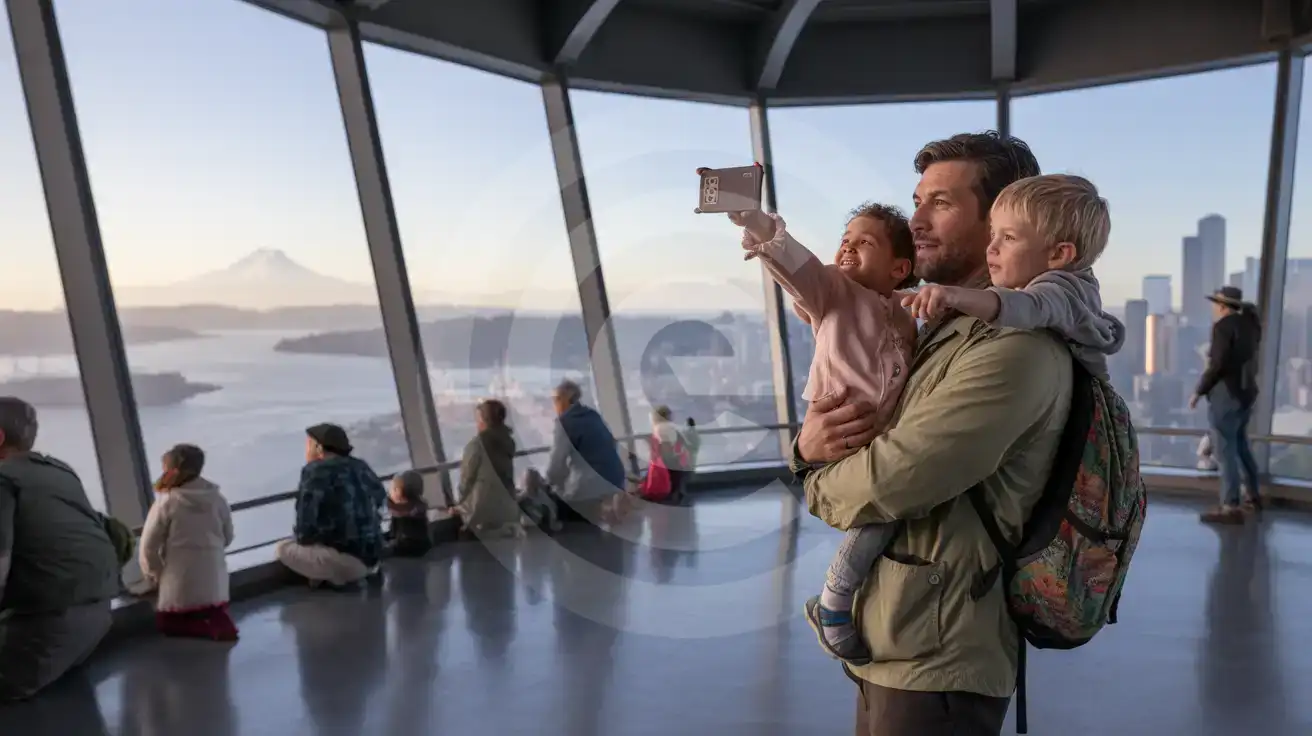
The Space Needle observation deck sits at 520 feet with floor-to-ceiling glass and open-air sections that invite photos, videos, and immediate sharing. Your timed-entry confirmation arrives as a QR code — pull it up at the gate scanner, and you're past the queue in seconds. Without data, you're hunting for WiFi credentials while the line behind you grows.
Once you're up top, the data tasks multiply. Google Maps identifies Mount Rainier, the Olympic range, and Elliott Bay from the railing vantage. Instagram uploads of The Loupe glass floor demand bandwidth that the observation deck's shared WiFi rarely delivers during peak hours. Group chats with the friends meeting you at Pike Place Market need real-time message sync, not delayed delivery after you descend.
The return trip needs data just as much. The Seattle Center Monorail runs every 10 minutes to Westlake Center; OneBusAway tracks the Route 3 and Route 4 buses toward Capitol Hill. Lyft and Uber surge pricing spikes after sunset — checking both apps before you commit saves $8-12 on a short ride to Belltown or South Lake Union. eSIMno plans for Space Needle, Seattle, Washington, United States keep everything running from the elevator lobby to your dinner reservation confirmation at a Queen Anne restaurant.
Visiting the Space Needle
The tower opens daily from around 9:00 AM, with last entry roughly one hour before closing — summer hours extend to 10:00 or 11:00 PM, winter hours pull back to 9:00 PM. Timed-entry slots book online; standard adult tickets run approximately $35-$45, with youth and senior discounts available. The Day & Night ticket allows two visits within 24 hours for both daylight panoramas and city-light views.
Getting There
From Sea-Tac Airport, the Link Light Rail 1 Line reaches Westlake Station in 38 minutes; transfer to the Seattle Center Monorail for a 2-minute ride directly to the tower campus. King County Metro Routes 1, 2, 8, and 13 stop within a 3-minute walk. From Downtown Seattle, the walk north along the waterfront takes 20-25 minutes with a moderate uphill finish on Broad Street.
What to Expect
The Observation Deck (Level 520) offers 360-degree views with inward-leaning glass Skyrisers. One level below, The Loupe glass floor rotates slowly — a 45-minute full turn. The Atmos Wine Lounge serves Pacific Northwest wines if you want to slow down mid-visit. Personal photography is allowed; tripods and selfie sticks are restricted without prior arrangement.
Capturing the View
Compare eSIM Options at Space Needle
eSIMno | Local SIM / Operator | Roaming | |
|---|---|---|---|
| FEATURES | |||
| Setup time | Few minutes | Store kit, needs activation | Auto |
| No local ID needed | Online checkout | No SSN; passport at carrier stores | Use home account |
| Speed | 4G/LTE on AT&T, T-Mobile and Verizon; 5G in some areas | One carrier only | Partner-dependent |
| Travel support | English support 24/7 | English-language service | Home carrier hours |
| Keep home number | Dual SIM | Replaces it | Same number |
| Cost predictability | Fixed price | Advertised price needs Auto Pay | Bill-shock risk |