

Quick Facts
- Language
- English
- Currency
- US Dollar (USD, $)
- Time Zone
- Central Time (UTC-6)
- Dialing Code
- +1
- Power Plug
- Type A, B (flat 2-pin, common across North America)
- Emergency
- 911 (police, fire, ambulance)
- eSIMno Networks
- AT&T, Verizon Wireless
How to Get Your eSIM
- Pick Your USA Plan Before The Trip
Choose the data amount you want for Chicago and the rest of your United States route. If Skydeck Chicago is one stop on a wider trip, buy once for the full country instead of hunting for a local SIM after arrival. - Install It On WiFi At Home
Set up the eSIM before you fly so the QR install is already done before you reach downtown Chicago. That keeps your arrival day simple when you are juggling airport transfer, hotel check-in, and a Skydeck Chicago booking window. - Activate After You Land
Turn the eSIM on after landing, once your plane reaches the gate and phone use is allowed. That is the right moment for your data to start working for train directions, rideshare pickup, and ticket access on the way to the Loop. - Use It On The Way To The Loop
From O'Hare, you may use the Blue Line into downtown; from Midway, the Orange Line heads toward the Loop. Having data live on that ride helps with Google Maps, CTA updates, and any QR or confirmation email you need before entering Skydeck Chicago. - Keep Your Home SIM For Voice
eSIMno is data-only, so your home SIM stays active for incoming calls with no extra setup needed. For outgoing calls, use WhatsApp, FaceTime, Telegram, or another internet-based app over your eSIM data and avoid placing native roaming calls abroad.
Traveler Tips
- Book an earlier Skydeck Chicago slot if you want a smoother entry flow; the line pattern shifts fast from late afternoon into sunset, and your confirmation email should be saved on your phone before you join security.
- The nearest CTA anchor for many visitors is Quincy station, about a 5-minute walk away, so live directions matter if you are arriving by the Brown, Orange, Pink, or Purple Line and stepping out into the Loop grid for the first time.
- If you are taking photos from the 103rd floor and then heading straight to dinner, order your rideshare only after you are back at street level near Adams Street or Jackson Boulevard, where pickup points are easier to spot on the app.
- Keep your home SIM active for incoming calls and use your eSIM data for iMessage, WhatsApp, FaceTime, and maps around Skydeck Chicago; that protects your main number without using expensive roaming voice.
- A short Skydeck Chicago visit does not need huge data, but the day around it can: CTA updates, OpenTable bookings, cloud photo uploads, and navigation between the Loop, River North, and Millennium Park add up quickly.
Why Data Matters at Skydeck Chicago
Skydeck Chicago is a simple visit on paper: show up, go through security, ride up, enjoy the view. In practice, travelers do a lot on their phones before and after those few minutes on the 103rd floor. You may be pulling up a timed-entry confirmation, checking the weather before your photos on The Ledge, messaging the person meeting you afterward, or rerouting from your hotel because traffic changed on I-90 or the Eisenhower Expressway. That is why having your own data matters more than waiting to find a stable WiFi login somewhere nearby.
The location also makes live data useful the entire time you are moving around it. Skydeck Chicago sits in the Loop, a part of downtown where plans shift block by block. You might come in from O'Hare International Airport on the Blue Line, from Midway on the Orange Line, or on foot from Millennium Park after a park stop. Google Maps, the Ventra app, Uber, Lyft, OpenTable, and your email ticket inbox all compete for quick access within the same hour. If one detail changes, like a delayed train, a moved dinner reservation, or a sudden rain shower over the river, mobile data lets you adjust instantly instead of backtracking to a hotel lobby.
That same connection keeps paying off after you leave the tower. You can upload skyline photos, buy museum tickets for the afternoon, navigate toward the Chicago Riverwalk, or head to a game at Wrigley Field without changing plans or buying another SIM. eSIMno plans for Skydeck Chicago, Chicago, Illinois, United States make sense because they solve the visit in front of you and keep working through the rest of your USA itinerary.
Visiting Skydeck Chicago
Skydeck Chicago operates with timed entry, so it helps to have your booking ready before you reach the entrance. Standard admission and fast-entry options are both sold, with prices that can vary by date and demand, so checking the official ticket page before the day of your visit is the safest move. Security screening is part of the entry flow, which means bags move slower than a simple ticket scan. Having your reservation confirmation, photo ID if needed, and payment method already accessible on your phone keeps the line moving.
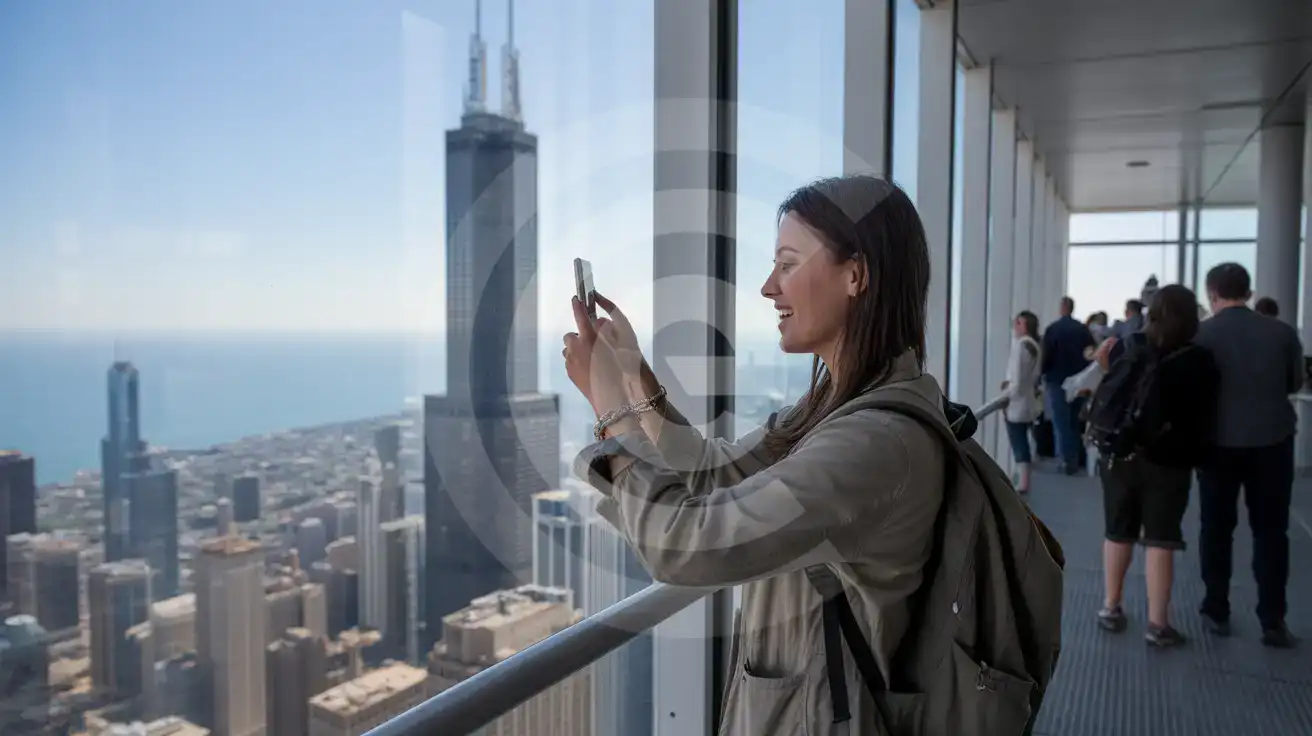
For the visit itself, plan around the photo window you want. Daytime gives cleaner visibility over Lake Michigan and the street grid; sunset draws heavier demand because travelers want both daylight and city lights in one slot. Photography is a big part of the experience, so phone battery matters more than people expect, especially if you came straight from the airport or a full day downtown. If you use cloud backup, social apps, and video clips on the observation level, a working data plan helps you manage uploads and messaging after you come back down without waiting to reconnect elsewhere.
Inside The Skydeck Experience
Compare eSIM Options at Skydeck Chicago
eSIMno | Local SIM / Operator | Roaming | |
|---|---|---|---|
| FEATURES | |||
| Setup time | Few minutes | Store kit, needs activation | Auto |
| No local ID needed | Online checkout | No SSN; passport at carrier stores | Use home account |
| Speed | 4G/LTE on AT&T, T-Mobile and Verizon; 5G in some areas | One carrier only | Partner-dependent |
| Travel support | English support 24/7 | English-language service | Home carrier hours |
| Keep home number | Dual SIM | Replaces it | Same number |
| Cost predictability | Fixed price | Advertised price needs Auto Pay | Bill-shock risk |