

Quick Facts
- Language
- Valencian (Español)
- Currency
- Euro (EUR, €)
- Time Zone
- Central European Time (UTC+1)
- Dialing Code
- +34
- Power Plug
- Type C, E, F (round 2-pin, common across most of Europe)
- Emergency
- 112
- eSIMno Networks
- Movistar, Orange
How to Get Your eSIM
- Choose Your Spain Plan Before The Cruise
Buy your Spain eSIM before embarkation so you are not trying to sort data from the harbor in San Sebastián. This port uses tender boats, so your arrival window moves fast once the ship starts bringing passengers ashore. - Install It While You Still Have Stable WiFi
Set up the eSIM QR on home, hotel, or ship WiFi before arrival day. Keep the line installed and ready, then leave it off until you have landed in Spain and are ready to use mobile data. - Switch It On After You Land
Activate after landing in Spain and after you are cleared to use your phone. If San Sebastián is your cruise call rather than your first stop, switch the eSIM on before the tender ride so data is live when you reach the harbor. - Use Data Right At The Tender Landing
As you step off near the harbor and Real Club Náutico area, open Google Maps, check any shore-excursion messages, and confirm your route into Parte Vieja, La Concha, or the taxi pickup street before the crowd spreads out. - Keep It Running For The Rest Of Spain
Your plan is not limited to Port of San Sebastián. If you continue by train, bus, or flight toward Bilbao, Madrid, Barcelona, or back to San Sebastián Airport, the same eSIM keeps working across Spain.
Traveler Tips
- Tender ports run on ship timing, not terminal timing. Screenshot the last tender time before you leave the ship, then keep data active for any live updates once you are near the harbor.
- Parte Vieja is only about 5 to 10 minutes on foot from the landing area, so walking directions on Google Maps save more time than waiting around for a taxi on a short port call.
- If you are heading onward to Donostia-San Sebastián station, allow 20 to 30 minutes on foot or about 10 to 15 minutes by taxi, and keep your rail app or booking email ready on your phone.
- Your eSIMno line is data-only. Your home SIM can stay active for incoming voice calls with no setup needed, while WhatsApp or FaceTime handles outgoing internet calls over mobile data.
- The harbor is exposed to Bay of Biscay weather. A light waterproof jacket and working data matter together here because rain or wind can change walking plans and push you toward a taxi or bus instead.
- If you are meeting friends after the tender, pick one exact point such as the yacht club side of the harbor or Boulevard area and share live location instead of relying on vague messages like 'near the beach.'
Why Data Matters at Port of San Sebastián
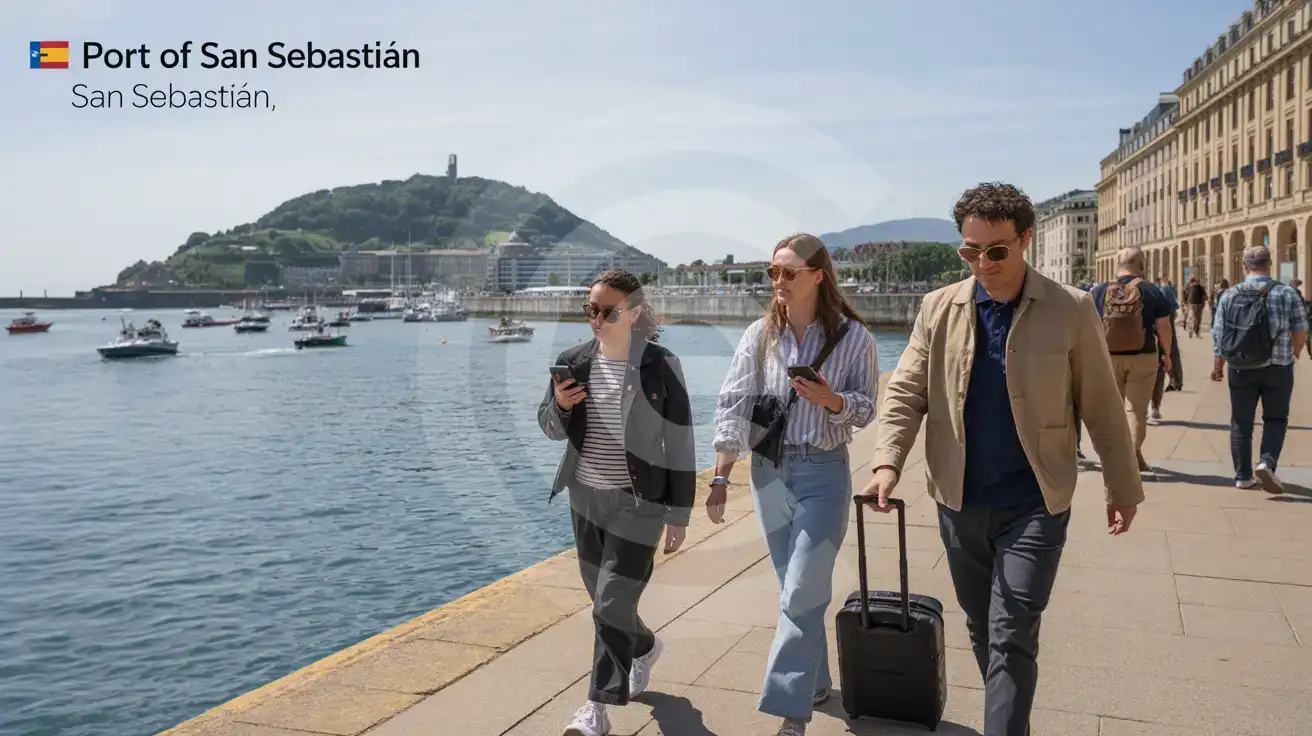
Port of San Sebastián is a beautiful arrival, but it is not a giant cruise terminal built around passenger services. You come in by tender across La Concha Bay, land near the harbor by the Real Club Náutico de San Sebastián, and then move into the city almost immediately. That compact flow is exactly why mobile data matters here. In one short stretch you may need Google Maps for the walk into Parte Vieja – The Old Town, WhatsApp for your shore group chat, and your cruise line email for return timing or excursion instructions. There is no big terminal buffer where you can sit, regroup, and sort everything slowly.
Data also helps the minute your plans branch beyond the harbor. If you are walking toward La Concha promenade, checking Dbus routes through Boulevard, or booking a taxi toward Amara-Donostia Station, live access keeps the day smooth. A short port call in San Sebastián can involve three or four fast decisions in under 30 minutes: whether to walk or ride, where to eat first, how long the station transfer will take, and what time you need to head back toward the tender point. That is where eSIMno plans for Port of San Sebastián, San Sebastian, Spain make sense. You install once, turn it on after arrival, and your phone is ready for navigation, translation, restaurant bookings, messaging apps, and internet calls without wasting time on a physical SIM search.
The same setup keeps paying off after the port stop. San Sebastián is linked easily to Bilbao, Madrid, and the French border corridor, so this is not a buy-for-one-harbor product. It is Spain-wide data that starts at the tender landing and stays useful through trains, buses, hotel check-in, boarding emails, and the rest of your trip.
Visiting Port of San Sebastián
Port of San Sebastián works more like a waterfront arrival point than a self-contained terminal complex. Cruise passengers come ashore close to the harbor zone between the old town edge and the central beach area, then transition straight onto city streets. That means practical services are outside the port itself: cafés, ATMs, luggage help, and most transport options are found in central Donostia rather than inside a dedicated cruise building.
If you have only a few hours, the easiest plan is to stay within the harbor, Parte Vieja, Ayuntamiento, and La Concha axis. Walking distances are short, and that keeps your return simple when it is time to board the tender back to the ship. For reduced-mobility travelers, the key issue is the tender process rather than the city center itself, so checking your cruise line's mobility guidance in advance is worth doing. Weather also matters more here than at a sheltered berth port because sea conditions affect how ashore operations feel on the day.
For onward departures, build in a proper buffer. A same-day train, bus, or airport transfer is workable, but this is not the place for a razor-thin schedule because your ship-to-shore timing depends on the tender operation first.
Harbor Arrival View
Compare eSIM Options at Port of San Sebastián
eSIMno | Local SIM / Operator | Roaming | |
|---|---|---|---|
| FEATURES | |||
| Setup time | Few minutes | Registered in store before the SIM works | Auto |
| No local ID needed | Online checkout | Photo ID required by law at purchase | Use home account |
| Speed | 4G/LTE on Movistar and Orange; 5G in some areas | One network only | Partner-dependent |
| Travel support | English support 24/7 | Spanish-language service | Home carrier hours |
| Keep home number | Dual SIM | Replaces it | Same number |
| Cost predictability | Fixed price | Prepaid, no bill shock | Bill-shock risk |