

Quick Facts
- Language
- Italian (Italiano)
- Currency
- Euro (EUR, €)
- Time Zone
- Central European Standard Time (UTC+1)
- Dialing Code
- +39
- Power Plug
- Type C, E, F (round 2-pin, common across most of Europe)
- Emergency
- 112
- eSIMno Networks
- Vodafone, Wind Tre
How to Get Your eSIM
- Choose Your Italy Plan Before You Fly
Buy your eSIM before departure so you are not solving mobile data after landing in Rome. Piazza di Spagna is a fast-moving first stop: maps, messages, and reservation details start mattering as soon as you leave the airport or train. - Install It Over Home WiFi
Set up the eSIM at home or at your hotel before your Rome day out. That keeps the install simple and leaves only activation for later, instead of trying to scan QR details while moving through arrivals or commuting in from the airport. - Activate After Landing
Turn the eSIM on after landing in Italy, once phone use is allowed and you are ready to connect to a local network. That timing works well if you are taking a taxi from the airport, boarding the Leonardo Express toward Roma Termini, or opening directions to Spagna station. - Use Data On The Way To The Square
Your route into Piazza di Spagna depends on live conditions. You may need Google Maps for the Metro A stop at Spagna, WhatsApp for check-in messages, or browser access for a reservation around Via dei Condotti. Having data before you reach the square saves time and wrong turns. - Keep Your Home SIM For Voice
eSIMno is data-only. Your home SIM can stay active for incoming calls with no extra setup, while your eSIM handles maps, internet browsing, app messaging, and data-based calls on WhatsApp, FaceTime, Telegram, or Google Meet. Avoid placing native voice calls through your home SIM abroad if you want to avoid home-network roaming charges.
Traveler Tips
- Go early in the morning if you want cleaner photos at Piazza di Spagna. By late morning the steps, Via dei Condotti, and the fountain area fill quickly, so live navigation helps if you are meeting anyone at a precise point.
- If you arrive by Metro, use the Spagna stop on Line A and keep your route open on your phone for the final walk. Street layout around the square, Via del Babuino, and Via dei Condotti is easy to misread when you surface.
- Screenshot booking emails before you head out, but keep live data on for changes. Restaurants near the Spanish Steps can shift table timing by 15-30 minutes, and app messages are faster than walking back to ask.
- If you are carrying two SIMs, leave your home SIM on for incoming calls and use eSIM data for WhatsApp, FaceTime, and Telegram. That keeps your regular number reachable while your internet traffic runs through the travel plan.
- Piazza di Spagna is a strong launch point for short walks to Trevi Fountain and Piazza del Popolo. With data already active, you can compare walking times, re-route around crowds, and book the next stop without returning to hotel WiFi.
Why Data Matters at Piazza di Spagna
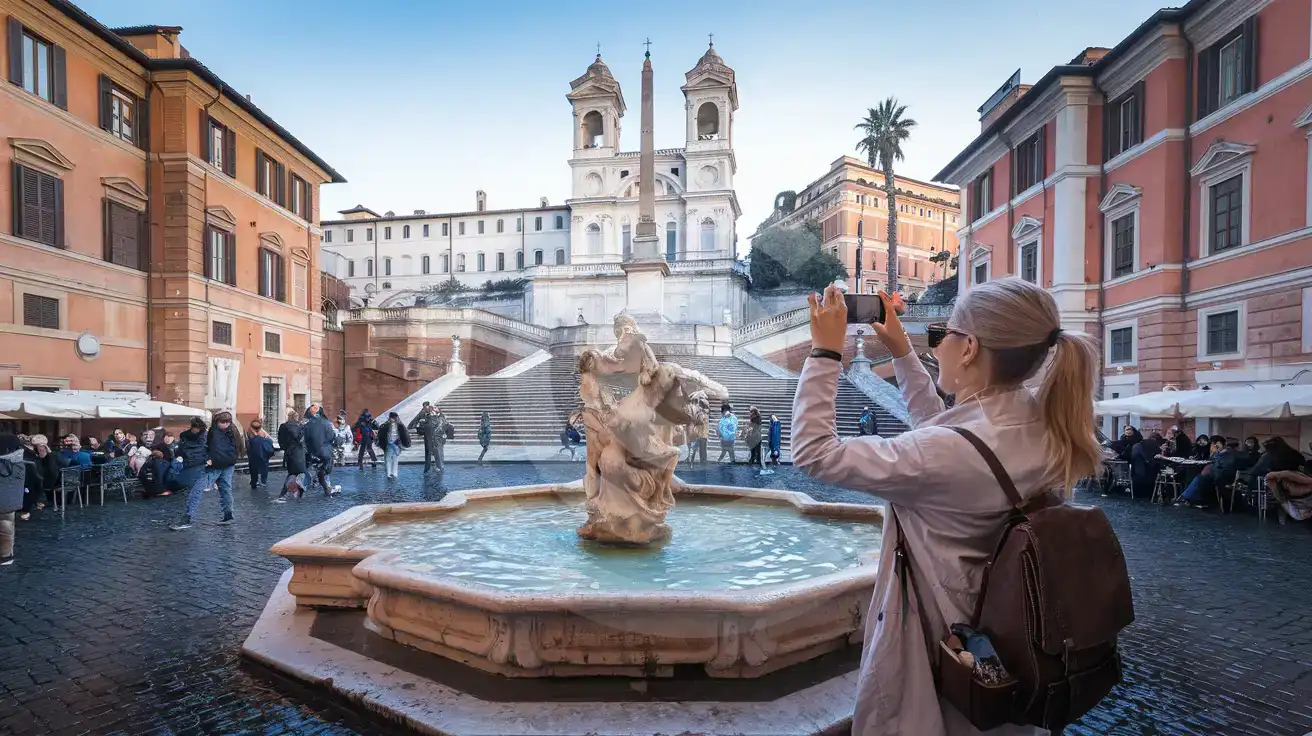
Piazza di Spagna looks simple on a static map, but the live experience is more layered. You are balancing the Spanish Steps, the Fontana della Barcaccia, the Spagna stop on Metro Line A, and shopping streets like Via dei Condotti within a compact few hundred meters. That creates constant phone use: live walking directions, restaurant confirmations, and message threads with the people you are meeting. A plan bought in advance works better than trying to sort internet access in the square itself, which is why travelers book eSIMno plans for Piazza di Spagna, Rome, Italy before the trip.
The key moment is the transfer into central Rome. If you land at Leonardo da Vinci Airport, take the Leonardo Express to Roma Termini, then continue by Metro A toward Spagna, your phone is doing several jobs in sequence across roughly 45 to 70 minutes of travel: checking train timing, opening the next metro leg, and updating your ETA for a host, guide, or friend. If you ride directly by taxi instead, you still need data for pickup messages, route checks, and payment app notifications. Once you arrive, data keeps working for practical tasks around Piazza di Spagna itself: pulling up opening-hour pages for nearby museums, loading reservation emails, translating menus, and sending photos or live location pins when the square gets busy.
This also is not a one-stop purchase. Piazza di Spagna sits in the middle of wider Rome movement. You might walk 10 minutes toward the Trevi area, continue 15 minutes toward Piazza Navona, or head north toward Villa Borghese after a coffee stop. That means your eSIM choice should cover the whole country, not just one landmark. Buy once, activate after landing, and your data remains ready through the rest of your Italy route instead of ending at the foot of the steps.
Visiting Piazza di Spagna
Piazza di Spagna itself is an open public square, so there is no entry gate or paid ticket just to stand in the piazza or view the Spanish Steps. That matters because your phone use here is less about scanning one attraction QR and more about handling the surrounding day: restaurant reservations, shopping directions, rides at the curb, and updated plans as the area fills. The square stays busy from late morning through evening, and the density of foot traffic can slow down simple meetups unless you share a precise landmark, such as the fountain at the base of the steps or the church at the top.
If you are building this stop into a Rome itinerary, the nearest obvious transit anchor is Spagna on Metro Line A, with street exits that place you only a short walk from the square. Taxis can drop nearby, but curb access shifts with pedestrian flow and local traffic controls, so app-based pickup details matter more here than at wider boulevards. Photography is straightforward in the piazza, but sitting on the steps is restricted, so keep moving and handle photos quickly if the area is crowded. Comfortable shoes help: the approach streets are paved in stone, and visitors often continue on foot toward Via del Babuino, Piazza del Popolo, or the Trevi area right after this stop.
Connected Arrival at Piazza di Spagna
Compare eSIM Options at Piazza di Spagna
eSIMno | Local SIM / Operator | Roaming | |
|---|---|---|---|
| FEATURES | |||
| Setup time | Few minutes | Store registration, about ten minutes | Auto |
| No local ID needed | Online checkout | Passport is required by law; some also ask for a tax code | Use home account |
| Speed | 4G/LTE on Vodafone and WindTre; 5G in some areas | One network only | Partner-dependent |
| Travel support | English support 24/7 | Italian-language service | Home carrier hours |
| Keep home number | Dual SIM | Replaces it | Same number |
| Cost predictability | Fixed price | Prepaid, no bill shock | Bill-shock risk |