

Quick Facts
- Language
- Greek (Ελληνικά)
- Currency
- Euro (EUR, €)
- Time Zone
- E. Europe Standard Time (UTC+2)
- Dialing Code
- +30
- Power Plug
- Type C, E, F (round 2-pin, common across most of Europe)
- Emergency
- 112
- eSIMno Networks
- Cosmote, Vodafone, Wind
How to Get Your eSIM
- Choose Your Greece Plan Before The Trip
Buy the eSIM before you fly to Rhodes so you are not sorting mobile data on arrival day while arranging your transfer from Rhodes International Airport to town or Monte Smith. - Install It While You Still Have Reliable WiFi
Set up the eSIM at home or at your hotel before your sightseeing day. That way your phone is ready before you leave for the Acropolis of Rhodes, the Ancient Stadium, or the route back into Rhodes Town. - Activate After Landing
Turn the eSIM on after you land in Greece and switch off airplane mode. Your phone can connect as you head out of the airport, long before you start the uphill ride or walk toward Monte Smith. - Use Data On The Way To The Site
On the transfer to the Acropolis of Rhodes, use Google Maps for the hill approach, WhatsApp for driver or hotel messages, and your browser for current opening details if your plan includes the odeon or stadium nearby. - Keep It Running For The Rest Of Greece
The same plan keeps working after your visit, whether you are heading into Rhodes Old Town for lunch, down to Mandraki Harbour, or onward to another stop elsewhere in Greece.
Traveler Tips
- Go early on Monte Smith, especially from 08:00 to 10:00, when the hill is cooler and your phone is easier to use for maps, photos, and meeting-point messages before the midday sun hits hard.
- If you are visiting the Temple of Apollo, the stadium, and the odeon in one circuit, download your route before leaving the hotel so you can move between the terraces without stopping in the sun to re-plan.
- Keep your home SIM active for voice if your phone supports dual SIM. Your home number still receives incoming calls normally, while apps like WhatsApp and FaceTime use your eSIM data for messages and internet calls.
- The walk from Rhodes Old Town to Monte Smith is around 2 to 3 km and uphill. With data working, you can compare the walking route against a taxi in real time instead of committing too early.
- Bring a power bank if you plan to film, navigate, and book your next stop from the hill. A half day covering the Acropolis of Rhodes plus Old Town can drain a battery faster than a beach day.
Why Data Matters at Acropolis of Rhodes
The Acropolis of Rhodes is one of those sites where mobile data helps before you even see the ruins. The approach up Monte Smith is simple on a map but less obvious in the moment when you're balancing heat, elevation, and timing for the rest of the day. You'll want Google Maps open for the exact drop-off or walking route, WhatsApp or iMessage ready if you're coordinating with a driver or tour group, and live browser access in case site access changes around conservation work or staffing. If you plan to continue straight to Mandraki Harbour for the harbor or back into Rhodes Town for lunch, your phone becomes the control panel for the whole half-day.
At the site itself, data matters because the Acropolis of Rhodes is not a one-gate, one-building visit. You move between the Temple of Apollo, the Ancient Stadium, and the odeon area across an exposed hillside, and people split off easily. A working connection lets you share live location in WhatsApp, upload photos without waiting to get back to hotel WiFi, and check current taxi availability for the downhill return. If you are on a guided visit, data also helps when the group ends and everyone heads in different directions toward Old Town, the beach strip, or the museum circuit.
The bigger advantage is that you are not buying data for one hilltop stop. eSIMno plans for Acropolis of Rhodes, Rhodes, Greece keep working after Monte Smith, so you can continue on to Archaeological Museum of Rhodes, the Palace of the Grand Master, or anywhere else on the island without changing setup. Buy once, activate after landing, and your connection is ready for navigation, bookings, translation, internet calls, and every other part of the trip that happens after the photos are done.
Visiting Acropolis of Rhodes
The Acropolis of Rhodes works best as an early-day stop because the site is open-air and the stone and dust reflect heat quickly once the sun is high. There is limited shade on Monte Smith, so bring water, sun protection, and shoes with grip for uneven ground. Photography for personal use is straightforward in the outdoor ruins, which makes the site a natural place for photo sharing, cloud backup, and quick messaging if your group spreads out between the upper temple terrace and lower archaeological areas.
Access arrangements can change with restoration activity, so it is smart to check current information the same morning rather than relying on an old screenshot. The site sits southwest of Rhodes Old Town and is reached from the modern city side, not through a single medieval entrance route. If your day continues elsewhere, using live maps after the visit makes it easier to compare the downhill walk against a taxi back to town, especially in midday heat. This is also a good stop to pair with a second booking later in the day, since you can confirm reservations and transport on the spot instead of waiting to reconnect at your hotel.
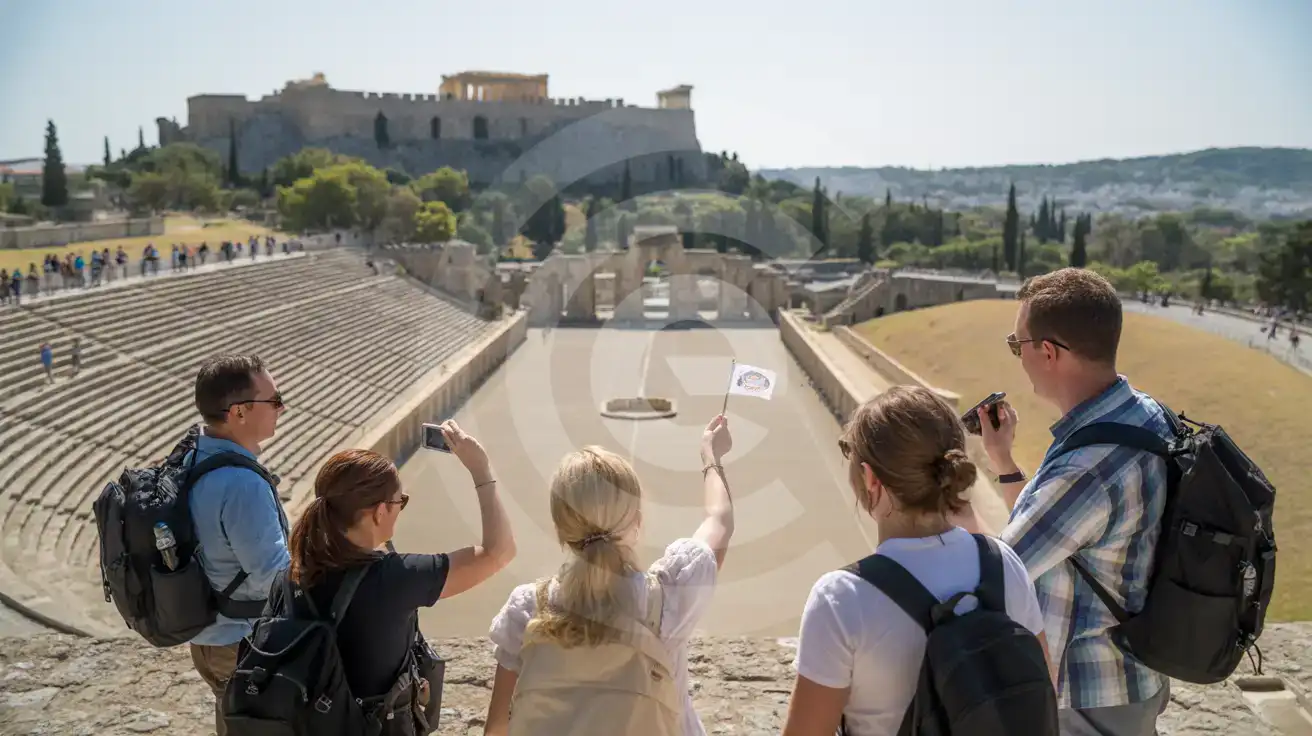
Acropolis Tour Group on Monte Smith
Compare eSIM Options at Acropolis of Rhodes
eSIMno | Local SIM / Operator | Roaming | |
|---|---|---|---|
| FEATURES | |||
| Setup time | Few minutes | Does not work until it is registered at purchase | Auto |
| No local ID needed | Online checkout | Passport or ID required by law | Use home account |
| Speed | 4G/LTE on all three Greek networks; 5G in some areas | One network only | Partner-dependent |
| Travel support | English support 24/7 | Greek-language service | Home carrier hours |
| Keep home number | Dual SIM | Replaces it | Same number |
| Cost predictability | Fixed price | Prepaid, no bill shock | Bill-shock risk |