
Review Your Cart

Your cart is empty.

You haven't added any eSIM packages yet. Start exploring our plans to get connected!

Browse our eSIM Packages

USA / Honolulu eSIM Honolulu USA

6 plans · From $4.90 · QR code instantly by email

  • 3 networksAT&T · T-Mobile · Verizon
  • No ID check
  • Top-up available
  • Validity starts on activation

Plan Your Trip

Tell us what you'll do and how long you'll be away — we'll highlight the right plan.

7 days
1102030

What will you do?

Tap an activity above to see which plan fits your trip
Diamond Head crater rising above Waikiki Beach at golden hour with sailboats dotting the turquoise Pacific waters

Honolulu eSIM: Island Data That Works Across All 50 States

Your flight is descending toward Daniel K. Inouye International Airport and you're already confirming your Waikiki hotel transfer, checking the TheBus schedule to Ala Moana, and pulling up tonight's sunset dinner reservation at a Kailua beachfront restaurant. With an eSIMno plan activated before takeoff, your phone connects the moment you taxi to the gate — no SIM kiosk queue, no jet-lagged troubleshooting, just instant data on AT&T or Verizon networks across Hawaii and the entire mainland.

Already a customer?

EARN UP TOON YOUR FRIENDS' PURCHASES
NETWORK: AT&T & T-Mobile & Verizon Depending on the plan you choose, you'll connect to one or more of these networks.

Quick Facts

Time Zone
Hawaii-Aleutian Standard Time (UTC-10, no daylight saving)
Dialing Code
+1
Currency
US Dollar (USD, $)
Power Plug
Type A, B (flat 2-pin, common across North America)
Language
English
Emergency
911 (police, fire, ambulance)
eSIMno Networks
AT&T, T-Mobile, Verizon

How to Get Your eSIM

  1. Pick Your Hawaii Data Plan
    Choose from multi-day packages sized for a long weekend in Waikiki or a two-week island-hopping adventure. Coverage works across Oahu, Maui, Kauai, the Big Island, and every US state.
  2. Install at Home Over WiFi
    Scan the QR code or tap the direct-install link while connected to your home network. The eSIM profile downloads in under a minute — no physical card, no tools, no trimming.
  3. Set Data Line Preferences
    On iPhone go to Settings → Cellular → Cellular Data and select your eSIMno line. On Android open Settings → Network → SIMs and set the eSIM as default for mobile data. Your home SIM stays active for incoming calls.
  4. Activate After Landing at HNL
    Once the aircraft reaches the gate, switch off airplane mode. Your phone registers on AT&T or Verizon within seconds — by the time you reach baggage claim, you're pulling up Lyft options and texting your hotel.
  5. Use Data Across Hawaii and Beyond
    The same plan works at Pearl Harbor, on the Road to Hana, at Volcanoes National Park, and anywhere else in the US. One activation covers your entire trip — no roaming toggles, no additional purchases.

Traveler Tips

  • Diamond Head State Monument requires timed-entry reservations — book online 30 days ahead and keep the QR confirmation on your phone; paper backups aren't accepted at the trailhead gate.
  • TheBus covers all of Oahu for $3.00 per ride; the DaBus2 app shows real-time arrivals so you're not guessing when Route 8 or Route 22 will reach your Waikiki stop.
  • Keep your home SIM active in dual-SIM mode — incoming calls reach you normally while eSIMno handles all data. Use FaceTime or WhatsApp Audio for outbound calls to avoid roaming charges on your home line.
  • Rideshare surge pricing spikes along Kalakaua Avenue between 5-8 PM weekdays; walk two blocks toward Kuhio Avenue for lower-demand pickup zones that the app reveals in real time.
  • Pearl Harbor National Memorial tickets release 60 days in advance and sell out fast — the confirmation email contains a mobile pass you'll scan at the visitor center entrance.

Why Data Matters in Honolulu

Honolulu rewards travelers who show up with data already working. The moment you clear customs at Daniel K. Inouye International, you need Lyft or Uber to compare surge pricing for the 25-minute ride to Waikiki — or the DaBus2 app to check whether Route 19 or Route 20 gets you to Ala Moana Center faster. Neither app functions without cellular data, and the airport's free WiFi requires registration that eats precious minutes while your checked bag circles the carousel.

Waikiki and the Urban Core

Waikiki Beach stretches 2 miles from the Hilton Hawaiian Village to Kapiolani Park, and every block runs on mobile transactions. Duke's Waikiki and Hula Grill take OpenTable reservations that confirm via push notification. Surf-lesson operators at Waikiki Beach text meeting coordinates that only load on a data-connected phone. The Royal Hawaiian Center's parking garage accepts mobile payment through the ParkMobile app — no cash kiosk, no paper ticket. Walk 15 minutes north to the Ala Moana Center and you're comparing Uber wait times for the return trip while browsing the food court.

Beyond Honolulu's City Limits

Oahu's best sights sit outside the tourist core. Diamond Head State Monument requires a timed-entry QR code that park rangers scan at the trailhead — no cell signal at the crater rim, so download the pass before you leave Waikiki. Pearl Harbor National Memorial opens reservations 60 days ahead; the mobile pass loads from your email and scans at the visitor center. Kailua Beach on the windward side has spotty public WiFi, but your eSIMno data pulls Google Maps directions through the Pali Highway tunnel without buffering. Haleiwa's North Shore shrimp trucks accept Venmo and Square payments — both apps need data to process. One plan covers the entire island, every neighboring island, and any mainland connection through LAX, SFO, or JFK.

For eSIMno plans for Honolulu, Hawaii, United States, the coverage extends far beyond this single trip. The same activation works at Haleakalā summit on Maui, across Volcanoes National Park on the Big Island, and through a Vegas layover on the way home.

About Honolulu & What Travelers Come For

Honolulu occupies the southern shore of Oahu, the most populated of Hawaii's eight main islands. The city blends Pacific island culture with American urban infrastructure — high-rise hotels lining Waikiki Beach, historic Chinatown markets two miles northwest, and volcanic ridgelines visible from nearly every neighborhood. The climate holds steady between 75-85°F year-round, with brief afternoon showers that rarely interrupt outdoor plans.

Neighborhoods at a Glance

Waikiki — the 2-mile beach strip where most visitors stay, packed with hotels, surf schools, and beachfront restaurants within walking distance of Kalakaua Avenue shops. Downtown / Chinatown — Iolani Palace, the only royal palace on US soil, sits blocks from Maunakea Street's noodle houses and lei shops. Kaimuki / Kapahulu — local dining strips 10 minutes east of Waikiki, where Leonard's Bakery serves malasadas and Rainbow Drive-In draws lunchtime crowds. Manoa — the University of Hawaii campus nestles below rainforest ridges; the Manoa Falls trail starts 20 minutes from downtown.

What Travelers Come For

Pearl Harbor draws over 1.8 million visitors annually to the USS Arizona Memorial and Battleship Missouri Memorial. Diamond Head's 0.8-mile summit trail offers panoramic views of Waikiki and the Pacific. Hanauma Bay Nature Preserve — a protected marine sanctuary 30 minutes east — requires advance reservations for snorkeling. The Honolulu Museum of Art and Bishop Museum anchor the cultural scene, while the International Market Place and Ala Moana Center handle serious retail therapy. Most visitors island-hop to Maui, Kauai, or the Big Island before flying home — all reachable via 30-50 minute inter-island flights from HNL.

Getting Around Honolulu

Airport Transfers

Daniel K. Inouye International Airport (HNL) sits 9 miles northwest of Waikiki. Lyft and Uber pickups happen at the designated rideshare zones on the arrivals level — expect 25-35 minutes and around $25-$40 depending on traffic and surge. The Roberts Hawaii Express Shuttle runs shared-ride service to Waikiki hotels for roughly $20 per person. TheBus Route 19 and Route 20 connect HNL to Waikiki for $3.00 but require luggage under certain size limits.

Public Transit

TheBus operates over 100 routes across Oahu. A single ride costs $3.00 with free transfers within 2.5 hours; the HOLO card (Hawaii's contactless fare card) automates payment. The DaBus2 app shows real-time arrivals — essential when Route 8 (Waikiki to Ala Moana) or Route 22 (Beach Bus to Hanauma Bay) runs on 15-30 minute headways. Biki bike-share has 130+ stations across urban Honolulu; single rides start around $4.50 for 30 minutes.

Rideshare and Car Rental

Uber and Lyft cover all of Oahu reliably. Surge pricing spikes along Kalakaua Avenue during evening hours and after major events at Aloha Stadium. For North Shore day trips or Windward Coast exploration, rental cars from HNL run $50-$90/day depending on season. Parking in Waikiki costs $30-$50/day at most hotels — many visitors skip the car entirely and rely on rideshare plus TheBus for urban days.

Pearl Harbor Memorial

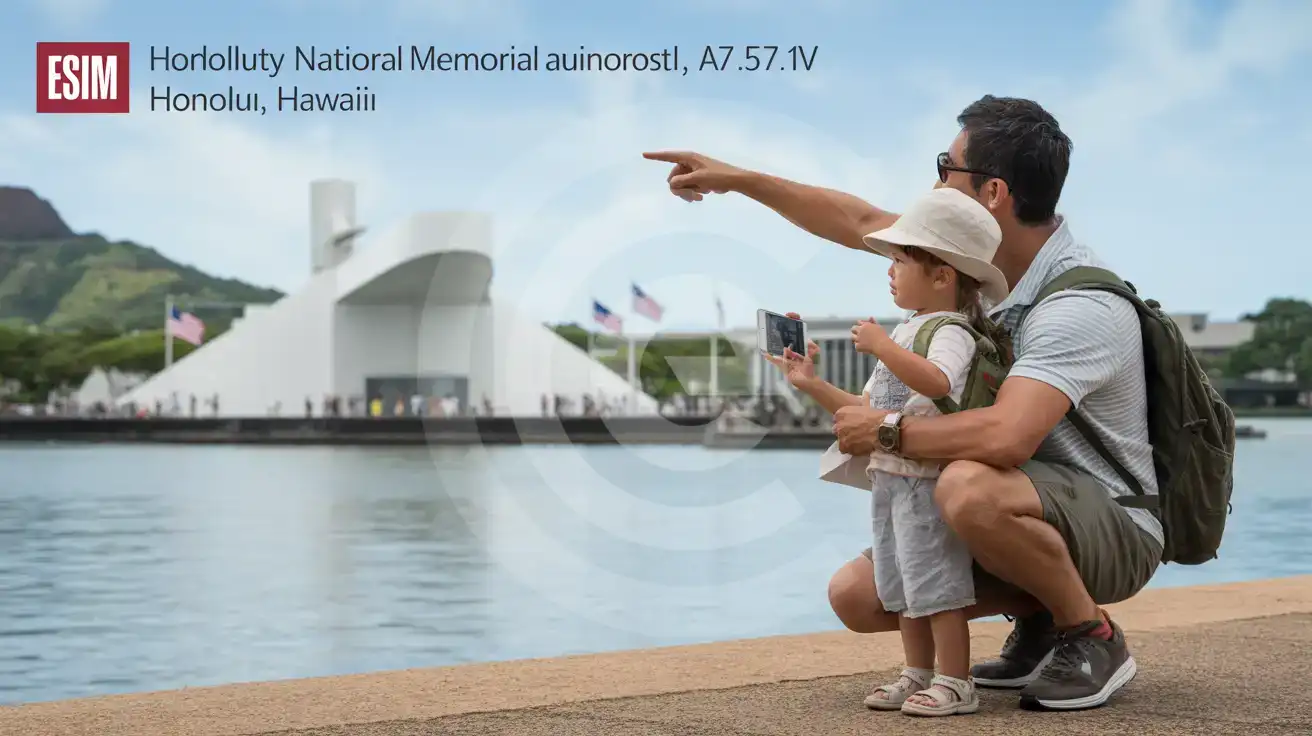
Family with child viewing the USS Arizona Memorial across Pearl Harbor waters on a clear Honolulu day
Activate your eSIM before visiting Pearl Harbor so your mobile ticket scans instantly at the memorial entrance.

Compare eSIM Providers in Honolulu

Recommended
Local SIM / Operator
Roaming
Setup timeStore kit, needs activationAuto
No local ID neededNo SSN; passport at carrier storesUse home account
SpeedOne carrier onlyPartner-dependent
Travel supportEnglish-language serviceHome carrier hours
Keep home numberReplaces itSame number
Cost predictabilityAdvertised price needs Auto PayBill-shock risk
5GB / 30 daysLight traveler
—
$12-18 / day
$450.00
30 days × daily rate
Typical daily roaming rate; varies by home carrier
10GB / 30 daysStandard travelerMost popular
20GB / 30 daysHeavy traveler

Frequently Asked Questions (FAQs)

Install the eSIM profile at home over WiFi before your flight departs. After landing at HNL, switch off airplane mode once the aircraft reaches the gate — by the time you're walking toward baggage claim past the lei greeting stands, your phone is already pulling up Lyft options and loading your Waikiki hotel confirmation.
Absolutely. The same eSIMno plan that connects you in Waikiki keeps working on Maui, Kauai, the Big Island, Lanai, and Molokai. Inter-island flights from HNL take 30-50 minutes, and your data stays active the moment you land at Kahului, Lihue, or Kona.
Yes — dual-SIM mode lets your home SIM receive calls and texts normally while eSIMno handles all data. Incoming calls reach you at your regular number without any forwarding setup. For outbound calls, use WhatsApp, FaceTime, or Google Meet over your eSIM data to avoid roaming charges on your home carrier.
Lyft and Uber pick up at designated rideshare zones on the arrivals level — the ride takes 25-35 minutes and runs around $25-$40 depending on traffic. Roberts Hawaii Express Shuttle offers shared-ride service to Waikiki hotels for roughly $20 per person. TheBus Routes 19 and 20 cost $3.00 but have luggage restrictions.
Diamond Head State Monument requires a timed-entry reservation — the QR code lives on your phone and rangers scan it at the trailhead gate. Pearl Harbor National Memorial tickets also arrive as mobile passes you'll scan at the visitor center. Both sites have limited WiFi, so having cellular data ensures your tickets load without buffering.
Your eSIMno plan covers all 50 states on the same activation. A layover at LAX, a business meeting in San Francisco, or a side trip to Las Vegas uses the same data you activated for Honolulu — no additional purchase, no roaming toggle, no reactivation needed.
Arriving at HNL without data means standing at baggage claim trying to decode the wiki-wiki shuttle system while your hotel transfer driver circles the arrivals loop. An eSIMno plan changes that equation entirely — install the profile at home over WiFi, switch off airplane mode after landing, and your phone is pulling Lyft ETAs before you clear the terminal doors. The same plan that gets you from the airport to Waikiki keeps working at Pearl Harbor, across the Pali Highway to Kailua, and on every island-hopping connection to Maui or the Big Island. Honolulu runs on mobile data in ways that surprise first-time visitors. TheBus real-time tracker (DaBus2 app) shows exactly when the Route 8 will reach your Waikiki stop. Restaurant reservations at Duke's or Roy's require OpenTable confirmations that load instantly. Diamond Head timed-entry tickets live as QR codes on your phone — no paper backup, no WiFi dependency at the trailhead gate. Rideshare surge pricing spikes during rush hour on Kalakaua Avenue; having data lets you compare Uber and Lyft rates and walk two blocks to a lower-demand pickup zone. The coverage extends far beyond Oahu. Your eSIMno plan works at Haleakalā summit on Maui, across the Kona coffee farms on the Big Island, and through the Na Pali coast overlooks on Kauai. One purchase, one activation, nationwide US coverage — the same plan handles a layover at LAX, a business meeting in Manhattan, or a road trip through the Southwest. Buy before your flight, activate after landing, and skip the connectivity gap that catches unprepared travelers at every turn.
Back to United States

Connected in 3 steps

  1. Choose your planSearch for your destination, then pick the data and number of days.
  2. Install at homeYour eSIM arrives by email and installs in a few minutes with one tap or a QR code.
  3. Connect when you landYour plan's validity starts with its first connection in the coverage area.

Why eSIMno?

  • No more SIM kiosksSkip the airport queues. Install your eSIM at home, activate when you land.
  • No roaming surprisesForget the $200 phone bill three weeks after your trip. Plain pricing, no hidden fees.
  • Keep your own numberWith dual SIM, your own line stays on for calls and texts, while the eSIM gives you internet abroad.
  • Setup in 2 minutesScan QR code, follow on-screen steps, you're connected. Works on any eSIM-compatible phone.

Is my phone eSIM compatible?

Most phones released in recent years support eSIM. Check yours in the list before you buy.

  • iPhone XR, XS and later
  • Samsung Galaxy S20 and later
  • Google Pixel 4 and later
  • Xiaomi 12T Pro and later
All eSIM-Compatible Phones

Our guarantees

  • Secure payment with 3D SecurePay by card; every payment goes through your bank's 3D Secure check.VisaMastercard
  • 14-day refund if not installedIf you haven't installed your eSIM yet, you can get a refund within 14 days of purchase, no reason needed.Refund policy
  • 24/7 Customer SupportWe answer your questions 24/7. You can also reach us via WhatsApp and email.

Frequently Asked Questions (FAQs)

Can I buy an eSIM for someone else as a gift?
Yes. Purchase the eSIM with your own details, then forward your order confirmation email - or share the "Install eSIM" link from it - with the recipient so they can install it on their own phone (the email contains the QR code and the manual SM-DP+ / activation codes). Make sure their device is eSIM-compatible first - installation usually cannot be reversed once completed.
What should I do if I lose my activation QR code?
You can't really lose it - your QR code is in your order confirmation email, and also in the install pop-up on the website. To reopen it any time before activation, tap "Install eSIM" in your order email, or sign in at esimno.com and go to Profile > My eSIMs > Install. Both show the QR code together with the one-tap install link and the manual SM-DP+ / activation code. Note the install codes are one-time-use: once the eSIM is installed on a device they can't be reused - reopen the installer (My eSIMs > Install) to display a fresh QR if you need one.
Can I share data from my eSIM with someone else's phone?
Yes, through Personal Hotspot. Activate hotspot on your phone, share the password, and the other device connects to your data. Data used by connected devices counts toward your eSIM plan, so monitor usage to avoid running out faster than expected.
Can I tether or use Personal Hotspot with my eSIM?
Yes. Your eSIMno plan supports tethering and Personal Hotspot at no extra charge. Activate the Personal Hotspot feature in your device settings and connect other devices as you would with any cellular plan. Data used while tethering counts toward your plan allowance.
Does the eSIM work on cruise ships or airplanes?
eSIMs use ground-based cellular networks, so they don't work in flight or at sea outside coastal coverage. They activate as soon as you connect to a partner network on land. For in-flight or maritime data, you'll need the airline or ship's onboard Wi-Fi.
Which eSIM is best for travelling to USA?
eSIMno is an excellent option for travelers heading to USA. We offer a diverse range of eSIM plans - including regional, local, and lifetime options - with reliable coverage on local networks.
What should I do if I see a 'No network' message after activating my eSIM?
If you see a 'No network' message after activation, try these steps in order: (1) Toggle airplane mode on for 10 seconds, then off. (2) Confirm data roaming is enabled for the eSIM line. (3) Manually select a network in cellular settings. (4) Restart your phone. If the issue continues, contact eSIMno support via WhatsApp or email.
Can I receive verification codes (OTP) on a voice eSIM?
Yes. Incoming SMS reaches your voice eSIM from anywhere in the world and is free, so one-time codes from banks, WhatsApp, Google or Telegram do arrive - on a French number, since that is where the number is issued. There is one important limit, and we would rather you hear it from us than discover it later: the number changes roughly every 30 days. That makes it fine for a code you need while you are travelling, but wrong as the permanent number on your account. If you register it for two-factor authentication or move your WhatsApp to it, you can lose access to that account once the number changes. Keep your own number for anything you need long term.
Will my own number still work while I use the eSIM?
Yes, if you want it to. As long as your main line stays switched on, your own number keeps working while the eSIM handles your mobile data. But abroad, your mobile operator usually charges roaming fees for calls and texts on that number, even for calls you answer. If you don't need your number during the trip, turn off your main line in your phone's SIM settings to avoid these fees. We don't recommend making or answering regular calls on your own number abroad; call over the internet instead, with apps like WhatsApp or FaceTime, using your eSIM data. If you need a code by SMS, for example from your bank, you can switch the line back on for a moment.
How long is the validity of the USA eSIM plans?
Validity depends on the plan you choose, from 1 day to 180 days. Lifetime plans have no fixed end date: the data stays on your eSIM as long as you top up the same eSIM at least once every 12 months.
How do I activate the USA eSIM?
Your eSIMno order confirmation email contains your QR code, your SM-DP+ address and activation code, a one-tap install link, and an "Install eSIM" button - so you can install right from the email. The same options are also on the website: sign in at esimno.com and go to Profile > My eSIMs > your plan > Install. To install, use any ONE of these methods: (1) on the phone you are setting up, tap the one-tap install link/button (iPhone on iOS 17.4+ or Android 9+); (2) use the QR code - because a phone cannot scan its own screen, show this QR on another screen (computer/tablet) or a printout and scan it WITH the phone you are setting up (never with someone else's phone, or the eSIM would install on that phone); or (3) enter the SM-DP+ address and activation code manually. Your USA eSIM activates automatically when you connect to a local network at your destination.
Does the eSIM work in rural areas and small towns?
Coverage depends on the partner network's reach in USA. Major cities, tourist areas, and highways typically have strong 4G/5G coverage. Remote rural areas may have weaker signal or fall back to 3G. Download offline maps before heading off the beaten path.
All questions