

Review Your Cart

Your cart is empty.

You haven't added any eSIM packages yet. Start exploring our plans to get connected!

Browse our eSIM Packages

Egypt Egypt   / Saqqara Necropolis

8 plans · From $4.90 · QR code instantly by email

  • Etisalat network
  • No ID check
  • Top-up available
  • Validity starts on activation

Plan Your Trip

Tell us what you'll do and how long you'll be away — we'll highlight the right plan.

7 days
1102030

What will you do?

Tap an activity above to see which plan fits your trip
The Step Pyramid of Djoser at Saqqara Necropolis rising in tiered limestone layers above the Egyptian desert plateau at golden hour

Saqqara Necropolis eSIM: Ancient Site Data That Works Across All Egypt

Your taxi pulls up to the Saqqara ticket gate and you need to show your booking confirmation, translate hieroglyphic signage, and coordinate a pickup before the desert heat peaks. With eSIMno, your Egypt data plan activates after landing at Cairo International Airport and keeps working across the entire necropolis and beyond.

Already a customer?

EARN UP TOON EVERY FRIEND'S PURCHASE
NETWORK: Etisalat Depending on the plan you choose, you'll connect to one or more of these networks.

Quick Facts

Language
Arabic (عربي)
Currency
Egyptian Pound (EGP, E£)
Time Zone
E. Europe Standard Time (UTC+2)
Dialing Code
+20
Power Plug
Type C, E, F (round 2-pin, common across most of Europe)
Emergency
122 (police), 123 (ambulance), 180 (fire)
eSIMno Networks
Etisalat

How to Get Your eSIM

  1. Buy Your Egypt Plan Before You Fly
    Purchase your eSIMno Egypt data plan at home over WiFi. The QR code arrives by email within minutes — no physical card, no waiting at a Cairo airport kiosk.
  2. Install the Profile Over Home WiFi
    Scan the QR code in your phone's eSIM settings before you leave for the airport. The profile downloads in under a minute and sits dormant until you activate it in Egypt.
  3. Activate After Landing at Cairo International
    Once your flight taxis to the gate, switch off airplane mode. Your eSIM connects to Etisalat automatically while you're still waiting for the jet bridge — customs forms, immigration queue times, and baggage carousel updates all load instantly.
  4. Stay Connected on the Drive to Saqqara
    The 45-60 minute taxi or Uber ride from Cairo or Giza passes through the agricultural belt with consistent coverage. Track your route on Google Maps, message your hotel, or check Saqqara opening hours en route.
  5. Use Data Across the Necropolis and Beyond
    Your plan works at the Step Pyramid, inside the Imhotep Museum, across the Serapeum tunnels, and anywhere else in Egypt. One purchase covers the entire country — no SIM swaps, no top-ups.

Traveler Tips

  • Arrive at Saqqara by 8:30 AM when gates open to avoid midday desert heat — temperatures climb past 35°C by noon from April through October.
  • Download Google Translate's Arabic offline pack before your visit so hieroglyphic-to-English signage explanations load even in low-signal tomb interiors.
  • Keep your home SIM active for incoming calls — the eSIMno plan handles all data tasks while your personal number receives calls without roaming charges if you avoid placing outbound voice calls.
  • Coordinate your return taxi or Uber pickup via the app before leaving the excavation zone — cell signal inside the Serapeum tunnels drops, so confirm timing while you're still aboveground.
  • Wear closed-toe shoes and bring 2+ liters of water — the necropolis covers several square kilometers of unpaved desert paths with no shade.
  • Screenshot your ticket QR code before entering — the gate scanner works offline but your confirmation email won't reload if signal dips at the entrance.

Why Data Matters at Saqqara Necropolis

Saqqara's archaeological zone stretches across open desert with the Step Pyramid at its center, the Serapeum underground galleries to the northwest, and the Imhotep Museum near the main entrance. Your phone handles the practical logistics that make a 3-4 hour visit comfortable: pulling up your timed-entry ticket at the gate scanner, loading Google Maps to navigate between excavation zones, and checking live weather alerts when sandstorms roll across the plateau.

Ticket and Entry Flow

The Saqqara entrance gate accepts QR tickets from online booking platforms. Signal at the gate is reliable, but the walk from the parking area to the entrance can take 10 minutes — have your confirmation ready before you queue. The Imhotep Museum, 200 meters from the main gate, requires a separate scan and closes 30 minutes before the outdoor site.

Translation and Context

Arabic signage dominates the site, and many tomb interiors have hieroglyphic panels with minimal English explanation. Google Translate's camera mode reads Arabic text in real time when you have data. The Serapeum tunnels — burial chambers for the sacred Apis bulls — have explanatory plaques that benefit from instant translation if your tour guide speaks limited English.

Rideshare Coordination

Uber operates from Cairo and Giza to Saqqara, but driver availability near the necropolis parking lot fluctuates. Request your return ride 15-20 minutes before you want to leave and track the driver's approach on the app. Having data avoids the alternative: negotiating with informal taxi drivers at inflated tourist rates. An eSIMno plan for Saqqara Necropolis, Giza, Egypt ensures your pickup coordinates smoothly after you've photographed the final mastaba tomb.

Visiting Saqqara Necropolis

The necropolis operates on a summer schedule (April–October, roughly 8:00 AM to 5:00 PM) and a winter schedule (October–April, 8:00 AM to 4:00 PM). Confirm current hours on the Egyptian Ministry of Tourism site before traveling — closures for restoration work on specific tombs are common. Tickets purchased online via the official portal or third-party platforms arrive as QR codes; paper tickets are available at the gate but require cash in Egyptian pounds.

Dress practically for desert conditions: lightweight long sleeves protect against sun and sand, closed shoes handle rocky paths, and a hat is essential. Photography is permitted across the open site, though flash is restricted inside painted tombs. Drone permits require advance application through Egypt's Civil Aviation Authority — most visitors skip this and rely on smartphone panoramas from elevated ground near the Step Pyramid's eastern face.

The nearest food and water vendors sit outside the main gate; nothing is available inside the archaeological zone. Bring at least 2 liters of water per person. Accessible pathways exist near the Imhotep Museum and the Step Pyramid viewing platform, but the broader site involves uneven desert terrain with no ramps.

Capturing Saqqara

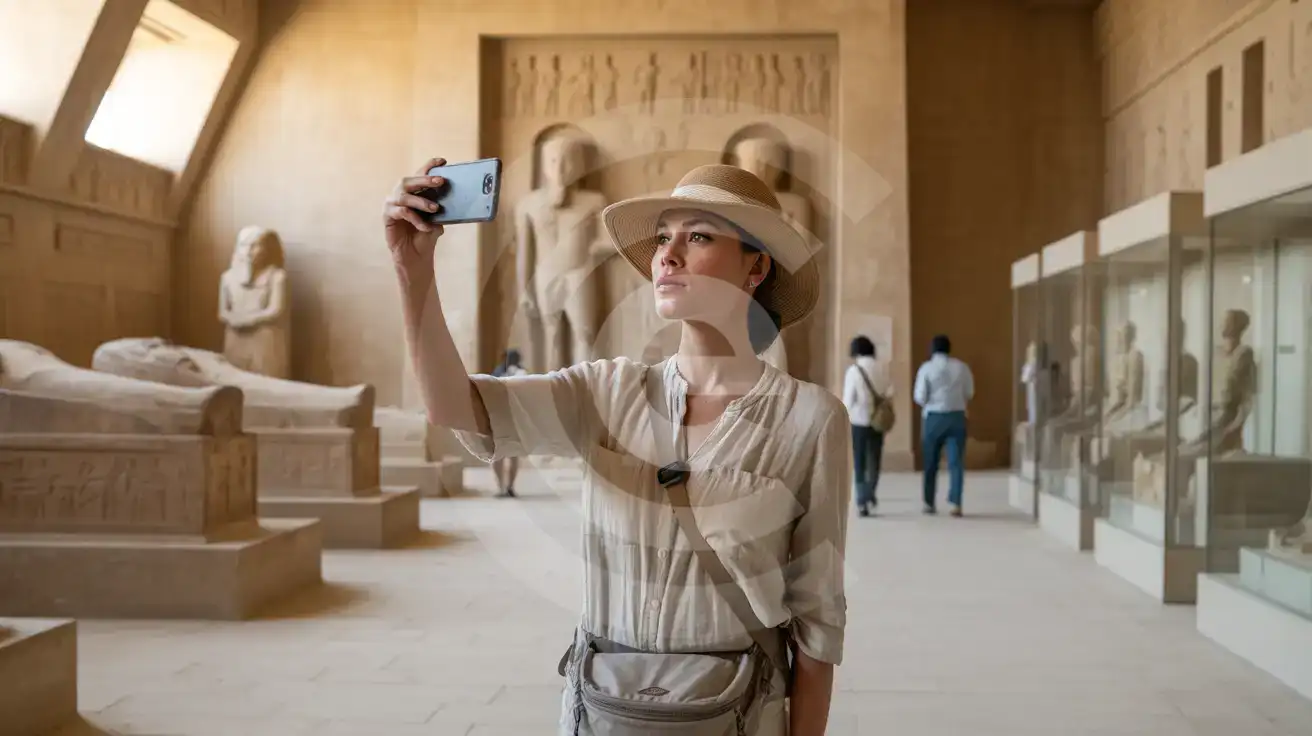
A solo female traveler photographing ancient Egyptian artifacts inside the Imhotep Museum at Saqqara Necropolis
Activate your Egypt eSIM before arriving at Saqqara so translations and ticket confirmations load inside the Imhotep Museum.

Compare Connectivity Options at Saqqara Necropolis

Recommended
Local SIM / Operator
Roaming
IMEI registrationYour phone is logged for customs; a 90-day clock startsNever required
Setup timeBought in person, with your passportAuto
No local ID neededYour passport is copied and tied to the SIMUse home account
SpeedCarrier-gradePartner-dependent
Travel supportArabic-language serviceHome carrier hours
Keep home numberReplaces itSame number
Cost predictabilityPrepaid, no bill shockBill-shock risk
Typical pricing
You hand over your passport in a shop, and an Egyptian SIM gives your phone only 90 days before customs fees apply.
Prepaid internet bundle, renews every 28 days, on the Vodafone network only.
$12-18 / day
Typical daily roaming rate; varies by home carrier

PRICING — PICK YOUR ESIMNO PLAN

Light traveler
5GB / 30 days
$14.90
20% off for memberson your first order
≈ $11.92 USD member price
Buy now
Heavy traveler
20GB / 30 days
$30.90
20% off for memberson your first order
≈ $24.72 USD member price
Buy now

Frequently Asked Questions (FAQs)

Activate after your flight lands at Cairo International — by the time you clear customs and arrange transport to Saqqara, your phone is already pulling directions through the agricultural belt toward the necropolis entrance.
Coverage holds across the open desert plateau and near the Step Pyramid, but dips inside enclosed spaces like the Serapeum underground tunnels. Download offline maps and screenshot your ticket QR before descending into tomb interiors.
Request your Uber or Careem ride 15-20 minutes before you want to leave and track the driver's approach on the app. The necropolis parking lot has variable driver availability, so booking through the app beats negotiating with informal taxis at the gate.
Yes — your eSIMno Egypt plan works across the entire country. The same data that loads your Saqqara ticket handles the Giza Pyramid Complex, Khan El Khalili bazaar, and anywhere else your itinerary goes without swapping SIMs.
The museum has minimal English signage on many artifact displays. Google Translate's camera mode reads Arabic labels in real time when you have data, and your ticket QR for the museum scans faster than fumbling through email offline.
Arrive when gates open around 8:00-8:30 AM to explore the Step Pyramid and outer tombs before midday heat peaks. The site is largely unsheltered desert — temperatures exceed 35°C by noon from April through October, making early-morning visits essential for comfort.
Saqqara Necropolis sits 30 kilometers south of central Cairo on the western desert plateau, home to the Step Pyramid of Djoser and centuries of pharaonic burial grounds. The site sprawls across multiple excavation zones where cellular coverage from Etisalat holds steady across the open desert but can dip inside enclosed tombs and restoration tents. Having your eSIM active before arrival means your ticket QR loads instantly at the gate, Google Translate handles Arabic signage, and your rideshare pickup coordinates without hunting for the visitor center WiFi. Most travelers reach Saqqara from Giza or central Cairo via taxi, Uber, or organized tour van. The drive takes 45-60 minutes depending on traffic through the agricultural belt. Once inside the archaeological zone, you're walking unpaved paths between mastaba tombs, the Serapeum tunnel complex, and the Imhotep Museum — each stop a potential photo upload, translation check, or weather alert. Data on your phone replaces the guesswork of paper maps and lets you message your driver when you're ready to leave. An eSIMno Egypt plan purchased before departure installs over home WiFi and activates the moment you clear customs at Cairo International. The same plan works at Saqqara, across Giza at the Pyramids, through downtown Cairo's Khan El Khalili bazaar, and anywhere else your Egypt itinerary takes you. One purchase, nationwide coverage, zero SIM-card kiosk queues.
Back to Egypt

Connected in 3 steps

  1. Choose your planSearch for your destination, then pick the data and number of days.
  2. Install at homeYour eSIM arrives by email and installs in a few minutes with one tap or a QR code.
  3. Connect when you landYour plan's validity starts with its first connection in the coverage area.

Why eSIMno?

  • No more SIM kiosksSkip the airport queues. Install your eSIM at home, activate when you land.
  • No roaming surprisesForget the $200 phone bill three weeks after your trip. Plain pricing, no hidden fees.
  • Keep your own numberDual-SIM means your physical SIM stays active for calls and texts. eSIM handles only data.
  • Setup in 2 minutesScan QR code, follow on-screen steps, you're connected. Works on any eSIM-compatible phone.

Is my phone eSIM compatible?

Most phones released in recent years support eSIM. Check yours in the list before you buy.

  • iPhone XR, XS and later
  • Samsung Galaxy S20 and later
  • Google Pixel 4 and later
  • Xiaomi 12T Pro and later
All eSIM-Compatible Phones

Our guarantees

  • Secure payment with 3D SecurePay by card; every payment goes through your bank's 3D Secure check.VisaMastercard
  • 14-day refund if not installedIf you haven't installed your eSIM yet, you can get a refund within 14 days of purchase, no reason needed.Refund policy
  • 24/7 Customer SupportReach our team via WhatsApp and email during business hours. Quick answers to common questions available anytime through our automated assistant.

Frequently Asked Questions (FAQs)

How fast does the eSIM activate after I switch off airplane mode?
Activation typically takes 10-30 seconds after airplane mode is switched off, depending on local network availability. In some cases it's nearly instant; in remote areas it may take a minute or two. If it doesn't connect within 5 minutes, restart your phone or check that data roaming is enabled.
Can I make phone calls or send SMS?
It depends on the plan you choose. Most eSIMno plans are data-only: on those you cannot place regular calls or send SMS from the eSIM line, but messaging and calling apps work normally over the data connection - WhatsApp, iMessage, FaceTime, Telegram, Signal and Google Meet. We also offer voice plans in selected destinations, and on those calling and SMS work from the eSIM line itself, which comes with its own French phone number and unlimited calling across Europe. Every plan card shows which type it is, so check the plan type before you buy. If you are looking at a voice plan, please also read who you can call and text, and what happens to the phone number - both are explained in their own questions below.
What should I do if I see a 'No network' message after activating my eSIM?
If you see a 'No network' message after activation, try these steps in order: (1) Toggle airplane mode on for 10 seconds, then off. (2) Confirm data roaming is enabled for the eSIM line. (3) Manually select a network in cellular settings. (4) Restart your phone. If the issue continues, contact eSIMno support via WhatsApp or email.
What customer support is available if I have issues?
eSIMno offers support via WhatsApp and email. Our team helps with installation, troubleshooting, billing questions and refund requests during business hours, and our automated assistant answers common questions 24/7. Most issues are resolved within minutes during business hours.
Can I share data from my eSIM with someone else's phone?
Yes, through Personal Hotspot. Activate hotspot on your phone, share the password, and the other device connects to your data. Data used by connected devices counts toward your eSIM plan, so monitor usage to avoid running out faster than expected.
When should I set up my eSIM?
A Wi-Fi connection is required to install your eSIM, so we recommend setting it up before you leave home. Activation can happen later, either right before departure or after you land at your destination - but the initial QR scan needs Wi-Fi.
Can I use the eSIM to make video calls?
Yes - apps like FaceTime, WhatsApp, Zoom, Google Meet, and Microsoft Teams all work over your eSIM data. Video calls use about 200-400 MB per hour depending on quality, so factor that into your plan choice if you make long calls regularly.
Who can I call and text on a voice plan?
Outgoing calls and SMS are unlimited across Europe - that is the calling area, and it is not the same as where the plan gives you data. Incoming calls and SMS go further: they reach you from anywhere in the world, they are free, and they do not use up your allowance. So if someone back home calls or texts your eSIM number, it arrives no matter where they are calling from. If you mainly need to be reachable rather than to make calls, that matters more than the outgoing area.
How can I verify if my eSIM is activated?
There are two clear indicators: (1) your phone's status bar shows the local carrier name once you arrive at your destination, and (2) the data icon (4G, LTE, or 5G) appears next to the eSIMno line in your cellular settings. If neither shows up, turn airplane mode on and then off again, or restart your phone.
Do I need to remove my eSIM after my trip?
You don't have to remove it. When your plan ends, the eSIM stops providing data and moves to Archived in Profile > My eSIMs. If you keep it installed on your phone, you can top it up there and use it again - no new QR code needed (top-ups aren't available for unlimited and voice plans). If you need the space, you can delete the old profile in your phone's cellular settings; after that, you'll need a new eSIM for your next trip.
Can I keep my WhatsApp number while using an eSIM?
Yes. Your WhatsApp number stays linked to your home SIM, so all your chats, contacts, and groups remain unchanged. WhatsApp uses data (not the SIM line directly) for messages and calls, so it works seamlessly over your eSIMno data.
How can I purchase the Egypt eSIM?
You can purchase your eSIM directly from the eSIMno website - select a Egypt plan and complete the payment. Within minutes you'll receive an order confirmation email that contains everything you need to install: a QR code, a one-tap install link, the SM-DP+ address and activation code, plus an "Install eSIM" button. You can install straight from that email, or sign in anytime and go to Profile > My eSIMs > Install to get the same options.
All questions