

Review Your Cart

Your cart is empty.

You haven't added any eSIM packages yet. Start exploring our plans to get connected!

Browse our eSIM Packages

Egypt Egypt   / Cairo International Airport

8 plans · From $4.90 · QR code instantly by email

  • Etisalat network
  • No ID check
  • Top-up available
  • Validity starts on activation

Plan Your Trip

Tell us what you'll do and how long you'll be away — we'll highlight the right plan.

7 days
1102030

What will you do?

Tap an activity above to see which plan fits your trip
Terminal 3 falcon-wing facade at Cairo International Airport with Pharaonic control tower at golden hour

Cairo Airport eSIM: Egypt Data That Works Nationwide

Your flight taxis to the gate at Cairo International Airport and you're already pulling up the Uber pickup zone for Terminal 3, messaging your hotel transfer, and checking the M11 metro schedule to Gayrettepe. With eSIMno, you can buy your Egypt data plan before takeoff, install over WiFi at home, and switch it on the moment you clear customs at CAI.

Already a customer?

EARN UP TOON EVERY FRIEND'S PURCHASE
NETWORK: Etisalat Depending on the plan you choose, you'll connect to one or more of these networks.

Quick Facts

Language
Arabic (عربي)
Currency
Egyptian Pound (EGP, E£)
Time Zone
E. Europe Standard Time (UTC+2)
Dialing Code
+20
Power Plug
Type C, E, F (round 2-pin, common across most of Europe)
Emergency
122 (police), 123 (ambulance), 180 (fire)
eSIMno Networks
Etisalat

How to Get Your eSIM

  1. Pick your Egypt data plan
    Choose a plan size that matches your trip length — a week exploring Cairo and Luxor needs more data than a 48-hour layover at CAI.
  2. Install at home over WiFi
    Scan the QR code before your flight while connected to stable WiFi. The profile downloads in under a minute and sits dormant until you activate it.
  3. Keep it off during the flight
    Leave the eSIM line disabled and your phone in airplane mode until you land at Cairo International Airport.
  4. Activate after touchdown
    Once the aircraft reaches the gate and the captain clears phone use, switch off airplane mode and enable your eSIM line. Your phone connects to Etisalat within seconds.
  5. Walk past the SIM kiosks
    Head straight to immigration and customs — your data is already working. By the time you reach the Terminal 3 arrivals hall, you're booking your Uber pickup.

Traveler Tips

  • Uber and Careem pickup at Terminal 3 is at the far end of the arrivals curb — having the app open with live driver location beats wandering the curbside in 35°C heat.
  • The Automated People Mover between Terminal 2 and Terminal 3 runs every 3-4 minutes; check your terminal assignment in the airline app before landing to avoid backtracking.
  • Immigration queues at CAI can stretch 20-45 minutes during peak morning arrivals — use the wait time to confirm your hotel transfer or pre-book the Cairo Airport Shuttle Bus.
  • Your home SIM stays active for incoming calls while the eSIM handles all data; outgoing calls work through WhatsApp or FaceTime over your eSIM connection.
  • Terminal 3 departures has better food options than Terminal 1 — Cilantro and Costa Coffee sit near the international gates if you need a pre-flight caffeine stop.

Why You Need an eSIM at CAI

Cairo International Airport funnels over 25 million passengers through three terminals each year, and the free WiFi network buckles under the load during peak arrival windows. Registration adds friction — a captive portal that resets mid-session is the last thing you need while confirming a driver location or pulling up your hotel booking.

Your first data tasks hit within minutes of clearing customs. Uber and Careem both operate dedicated pickup zones outside Terminal 3 arrivals, and the driver pin drops only if your app has a live connection. The Cairo Airport Shuttle Bus runs to Abdel Moneim Riad terminal near Tahrir Square every 30-45 minutes, but schedules shift seasonally — real-time checks on Google Maps beat memorizing a printed timetable. If someone is collecting you, the group chat confirming 'I'm at Door 4' depends on working data, not airport WiFi that logs you out every 15 minutes.

Beyond the airport, your eSIMno plans for Cairo International Airport, Cairo, Egypt keep working across the country. Timed-entry tickets for the Grand Egyptian Museum load as QR codes on your phone. The Pyramids of Giza area has no reliable public WiFi — your eSIM fills the gap for photos, maps, and translation apps when navigating Arabic-only signage. And if your itinerary extends to Sharm El Sheikh or Hurghada for Red Sea diving, the same plan covers you without swapping SIMs or hunting for another kiosk.

Visiting Cairo International Airport

CAI operates three passenger terminals plus a seasonal Hajj terminal. Terminal 3 — the falcon-wing structure opened in 2009 — handles EgyptAir and Star Alliance partners plus Emirates, Qatar Airways, and British Airways. Terminal 2 reopened in 2019 after reconstruction and hosts SkyTeam carriers, Air France, KLM, and Gulf airlines. Terminal 1 serves domestic routes and select regional charters.

Getting Downtown

Taxi ranks outside each terminal offer metered white cabs (around EGP 200-350 to downtown) and fixed-price airport limousines (EGP 400-700 depending on vehicle class). Uber and Careem run EGP 180-300 off-peak to Tahrir Square area; surge pricing kicks in after midnight. The Cairo Airport Shuttle Bus route 356 reaches Tahrir in 45-75 minutes for under EGP 10. Metro Line 3 terminates at Adly Mansour station — a shuttle bus or short taxi connects to the airport until the direct monorail link opens.

Terminal Transfers

The APM shuttle between Terminal 2 and Terminal 3 takes 3-4 minutes. A free 24-hour shuttle bus connects Terminal 1 to Terminals 2 and 3 every 20-30 minutes (10-15 minute ride). Allow 90 minutes minimum for international-to-international connections and 120 minutes if your bags need rechecking through Terminal 1.

Connected at Cairo International Airport

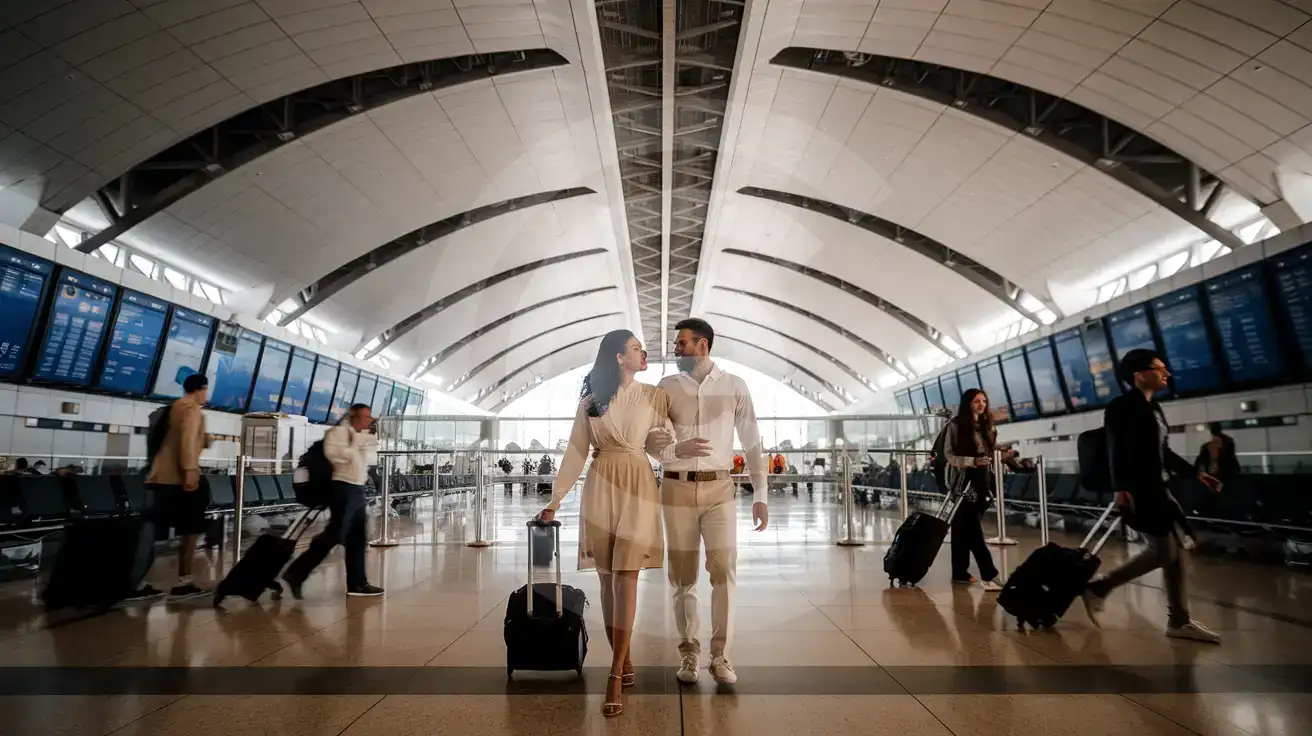
Honeymoon couple walking through Terminal 3 departures hall at Cairo International Airport with curved falcon-wing ceiling
Activate your eSIM before boarding so data is ready when you land at CAI.

Compare Connectivity Options at Cairo International Airport

Recommended
Local SIM / Operator
Roaming
IMEI registrationYour phone is logged for customs; a 90-day clock startsNever required
Setup timeBought in person, with your passportAuto
No local ID neededYour passport is copied and tied to the SIMUse home account
SpeedCarrier-gradePartner-dependent
Travel supportArabic-language serviceHome carrier hours
Keep home numberReplaces itSame number
Cost predictabilityPrepaid, no bill shockBill-shock risk
Typical pricing
You hand over your passport in a shop, and an Egyptian SIM gives your phone only 90 days before customs fees apply.
Prepaid internet bundle, renews every 28 days, on the Vodafone network only.
$12-18 / day
Typical daily roaming rate; varies by home carrier

PRICING — PICK YOUR ESIMNO PLAN

Light traveler
5GB / 30 days
$14.90
20% off for memberson your first order
≈ $11.92 USD member price
Buy now
Heavy traveler
20GB / 30 days
$30.90
20% off for memberson your first order
≈ $24.72 USD member price
Buy now

Frequently Asked Questions (FAQs)

Install the eSIM profile at home over WiFi before your flight, then keep the line disabled during travel. Once your aircraft reaches the gate at CAI and the captain clears phone use, switch off airplane mode and enable the eSIM. By the time you're walking the Terminal 3 arrivals corridor toward immigration, your phone is already pulling Uber driver locations and group chat messages.
Yes — modern dual-SIM phones let you run both lines simultaneously. Your home SIM stays active for incoming calls and texts (useful for bank verification codes), while the eSIMno line handles all data. For outgoing calls, use WhatsApp, FaceTime, or Google Meet over your eSIM data to avoid roaming charges on your home line.
Uber and Careem both operate pickup zones at Terminal 3 arrivals — fares run EGP 180-300 off-peak to the Tahrir Square area. The Cairo Airport Shuttle Bus route 356 reaches Abdel Moneim Riad terminal in 45-75 minutes for under EGP 10. Metered white taxis cost EGP 200-350 to downtown. Metro Line 3's Adly Mansour station connects via shuttle bus until the direct monorail link opens.
The Egypt eSIM plan covers the entire country, not just the airport. Continue to the Pyramids of Giza, down to Luxor and Aswan, or across to Sharm El Sheikh and Hurghada — the same plan keeps working on Etisalat's network without swapping SIMs or buying top-ups.
A week exploring Cairo — booking Uber rides, loading timed-entry tickets for the Grand Egyptian Museum, translating Arabic signage, and sharing photos — runs through 3-5 GB for an average traveler. Add video calls or streaming and you'll want a larger plan. A 48-hour layover with basic navigation and messaging needs closer to 1-2 GB.
The Automated People Mover between Terminal 2 and Terminal 3 runs every 3-4 minutes. A free shuttle bus connects Terminal 1 to Terminals 2 and 3 every 20-30 minutes. Check your connecting flight terminal in your airline app before landing — your eSIM data makes the real-time lookup instant instead of hunting for a departures board.
Cairo International Airport handles arrivals around the clock, but the SIM card kiosks inside Terminal 3 and Terminal 2 run shorter hours and longer queues than most jet-lagged travelers want to face. Installing an eSIM before your flight means your phone connects to Etisalat the moment you power off airplane mode at the gate — no hunting for a kiosk, no passport handover, no waiting while the agent activates your card. From CAI you'll need data immediately: Uber and Careem pickup zones sit at the far end of the arrivals curb, the Cairo Airport Shuttle Bus schedules change seasonally, and group chats with whoever is collecting you depend on a working connection. If your plans include the Pyramids at Great Pyramid of Giza, the Egyptian Museum, or the Grand Egyptian Museum out in Giza, your phone becomes your ticket wallet, your translator for Arabic signage, and your backup for timed-entry confirmations. The eSIMno Egypt plan works across the entire country — not just inside the airport perimeter. Continue down to Luxor, over to Sharm El Sheikh, or out to the Western Desert oases and your data keeps working on the same plan. Buy once, install before boarding, and skip the connectivity scramble that hits every traveler still searching for a SIM kiosk after a long-haul red-eye.
Back to Egypt

Connected in 3 steps

  1. Choose your planSearch for your destination, then pick the data and number of days.
  2. Install at homeYour eSIM arrives by email and installs in a few minutes with one tap or a QR code.
  3. Connect when you landYour plan's validity starts with its first connection in the coverage area.

Why eSIMno?

  • No more SIM kiosksSkip the airport queues. Install your eSIM at home, activate when you land.
  • No roaming surprisesForget the $200 phone bill three weeks after your trip. Plain pricing, no hidden fees.
  • Keep your own numberDual-SIM means your physical SIM stays active for calls and texts. eSIM handles only data.
  • Setup in 2 minutesScan QR code, follow on-screen steps, you're connected. Works on any eSIM-compatible phone.

Is my phone eSIM compatible?

Most phones released in recent years support eSIM. Check yours in the list before you buy.

  • iPhone XR, XS and later
  • Samsung Galaxy S20 and later
  • Google Pixel 4 and later
  • Xiaomi 12T Pro and later
All eSIM-Compatible Phones

Our guarantees

  • Secure payment with 3D SecurePay by card; every payment goes through your bank's 3D Secure check.VisaMastercard
  • 14-day refund if not installedIf you haven't installed your eSIM yet, you can get a refund within 14 days of purchase, no reason needed.Refund policy
  • 24/7 Customer SupportReach our team via WhatsApp and email during business hours. Quick answers to common questions available anytime through our automated assistant.

Frequently Asked Questions (FAQs)

How fast does the eSIM activate after I switch off airplane mode?
Activation typically takes 10-30 seconds after airplane mode is switched off, depending on local network availability. In some cases it's nearly instant; in remote areas it may take a minute or two. If it doesn't connect within 5 minutes, restart your phone or check that data roaming is enabled.
Can I make phone calls or send SMS?
It depends on the plan you choose. Most eSIMno plans are data-only: on those you cannot place regular calls or send SMS from the eSIM line, but messaging and calling apps work normally over the data connection - WhatsApp, iMessage, FaceTime, Telegram, Signal and Google Meet. We also offer voice plans in selected destinations, and on those calling and SMS work from the eSIM line itself, which comes with its own French phone number and unlimited calling across Europe. Every plan card shows which type it is, so check the plan type before you buy. If you are looking at a voice plan, please also read who you can call and text, and what happens to the phone number - both are explained in their own questions below.
What should I do if I see a 'No network' message after activating my eSIM?
If you see a 'No network' message after activation, try these steps in order: (1) Toggle airplane mode on for 10 seconds, then off. (2) Confirm data roaming is enabled for the eSIM line. (3) Manually select a network in cellular settings. (4) Restart your phone. If the issue continues, contact eSIMno support via WhatsApp or email.
What customer support is available if I have issues?
eSIMno offers support via WhatsApp and email. Our team helps with installation, troubleshooting, billing questions and refund requests during business hours, and our automated assistant answers common questions 24/7. Most issues are resolved within minutes during business hours.
Can I share data from my eSIM with someone else's phone?
Yes, through Personal Hotspot. Activate hotspot on your phone, share the password, and the other device connects to your data. Data used by connected devices counts toward your eSIM plan, so monitor usage to avoid running out faster than expected.
When should I set up my eSIM?
A Wi-Fi connection is required to install your eSIM, so we recommend setting it up before you leave home. Activation can happen later, either right before departure or after you land at your destination - but the initial QR scan needs Wi-Fi.
Can I use the eSIM to make video calls?
Yes - apps like FaceTime, WhatsApp, Zoom, Google Meet, and Microsoft Teams all work over your eSIM data. Video calls use about 200-400 MB per hour depending on quality, so factor that into your plan choice if you make long calls regularly.
Who can I call and text on a voice plan?
Outgoing calls and SMS are unlimited across Europe - that is the calling area, and it is not the same as where the plan gives you data. Incoming calls and SMS go further: they reach you from anywhere in the world, they are free, and they do not use up your allowance. So if someone back home calls or texts your eSIM number, it arrives no matter where they are calling from. If you mainly need to be reachable rather than to make calls, that matters more than the outgoing area.
How can I verify if my eSIM is activated?
There are two clear indicators: (1) your phone's status bar shows the local carrier name once you arrive at your destination, and (2) the data icon (4G, LTE, or 5G) appears next to the eSIMno line in your cellular settings. If neither shows up, turn airplane mode on and then off again, or restart your phone.
Do I need to remove my eSIM after my trip?
You don't have to remove it. When your plan ends, the eSIM stops providing data and moves to Archived in Profile > My eSIMs. If you keep it installed on your phone, you can top it up there and use it again - no new QR code needed (top-ups aren't available for unlimited and voice plans). If you need the space, you can delete the old profile in your phone's cellular settings; after that, you'll need a new eSIM for your next trip.
Can I keep my WhatsApp number while using an eSIM?
Yes. Your WhatsApp number stays linked to your home SIM, so all your chats, contacts, and groups remain unchanged. WhatsApp uses data (not the SIM line directly) for messages and calls, so it works seamlessly over your eSIMno data.
How can I purchase the Egypt eSIM?
You can purchase your eSIM directly from the eSIMno website - select a Egypt plan and complete the payment. Within minutes you'll receive an order confirmation email that contains everything you need to install: a QR code, a one-tap install link, the SM-DP+ address and activation code, plus an "Install eSIM" button. You can install straight from that email, or sign in anytime and go to Profile > My eSIMs > Install to get the same options.
All questions