

Review Your Cart

Your cart is empty.

You haven't added any eSIM packages yet. Start exploring our plans to get connected!

Browse our eSIM Packages

USA USA   / The White House

6 plans · From $4.90 · QR code instantly by email

  • 3 networksAT&T · T-Mobile · Verizon
  • No ID check
  • Top-up available
  • Validity starts on activation

Plan Your Trip

Tell us what you'll do and how long you'll be away — we'll highlight the right plan.

7 days
1102030

What will you do?

Tap an activity above to see which plan fits your trip
The White House North Portico at golden hour with neoclassical columns and American flag

White House eSIM: Historic Site Data That Works Across All USA

You're walking toward the White House Visitor Center with your tour confirmation to pull up, the National Mall itinerary still loading, and a rideshare pickup to coordinate for dinner in Georgetown afterward. With eSIMno, your USA data plan activates the moment you land at Washington Dulles International Airport, keeping you connected from the Ellipse to every stop across your American trip.

Already a customer?

EARN UP TOON EVERY FRIEND'S PURCHASE
NETWORK: AT&T & T-Mobile & Verizon Depending on the plan you choose, you'll connect to one or more of these networks.

Quick Facts

Time Zone
Eastern Time (ET, UTC-5 / UTC-4 DST)
Dialing Code
+1
Currency
US Dollar (USD, $)
Power Plug
Type A, B (flat 2-pin, common across North America)
Language
English
Emergency
911 (police, fire, ambulance)
eSIMno Networks
AT&T, T-Mobile, Verizon

How to Get Your eSIM

  1. Choose Your USA Data Plan
    Pick from eSIMno's USA plans sized for a weekend in DC or a cross-country journey. Select data volume and validity that matches your itinerary — a 3-day plan covers White House and Mall visits, while longer options work for multi-city American trips.
  2. Install at Home Before Your Flight
    Download the eSIM profile over your home WiFi before heading to the airport. The QR code arrives instantly by email. Installation takes under 2 minutes on iPhone (iOS 12.1+) or Android (Pixel, Samsung Galaxy S20+, newer models).
  3. Activate After Landing at Dulles or DCA
    Once your plane reaches the gate at Washington Dulles or Reagan National, switch off airplane mode. Your eSIM connects to AT&T or Verizon automatically — no searching for airport kiosks, no passport handover, no activation SMS.
  4. Keep Your Home SIM Active for Calls
    Your phone's dual-SIM capability lets your home number receive calls and texts while eSIMno handles all data. Outgoing calls work best through WhatsApp, FaceTime, or Google Meet over your eSIM data — avoid native voice calls to skip roaming charges.
  5. Navigate to The White House and Beyond
    Pull up your tour confirmation at the Visitor Center security checkpoint, load Google Maps for the walk from Metro Center station, and coordinate rideshare pickup on 17th Street after your visit. Your data works from the Ellipse to the Lincoln Memorial to anywhere in the USA.

Traveler Tips

  • Book White House tours 21-90 days in advance through your Member of Congress (US citizens) or your country's DC embassy (foreign nationals) — confirmations arrive by email and must load on your phone at security.
  • The White House Visitor Center at 1450 Pennsylvania Avenue NW opens 7:30 AM-4:00 PM daily with free entry and no reservation required — a solid backup if tour requests aren't approved.
  • Metro stations McPherson Square (Blue/Orange/Silver) and Federal Triangle sit 5-8 minutes on foot from the North Lawn viewing area — real-time arrival boards on the WMATA app beat platform guesswork.
  • Large bags, cameras with detachable lenses over 3 inches, tripods, and selfie sticks are prohibited on residence tours — leave them at your hotel and travel light with just your phone.
  • Activate your eSIM after landing rather than during boarding — this ensures connection to AT&T or Verizon towers at your destination, not your departure airport.
  • The South Lawn viewing area on the Ellipse side offers unobstructed photo angles without tour approval — Google Maps walking directions get you there from the Washington Monument in 8 minutes.

Why Data Matters at The White House

The White House tour experience depends entirely on digital coordination from the moment you leave your hotel. Tour confirmations arrive as email attachments or mobile PDFs that must load at the East Wing security checkpoint — the Secret Service screening process has no patience for 'still loading' screens. Walk-up visits aren't possible; every approved guest needs their confirmation visible alongside government-issued ID.

Transit to 1600 Pennsylvania Avenue

Most visitors arrive via WMATA Metro from stations scattered across the District. McPherson Square (Blue, Orange, Silver Lines) sits 6 minutes northeast of the North Lawn. Federal Triangle (same lines) is 8 minutes southeast. Metro Center (Red Line transfer hub) adds flexibility if you're coming from Union Station or Dupont Circle. The WMATA app shows real-time train arrivals — useful when coordinating a tight tour window or meeting someone at Lafayette Square beforehand.

After Your Visit

The White House anchors a walkable corridor of monuments and museums. The Washington Monument stands 10 minutes south across the Ellipse. The Lincoln Memorial sits 25 minutes west along the Reflecting Pool. Smithsonian museums (American History, Natural History, African American History) line the Mall with free admission but timed-entry requirements during peak season — those reservations load on your phone at each entrance. Rideshare pickups work best from designated zones on 17th Street NW or along Constitution Avenue; Uber and Lyft surge pricing spikes after major events on the Mall, so checking rates before you leave the museum saves money. Dinner reservations in Georgetown or Dupont Circle require OpenTable or Resy confirmations — your eSIMno plans for The White House, Washington D.C, United States keep everything loading without hunting for café WiFi.

Visiting The White House

Public tours run Tuesday through Saturday, with entry windows between 8:00 AM and 12:30 PM — schedules shift based on official events, and last-minute cancellations happen without warning. Foreign nationals must request tours through their embassy in Washington; processing takes 3-4 weeks minimum. US citizens route requests through their congressional representative's office. Both channels deliver confirmations digitally.

What to Expect

The self-guided tour covers the Ground and State Floors of the Executive Residence via the East Wing route. Highlights include the East Room (site of presidential press conferences and state receptions), the Blue Room (official Christmas tree location), and the State Dining Room (capacity 140 guests). The Oval Office, Situation Room, and private residential quarters on the upper floors remain closed to visitors. Photography with smartphones is permitted throughout the tour route. Total visit time runs 45-60 minutes depending on crowd flow.

Security Protocol

Arrive 15 minutes before your assigned window. Prohibited items include backpacks, large purses, food, beverages, cameras with detachable lenses exceeding 3 inches, video cameras, tripods, monopods, selfie sticks, and any pointed objects. There's no bag storage — prohibited items mean denied entry. Government-issued photo ID matching your tour request is mandatory.

Connected at The White House

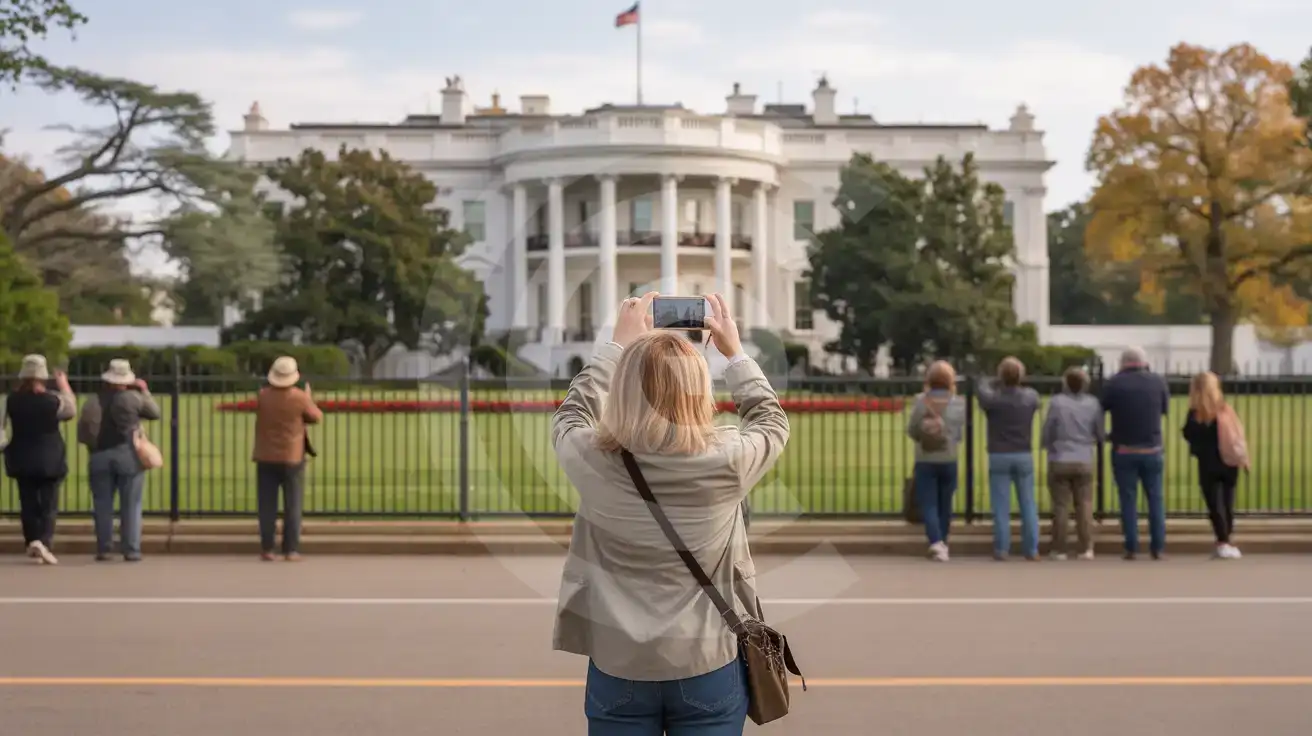
Solo female traveler photographing the White House South Portico from the Ellipse viewing area
Activate your eSIM before your DC trip so tour confirmations and Mall directions load instantly at The White House.

Compare eSIM Options at The White House

Recommended
Local SIM / Operator
Roaming
Setup timeStore kit, needs activationAuto
No local ID neededNo SSN; passport at carrier storesUse home account
SpeedOne carrier onlyPartner-dependent
Travel supportEnglish-language serviceHome carrier hours
Keep home numberReplaces itSame number
Cost predictabilityAdvertised price needs Auto PayBill-shock risk
5GB / 30 daysLight traveler
15GB / 30 days
$45.00
First month without Auto Pay; 35 USD after enrolling. Taxes and fees are extra.
$12-18 / day
$450.00
30 days × daily rate
Typical daily roaming rate; varies by home carrier
10GB / 30 daysStandard travelerMost popular
20GB / 30 daysHeavy traveler

Frequently Asked Questions (FAQs)

Activate after your flight lands at Dulles or Reagan National — by the time you're walking through the arrivals hall toward the Metro or rideshare pickup zone, your phone is already pulling directions to your hotel. The eSIM connects automatically to AT&T or Verizon towers the moment you switch off airplane mode.
Signal strength holds steady through the East Wing entrance and the State Floor rooms — the building's thick sandstone walls don't block modern LTE the way older brick structures sometimes do. Your tour confirmation, photos, and any messages you send should work without issue throughout the 45-60 minute visit.
The Silver Line Metro runs from Dulles to downtown DC in about 50-55 minutes, with transfer at Rosslyn or L'Enfant Plaza depending on your final stop. McPherson Square station sits 6 minutes on foot from the North Lawn. Real-time Metro arrivals load on the WMATA app — eSIMno data keeps the schedule updating as you ride.
Your plan works nationwide on AT&T and Verizon networks — from the National Mall to a weekend in New York City to a West Coast extension through Los Angeles or San Francisco. One purchase covers your entire American itinerary, not just the Washington monuments.
Official events override public tours without much warning — the cancellation notice arrives by email, which your eSIM data loads instantly. The White House Visitor Center at 1450 Pennsylvania Avenue NW stays open regardless (7:30 AM-4:00 PM daily, free entry), and the Smithsonian museums along the Mall make excellent same-day alternatives with timed-entry bookings that load on your phone.
Keep your home SIM active for incoming calls — your phone's dual-SIM setup lets both work simultaneously. For outgoing calls, use WhatsApp, FaceTime, or Google Meet over your eSIMno data to avoid roaming charges on your home plan. The eSIM handles all data; your home number handles voice.
Visiting The White House puts you at the symbolic heart of American political history, and your phone becomes your coordination hub from the moment you arrive. Tour confirmations come as email attachments or mobile tickets that need to load at the security checkpoint. The walk from McPherson Square Metro (Blue, Orange, Silver Lines) or Federal Triangle takes under ten minutes, but real-time transit apps like Google Maps or Citymapper help you time the approach so you're not waiting outside the gates longer than necessary. The White House Visitor Center at 1450 Pennsylvania Avenue NW opens daily and requires no reservation, but the actual residence tour demands advance coordination through your Member of Congress or embassy — confirmations arrive digitally and must be accessible on your phone alongside government-issued ID. After your visit, the National Mall stretches south toward the Washington Monument, Lincoln Memorial, and Smithsonian museums, each requiring maps, ticketing apps, and rideshare coordination that depend on steady mobile data. eSIMno plans connect through AT&T and Verizon, giving you authentic local coverage that works from the Ellipse viewing area to Reagan National Airport and every destination in between. Install at home over WiFi before your flight, activate after touchdown at Dulles or DCA, and your phone handles everything — tour confirmations, Metro directions, dinner reservations in Dupont Circle, and the rideshare home from Ford's Theatre. One plan covers your entire American itinerary, not just the DC monuments.
Back to United States

Connected in 3 steps

  1. Choose your planSearch for your destination, then pick the data and number of days.
  2. Install at homeYour eSIM arrives by email and installs in a few minutes with one tap or a QR code.
  3. Connect when you landYour plan's validity starts with its first connection in the coverage area.

Why eSIMno?

  • No more SIM kiosksSkip the airport queues. Install your eSIM at home, activate when you land.
  • No roaming surprisesForget the $200 phone bill three weeks after your trip. Plain pricing, no hidden fees.
  • Keep your own numberDual-SIM means your physical SIM stays active for calls and texts. eSIM handles only data.
  • Setup in 2 minutesScan QR code, follow on-screen steps, you're connected. Works on any eSIM-compatible phone.

Is my phone eSIM compatible?

Most phones released in recent years support eSIM. Check yours in the list before you buy.

  • iPhone XR, XS and later
  • Samsung Galaxy S20 and later
  • Google Pixel 4 and later
  • Xiaomi 12T Pro and later
All eSIM-Compatible Phones

Our guarantees

  • Secure payment with 3D SecurePay by card; every payment goes through your bank's 3D Secure check.VisaMastercard
  • 14-day refund if not installedIf you haven't installed your eSIM yet, you can get a refund within 14 days of purchase, no reason needed.Refund policy
  • 24/7 Customer SupportReach our team via WhatsApp and email during business hours. Quick answers to common questions available anytime through our automated assistant.

Frequently Asked Questions (FAQs)

Does my voice plan come with a phone number I can keep?
Your voice plan has its own phone number, and it is issued in France - so you get a French number even when the plan itself is for another country. It is not a permanent number and you cannot keep it: it changes roughly every 30 days. Voice plans also cannot be topped up, so when the plan ends you buy a new one, with a new eSIM to install and a different number. Please treat the number as something that belongs to the trip, not to you - if you need a number that stays yours for years, a voice eSIM is not the right product.
When should I set up my eSIM?
A Wi-Fi connection is required to install your eSIM, so we recommend setting it up before you leave home. Activation can happen later, either right before departure or after you land at your destination - but the initial QR scan needs Wi-Fi.
What should I do if I see a 'No network' message after activating my eSIM?
If you see a 'No network' message after activation, try these steps in order: (1) Toggle airplane mode on for 10 seconds, then off. (2) Confirm data roaming is enabled for the eSIM line. (3) Manually select a network in cellular settings. (4) Restart your phone. If the issue continues, contact eSIMno support via WhatsApp or email.
Can I share data from my eSIM with someone else's phone?
Yes, through Personal Hotspot. Activate hotspot on your phone, share the password, and the other device connects to your data. Data used by connected devices counts toward your eSIM plan, so monitor usage to avoid running out faster than expected.
Can I switch the eSIM to a different phone after activation?
Generally no. Once an eSIM is activated on a device, it's tied to that device. If you switch phones, you'll need to install a new eSIM. Some carriers offer eSIM transfer features, but eSIMno plans don't currently support transfer between devices.
Will I get notifications when my data is running low?
Yes. eSIMno sends email and push notifications when you've used 50%, 80%, and 100% of your data allowance. You can also check usage anytime in Profile > My eSIMs or in your phone's cellular settings to track consumption in real time.
What makes eSIMno different from other eSIM services?
eSIMno offers eSIM plans for 170+ countries on reliable local partner networks. The price at checkout is all you pay - no activation fee or roaming surcharge. Your eSIM arrives by email within minutes and only starts when it connects to a network at your destination; most plans can be topped up in Profile > My eSIMs, and if you haven't installed your eSIM, you can get a refund within 14 days.
Can I use the eSIM for my smartwatch?
Some smartwatches (Apple Watch Cellular, Samsung Galaxy Watch LTE) support eSIM, but they typically require a plan from your home carrier rather than a travel eSIM. eSIMno plans are designed for phones and tablets - check device compatibility before purchase if you intend to use a wearable.
Can I make phone calls or send SMS?
It depends on the plan you choose. Most eSIMno plans are data-only: on those you cannot place regular calls or send SMS from the eSIM line, but messaging and calling apps work normally over the data connection - WhatsApp, iMessage, FaceTime, Telegram, Signal and Google Meet. We also offer voice plans in selected destinations, and on those calling and SMS work from the eSIM line itself, which comes with its own French phone number and unlimited calling across Europe. Every plan card shows which type it is, so check the plan type before you buy. If you are looking at a voice plan, please also read who you can call and text, and what happens to the phone number - both are explained in their own questions below.
Can I extend my eSIM plan validity?
The validity of a package that is already running cannot be extended, but you can top up: a top-up adds a new package with its own data AND its own validity days. Packages run one at a time - the top-up waits in queue and activates automatically when your current package ends (data used up or days expired), and its own days start counting from that moment. In practice this keeps you connected longer, even though the current package's own end date does not move.
What happens when my voice or unlimited plan ends? Can I renew it?
These plans cannot be topped up or renewed. Once the allowance is used or the validity period ends, the line closes. To keep going you buy a new plan, and that gives you a new eSIM to install - on a voice plan it also gives you a new phone number. This is how our supplier provides voice and unlimited plans, so we would rather tell you up front than let you expect an automatic renewal that will not happen. We never renew these plans and charge you without asking.
Can I use the eSIM to make video calls?
Yes - apps like FaceTime, WhatsApp, Zoom, Google Meet, and Microsoft Teams all work over your eSIM data. Video calls use about 200-400 MB per hour depending on quality, so factor that into your plan choice if you make long calls regularly.
All questions