

Review Your Cart

Your cart is empty.

You haven't added any eSIM packages yet. Start exploring our plans to get connected!

Browse our eSIM Packages

USA USA   / Miami International Airport

6 plans · From $4.90 · QR code instantly by email

  • 3 networksAT&T · T-Mobile · Verizon
  • No ID check
  • Top-up available
  • Validity starts on activation

Plan Your Trip

Tell us what you'll do and how long you'll be away — we'll highlight the right plan.

7 days
1102030

What will you do?

Tap an activity above to see which plan fits your trip
Miami International Airport terminal facade at golden hour with palm trees and control tower

Miami International Airport eSIM: MIA Data That Works Across All 50 States

Your flight is taxiing toward the gate at Miami International Airport and you're already confirming your South Beach hotel transfer, checking Metrorail schedules to Brickell, and pulling up tonight's dinner reservation in Little Havana. With eSIMno, your USA data plan activates the moment you switch off airplane mode—no SIM kiosk queue, no airport WiFi captive portal, just instant connectivity across AT&T and Verizon networks.

Already a customer?

EARN UP TOON EVERY FRIEND'S PURCHASE
NETWORK: AT&T & T-Mobile & Verizon Depending on the plan you choose, you'll connect to one or more of these networks.

Quick Facts

Time Zone
Eastern Time (ET, UTC−5 / UTC−4 DST)
Dialing Code
+1
Currency
US Dollar (USD, $)
Power Plug
Type A, B (flat 2-pin, common across North America)
Language
English
Emergency
911 (police, fire, ambulance)
eSIMno Networks
AT&T, T-Mobile, Verizon

How to Get Your eSIM

  1. Pick Your USA Data Plan
    Choose from eSIMno's range of US plans—options run from short layovers to extended stays. Select the data volume that matches your Miami trip plus any onward travel.
  2. Install at Home Before Your Flight
    Add the eSIM profile to your phone over your home WiFi. iPhone users tap Settings → Cellular → Add eSIM; Android varies by model. The whole process takes under three minutes.
  3. Keep Airplane Mode On During the Flight
    Your eSIM profile sits dormant until you're ready. Leave airplane mode engaged so the plan doesn't activate prematurely at your departure airport.
  4. Activate After Touchdown at MIA
    Once the aircraft reaches the gate and the captain clears phone use, switch off airplane mode. Your phone connects to AT&T or Verizon within seconds—before you even unbuckle.
  5. Clear Customs With Data Already Working
    By the time you're in the immigration queue at Concourse D, E, or J, your Maps app is loading directions to the MIA Mover, your rideshare app is ready to request a pickup, and your hotel confirmation email is one tap away.

Traveler Tips

  • Concourse D stretches nearly 1.2 miles end to end—use the Skytrain automated people mover inside the concourse to cut walking time from 25 minutes to under 10, and check real-time gate updates on your phone as you ride.
  • Uber and Lyft pickups happen on level 2 of the Dolphin garage (North Terminal) or Flamingo garage (Central/South)—have your app open and location services active before you exit arrivals to avoid circling.
  • The free MIA Mover connects the terminal to the Miami Intermodal Center in about 4-5 minutes; from there Metrorail's Orange Line reaches downtown Government Center in around 15 minutes for a $2.25 EASY Card fare.
  • International arrivals clearing Concourse J need to transit landside to reach North Terminal flights—budget 60-75 minutes including TSA re-screening if you're connecting to an American Airlines Oneworld partner.
  • If your layover is long, the MIA Hotel inside the Central Terminal (Concourse E, levels 7-9) offers day-use rooms—book through their app or site with your eSIM data instead of hunting for a lobby WiFi signal.
  • Late-night arrivals after 10 PM find most TSA checkpoints closed until around 4 AM and Metrorail's last Orange Line train departing MIC around midnight—have rideshare or hotel shuttle ready on your phone.

Why You Need an eSIM at MIA

Miami International Airport is a three-terminal, 131-gate complex where the walk from Concourse D1 to Concourse J18 can take 30 minutes without the Skytrain—and real-time gate-change alerts on your phone beat jogging blindly toward a boarding call you missed. The airport's free WiFi requires a captive-portal sign-up that stalls during peak arrival waves, and coverage thins in the customs corridors where you need it most for Global Entry confirmation screens and Mobile Passport Control.

With an eSIMno plan for Miami International Airport, your data is live the moment you taxi in. Request your Uber or Lyft from the Dolphin or Flamingo garage while still walking the arrivals hall—surge pricing shifts fast during cruise-ship turnaround days and Formula 1 race weekends, and a 60-second delay can cost you $15. Pull up the MIA Mover schedule and Metrorail Orange Line real-time arrivals on Google Maps or Citymapper before you reach the platform. Text your pickup party the exact door number (lower-level curbside, Central Terminal arrivals) so they're idling when you step outside.

International connections through MIA require clearing U.S. Customs at your first point of entry—even if you're flying onward to another country. That means collecting bags, re-clearing TSA, and navigating between North, Central, and South terminals with only landside walkways or the curbside shuttle. Real-time terminal maps on your phone cut confusion; the American Airlines app shows live connection times from Concourse D to your next gate. A dead phone in the immigration queue means missing the 90-minute minimum connection window airlines recommend for international-to-domestic.

Getting From MIA to Miami

The MIA Mover automated people mover runs from level 3 of the terminal-side garage to the Miami Intermodal Center (MIC) in about 4-5 minutes—free, no ticket required. From the MIC, Metrorail's Orange Line reaches Government Center (downtown Miami / Brickell transfer point) in roughly 15 minutes; a one-way EASY Card fare runs around $2.25. Tri-Rail commuter trains also board at the MIC for connections north to Fort Lauderdale and West Palm Beach.

Rideshare and Taxi

Uber and Lyft pickups are on level 2 of the Dolphin garage (serving North Terminal / Concourse D) and Flamingo garage (serving Central and South Terminals). Flat-rate taxi zones apply from MIA: expect around $27 to downtown Miami or Brickell, around $35 to South Beach, and around $58 to Key Biscayne. Off-peak drives run 20-25 minutes; rush-hour traffic on the Airport Expressway (SR-112) or Dolphin Expressway (SR-836) can stretch that to 45-50 minutes. Having your rideshare app open with GPS active before you exit arrivals saves circling the garage looking for your driver.

Inside MIA Arrivals

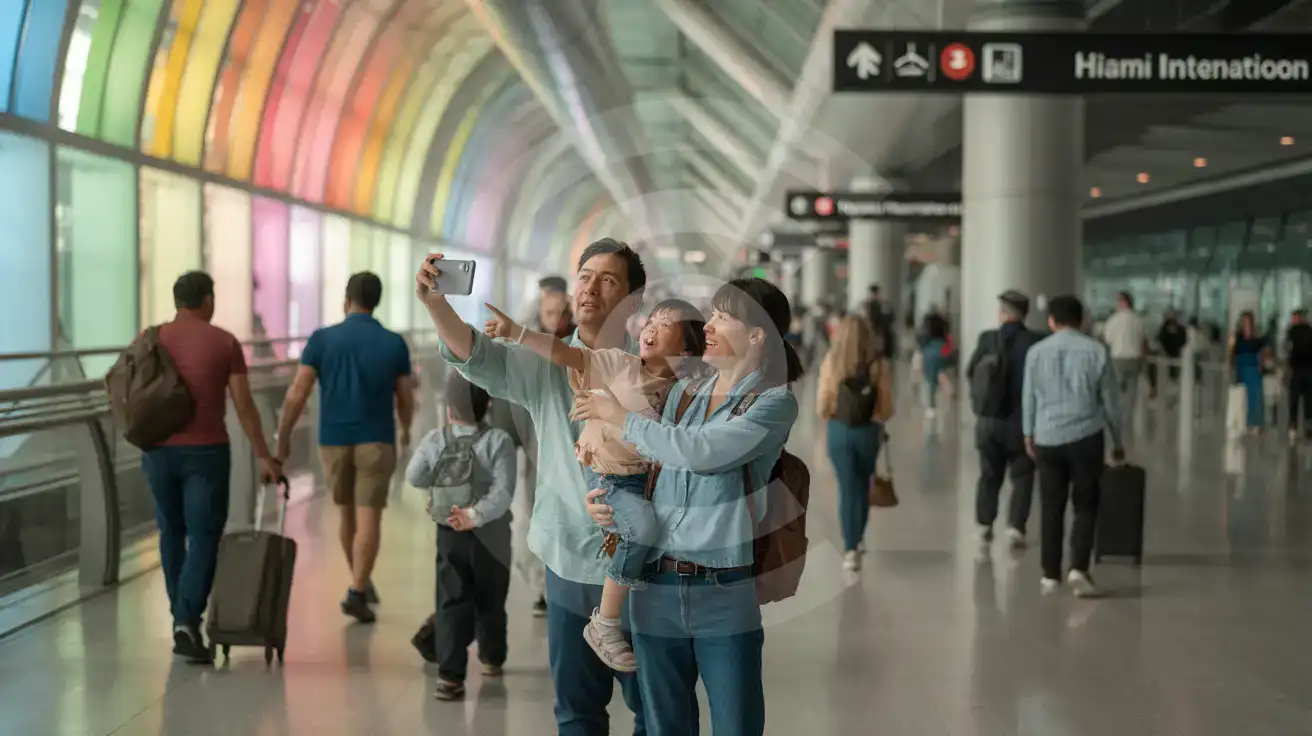
Family walking through Miami International Airport's colorful Harmonic Convergence corridor with smartphone
Activate your eSIM before landing at MIA so rideshare and transit apps work the moment you reach arrivals.

Compare eSIM Options at Miami International Airport

Recommended
Local SIM / Operator
Roaming
Setup timeStore kit, needs activationAuto
No local ID neededNo SSN; passport at carrier storesUse home account
SpeedOne carrier onlyPartner-dependent
Travel supportEnglish-language serviceHome carrier hours
Keep home numberReplaces itSame number
Cost predictabilityAdvertised price needs Auto PayBill-shock risk
5GB / 30 daysLight traveler
15GB / 30 days
$45.00
First month without Auto Pay; 35 USD after enrolling. Taxes and fees are extra.
$12-18 / day
$450.00
30 days × daily rate
Typical daily roaming rate; varies by home carrier
10GB / 30 daysStandard travelerMost popular
20GB / 30 daysHeavy traveler

Frequently Asked Questions (FAQs)

Install the eSIM profile at home over WiFi before your flight, then activate after landing—by the time you're walking from the gate toward the MIA Mover platform, your phone is already pulling Metrorail schedules and rideshare ETAs. Activating before departure risks the plan going live at your origin airport instead of MIA.
Yes. Your phone runs dual-SIM mode—eSIMno handles all data (maps, rideshare, browsing, WhatsApp calls) while your home SIM stays active for incoming calls and texts. Use data-based calling apps like FaceTime or WhatsApp for outgoing calls to avoid roaming charges on your home line.
By rideshare, expect 25-35 minutes off-peak and up to 50 minutes during rush hour. Metrobus route 150 (Airport-Beach Express) runs to Lincoln Road and Washington Avenue in roughly 35-50 minutes for around $2.65. Having your transit app ready with real-time arrivals saves guessing which option is faster on your specific travel day.
Absolutely. eSIMno plans connect through AT&T and Verizon networks nationwide—the same data that gets you out of MIA keeps working through your South Beach hotel stay, your Everglades day trip, your cruise departure from Port of Miami, or a connecting flight onward to Orlando or Los Angeles.
Concourse D has three American Airlines Admirals Club locations plus a Centurion Lounge near gate D12. The MIA Hotel inside Central Terminal (Concourse E, levels 7-9) offers day-use rooms bookable through their site—your eSIM data lets you compare options and reserve without hunting for a lounge WiFi password.
The free WiFi requires a captive-portal sign-up that slows during peak arrival waves, and coverage weakens in customs corridors and the MIA Mover connector. An eSIM bypasses that friction entirely—your phone connects to cellular the moment you switch off airplane mode, no registration required.
Miami International Airport handles tens of millions of passengers annually, and the arrivals hall moves fast. By the time you clear customs at MIA and reach the curbside pickup zone, you'll want working data for rideshare requests, hotel confirmations, and real-time traffic updates on the drive to your destination. The airport's free WiFi requires registration and slows to a crawl during peak arrival waves—an eSIM bypasses that friction entirely. Activate your plan before departure and your phone connects automatically after touchdown. From MIA, the free MIA Mover links the terminal to the Miami Intermodal Center in under five minutes, where Metrorail's Orange Line runs downtown to Government Center in around 15 minutes. Uber and Lyft pickups happen on level 2 of the Dolphin and Flamingo garages—both require GPS and app access the moment you step outside. Your eSIM keeps Maps routing, surge-price alerts, and group chats with your pickup party running smoothly. Because eSIMno plans cover the entire United States on AT&T and Verizon, the same data that gets you out of MIA keeps working through your Everglades day trip, your cruise departure from Port of Miami, or your connecting flight onward to Orlando or Los Angeles. One plan, nationwide reach, zero SIM-swap hassle.
Back to United States

Connected in 3 steps

  1. Choose your planSearch for your destination, then pick the data and number of days.
  2. Install at homeYour eSIM arrives by email and installs in a few minutes with one tap or a QR code.
  3. Connect when you landYour plan's validity starts with its first connection in the coverage area.

Why eSIMno?

  • No more SIM kiosksSkip the airport queues. Install your eSIM at home, activate when you land.
  • No roaming surprisesForget the $200 phone bill three weeks after your trip. Plain pricing, no hidden fees.
  • Keep your own numberDual-SIM means your physical SIM stays active for calls and texts. eSIM handles only data.
  • Setup in 2 minutesScan QR code, follow on-screen steps, you're connected. Works on any eSIM-compatible phone.

Is my phone eSIM compatible?

Most phones released in recent years support eSIM. Check yours in the list before you buy.

  • iPhone XR, XS and later
  • Samsung Galaxy S20 and later
  • Google Pixel 4 and later
  • Xiaomi 12T Pro and later
All eSIM-Compatible Phones

Our guarantees

  • Secure payment with 3D SecurePay by card; every payment goes through your bank's 3D Secure check.VisaMastercard
  • 14-day refund if not installedIf you haven't installed your eSIM yet, you can get a refund within 14 days of purchase, no reason needed.Refund policy
  • 24/7 Customer SupportReach our team via WhatsApp and email during business hours. Quick answers to common questions available anytime through our automated assistant.

Frequently Asked Questions (FAQs)

Does my voice plan come with a phone number I can keep?
Your voice plan has its own phone number, and it is issued in France - so you get a French number even when the plan itself is for another country. It is not a permanent number and you cannot keep it: it changes roughly every 30 days. Voice plans also cannot be topped up, so when the plan ends you buy a new one, with a new eSIM to install and a different number. Please treat the number as something that belongs to the trip, not to you - if you need a number that stays yours for years, a voice eSIM is not the right product.
When should I set up my eSIM?
A Wi-Fi connection is required to install your eSIM, so we recommend setting it up before you leave home. Activation can happen later, either right before departure or after you land at your destination - but the initial QR scan needs Wi-Fi.
What should I do if I see a 'No network' message after activating my eSIM?
If you see a 'No network' message after activation, try these steps in order: (1) Toggle airplane mode on for 10 seconds, then off. (2) Confirm data roaming is enabled for the eSIM line. (3) Manually select a network in cellular settings. (4) Restart your phone. If the issue continues, contact eSIMno support via WhatsApp or email.
Can I share data from my eSIM with someone else's phone?
Yes, through Personal Hotspot. Activate hotspot on your phone, share the password, and the other device connects to your data. Data used by connected devices counts toward your eSIM plan, so monitor usage to avoid running out faster than expected.
Can I switch the eSIM to a different phone after activation?
Generally no. Once an eSIM is activated on a device, it's tied to that device. If you switch phones, you'll need to install a new eSIM. Some carriers offer eSIM transfer features, but eSIMno plans don't currently support transfer between devices.
Will I get notifications when my data is running low?
Yes. eSIMno sends email and push notifications when you've used 50%, 80%, and 100% of your data allowance. You can also check usage anytime in Profile > My eSIMs or in your phone's cellular settings to track consumption in real time.
What makes eSIMno different from other eSIM services?
eSIMno offers eSIM plans for 170+ countries on reliable local partner networks. The price at checkout is all you pay - no activation fee or roaming surcharge. Your eSIM arrives by email within minutes and only starts when it connects to a network at your destination; most plans can be topped up in Profile > My eSIMs, and if you haven't installed your eSIM, you can get a refund within 14 days.
Can I use the eSIM for my smartwatch?
Some smartwatches (Apple Watch Cellular, Samsung Galaxy Watch LTE) support eSIM, but they typically require a plan from your home carrier rather than a travel eSIM. eSIMno plans are designed for phones and tablets - check device compatibility before purchase if you intend to use a wearable.
Can I make phone calls or send SMS?
It depends on the plan you choose. Most eSIMno plans are data-only: on those you cannot place regular calls or send SMS from the eSIM line, but messaging and calling apps work normally over the data connection - WhatsApp, iMessage, FaceTime, Telegram, Signal and Google Meet. We also offer voice plans in selected destinations, and on those calling and SMS work from the eSIM line itself, which comes with its own French phone number and unlimited calling across Europe. Every plan card shows which type it is, so check the plan type before you buy. If you are looking at a voice plan, please also read who you can call and text, and what happens to the phone number - both are explained in their own questions below.
Can I extend my eSIM plan validity?
The validity of a package that is already running cannot be extended, but you can top up: a top-up adds a new package with its own data AND its own validity days. Packages run one at a time - the top-up waits in queue and activates automatically when your current package ends (data used up or days expired), and its own days start counting from that moment. In practice this keeps you connected longer, even though the current package's own end date does not move.
What happens when my voice or unlimited plan ends? Can I renew it?
These plans cannot be topped up or renewed. Once the allowance is used or the validity period ends, the line closes. To keep going you buy a new plan, and that gives you a new eSIM to install - on a voice plan it also gives you a new phone number. This is how our supplier provides voice and unlimited plans, so we would rather tell you up front than let you expect an automatic renewal that will not happen. We never renew these plans and charge you without asking.
Can I use the eSIM to make video calls?
Yes - apps like FaceTime, WhatsApp, Zoom, Google Meet, and Microsoft Teams all work over your eSIM data. Video calls use about 200-400 MB per hour depending on quality, so factor that into your plan choice if you make long calls regularly.
All questions