

Review Your Cart

Your cart is empty.

You haven't added any eSIM packages yet. Start exploring our plans to get connected!

Browse our eSIM Packages

Portugal Portugal   / Port of Faro

8 plans · From $4.90 · QR code instantly by email

  • 2 networksNOS · MEO
  • No ID check
  • Top-up available
  • Validity starts on activation

Plan Your Trip

Tell us what you'll do and how long you'll be away — we'll highlight the right plan.

7 days
1102030

What will you do?

Tap an activity above to see which plan fits your trip
Port of Faro marina at golden hour with traditional boats, whitewashed Old Town buildings, and Faro Cathedral towers in the background

Port of Faro eSIM: Algarve Data That Works Across Portugal

Your ship pulls into Port of Faro and you've got 6 hours to explore the Old Town, coordinate a taxi to Ria Formosa Natural Park, and check the return tender schedule — all while passengers crowd the terminal's patchy WiFi. With eSIMno, you install your Portugal plan before sailing, activate the moment you dock, and your phone is already mapping the walk into town before you clear the gangway.

Already a customer?

EARN UP TOON EVERY FRIEND'S PURCHASE
NETWORK: NOS & MEO Depending on the plan you choose, you'll connect to one or more of these networks.

Quick Facts

Language
Portuguese (Português)
Currency
Euro (EUR, €)
Time Zone
Western European Time (UTC+0 / UTC+1 DST)
Dialing Code
+351
Power Plug
Type C, E, F (round 2-pin, common across most of Europe)
Emergency
112
eSIMno Networks
MEO, NOS

How to Get Your eSIM

  1. Pick Your Portugal Plan
    Choose a data allowance that matches your port call — a day pass works for a 6-hour stop, while a weekly plan covers multi-port Algarve itineraries with stops in Lisbon or Porto.
  2. Install Over Ship WiFi Before Docking
    Scan your QR code while still connected to onboard WiFi. The profile downloads in under two minutes and sits dormant until you activate.
  3. Activate as the Gangway Drops
    Switch off airplane mode once the ship is berthed. Your phone connects to NOS or MEO within seconds — faster than the first passengers reach the terminal exit.
  4. Set eSIMno as Your Data Line
    In dual-SIM settings, assign eSIMno for mobile data and keep your home SIM active for incoming calls. Outgoing calls go through WhatsApp or FaceTime over your new data.
  5. Walk Into Faro Connected
    Maps load directions to the Arco da Vila gate, Uber shows available cars at the taxi rank, and your camera roll backs up as you shoot the Old Town — all before you've left the quayside.

Traveler Tips

  • Port of Faro sits 10 minutes on foot from the Old Town walls — save the taxi fare and walk through the marina promenade with maps guiding you.
  • Tender operations are rare here; most ships dock directly at the commercial quay, so activation timing is predictable the moment the vessel berths.
  • Ria Formosa ferry schedules change seasonally — pull real-time departures on your phone rather than relying on printed timetables at the terminal.
  • Keep your home SIM active for incoming calls; place outgoing calls via WhatsApp or FaceTime over eSIMno data to avoid roaming charges.
  • Igreja do Carmo's bone chapel has no ticket QR — pay cash at the door, but use data to confirm opening hours before the 20-minute walk.

Why Data Matters at Port of Faro

Port of Faro handles smaller cruise ships and regional vessels, which means fewer onshore amenities than mega-port terminals. The waiting area offers a single café and a taxi rank — no SIM kiosk, no tourism desk with printed maps. Data fills every gap the terminal leaves open.

Walking Into the Old Town

The 10-minute walk from the quay to Arco da Vila runs along a marina promenade with minimal signage. Google Maps or Citymapper keeps you on the waterfront path rather than looping through the commercial port road. Once inside the walls, the lanes twist without logic — offline maps downloaded before docking help, but real-time rerouting around construction or closed alleys is faster with live data.

Coordinating Transport Beyond Faro

Uber and Bolt both operate in the Algarve, and surge pricing spikes when multiple ships dock the same morning. Checking fares at the terminal before walking to the taxi rank saves negotiation. If your shore time allows a trip to Tavira Island or the Ria Formosa lagoon boardwalks, ferry schedules pull directly into the operators' apps — departures shift with tides and season, so printed timetables at the port often lag reality.

Returning to the Ship

Tender schedules and all-aboard times live in your cruise line's app — Norwegian, MSC, and Marella all push real-time updates when departure shifts. A dead phone at 4 PM means missing the change. eSIMno plans for Port of Faro, Faro, Portugal keep notifications flowing from the moment you step off until you're back on the gangway.

Visiting Faro From the Port

Faro's cruise berth sits at the commercial marina, a flat walk along the waterfront to the Old Town entrance at Arco da Vila. Most port calls run 6-8 hours, enough time to circle the walled historic core, visit the cathedral bell tower for lagoon views, and grab lunch at the municipal market before the return walk.

What to Expect Ashore

The Old Town is compact — 30 minutes covers the main loop if you're moving quickly, 90 minutes if you linger at cafés and photograph the orange-tree squares. The bone chapel at Igreja do Carmo sits a 15-minute walk north of the walls; entry is cash-only, around €3-4. Faro Cathedral charges a small fee for tower access, also cash. Neither site uses QR tickets, but confirming opening hours via data avoids a wasted detour on religious holidays.

Extended Shore Excursions

Tavira Island beaches and Ria Formosa nature reserve are reachable by ferry from Faro's waterfront — boats depart from the jetty near the Old Town, a 5-minute walk past the port gate. Round-trip fares run €5-8 depending on operator and season. Checking live schedules on your phone beats queuing at the ticket booth only to find the next departure is 90 minutes away.

Connected at the Quay

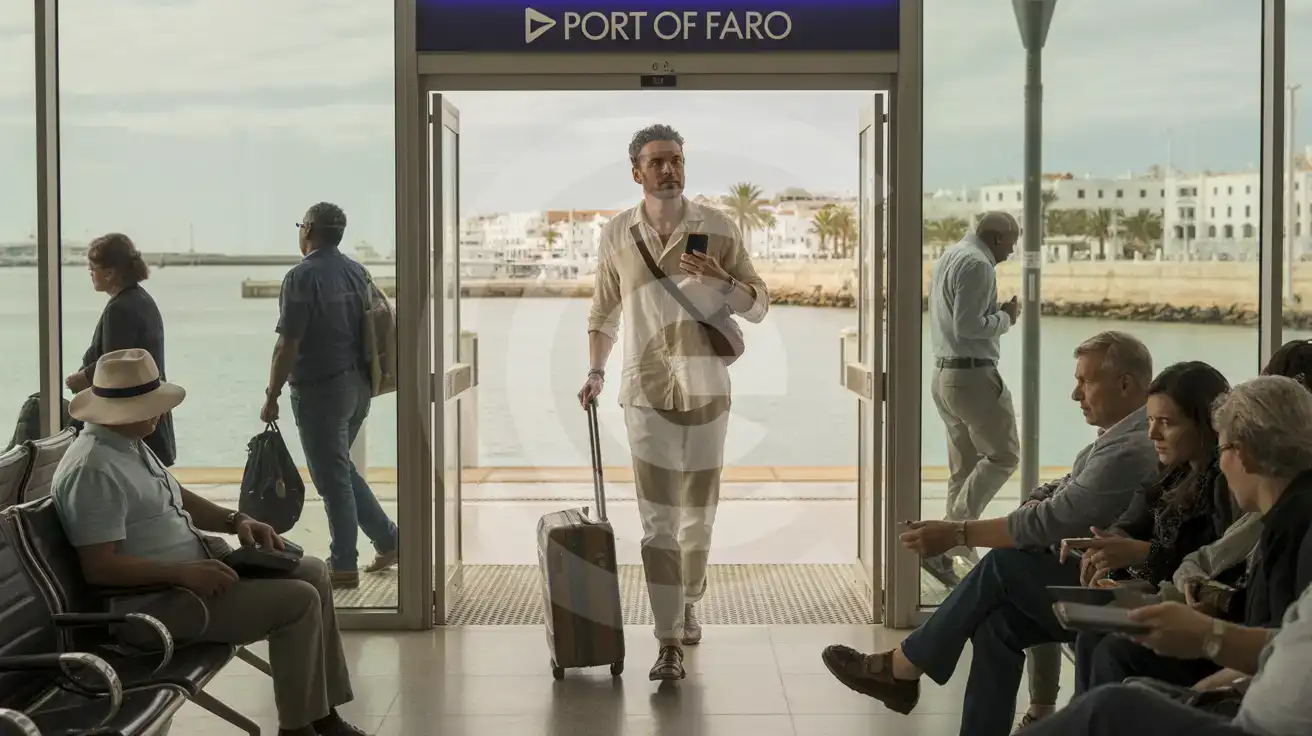
Solo male traveler walking through Port of Faro cruise terminal toward the marina exit, smartphone in hand
Activate your eSIM before docking at Port of Faro so directions load the moment you step off the gangway.

Compare eSIM Options at Port of Faro

Recommended
Local SIM / Operator
Roaming
Setup timeStore visit + paperworkAuto
No local ID neededLocal ID requiredUse home account
SpeedCarrier-gradePartner-dependent
Travel supportOperator shops and call centreHome carrier hours
Keep home numberReplaces itSame number
Cost predictabilityBills can spikeBill-shock risk
Typical pricing
—
$12-18 / day
Typical daily roaming rate; varies by home carrier

PRICING — PICK YOUR ESIMNO PLAN

Light traveler
5GB / 30 days
$9.90
20% off for memberson your first order
≈ $7.92 USD member price
Buy now
Heavy traveler
20GB / 30 days
$24.90
20% off for memberson your first order
≈ $19.92 USD member price
Buy now

Frequently Asked Questions (FAQs)

Install the profile over your ship's WiFi the night before docking. Keep it dormant during the voyage, then switch off airplane mode as the vessel berths. By the time the gangway extends, your phone is already pulling directions for the 10-minute walk to Arco da Vila.
Walk. The quay sits directly on the marina promenade, and the Arco da Vila gate into the walled historic center is about 800 meters along the waterfront — flat, shaded, and signposted once you clear the port exit. Data-powered maps keep you on the scenic route rather than looping through the commercial zone.
The terminal building is minimal — a small café and basic waiting area. Some ships broadcast onboard WiFi that reaches the quay, but once you're past the gangway, coverage drops. An eSIMno plan bypasses the hunt for hotspots entirely.
Uber and Bolt both operate in Faro. Drivers pick up near the marina taxi rank, a short walk from the cruise berth. Checking surge pricing before you leave the terminal helps you decide between a metered taxi and a rideshare — data makes that comparison instant.
eSIMno plans connect through NOS and MEO networks, which cover all of mainland Portugal. The same data that guides you through Faro's fish market keeps working when you dock in Lisbon or visit Porto — no need to buy a second plan.
Light use — maps, messaging, occasional photo uploads — typically runs 300-500 MB for a half-day ashore. If you're streaming video calls back home or uploading dozens of high-res images, budget closer to 1 GB. A day pass covers either scenario comfortably.
Port of Faro sits at the edge of the Ria Formosa lagoon, serving cruise passengers headed into the Algarve's historic capital. The terminal handles smaller expedition ships and regional cruises, placing you within walking distance of the Arco da Vila entrance to the walled Old Town. An eSIMno Portugal plan activates the moment your ship reaches the quay — no hunting for a SIM kiosk, no battling terminal WiFi with 800 other passengers. Once ashore, data powers every step: Google Maps walking directions through the cobblestone lanes, Uber or Bolt fare checks for the ride to Tavira Island, real-time departure boards at Faro Train Station if you're connecting to Lisbon. The terminal itself has limited amenities — a small café, restrooms, and a taxi rank — so having data means you can book ahead rather than queue at the single information desk. eSIMno plans cover NOS and MEO networks nationwide, so the same data that guides you through Faro's fish market keeps working if your cruise continues to Lisbon or Porto. Activate over WiFi before you sail, let the profile sit dormant during the voyage, then switch off airplane mode as you dock. By the time the gangway drops, your phone is ready.
Back to Portugal

Connected in 3 steps

  1. Choose your planSearch for your destination, then pick the data and number of days.
  2. Install at homeYour eSIM arrives by email and installs in a few minutes with one tap or a QR code.
  3. Connect when you landYour plan's validity starts with its first connection in the coverage area.

Why eSIMno?

  • No more SIM kiosksSkip the airport queues. Install your eSIM at home, activate when you land.
  • No roaming surprisesForget the $200 phone bill three weeks after your trip. Plain pricing, no hidden fees.
  • Keep your own numberDual-SIM means your physical SIM stays active for calls and texts. eSIM handles only data.
  • Setup in 2 minutesScan QR code, follow on-screen steps, you're connected. Works on any eSIM-compatible phone.

Is my phone eSIM compatible?

Most phones released in recent years support eSIM. Check yours in the list before you buy.

  • iPhone XR, XS and later
  • Samsung Galaxy S20 and later
  • Google Pixel 4 and later
  • Xiaomi 12T Pro and later
All eSIM-Compatible Phones

Our guarantees

  • Secure payment with 3D SecurePay by card; every payment goes through your bank's 3D Secure check.VisaMastercard
  • 14-day refund if not installedIf you haven't installed your eSIM yet, you can get a refund within 14 days of purchase, no reason needed.Refund policy
  • 24/7 Customer SupportReach our team via WhatsApp and email during business hours. Quick answers to common questions available anytime through our automated assistant.

Frequently Asked Questions (FAQs)

How fast does the eSIM activate after I switch off airplane mode?
Activation typically takes 10-30 seconds after airplane mode is switched off, depending on local network availability. In some cases it's nearly instant; in remote areas it may take a minute or two. If it doesn't connect within 5 minutes, restart your phone or check that data roaming is enabled.
Can I make phone calls or send SMS?
It depends on the plan you choose. Most eSIMno plans are data-only: on those you cannot place regular calls or send SMS from the eSIM line, but messaging and calling apps work normally over the data connection - WhatsApp, iMessage, FaceTime, Telegram, Signal and Google Meet. We also offer voice plans in selected destinations, and on those calling and SMS work from the eSIM line itself, which comes with its own French phone number and unlimited calling across Europe. Every plan card shows which type it is, so check the plan type before you buy. If you are looking at a voice plan, please also read who you can call and text, and what happens to the phone number - both are explained in their own questions below.
What should I do if I see a 'No network' message after activating my eSIM?
If you see a 'No network' message after activation, try these steps in order: (1) Toggle airplane mode on for 10 seconds, then off. (2) Confirm data roaming is enabled for the eSIM line. (3) Manually select a network in cellular settings. (4) Restart your phone. If the issue continues, contact eSIMno support via WhatsApp or email.
What customer support is available if I have issues?
eSIMno offers support via WhatsApp and email. Our team helps with installation, troubleshooting, billing questions and refund requests during business hours, and our automated assistant answers common questions 24/7. Most issues are resolved within minutes during business hours.
Can I share data from my eSIM with someone else's phone?
Yes, through Personal Hotspot. Activate hotspot on your phone, share the password, and the other device connects to your data. Data used by connected devices counts toward your eSIM plan, so monitor usage to avoid running out faster than expected.
When should I set up my eSIM?
A Wi-Fi connection is required to install your eSIM, so we recommend setting it up before you leave home. Activation can happen later, either right before departure or after you land at your destination - but the initial QR scan needs Wi-Fi.
Can I use the eSIM to make video calls?
Yes - apps like FaceTime, WhatsApp, Zoom, Google Meet, and Microsoft Teams all work over your eSIM data. Video calls use about 200-400 MB per hour depending on quality, so factor that into your plan choice if you make long calls regularly.
Who can I call and text on a voice plan?
Outgoing calls and SMS are unlimited across Europe - that is the calling area, and it is not the same as where the plan gives you data. Incoming calls and SMS go further: they reach you from anywhere in the world, they are free, and they do not use up your allowance. So if someone back home calls or texts your eSIM number, it arrives no matter where they are calling from. If you mainly need to be reachable rather than to make calls, that matters more than the outgoing area.
How can I verify if my eSIM is activated?
There are two clear indicators: (1) your phone's status bar shows the local carrier name once you arrive at your destination, and (2) the data icon (4G, LTE, or 5G) appears next to the eSIMno line in your cellular settings. If neither shows up, turn airplane mode on and then off again, or restart your phone.
Do I need to remove my eSIM after my trip?
You don't have to remove it. When your plan ends, the eSIM stops providing data and moves to Archived in Profile > My eSIMs. If you keep it installed on your phone, you can top it up there and use it again - no new QR code needed (top-ups aren't available for unlimited and voice plans). If you need the space, you can delete the old profile in your phone's cellular settings; after that, you'll need a new eSIM for your next trip.
Can I keep my WhatsApp number while using an eSIM?
Yes. Your WhatsApp number stays linked to your home SIM, so all your chats, contacts, and groups remain unchanged. WhatsApp uses data (not the SIM line directly) for messages and calls, so it works seamlessly over your eSIMno data.
How can I purchase the Portugal eSIM?
You can purchase your eSIM directly from the eSIMno website - select a Portugal plan and complete the payment. Within minutes you'll receive an order confirmation email that contains everything you need to install: a QR code, a one-tap install link, the SM-DP+ address and activation code, plus an "Install eSIM" button. You can install straight from that email, or sign in anytime and go to Profile > My eSIMs > Install to get the same options.
All questions