

Review Your Cart

Your cart is empty.

You haven't added any eSIM packages yet. Start exploring our plans to get connected!

Browse our eSIM Packages

Malaysia eSIM Malaysia  

8 plans · From $4.90 · QR code instantly by email

  • 2 networksCelcom · Digi
  • No ID check
  • Top-up available
  • Validity starts on activation

Plan Your Trip

Tell us what you'll do and how long you'll be away — we'll highlight the right plan.

7 days
1102030

What will you do?

Tap an activity above to see which plan fits your trip
Petronas Twin Towers rising above KLCC Park at golden hour in Kuala Lumpur, Malaysia

Malaysia eSIM: Nationwide Data From Kuala Lumpur to Langkawi and Beyond

Your AirAsia flight is descending into KLIA and you're already pulling up the KLIA Ekspres schedule to KL Sentral, checking your Batu Caves timed-entry confirmation, and confirming tonight's Jalan Alor street food reservation. With an eSIMno plan activated before takeoff, your phone connects the moment you switch off airplane mode at the gate — no SIM kiosk queue, no passport handover, just data ready for the Grab ride to your hotel.

Already a customer?

EARN UP TOON EVERY FRIEND'S PURCHASE
NETWORK: Celcom & Digi Depending on the plan you choose, you'll connect to one or more of these networks.

Quick Facts

Capital
Kuala Lumpur
Language
English (Bahasa Melayu)
Currency
Malaysian Ringgit (MYR, RM)
Time Zone
Malaysia Time (UTC+8)
Dialing Code
+60
Power Plug
Type G (3-pin rectangular, common in UK and several Asian markets)
Emergency
999 (general); 112 from mobile
eSIMno Networks
Celcom, Digi

How to Get Your Malaysia eSIM

  1. Pick your Malaysia data plan
    Choose a package based on your trip length — a week in KL and Penang needs different data than a month-long Borneo expedition. Plans range from 1GB quick-stops to unlimited options for heavy streaming.
  2. Install at home before your flight
    Add the eSIM profile over your home WiFi while you're still packing. The whole process takes under 5 minutes on iPhone or Android — no physical card, no tools required.
  3. Keep your home SIM active for calls
    Your phone runs both SIMs simultaneously. The eSIMno plan handles all data (maps, Grab, WhatsApp); your home number stays reachable for incoming calls without roaming charges eating your balance.
  4. Activate after landing at KLIA
    Once your flight taxis to the gate, switch off airplane mode. Your phone connects to Celcom or Digi automatically — by the time you're walking toward immigration, Google Maps is already loading the KLIA Ekspres platform directions.
  5. Travel the whole country on one plan
    From Kuala Lumpur to Langkawi, Penang to Kota Kinabalu, your eSIM works nationwide. No SIM swaps between islands, no re-registration at regional airports — just continuous coverage wherever Malaysia takes you.

Traveler Tips

  • Download offline Google Maps for your specific Malaysian regions before departure — Sabah and Sarawak rainforest lodges occasionally hit signal gaps where cached maps save the hike.
  • Grab dominates Malaysian rideshare with surge pricing around KLCC during evening rush (5-8 PM weekdays) — real-time fare comparison on your phone beats negotiating with taxi drivers.
  • Batu Caves draws enormous crowds during Thaipusam (January-February) and regular weekends — pulling up live crowd reports or booking sunrise slots requires data on the approach.
  • Dress modestly for mosque visits (Masjid Negara, Masjid Jamek) with covered knees and shoulders — checking dress-code requirements loads faster than asking at the entrance.
  • Malaysian hawker centers increasingly accept Touch 'n Go e-wallet QR payments — the app needs data to generate your payment code at Jalan Alor or Gurney Drive stalls.
  • For WhatsApp calls back home, use your eSIM data rather than placing native voice calls through your home SIM — avoids roaming charges entirely while keeping call quality strong.

Why Data Matters Across Malaysia

Malaysia runs on mobile connectivity in ways that catch first-time visitors off guard. Grab isn't just popular — it's the default transport layer for Kuala Lumpur, Penang, and Johor Bahru, with taxi alternatives either scarce or overpriced. Booking a Grab from KLIA Terminal 1 to Bukit Bintang takes 90 seconds on a working data connection; without it, you're joining the physical taxi queue and negotiating a fixed fare that runs RM75-95 versus the Grab estimate of RM65-80 for the same 55km route.

Beyond rideshare, Malaysian cities increasingly operate on QR infrastructure. The KL Monorail and RapidKL LRT accept Touch 'n Go cards — but topping up that card via the app requires data. Hawker centers at Jalan Alor, Gurney Drive in Penang, and Jonker Street in Malacca display QR codes for e-wallet payment alongside cash. The Petronas Twin Towers observation deck runs timed-entry ticketing through an online portal where walk-up availability shows on your phone in real time. Each interaction assumes you're connected.

Translation fills the gaps where English signage thins out. Bus station announcements in smaller towns default to Bahasa Melayu; market vendors in Kelantan and Terengganu speak dialects that Google Translate handles better than hand gestures. Menu translations at local kopitiams (coffee shops) outside tourist zones turn mysterious dishes into informed choices. The eSIMno plans for Malaysia keep these tools live whether you're navigating KL Sentral's interchange levels or comparing ferry schedules from Kuala Perlis to Langkawi.

About Malaysia & What Travelers Come For

Gateway Cities

Kuala Lumpur anchors most itineraries — the Petronas Twin Towers, Batu Caves, and the food streets of Bukit Bintang sit within 15km of KLIA. Penang draws architecture buffs and food pilgrims to George Town's UNESCO heritage zone, where 19th-century shophouses line streets like Lebuh Armenian and Lebuh Chulia. Langkawi offers duty-free beaches, the Langkawi Cable Car ascending 708 meters to the Skybridge, and island-hopping boat tours departing from Pantai Cenang.

What Travelers Come For

The Petronas Twin Towers remain the signature image — 452 meters of steel and glass with a Skybridge observation deck at levels 41-42 and a higher deck at level 86. Batu Caves pulls Hindu pilgrims and tourists to its 272-step climb beneath towering limestone formations. Taman Negara National Park offers one of the world's oldest rainforests with canopy walkways and river cruises. Malaysian Borneo — Sabah and Sarawak — delivers orangutan sanctuaries at Sepilok, Mount Kinabalu's 4,095-meter summit, and diving at Sipadan Island ranked among the planet's top sites.

When to Visit

Malaysia splits into west coast (November-February wet season) and east coast (November-March monsoon closures) patterns. Peninsular west-coast destinations like KL and Penang stay accessible year-round with afternoon thunderstorms that clear within an hour. East-coast islands (Perhentian, Redang) close resorts during monsoon months. Sabah and Sarawak maintain drier conditions from March through October — ideal for Kinabalu climbs and wildlife lodges.

Getting Around Malaysia

Airport Transfers

Kuala Lumpur International Airport (KLIA) sits 55km south of the city center. The KLIA Ekspres train reaches KL Sentral in 28 minutes with departures every 15-20 minutes; fares run RM55 one-way for adults. KLIA Transit makes intermediate stops and takes 35 minutes at RM55. Grab rides to Bukit Bintang take 45-70 minutes depending on traffic at RM65-95. Penang International Airport connects to George Town via Grab (20 minutes, RM25-35) or public bus 401E (45 minutes). Langkawi International Airport sits 20 minutes from Pantai Cenang by Grab (RM15-25).

Public Transit

Kuala Lumpur operates an integrated network: the KL Monorail loops through Bukit Bintang and KL Sentral; the LRT Kelana Jaya and Ampang lines reach KLCC and Pasar Seni; the MRT Kajang Line extends to Sungai Buloh. Fares range RM1.20-6.40 depending on distance. Touch 'n Go cards (available at stations, RM10 card fee) simplify payment — but topping up requires the app and data. George Town relies on the RapidPenang bus network plus cycling and walking through the compact heritage core.

Inter-City & Islands

Domestic flights connect KL to Penang (55 minutes), Langkawi (70 minutes), Kota Kinabalu (2.5 hours), and Kuching (1.5 hours) via AirAsia, Malaysia Airlines, and Firefly. Ferry services link Kuala Perlis and Kuala Kedah to Langkawi (75-90 minutes, RM23 one-way); Butterworth to Penang Island (15 minutes); and Mersing to Tioman Island (2 hours). Long-distance buses operate from TBS (Terminal Bersepadu Selatan) in KL to Malacca (2 hours), Cameron Highlands (4 hours), and Singapore (5 hours).

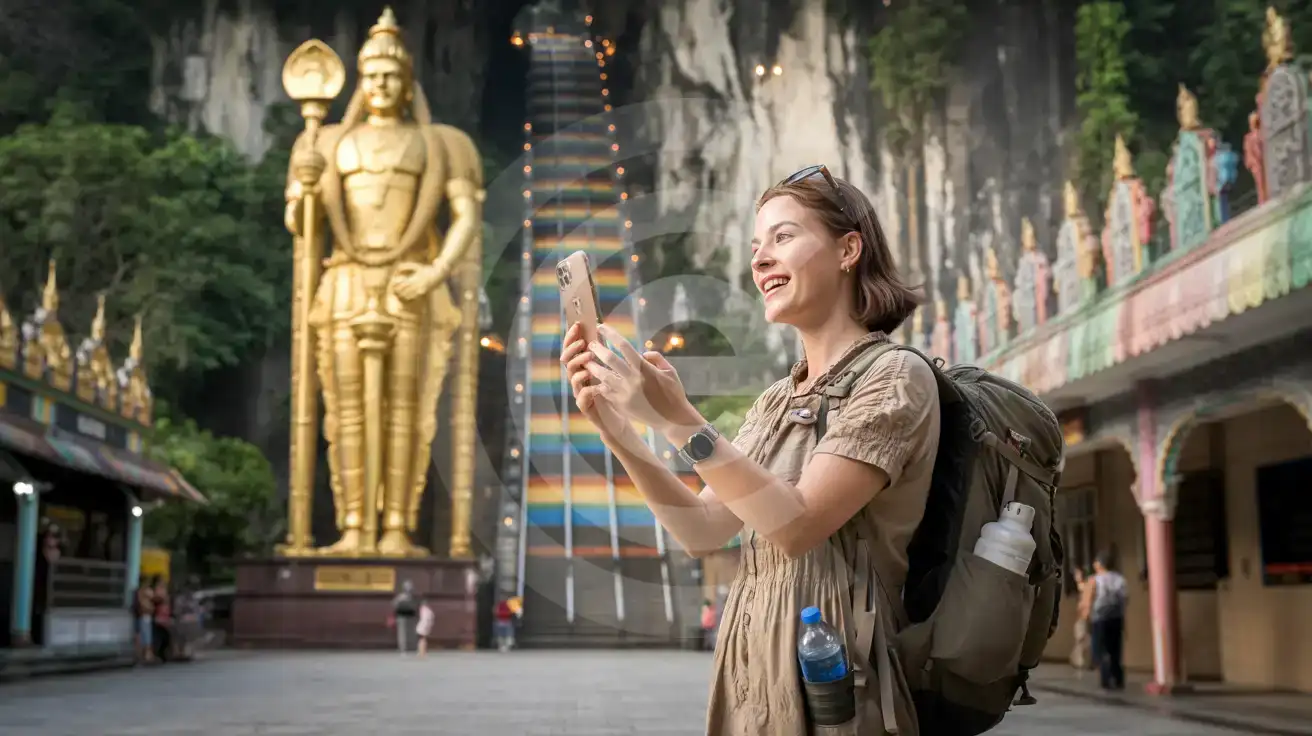
Batu Caves at Golden Hour

Solo female traveler photographing the golden Lord Murugan statue and rainbow steps at Batu Caves, Malaysia
Activate your Malaysia eSIM before departure so Grab directions and temple entry info load instantly at Batu Caves.

Compare eSIM Providers for Malaysia

Recommended
Local SIM / Operator
Roaming
Setup timeStore visit + paperworkAuto
No local ID neededLocal ID requiredUse home account
SpeedCarrier-gradePartner-dependent
Travel supportOperator shops and call centreHome carrier hours
Keep home numberReplaces itSame number
Cost predictabilityBills can spikeBill-shock risk
Typical pricing
—
$12-18 / day
Typical daily roaming rate; varies by home carrier

PRICING — PICK YOUR ESIMNO PLAN

Light traveler
5GB / 30 days
$11.90
20% off for memberson your first order
≈ $9.52 USD member price
Buy now
Heavy traveler
20GB / 30 days
$27.90
20% off for memberson your first order
≈ $22.32 USD member price
Buy now

Frequently Asked Questions (FAQs)

Install the eSIM profile at home over WiFi before your flight, then activate after landing at KLIA. By the time you're walking through immigration toward the KLIA Ekspres platform, your phone is already pulling up train schedules and Grab availability for the ride into KL.
Yes — your phone runs both SIMs simultaneously. The eSIMno plan handles all data needs (maps, Grab bookings, WhatsApp), while your home SIM stays active for incoming calls. For outgoing calls, use WhatsApp or FaceTime over your eSIM data to avoid roaming charges on your home line.
The plan covers all of Malaysia on a single eSIM — no swapping cards between destinations. Whether you're navigating George Town's heritage lanes, booking a Langkawi island-hopping tour from Pantai Cenang, or checking Mount Kinabalu weather updates in Sabah, your data stays connected through Celcom or Digi nationwide.
Most travelers use 1-2GB daily with typical activity — Grab bookings, Google Maps navigation through KL's one-way streets, WhatsApp messaging, and uploading photos from Batu Caves or Penang's street art murals. A 7-day trip with moderate use runs 7-15GB comfortably; heavy video callers or streamers should consider unlimited options.
Increasingly, yes. Touch 'n Go e-wallet QR payments appear at Jalan Alor stalls in KL, Gurney Drive in Penang, and Jonker Street night market in Malacca. The app generates your payment code over data — no connection means cash only, which some vendors handle reluctantly during busy service.
Your eSIM works identically in Sabah and Sarawak — same activation, same coverage through Celcom and Digi. Whether you're booking a Sepilok orangutan sanctuary visit, checking dive conditions at Sipadan, or navigating Kota Kinabalu's waterfront, the plan handles domestic flights and ferry crossings without re-registration.
Malaysia rewards travelers who arrive with data already working. From the moment you clear customs at Kuala Lumpur International Airport, you're navigating a country where Grab is the default rideshare, Google Maps handles the labyrinthine streets of Georgetown's UNESCO zone, and QR codes unlock everything from monorail tickets to hawker center payments. Installing your Malaysia eSIM at home over WiFi before departure means your phone connects through Celcom or Digi the instant you taxi to the KLIA gate — no hunting for the prepaid SIM counter, no filling out registration forms while jet-lagged arrivals pile up behind you. Beyond Kuala Lumpur, Malaysia's connectivity stays strong across the destinations travelers actually visit. Penang's George Town maintains solid 4G along Lebuh Armenian and through the heritage shophouses; Langkawi's beachfront resorts and cable car stations keep signal even at the Skybridge viewpoint 660 meters above sea level; Malacca's Jonker Street night market streams video calls back home without buffering. The eSIM handles it all on one plan — no swapping cards when you ferry from the mainland to the islands. For multi-city itineraries spanning KL's Petronas Towers, the Cameron Highlands tea plantations, and Borneo's rainforest lodges, the eSIM stays active across every domestic flight and bus transfer. Real-time translation bridges Bahasa Melayu signage gaps, currency converters track the Ringgit, and restaurant apps like Burpple surface hidden gems beyond the tourist strips. Activate once, travel everywhere — your eSIMno plan for Malaysia keeps pace whether you're booking a sunrise Batu Caves visit or hailing a late-night Grab from KLCC.

Connected in 3 steps

  1. Choose your planSearch for your destination, then pick the data and number of days.
  2. Install at homeYour eSIM arrives by email and installs in a few minutes with one tap or a QR code.
  3. Connect when you landYour plan's validity starts with its first connection in the coverage area.

Why eSIMno?

  • No more SIM kiosksSkip the airport queues. Install your eSIM at home, activate when you land.
  • No roaming surprisesForget the $200 phone bill three weeks after your trip. Plain pricing, no hidden fees.
  • Keep your own numberDual-SIM means your physical SIM stays active for calls and texts. eSIM handles only data.
  • Setup in 2 minutesScan QR code, follow on-screen steps, you're connected. Works on any eSIM-compatible phone.

Is my phone eSIM compatible?

Most phones released in recent years support eSIM. Check yours in the list before you buy.

  • iPhone XR, XS and later
  • Samsung Galaxy S20 and later
  • Google Pixel 4 and later
  • Xiaomi 12T Pro and later
All eSIM-Compatible Phones

Our guarantees

  • Secure payment with 3D SecurePay by card; every payment goes through your bank's 3D Secure check.VisaMastercard
  • 14-day refund if not installedIf you haven't installed your eSIM yet, you can get a refund within 14 days of purchase, no reason needed.Refund policy
  • 24/7 Customer SupportReach our team via WhatsApp and email during business hours. Quick answers to common questions available anytime through our automated assistant.

Frequently Asked Questions (FAQs)

How fast does the eSIM activate after I switch off airplane mode?
Activation typically takes 10-30 seconds after airplane mode is switched off, depending on local network availability. In some cases it's nearly instant; in remote areas it may take a minute or two. If it doesn't connect within 5 minutes, restart your phone or check that data roaming is enabled.
Can I make phone calls or send SMS?
It depends on the plan you choose. Most eSIMno plans are data-only: on those you cannot place regular calls or send SMS from the eSIM line, but messaging and calling apps work normally over the data connection - WhatsApp, iMessage, FaceTime, Telegram, Signal and Google Meet. We also offer voice plans in selected destinations, and on those calling and SMS work from the eSIM line itself, which comes with its own French phone number and unlimited calling across Europe. Every plan card shows which type it is, so check the plan type before you buy. If you are looking at a voice plan, please also read who you can call and text, and what happens to the phone number - both are explained in their own questions below.
What should I do if I see a 'No network' message after activating my eSIM?
If you see a 'No network' message after activation, try these steps in order: (1) Toggle airplane mode on for 10 seconds, then off. (2) Confirm data roaming is enabled for the eSIM line. (3) Manually select a network in cellular settings. (4) Restart your phone. If the issue continues, contact eSIMno support via WhatsApp or email.
What customer support is available if I have issues?
eSIMno offers support via WhatsApp and email. Our team helps with installation, troubleshooting, billing questions and refund requests during business hours, and our automated assistant answers common questions 24/7. Most issues are resolved within minutes during business hours.
Can I share data from my eSIM with someone else's phone?
Yes, through Personal Hotspot. Activate hotspot on your phone, share the password, and the other device connects to your data. Data used by connected devices counts toward your eSIM plan, so monitor usage to avoid running out faster than expected.
When should I set up my eSIM?
A Wi-Fi connection is required to install your eSIM, so we recommend setting it up before you leave home. Activation can happen later, either right before departure or after you land at your destination - but the initial QR scan needs Wi-Fi.
Can I use the eSIM to make video calls?
Yes - apps like FaceTime, WhatsApp, Zoom, Google Meet, and Microsoft Teams all work over your eSIM data. Video calls use about 200-400 MB per hour depending on quality, so factor that into your plan choice if you make long calls regularly.
Who can I call and text on a voice plan?
Outgoing calls and SMS are unlimited across Europe - that is the calling area, and it is not the same as where the plan gives you data. Incoming calls and SMS go further: they reach you from anywhere in the world, they are free, and they do not use up your allowance. So if someone back home calls or texts your eSIM number, it arrives no matter where they are calling from. If you mainly need to be reachable rather than to make calls, that matters more than the outgoing area.
How can I verify if my eSIM is activated?
There are two clear indicators: (1) your phone's status bar shows the local carrier name once you arrive at your destination, and (2) the data icon (4G, LTE, or 5G) appears next to the eSIMno line in your cellular settings. If neither shows up, turn airplane mode on and then off again, or restart your phone.
Do I need to remove my eSIM after my trip?
You don't have to remove it. When your plan ends, the eSIM stops providing data and moves to Archived in Profile > My eSIMs. If you keep it installed on your phone, you can top it up there and use it again - no new QR code needed (top-ups aren't available for unlimited and voice plans). If you need the space, you can delete the old profile in your phone's cellular settings; after that, you'll need a new eSIM for your next trip.
Can I keep my WhatsApp number while using an eSIM?
Yes. Your WhatsApp number stays linked to your home SIM, so all your chats, contacts, and groups remain unchanged. WhatsApp uses data (not the SIM line directly) for messages and calls, so it works seamlessly over your eSIMno data.
How can I purchase the Malaysia eSIM?
You can purchase your eSIM directly from the eSIMno website - select a Malaysia plan and complete the payment. Within minutes you'll receive an order confirmation email that contains everything you need to install: a QR code, a one-tap install link, the SM-DP+ address and activation code, plus an "Install eSIM" button. You can install straight from that email, or sign in anytime and go to Profile > My eSIMs > Install to get the same options.
All questions