Review Your Cart

Your cart is empty.

You haven't added any eSIM packages yet. Start exploring our plans to get connected!

Browse our eSIM Packages

Japan / Kyoto eSIM Kyoto Japan

8 plans · From $4.90 · QR code instantly by email

  • 2 networksKDDI · Softbank
  • No ID check
  • Top-up available
  • Validity starts on activation

Plan Your Trip

Tell us what you'll do and how long you'll be away — we'll highlight the right plan.

7 days
1102030

What will you do?

Tap an activity above to see which plan fits your trip
Kinkaku-ji Golden Pavilion reflected in its mirror pond at golden hour in Kyoto, Japan

Kyoto eSIM: Ancient Capital Data That Works Across All of Japan

Your shinkansen is pulling into Kyoto Station and you're already confirming your timed-entry slot for Kinkaku-ji, checking walking directions to your machiya guesthouse in Higashiyama, and translating the kaiseki menu your host just messaged. With an eSIMno Japan plan activated before you left home, your phone connects to KDDI the moment you step onto the platform — no hunting for the JR WiFi password, no queue at the station SIM counter.

Already a customer?

EARN UP TOON EVERY FRIEND'S PURCHASE
NETWORK: KDDI & Softbank Depending on the plan you choose, you'll connect to one or more of these networks.

Quick Facts

Language
Japanese (日本語)
Currency
Japanese Yen (JPY, ¥)
Time Zone
Tokyo Standard Time (UTC+9)
Dialing Code
+81
Power Plug
Type A (flat 2-pin, common in Japan and North America; voltage is 100V in Japan, lower than the 110-120V of the US)
Emergency
110 (police), 119 (fire / ambulance)
eSIMno Networks
KDDI, Softbank

How to Get Your Kyoto eSIM

  1. Choose Your Japan Data Plan
    Pick from 7-day, 14-day, or 30-day options based on your Kyoto temple circuit and any Tokyo or Osaka extensions. Data-only plans keep your home SIM active for incoming calls.
  2. Complete the 2-Minute Purchase
    Check out on esimno.com — your eSIM QR code and activation instructions arrive by email within minutes, ready to install before your flight boards.
  3. Install Over Home WiFi
    Scan the QR code in Settings → Cellular → Add eSIM while you're still at home. The profile downloads in under a minute. Label it 'Japan Travel' so you can identify it later.
  4. Activate After Landing
    Once your shinkansen reaches Kyoto Station or your flight touches down at Kansai International, switch off airplane mode. Your phone connects to KDDI within seconds — Maps, translation apps, and your Kinkaku-ji QR are all live.
  5. Keep Your Home SIM for Calls
    Your eSIM handles all data (maps, messaging, browsing, WhatsApp calls). Your home SIM stays dormant for voice — incoming calls reach you normally, and you avoid roaming charges by using data-based calling apps for outbound.

Traveler Tips for Kyoto

  • Fushimi Inari's 10,000 torii gates are Instagram gold but cell signal drops on the upper mountain trail past the Yotsutsuji intersection (30-40 minutes up). Download offline maps before starting the 2-hour loop.
  • Kyoto city buses cost ¥230 flat fare — tap your IC card or pay cash, but the real-time bus tracker on Google Maps prevents 20-minute waits at Gion-Shijo stops during cherry blossom season.
  • Arashiyama's bamboo grove opens at sunrise (around 5:30 AM in summer) with zero crowds. Your eSIM lets you check train times on the JR Sagano Line from Kyoto Station (17 minutes, ¥240) before dawn.
  • Kaiseki restaurants in Gion require reservations 2-4 weeks ahead — use Tableall or Pocket Concierge apps over your eSIM data to book multi-course dinners that don't appear on English booking sites.
  • Kiyomizu-dera's hillside complex closes at 6 PM (9 PM during special night illuminations in spring and autumn). Pull up opening hours on the official site before making the steep 15-minute climb from Gojo-zaka bus stop.

Why Data Matters in Kyoto

Kyoto's 17 UNESCO World Heritage Sites spread across a city where street signs stay stubbornly in Japanese and Google Translate's camera mode becomes your default reading tool. Walking from Gion's geisha district to the Philosopher's Path looks straightforward on a paper map but involves unmarked canal crossings, hidden shrine entrances, and lanes too narrow for cars — real-time GPS guidance on your phone turns a frustrating wander into a 25-minute stroll past cherry trees.

Temple Circuit Logistics

Timed-entry tickets now control crowds at Kinkaku-ji, Ryoan-ji's rock garden, and the Sanjusangendo hall of 1,001 statues. Each site emails a QR code that the gate scanner reads from your phone screen — no printout, no fumbling. Miss your 10:15 AM slot at Kinkaku-ji and you're rebooking for the next available window, which during peak season may be tomorrow. Your eSIMno plans for Kyoto, Japan keep that QR code loading instantly at the entrance, not buffering on overloaded temple WiFi.

Navigating Higashiyama and Arashiyama

Higashiyama's eastern hillside district packs Kiyomizu-dera, Yasaka Pagoda, and Maruyama Park into a 2 km pedestrian zone where bus routes end and walking takes over. Google Maps' live walking directions save wrong turns into dead-end ryokan alleys. In Arashiyama, the bamboo grove sits 17 minutes from Kyoto Station on the JR Sagano Line (¥240), but the Randen tram (¥220, 24 minutes from Shijo-Omiya) drops you closer to Tenryu-ji's garden entrance — comparing real-time options on your phone beats guessing at the station board.

Restaurant Reservations and Translation

Kyoto's kaiseki restaurants fill weeks ahead, but same-day cancellations appear on Tableall and Pocket Concierge apps around 3 PM. Refreshing availability over eSIM data while you're walking Pontocho alley can land a 7 PM seat at a counter serving seasonal Kyoto vegetables. Once seated, Google Translate's camera mode deciphers handwritten menus — point your phone at the calligraphy and the English appears overlaid in real time, no embarrassing pointing at pictures.

About Kyoto & What Travelers Come For

Japan's ancient imperial capital for over a thousand years, Kyoto anchors Kansai alongside Osaka and Nara, holding more UNESCO World Heritage Sites than any other Japanese city. Where Tokyo rebuilt after earthquakes and war, Kyoto preserved — wooden machiya townhouses line Gion's lantern-lit lanes, moss gardens date to the 14th century, and geiko (Kyoto's geisha) still train in the same ochaya teahouses their predecessors did generations ago.

Neighborhoods at a Glance

Higashiyama climbs the eastern hills with Kiyomizu-dera's wooden stage, Yasaka Shrine's vermillion gates, and the stone-paved Ninenzaka slope — the densest temple walking route in the city. Gion straddles the Kamo River with teahouses, machiya cafés, and the Hanamikoji geisha district. Arashiyama spreads west with bamboo groves, the Togetsukyo bridge, and monkey-inhabited hillsides. Downtown's Kawaramachi-Shijo crossing is the commercial core — department stores, covered shopping arcades, and the Nishiki Market fish stalls.

What Travelers Come For

The Kinkaku-ji (Golden Pavilion) reflects in its mirror pond, Fushimi Inari's 10,000 vermillion torii march up a forested mountainside, and the rock garden at Nijo Castle challenges visitors to count all 15 stones from any angle. Arashiyama Bamboo Grove draws photographers at dawn, while Kiyomizu-dera's wooden terrace offers city views best caught at sunset. Tea ceremony experiences, textile workshops dyeing kimono fabrics, and sake brewery tours in Fushimi round out the cultural immersion.

When to Visit

Cherry blossom season (late March to mid-April) and autumn foliage (mid-November) pack hotels and temple queues — book 3 months ahead. Summer (June-August) brings humid 35°C heat and the Gion Matsuri festival in July. Winter (December-February) clears crowds and dusts temple roofs with occasional snow, ideal for contemplative garden visits.

Getting Around Kyoto

Kyoto's transit mixes JR trains, private railways, city buses, and two subway lines — no single IC card or app covers everything, but Google Maps integrates real-time schedules for all of them.

Arriving from Kansai International

Kansai International Airport sits 75 minutes south by JR Haruka Express (around ¥2,900-3,600 reserved seat depending on booking), arriving directly at Kyoto Station's platform 30. Airport limousine buses run the same route in 85-105 minutes depending on traffic (around ¥2,600). From Osaka's Itami Airport, the limousine bus reaches Kyoto Station in 50-55 minutes (around ¥1,340).

City Buses and Subway

Kyoto's green city buses blanket the temple circuit — the 100, 101, and 102 routes loop through Higashiyama, Gion, and Kinkaku-ji. Flat fare runs ¥230 per ride; a one-day bus pass (¥700) pays off after three trips. The Karasuma subway line runs north-south through Kyoto Station, while the Tozai line cuts east-west under Sanjo Street. Both lines charge ¥220-360 depending on distance.

Private Railways and Walkability

The Keihan Line connects Gion-Shijo to Fushimi Inari (2 stops, 5 minutes, ¥150) and continues to Osaka. The Hankyu Line links Kawaramachi to Arashiyama (40 minutes with one transfer, ¥400). JR's Sagano Line reaches Arashiyama from Kyoto Station in 17 minutes (¥240). Within Higashiyama and Gion, walking beats waiting for buses — the 2 km temple walk from Kiyomizu-dera to Yasaka Shrine takes 30-40 minutes on foot through pedestrian-only lanes.

Rideshare and Taxis

Uber operates in Kyoto but driver availability stays limited compared to Tokyo — Japan Taxi and GO Taxi apps offer wider coverage. Taxis queue at Kyoto Station's Hachijo exit and major temple gates. Expect ¥1,500-2,500 for a 10-15 minute ride across central Kyoto.

Fushimi Inari Shrine

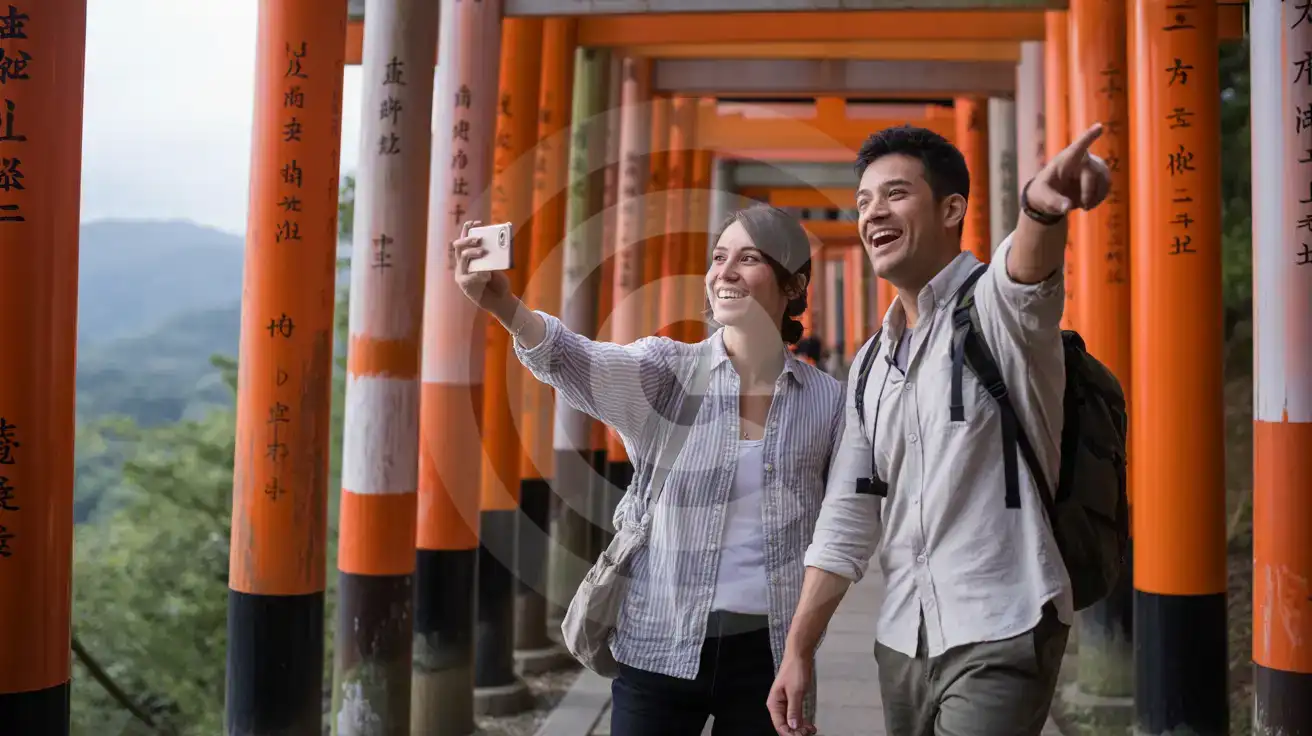
Couple walking through the vermillion torii gates of Fushimi Inari-Taisha shrine in Kyoto, Japan
Activate your eSIM before the Fushimi Inari climb so Maps guides you through all 10,000 torii gates.

Compare eSIM Providers in Kyoto

Recommended
Local SIM / Operator
Roaming
Setup timeCounter pickup or pre-order by postAuto
No local ID neededPassport scan since April 2026Use home account
SpeedCarrier-gradePartner-dependent
Travel supportJapanese-language serviceHome carrier hours
Keep home numberData-only: no Japanese numberSame number
Cost predictabilityPrepaid, fixed termBill-shock risk
5GB / 30 daysLight traveler
5GB / month
$51.40
Monthly data-only plan on docomo. Price shown is the first month: monthly fee plus the one-time 5,500 JPY line activation fee.
$12-18 / day
$450.00
30 days × daily rate
Typical daily roaming rate; varies by home carrier
10GB / 30 daysStandard travelerMost popular
15GB / month
$54.83
Monthly data-only plan on docomo. Price shown is the first month: monthly fee plus the one-time 5,500 JPY line activation fee.
20GB / 30 daysHeavy traveler
30GB / month
$58.27
Monthly data-only plan on docomo. Price shown is the first month: monthly fee plus the one-time 5,500 JPY line activation fee.

Frequently Asked Questions (FAQs)

Install the eSIM profile over your home WiFi before departure, then activate after your shinkansen pulls into Kyoto Station or your flight lands at Kansai International. By the time you're walking past the station's central atrium toward the Karasuma subway entrance, your phone is already pulling live bus schedules for the 100 route to Kinkaku-ji.
Your eSIMno Japan plan covers the entire country on KDDI's network. The same data that navigates Gion's lantern-lit lanes keeps working when you hop the Kintetsu Line to Nara's deer park (35 minutes from Kyoto Station) or the Hankyu Line to Osaka's Dotonbori (45 minutes from Kawaramachi).
Your eSIM handles all data — Maps, translation apps, restaurant bookings, WhatsApp calls. Your home SIM stays active for incoming calls and texts without any setup. For outgoing calls, use WhatsApp, FaceTime, or LINE over your eSIM data to avoid roaming charges from your home carrier.
A temple-hopping week with daily Google Maps navigation, Google Translate camera mode at restaurant menus, and regular photo uploads runs 3-5 GB. Add video calls with family or streaming on the shinkansen and budget 7-10 GB. Kyoto's free WiFi at major stations helps offload large downloads, but eSIM data handles everything between hotspots.
KDDI coverage holds strong across Kyoto's temple circuit — Kinkaku-ji's garden paths, Fushimi Inari's lower torii gates, and Kiyomizu-dera's wooden terrace all get solid signal. The exception is Fushimi Inari's upper mountain trail past the Yotsutsuji intersection, where coverage drops as you climb into the forested hillside. Download offline maps before starting the 2-hour loop.
The JR Haruka Express runs directly from Kansai International to Kyoto Station in 75 minutes — reserved seats cost around ¥2,900-3,600 depending on booking method. Airport limousine buses take 85-105 minutes and cost around ¥2,600. Both options have real-time schedules on Google Maps and the JR West app, so pull up departure times over your eSIM data while you're still in the arrivals hall.
Kyoto rewards travelers who arrive data-ready. The moment your shinkansen glides into Kyoto Station, you're 15 minutes from Fushimi Inari's vermillion torii gates, 25 minutes from the bamboo groves of Arashiyama, and an entire transit app away from deciphering which city bus reaches Kiyomizu-dera's hillside entrance. An eSIM activated before departure means Google Maps loads your walking route while you're still wheeling your suitcase past the station's massive atrium — no fumbling with rental pocket WiFi devices or hunting for a working connection. Kyoto's temple circuit runs on timed-entry QR codes and restaurant reservations that fill weeks ahead. Pulling up your Kinkaku-ji confirmation at the gate, checking real-time wait times for the Gion District's machiya cafés, translating handwritten izakaya menus in Pontocho alley — each task demands data the instant you need it. Free WiFi exists at major stations but coverage gaps appear the moment you step into Higashiyama's narrow lanes or climb the thousand torii at Fushimi Inari. Your eSIM bridges every gap. The same plan that covers Kyoto's ancient capital keeps working when you day-trip to Osaka's Dotonbori neon or extend to Tokyo's Shibuya scramble. One purchase, one activation, nationwide KDDI coverage from Hokkaido powder runs to Hiroshima's Peace Park. Install the eSIM profile over your home WiFi, board your flight, and switch off airplane mode after landing — your phone is online before the cabin crew finishes their announcement.
Back to Japan

Connected in 3 steps

  1. Choose your planSearch for your destination, then pick the data and number of days.
  2. Install at homeYour eSIM arrives by email and installs in a few minutes with one tap or a QR code.
  3. Connect when you landYour plan's validity starts with its first connection in the coverage area.

Why eSIMno?

  • No more SIM kiosksSkip the airport queues. Install your eSIM at home, activate when you land.
  • No roaming surprisesForget the $200 phone bill three weeks after your trip. Plain pricing, no hidden fees.
  • Keep your own numberDual-SIM means your physical SIM stays active for calls and texts. eSIM handles only data.
  • Setup in 2 minutesScan QR code, follow on-screen steps, you're connected. Works on any eSIM-compatible phone.

Is my phone eSIM compatible?

Most phones released in recent years support eSIM. Check yours in the list before you buy.

  • iPhone XR, XS and later
  • Samsung Galaxy S20 and later
  • Google Pixel 4 and later
  • Xiaomi 12T Pro and later
All eSIM-Compatible Phones

Our guarantees

  • Secure payment with 3D SecurePay by card; every payment goes through your bank's 3D Secure check.VisaMastercard
  • 14-day refund if not installedIf you haven't installed your eSIM yet, you can get a refund within 14 days of purchase, no reason needed.Refund policy
  • 24/7 Customer SupportReach our team via WhatsApp and email during business hours. Quick answers to common questions available anytime through our automated assistant.

Frequently Asked Questions (FAQs)

How fast does the eSIM activate after I switch off airplane mode?
Activation typically takes 10-30 seconds after airplane mode is switched off, depending on local network availability. In some cases it's nearly instant; in remote areas it may take a minute or two. If it doesn't connect within 5 minutes, restart your phone or check that data roaming is enabled.
Can I make phone calls or send SMS?
It depends on the plan you choose. Most eSIMno plans are data-only: on those you cannot place regular calls or send SMS from the eSIM line, but messaging and calling apps work normally over the data connection - WhatsApp, iMessage, FaceTime, Telegram, Signal and Google Meet. We also offer voice plans in selected destinations, and on those calling and SMS work from the eSIM line itself, which comes with its own French phone number and unlimited calling across Europe. Every plan card shows which type it is, so check the plan type before you buy. If you are looking at a voice plan, please also read who you can call and text, and what happens to the phone number - both are explained in their own questions below.
What should I do if I see a 'No network' message after activating my eSIM?
If you see a 'No network' message after activation, try these steps in order: (1) Toggle airplane mode on for 10 seconds, then off. (2) Confirm data roaming is enabled for the eSIM line. (3) Manually select a network in cellular settings. (4) Restart your phone. If the issue continues, contact eSIMno support via WhatsApp or email.
What customer support is available if I have issues?
eSIMno offers support via WhatsApp and email. Our team helps with installation, troubleshooting, billing questions and refund requests during business hours, and our automated assistant answers common questions 24/7. Most issues are resolved within minutes during business hours.
Can I share data from my eSIM with someone else's phone?
Yes, through Personal Hotspot. Activate hotspot on your phone, share the password, and the other device connects to your data. Data used by connected devices counts toward your eSIM plan, so monitor usage to avoid running out faster than expected.
When should I set up my eSIM?
A Wi-Fi connection is required to install your eSIM, so we recommend setting it up before you leave home. Activation can happen later, either right before departure or after you land at your destination - but the initial QR scan needs Wi-Fi.
Can I use the eSIM to make video calls?
Yes - apps like FaceTime, WhatsApp, Zoom, Google Meet, and Microsoft Teams all work over your eSIM data. Video calls use about 200-400 MB per hour depending on quality, so factor that into your plan choice if you make long calls regularly.
Who can I call and text on a voice plan?
Outgoing calls and SMS are unlimited across Europe - that is the calling area, and it is not the same as where the plan gives you data. Incoming calls and SMS go further: they reach you from anywhere in the world, they are free, and they do not use up your allowance. So if someone back home calls or texts your eSIM number, it arrives no matter where they are calling from. If you mainly need to be reachable rather than to make calls, that matters more than the outgoing area.
How can I verify if my eSIM is activated?
There are two clear indicators: (1) your phone's status bar shows the local carrier name once you arrive at your destination, and (2) the data icon (4G, LTE, or 5G) appears next to the eSIMno line in your cellular settings. If neither shows up, turn airplane mode on and then off again, or restart your phone.
Do I need to remove my eSIM after my trip?
You don't have to remove it. When your plan ends, the eSIM stops providing data and moves to Archived in Profile > My eSIMs. If you keep it installed on your phone, you can top it up there and use it again - no new QR code needed (top-ups aren't available for unlimited and voice plans). If you need the space, you can delete the old profile in your phone's cellular settings; after that, you'll need a new eSIM for your next trip.
Can I keep my WhatsApp number while using an eSIM?
Yes. Your WhatsApp number stays linked to your home SIM, so all your chats, contacts, and groups remain unchanged. WhatsApp uses data (not the SIM line directly) for messages and calls, so it works seamlessly over your eSIMno data.
How can I purchase the Japan eSIM?
You can purchase your eSIM directly from the eSIMno website - select a Japan plan and complete the payment. Within minutes you'll receive an order confirmation email that contains everything you need to install: a QR code, a one-tap install link, the SM-DP+ address and activation code, plus an "Install eSIM" button. You can install straight from that email, or sign in anytime and go to Profile > My eSIMs > Install to get the same options.
All questions