Review Your Cart

Your cart is empty.

You haven't added any eSIM packages yet. Start exploring our plans to get connected!

Browse our eSIM Packages

Egypt / Hurghada eSIM Hurghada Egypt

8 plans · From $4.90 · QR code instantly by email

  • Etisalat network
  • No ID check
  • Top-up available
  • Validity starts on activation

Plan Your Trip

Tell us what you'll do and how long you'll be away — we'll highlight the right plan.

7 days
1102030

What will you do?

Tap an activity above to see which plan fits your trip
Hurghada Marina at golden hour with white yachts moored along the palm-lined waterfront promenade and desert mountains in the background

Hurghada eSIM: Red Sea Resort Data That Works Across All of Egypt

Your plane is descending toward Hurghada International Airport and you're already pulling up your resort transfer confirmation, checking tomorrow's dive boat pickup time, and confirming tonight's marina dinner reservation. With an eSIMno plan activated before takeoff, your phone connects to Etisalat the moment you switch off airplane mode — no queue at the arrivals SIM counter, no fumbling with Arabic paperwork while your shuttle waits.

Already a customer?

EARN UP TOON EVERY FRIEND'S PURCHASE
NETWORK: Etisalat Depending on the plan you choose, you'll connect to one or more of these networks.

Quick Facts

Language
Arabic (عربي)
Currency
Egyptian Pound (EGP, E£)
Time Zone
E. Europe Standard Time (UTC+2)
Dialing Code
+20
Power Plug
Type C, E, F (round 2-pin, common across most of Europe)
Emergency
122 (police), 123 (ambulance), 180 (fire)
eSIMno Networks
Etisalat

How to Get Your eSIM

  1. Choose your Egypt data plan
    Pick the package that matches your Hurghada trip length — a week at the resort, a two-week Red Sea dive holiday, or an extended Egypt circuit through Luxor and Cairo.
  2. Install over home WiFi before your flight
    Add the eSIM profile to your iPhone or Android while you're still connected at home. The 3-minute setup means no scrambling at HRG arrivals.
  3. Keep your home SIM active for calls
    Your phone's dual-SIM mode lets the eSIM handle all data while your home number stays reachable — incoming calls ring normally without roaming charges on outbound voice.
  4. Activate after landing at Hurghada International
    Switch off airplane mode once the aircraft reaches the gate. Your eSIM connects to Etisalat within seconds — resort transfer confirmation, dive shop WhatsApp, marina directions all load before you reach baggage claim.
  5. Use data across Egypt
    The same plan works in El Gouna, Luxor, Sharm El Sheikh, and Cairo. One eSIM covers every destination on your itinerary with no reconfiguration needed.

Traveler Tips

  • Dive operators along Sekalla Beach send boat departure times via WhatsApp voice notes — having data ready by 6 AM means you won't miss the morning pickup window.
  • Uber and Careem both operate in Hurghada; the 12 km airport-to-Sahl-Hasheesh run takes 15-20 minutes and requires a live app connection to confirm your driver.
  • New Marina restaurants fill up after sunset — message ahead through Instagram DM or WhatsApp to secure a waterfront table before the 7 PM rush.
  • Giftun Islands boat trips require booking confirmations stored on your phone; operators check QR codes at the marina dock before boarding.
  • Set your eSIM as the default data line and your home SIM as voice-only — this keeps roaming charges at zero while your Egyptian number stays dormant.
  • Coverage holds strong along the coastal road from El Gouna to Makadi Bay, but drops briefly during desert quad-bike excursions — download offline maps for the inland stretches.

Why Data Matters in Hurghada

Hurghada's resort rhythm depends on real-time coordination. Your dive center — whether it's along Sekalla Beach or inside the El Gouna lagoon complex — sends pickup times through WhatsApp group chats, often as voice notes in Arabic-accented English that require immediate playback. The Hurghada Grand Aquarium sells timed-entry slots online; your QR code needs to load at the turnstile or you're stuck rebooking in the midday heat. Even casual snorkeling trips to Giftun Islands involve GPS pins shared through Telegram so the boat captain knows which cove you're targeting.

Getting Around the Resort Strip

The 25 km stretch from El Gouna's Abu Tig Marina down through Hurghada Marina, Sekalla, and onward to Sahl Hasheesh functions like a single elongated town. Uber and Careem dominate local transport; hailing a metered taxi without an app means negotiating in Egyptian pounds with drivers who may not share your destination understanding. A 12-minute Careem ride from Hurghada International to Senzo Mall runs around E£80-120 depending on traffic — but only if your phone connects the moment you exit arrivals. The resort shuttle buses keep loose schedules; real-time tracking through hotel apps or direct WhatsApp with reception beats waiting at unmarked stops.

Marina and Nightlife Coordination

New Marina fills up after dark. The waterfront restaurants — spread across both the original Hurghada Marina and the newer New Marina development — expect reservations through Instagram DM, WhatsApp, or direct calls. Walking in without a booking during high season (October through April) means a 45-minute wait or a redirect to the food court at Senzo Mall. Having data lets you message three places simultaneously, compare wait times, and pivot if your first choice is full. The same logic applies to Sand City Hurghada tickets, Sindbad Aqua Park entry, and the desert safari operators who confirm pickup coordinates via live location sharing. eSIMno plans for Hurghada, Egypt keep every booking, confirmation, and last-minute change accessible without hunting for hotel WiFi.

About Hurghada & What Travelers Come For

Red Sea Resort Character

Hurghada stretches along Egypt's eastern coastline where the Arabian Desert meets the Red Sea. The town evolved from a small fishing village into one of the Middle East's busiest beach resort destinations, drawing divers, snorkelers, and sun-seekers year-round. The climate rarely dips below 20°C even in January, making it a winter escape for European visitors and a summer base for Egyptians heading to the coast.

Districts and Neighborhoods

El Gouna sits 25 km north — a self-contained lagoon resort with its own marina, international schools, and a distinct upscale character. Downtown Hurghada clusters around Hurghada Marina and the older Dahar district, where local markets and budget hotels mix with dive shops. Sekalla runs south along the main coastal road, packed with mid-range resorts and the busiest stretch of public beach. Sahl Hasheesh, another 20 km south, offers newer five-star developments with private reef access and a quieter atmosphere.

What Travelers Come For

The Red Sea's coral reefs draw certified divers to sites like the SS Thistlegorm wreck and the Giftun Islands marine park. Snorkeling requires no certification — boats depart daily from New Marina to shallow reef spots. Beyond the water, visitors book quad-bike desert safaris, Bedouin camp dinners, and day trips to Luxor's Valley of the Kings (a 4-hour drive or short domestic flight). The Hurghada Grand Aquarium offers a land-based alternative for travelers who want marine life without getting wet.

Getting Around Hurghada

Airport Transfers

Hurghada International Airport (HRG) sits 5 km southwest of the main resort strip. Most hotels arrange shuttle pickups, but Uber and Careem offer on-demand alternatives — expect E£60-100 to Sekalla, E£150-200 to Sahl Hasheesh, and E£180-250 to El Gouna depending on traffic and surge. Taxis without apps charge negotiated rates; agree on the fare in Egyptian pounds before entering the vehicle.

Local Transport

Microbuses run along the coastal road between Dahar, Sekalla, and the marina zone for a few pounds per ride, but routes are unmarked and drivers announce stops in Arabic. Ride-hailing apps remain the practical choice for visitors — Careem often has better driver availability than Uber in the resort areas. Walking works within individual hotel zones but not between districts; the midday heat and lack of continuous sidewalks make even a 2 km stretch uncomfortable on foot.

Day Trips and Extensions

Luxor sits 280 km west via the desert highway — a 4-hour drive or a 45-minute domestic flight through EgyptAir. Sharm El Sheikh requires a ferry crossing (currently limited schedules) or a flight via Cairo. El Gouna operates its own internal tuk-tuk network and water-taxi service between the marina and lagoon hotels. For Giftun Islands trips, boats depart from Hurghada Marina between 8:30-9:00 AM; late arrivals miss the morning departure window entirely.

Red Sea Diving Scene

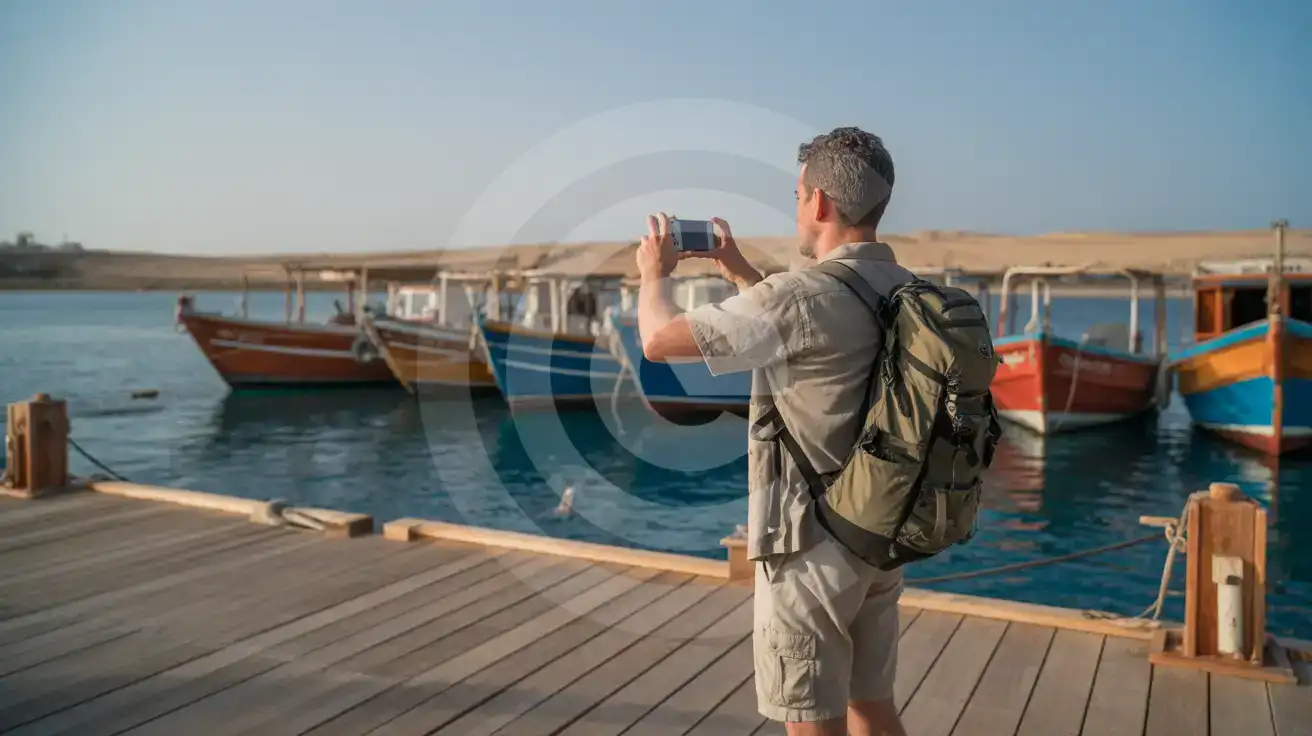
Solo male traveler photographing traditional dive boats at Hurghada marina in early morning light
Activate your eSIM before the dive boat departs — your operator sends pickup coordinates via WhatsApp.

Compare eSIM Providers in Hurghada

Recommended
Local SIM / Operator
Roaming
IMEI registrationYour phone is logged for customs; a 90-day clock startsNever required
Setup timeBought in person, with your passportAuto
No local ID neededYour passport is copied and tied to the SIMUse home account
SpeedCarrier-gradePartner-dependent
Travel supportArabic-language serviceHome carrier hours
Keep home numberReplaces itSame number
Cost predictabilityPrepaid, no bill shockBill-shock risk
Typical pricing
You hand over your passport in a shop, and an Egyptian SIM gives your phone only 90 days before customs fees apply.
Prepaid internet bundle, renews every 28 days, on the Vodafone network only.
$12-18 / day
Typical daily roaming rate; varies by home carrier

PRICING — PICK YOUR ESIMNO PLAN

Light traveler
5GB / 30 days
$14.90
20% off for memberson your first order
≈ $11.92 USD member price
Buy now
Heavy traveler
20GB / 30 days
$30.90
20% off for memberson your first order
≈ $24.72 USD member price
Buy now

Frequently Asked Questions (FAQs)

Install the profile over home WiFi before your flight, then switch it on after your plane lands at HRG. By the time you're walking through arrivals toward the Careem pickup zone, your phone is already pulling resort transfer directions and dive shop messages.
Your phone's dual-SIM mode keeps both lines active. The eSIMno plan handles all data — maps, WhatsApp, dive booking confirmations — while your home SIM receives incoming calls normally. For outgoing calls, use WhatsApp or FaceTime over your eSIM data to avoid roaming charges on your home line.
The same plan covers all of Egypt. Whether you're on a boat to Giftun Islands, driving the desert highway to Luxor, or extending to Sharm El Sheikh, your data stays connected through Etisalat's nationwide network without any reconfiguration.
A typical resort week — daily WhatsApp coordination with dive operators, Uber rides between Sekalla and the marina, Instagram uploads from the beach, and evening restaurant searches — runs through 5-8 GB comfortably. Heavy video uploaders or remote workers should consider 10 GB or higher.
Both apps work seamlessly on eSIM data. Careem tends to have better driver coverage along the resort strip from El Gouna to Sahl Hasheesh; Uber works well for airport pickups and downtown Dahar runs. Having data active the moment you exit arrivals means your ride is confirmed before the taxi touts approach.
Your eSIM keeps working across the entire country. Add a Cairo museum day, a Nile cruise from Luxor, or a flight to Sharm El Sheikh — the same data plan covers every destination without buying a second SIM or adjusting settings.
Hurghada runs on mobile data the way other resort towns run on sunscreen. Your dive operator sends WhatsApp voice notes about morning pickup times. The marina restaurants expect OpenTable or direct messaging for prime waterfront tables. Uber and Careem handle the 15-minute run from the airport to Sahl Hasheesh or the El Gouna strip, but only if your phone has signal the moment you clear customs. An eSIM activated before departure means you skip the terminal SIM kiosk entirely and step into your transfer with directions already loading. The Red Sea coast stretches far beyond the hotel zone. Day trips to Giftun Islands require boat-booking confirmations stored on your phone. Snorkeling spots send GPS pins through group chats. Even the walk from New Marina to Senzo Mall involves checking live wait times at restaurants and translating menus on the fly. Etisalat coverage holds strong along the coastal strip from El Gouna down through Makadi Bay, keeping your connection stable whether you're poolside or bouncing across the desert toward a quad-bike excursion. The same data plan that powers your Hurghada week keeps working if you extend to Luxor, Cairo, or Sharm El Sheikh. One purchase covers the entire country — no second SIM, no reconfiguration. Install the eSIM profile over home WiFi, land at HRG, and your resort holiday starts connected from the first breath of Red Sea air.
Back to Egypt

Connected in 3 steps

  1. Choose your planSearch for your destination, then pick the data and number of days.
  2. Install at homeYour eSIM arrives by email and installs in a few minutes with one tap or a QR code.
  3. Connect when you landYour plan's validity starts with its first connection in the coverage area.

Why eSIMno?

  • No more SIM kiosksSkip the airport queues. Install your eSIM at home, activate when you land.
  • No roaming surprisesForget the $200 phone bill three weeks after your trip. Plain pricing, no hidden fees.
  • Keep your own numberDual-SIM means your physical SIM stays active for calls and texts. eSIM handles only data.
  • Setup in 2 minutesScan QR code, follow on-screen steps, you're connected. Works on any eSIM-compatible phone.

Is my phone eSIM compatible?

Most phones released in recent years support eSIM. Check yours in the list before you buy.

  • iPhone XR, XS and later
  • Samsung Galaxy S20 and later
  • Google Pixel 4 and later
  • Xiaomi 12T Pro and later
All eSIM-Compatible Phones

Our guarantees

  • Secure payment with 3D SecurePay by card; every payment goes through your bank's 3D Secure check.VisaMastercard
  • 14-day refund if not installedIf you haven't installed your eSIM yet, you can get a refund within 14 days of purchase, no reason needed.Refund policy
  • 24/7 Customer SupportReach our team via WhatsApp and email during business hours. Quick answers to common questions available anytime through our automated assistant.

Frequently Asked Questions (FAQs)

How fast does the eSIM activate after I switch off airplane mode?
Activation typically takes 10-30 seconds after airplane mode is switched off, depending on local network availability. In some cases it's nearly instant; in remote areas it may take a minute or two. If it doesn't connect within 5 minutes, restart your phone or check that data roaming is enabled.
Can I make phone calls or send SMS?
It depends on the plan you choose. Most eSIMno plans are data-only: on those you cannot place regular calls or send SMS from the eSIM line, but messaging and calling apps work normally over the data connection - WhatsApp, iMessage, FaceTime, Telegram, Signal and Google Meet. We also offer voice plans in selected destinations, and on those calling and SMS work from the eSIM line itself, which comes with its own French phone number and unlimited calling across Europe. Every plan card shows which type it is, so check the plan type before you buy. If you are looking at a voice plan, please also read who you can call and text, and what happens to the phone number - both are explained in their own questions below.
What should I do if I see a 'No network' message after activating my eSIM?
If you see a 'No network' message after activation, try these steps in order: (1) Toggle airplane mode on for 10 seconds, then off. (2) Confirm data roaming is enabled for the eSIM line. (3) Manually select a network in cellular settings. (4) Restart your phone. If the issue continues, contact eSIMno support via WhatsApp or email.
What customer support is available if I have issues?
eSIMno offers support via WhatsApp and email. Our team helps with installation, troubleshooting, billing questions and refund requests during business hours, and our automated assistant answers common questions 24/7. Most issues are resolved within minutes during business hours.
Can I share data from my eSIM with someone else's phone?
Yes, through Personal Hotspot. Activate hotspot on your phone, share the password, and the other device connects to your data. Data used by connected devices counts toward your eSIM plan, so monitor usage to avoid running out faster than expected.
When should I set up my eSIM?
A Wi-Fi connection is required to install your eSIM, so we recommend setting it up before you leave home. Activation can happen later, either right before departure or after you land at your destination - but the initial QR scan needs Wi-Fi.
Can I use the eSIM to make video calls?
Yes - apps like FaceTime, WhatsApp, Zoom, Google Meet, and Microsoft Teams all work over your eSIM data. Video calls use about 200-400 MB per hour depending on quality, so factor that into your plan choice if you make long calls regularly.
Who can I call and text on a voice plan?
Outgoing calls and SMS are unlimited across Europe - that is the calling area, and it is not the same as where the plan gives you data. Incoming calls and SMS go further: they reach you from anywhere in the world, they are free, and they do not use up your allowance. So if someone back home calls or texts your eSIM number, it arrives no matter where they are calling from. If you mainly need to be reachable rather than to make calls, that matters more than the outgoing area.
How can I verify if my eSIM is activated?
There are two clear indicators: (1) your phone's status bar shows the local carrier name once you arrive at your destination, and (2) the data icon (4G, LTE, or 5G) appears next to the eSIMno line in your cellular settings. If neither shows up, turn airplane mode on and then off again, or restart your phone.
Do I need to remove my eSIM after my trip?
You don't have to remove it. When your plan ends, the eSIM stops providing data and moves to Archived in Profile > My eSIMs. If you keep it installed on your phone, you can top it up there and use it again - no new QR code needed (top-ups aren't available for unlimited and voice plans). If you need the space, you can delete the old profile in your phone's cellular settings; after that, you'll need a new eSIM for your next trip.
Can I keep my WhatsApp number while using an eSIM?
Yes. Your WhatsApp number stays linked to your home SIM, so all your chats, contacts, and groups remain unchanged. WhatsApp uses data (not the SIM line directly) for messages and calls, so it works seamlessly over your eSIMno data.
How can I purchase the Egypt eSIM?
You can purchase your eSIM directly from the eSIMno website - select a Egypt plan and complete the payment. Within minutes you'll receive an order confirmation email that contains everything you need to install: a QR code, a one-tap install link, the SM-DP+ address and activation code, plus an "Install eSIM" button. You can install straight from that email, or sign in anytime and go to Profile > My eSIMs > Install to get the same options.
All questions