

Review Your Cart

Your cart is empty.

You haven't added any eSIM packages yet. Start exploring our plans to get connected!

Browse our eSIM Packages

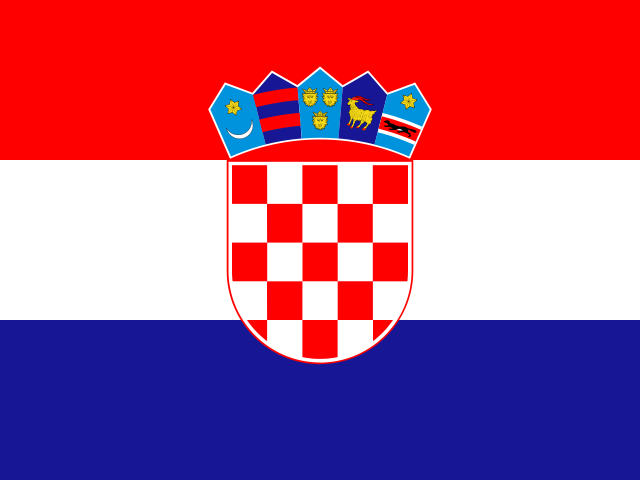
Croatia eSIM Croatia  

8 plans · From $4.90 · QR code instantly by email

  • 3 networksA1 · Hrvatski Telekom · Telemach
  • No ID check
  • Top-up available
  • Validity starts on activation

Plan Your Trip

Tell us what you'll do and how long you'll be away — we'll highlight the right plan.

7 days
1102030

What will you do?

Tap an activity above to see which plan fits your trip
Panoramic view of Dubrovnik's medieval walled city and terracotta rooftops along the Adriatic coastline at golden hour

Croatia eSIM: Adriatic Data From Zagreb to Dubrovnik and the Dalmatian Coast

Your ferry is approaching Hvar's harbor and you're already pulling up marina directions, checking restaurant availability in Stari Grad, and translating the Croatian menu your host just sent. With an eSIMno plan installed before departure, your phone connects to A1 or Hrvatski Telekom the moment you clear customs in Zagreb, Split, or Dubrovnik — no SIM kiosk queue, no passport handover, just working data from touchdown.

Already a customer?

EARN UP TOON EVERY FRIEND'S PURCHASE
NETWORK: A1 & Hrvatski Telekom & Telemach Depending on the plan you choose, you'll connect to one or more of these networks.

Quick Facts

Capital
Zagreb
Language
Croatian (Hrvatski)
Currency
Euro (EUR, €)
Time Zone
Central European Standard Time (UTC+1)
Dialing Code
+385
Power Plug
Type C, E, F (round 2-pin, common across most of Europe)
Emergency
112
eSIMno Networks
A1, Hrvatski Telekom, Telemach

How to Get Your eSIM

  1. Pick your Croatia data plan
    Choose from 1GB to 20GB options based on your trip length — a week of island-hopping with maps, ferry bookings, and photo uploads runs comfortably on 5-10GB.
  2. Receive your QR code instantly
    Your eSIM profile arrives by email within minutes. No shipping, no pickup counter at Franjo Tuđman Airport or Split Airport.
  3. Install at home over WiFi
    Scan the QR code from your phone's settings before you leave. iPhone: Settings → Cellular → Add eSIM. Android: Settings → Network → SIMs → Add eSIM.
  4. Keep your home SIM active for calls
    Your phone runs both SIMs — eSIMno handles all data (maps, Uber, WhatsApp), your home number stays reachable for incoming calls without any setup.
  5. Activate after landing
    Once your flight touches down in Zagreb, Split, or Dubrovnik, switch off airplane mode. Your phone connects to A1 or Hrvatski Telekom within seconds — ready before you reach passport control.

Traveler Tips

  • Dubrovnik's Old Town WiFi is congested from 10 AM to 4 PM when cruise ships dock at Gruž Port — your eSIM data bypasses the bottleneck entirely.
  • Plitvice Lakes National Park has minimal on-site WiFi; download your timed-entry QR before arrival and keep mobile data active for map navigation along the 8 km of boardwalks.
  • Uber and Bolt operate in Zagreb, Split, and Dubrovnik — surge pricing hits hardest during cruise-ship arrivals (check port schedules via CruiseMapper app to time your rides).
  • Ferry schedules between Split, Hvar, Korčula, and Vis shift seasonally; the Jadrolinija app requires data to show real-time departures and delays.
  • Croatian menus outside Zagreb rarely have English translations — Google Translate's camera mode over mobile data handles handwritten specials instantly.
  • If your plans change mid-trip, your eSIMno data works nationwide: from Istria's hilltop villages to Zadar's Sea Organ to the Pelješac wine roads.

Why Data Matters Across Croatia

Croatia's appeal lies in movement — Zagreb's tram network one day, a Jadrolinija catamaran to Hvar the next, then a rental car winding the D8 coastal highway toward Dubrovnik. Each leg demands live data. Zagreb's ZET trams run 15 lines with 4-8 minute headways during peak hours; Google Maps with real-time tracking shows which stop to walk to and whether the Line 6 toward Črnomerec is running on schedule. Miss the connection and you're waiting at Trg bana Jelačića without a backup plan.

The Dalmatian coast runs on ferry logistics. Split's ferry terminal at Gat Sv. Duje serves Hvar (catamaran: 1 hour, around €15-20 one-way), Brač (50 minutes), and Vis (2.5 hours) — but schedules shift between shoulder season and summer peak. The Jadrolinija and Krilo apps load real-time departures only with active data. A delayed boat ripples through your afternoon: restaurant reservation in Hvar Town, sunset at Stari Grad fortress, return ferry timing. Your eSIMno plans for Croatia keep every booking accessible without hunting for café WiFi that requires a purchase.

Dubrovnik's Old Town is a pedestrian-only maze inside 2 km of medieval walls — and offline maps lose accuracy the moment you step through Pile Gate. Google Maps live mode shows the correct staircase to your Airbnb, the queue length at the City Walls ticket office (around €35 entry), and the walking route to Buža Bar perched on the cliffs. Game of Thrones filming-location tours meet at specific coordinates; WhatsApp messages from the guide arrive only if your phone has signal. Rideshare pickups happen outside the walls at designated spots — Uber's GPS pin at Pile Gate parking area saves the confusion of describing your location in Croatian.

About Croatia & What Travelers Come For

Gateway Cities

Zagreb's Franjo Tuđman Airport (ZAG) handles the majority of international arrivals, with the city center 17 km southeast via shuttle bus (around €8, 35 minutes) or taxi (€30-40 fixed fare). Split Airport (SPU) serves the Dalmatian coast, 25 km from Diocletian's Palace — airport buses run every 30 minutes during summer and align with flight arrivals. Dubrovnik Airport (DBV) sits 22 km from the Old Town; the Libertas bus runs hourly (around €10, 40 minutes).

What Travelers Come For

Dubrovnik's medieval walls draw over a million visitors annually, the 2 km circuit offering Adriatic views from every tower. Plitvice Lakes National Park's 16 terraced lakes and 90 waterfalls spread across 8 km of boardwalks — timed-entry slots sell out days ahead in July and August. Split's Diocletian's Palace is a living Roman ruin, its basement halls and Peristyle square woven into the modern city. Hvar Town's Venetian architecture, lavender fields, and yacht-filled harbor anchor the island-hopping circuit. Rovinj's cobblestone old town on the Istrian peninsula competes with Tuscany for atmosphere.

When to Visit

Peak season (July-August) packs the coast and commands premium ferry and accommodation pricing. Shoulder months (May-June, September-October) drop crowds by half while keeping sea temperatures above 20°C. Zagreb's Advent Christmas market (late November-early January) draws 1 million+ visitors and is among Europe's best-rated.

Getting Around Croatia

Airport Transfers

Zagreb Airport shuttle buses depart from the terminal every 30 minutes (around €8, 35 minutes to the main bus station). Taxis and Uber run €30-40 fixed fare to the city center. Split Airport buses coordinate with flight arrivals; the ride to the ferry terminal takes 40 minutes (around €6). Dubrovnik's Libertas buses depart hourly for the Pile Gate area (around €10, 40 minutes); taxis run €35-45.

Ferries & Catamarans

Jadrolinija operates the state ferry network connecting Split to Hvar, Brač, Korčula, and Vis. Krilo and TP Line run faster catamarans (no cars) with premium pricing. Split-Hvar catamaran: 1 hour, €15-25 depending on season. Split-Dubrovnik coastal ferry: 8 hours, around €40. Booking via the Jadrolinija app requires mobile data; peak-season routes sell out 2-3 days ahead.

Trains & Buses

Croatian Railways (HŽ) connects Zagreb to Split (6 hours, around €25) and Rijeka (4 hours, around €15). Buses are faster for most coastal routes: Zagreb-Split by FlixBus runs 5 hours (€15-25). The Arriva and FlixBus apps show real-time departures and platform numbers at Zagreb's main bus station.

Rideshare & Rentals

Uber and Bolt operate in Zagreb, Split, and Dubrovnik. Outside these cities, rental cars open Istria's hilltop villages and the D8 coastal highway. Parking in Dubrovnik's Old Town is prohibited; the Gruž lot (€4/hour) sits 2 km from Pile Gate. Split's street parking fills by 9 AM in summer — the Spaladium Arena garage (€1.50/hour) offers overflow.

Split's Diocletian's Palace

A couple photographing the ancient Roman columns of Diocletian's Palace Peristyle in Split, Croatia
Activate your Croatia eSIM before boarding so maps and booking apps work the moment you reach Split's Roman ruins.

Compare eSIM Providers for Croatia

Recommended
Local SIM / Operator
Roaming
Setup timeOrdered online and emailed to youAuto
No local ID neededLocal ID requiredUse home account
SpeedOne network onlyPartner-dependent
Travel supportOperator shops and call centreHome carrier hours
Keep home numberReplaces itSame number
Cost predictabilitySold by the number of days, then you top up againBill-shock risk
5GB / 30 daysLight traveler
Unlimited / 30 days
$33.59
Prepaid tourist package on the A1 network only.
A typical traveler uses about 1–2 GB a day.
$12-18 / day
$450.00
30 days × daily rate
Typical daily roaming rate; varies by home carrier
10GB / 30 daysStandard travelerMost popular
20GB / 30 daysHeavy traveler

Frequently Asked Questions (FAQs)

Install the eSIM profile at home over WiFi before your flight. Keep it dormant during the journey, then switch off airplane mode after your plane lands in Zagreb, Split, or Dubrovnik. By the time you're walking through passport control at Franjo Tuđman Airport, your phone is already connected to local data.
Yes — your phone runs both SIMs simultaneously. The eSIMno plan handles all data (maps, Uber, WhatsApp, browsing), while your home SIM stays active for incoming calls. Outgoing calls should go through WhatsApp or FaceTime over data to avoid roaming charges on your home line.
Coverage extends across the Adriatic ferry routes between Split, Hvar, Brač, Korčula, and Vis. Signal strength dips briefly mid-crossing but returns as you approach each island's harbor. The Jadrolinija booking app and real-time schedule updates work throughout the journey.
A week of navigation, ferry bookings, restaurant lookups, and social media runs comfortably on 5-7GB. Heavy photo uploads to cloud storage or video calls push that toward 10GB. Island-hopping itineraries with frequent app use lean toward the higher end.
The plan covers all of Croatia — from Zagreb's tram network to Plitvice's national park boardwalks to Istria's hilltop villages. You won't need a separate plan if your itinerary shifts from the Dalmatian coast inland.
Yes — A1 and Hrvatski Telekom both maintain strong 4G coverage inside the medieval walls. Signal holds steady from Pile Gate through the Stradun main street to the harbor. The narrow limestone alleys don't block signal the way underground metro stations might.
Croatia's coastline stretches over 1,700 kilometers along the Adriatic, threading through more than a thousand islands where ferry schedules, restaurant bookings, and navigation apps become essential travel tools. An hr esim activated before your flight means your phone locks onto local coverage as you taxi to the gate at Zagreb's Franjo Tuđman Airport or step off the jetway in Split — no hunting for a SIM vendor, no fumbling with Croatian-language activation menus. The connection stays live as you island-hop from Hvar to Korčula or catch the catamaran to Vis. Zagreb's tram network runs 15 daytime lines across the city center, and real-time arrival data on Google Maps or the local ZET app keeps you from waiting at the wrong stop. In Split, Uber and Bolt handle airport transfers (around €25-30 to Diocletian's Palace area), but surge pricing spikes during cruise-ship days — having data means you see the surge before committing. Dubrovnik's Old Town bans vehicles entirely; the Pile Gate entrance feeds into a pedestrian maze where offline maps fail at every turn. Buying a croatia esim plan before departure also future-proofs your trip if plans shift. Plitvice Lakes National Park sits 130 kilometers from Zagreb with limited on-site WiFi; the A1 or Hrvatski Telekom signal from your eSIMno keeps timed-entry confirmations and return bus schedules accessible. Whether you're photographing Korčula's medieval towers, booking a konoba dinner in Rovinj, or checking Game of Thrones filming locations in Dubrovnik, consistent 4G data turns a complex multi-stop itinerary into a connected, stress-free journey across the entire country.

Connected in 3 steps

  1. Choose your planSearch for your destination, then pick the data and number of days.
  2. Install at homeYour eSIM arrives by email and installs in a few minutes with one tap or a QR code.
  3. Connect when you landYour plan's validity starts with its first connection in the coverage area.

Why eSIMno?

  • No more SIM kiosksSkip the airport queues. Install your eSIM at home, activate when you land.
  • No roaming surprisesForget the $200 phone bill three weeks after your trip. Plain pricing, no hidden fees.
  • Keep your own numberDual-SIM means your physical SIM stays active for calls and texts. eSIM handles only data.
  • Setup in 2 minutesScan QR code, follow on-screen steps, you're connected. Works on any eSIM-compatible phone.

Is my phone eSIM compatible?

Most phones released in recent years support eSIM. Check yours in the list before you buy.

  • iPhone XR, XS and later
  • Samsung Galaxy S20 and later
  • Google Pixel 4 and later
  • Xiaomi 12T Pro and later
All eSIM-Compatible Phones

Our guarantees

  • Secure payment with 3D SecurePay by card; every payment goes through your bank's 3D Secure check.VisaMastercard
  • 14-day refund if not installedIf you haven't installed your eSIM yet, you can get a refund within 14 days of purchase, no reason needed.Refund policy
  • 24/7 Customer SupportReach our team via WhatsApp and email during business hours. Quick answers to common questions available anytime through our automated assistant.

Frequently Asked Questions (FAQs)

How fast does the eSIM activate after I switch off airplane mode?
Activation typically takes 10-30 seconds after airplane mode is switched off, depending on local network availability. In some cases it's nearly instant; in remote areas it may take a minute or two. If it doesn't connect within 5 minutes, restart your phone or check that data roaming is enabled.
Can I make phone calls or send SMS?
It depends on the plan you choose. Most eSIMno plans are data-only: on those you cannot place regular calls or send SMS from the eSIM line, but messaging and calling apps work normally over the data connection - WhatsApp, iMessage, FaceTime, Telegram, Signal and Google Meet. We also offer voice plans in selected destinations, and on those calling and SMS work from the eSIM line itself, which comes with its own French phone number and unlimited calling across Europe. Every plan card shows which type it is, so check the plan type before you buy. If you are looking at a voice plan, please also read who you can call and text, and what happens to the phone number - both are explained in their own questions below.
What should I do if I see a 'No network' message after activating my eSIM?
If you see a 'No network' message after activation, try these steps in order: (1) Toggle airplane mode on for 10 seconds, then off. (2) Confirm data roaming is enabled for the eSIM line. (3) Manually select a network in cellular settings. (4) Restart your phone. If the issue continues, contact eSIMno support via WhatsApp or email.
What customer support is available if I have issues?
eSIMno offers support via WhatsApp and email. Our team helps with installation, troubleshooting, billing questions and refund requests during business hours, and our automated assistant answers common questions 24/7. Most issues are resolved within minutes during business hours.
Can I share data from my eSIM with someone else's phone?
Yes, through Personal Hotspot. Activate hotspot on your phone, share the password, and the other device connects to your data. Data used by connected devices counts toward your eSIM plan, so monitor usage to avoid running out faster than expected.
When should I set up my eSIM?
A Wi-Fi connection is required to install your eSIM, so we recommend setting it up before you leave home. Activation can happen later, either right before departure or after you land at your destination - but the initial QR scan needs Wi-Fi.
Can I use the eSIM to make video calls?
Yes - apps like FaceTime, WhatsApp, Zoom, Google Meet, and Microsoft Teams all work over your eSIM data. Video calls use about 200-400 MB per hour depending on quality, so factor that into your plan choice if you make long calls regularly.
Who can I call and text on a voice plan?
Outgoing calls and SMS are unlimited across Europe - that is the calling area, and it is not the same as where the plan gives you data. Incoming calls and SMS go further: they reach you from anywhere in the world, they are free, and they do not use up your allowance. So if someone back home calls or texts your eSIM number, it arrives no matter where they are calling from. If you mainly need to be reachable rather than to make calls, that matters more than the outgoing area.
How can I verify if my eSIM is activated?
There are two clear indicators: (1) your phone's status bar shows the local carrier name once you arrive at your destination, and (2) the data icon (4G, LTE, or 5G) appears next to the eSIMno line in your cellular settings. If neither shows up, turn airplane mode on and then off again, or restart your phone.
Do I need to remove my eSIM after my trip?
You don't have to remove it. When your plan ends, the eSIM stops providing data and moves to Archived in Profile > My eSIMs. If you keep it installed on your phone, you can top it up there and use it again - no new QR code needed (top-ups aren't available for unlimited and voice plans). If you need the space, you can delete the old profile in your phone's cellular settings; after that, you'll need a new eSIM for your next trip.
Can I keep my WhatsApp number while using an eSIM?
Yes. Your WhatsApp number stays linked to your home SIM, so all your chats, contacts, and groups remain unchanged. WhatsApp uses data (not the SIM line directly) for messages and calls, so it works seamlessly over your eSIMno data.
How can I purchase the Croatia eSIM?
You can purchase your eSIM directly from the eSIMno website - select a Croatia plan and complete the payment. Within minutes you'll receive an order confirmation email that contains everything you need to install: a QR code, a one-tap install link, the SM-DP+ address and activation code, plus an "Install eSIM" button. You can install straight from that email, or sign in anytime and go to Profile > My eSIMs > Install to get the same options.
All questions