

Quick Facts
- Best for
- Use WiFi for hotel stays and cafe breaks; use mobile data for maps, tickets, rides, and transit changes.
- Typical free WiFi quality
- Good enough for messaging and browsing, but speeds vary a lot in busy tourist areas and older buildings.
- Airport reality
- CDG and Orly both offer WiFi, but setup screens and crowding can slow you down right when you need directions.
- Public transport note
- Expect patchy performance in Metro tunnels and underground stations; surface routes are usually easier.
- Average traveler spend
- Cafe WiFi may come with the price of a drink; hotel WiFi is often included; eSIM data is usually the more predictable option for a full trip.
- eSIMno Networks
- Bouygues, Orange, SFR
What WiFi in Paris Is Actually Like
Paris is full of places that technically offer internet access, but the experience changes fast depending on where you are. A quiet hotel near the Ritz Paris may have perfectly usable WiFi in your room, while a packed cafe off Champs-Élysées can feel sluggish once everyone starts uploading photos and opening maps at the same time.
Free WiFi works best when you're stationary. Think breakfast planning, backing up photos, or downloading tomorrow's museum tickets before you leave the hotel. It works less well when you're in motion: stepping off a train at Gare du Nord, finding your way to Montmartre, or trying to confirm a Seine cruise boarding point while walking along the river.
That's the basic Paris rule: WiFi is convenient when you can pause, mobile data is better when the city keeps moving.
How to Connect
- At Charles de Gaulle or Orly, decide before you leave arrivals
Airport WiFi can be enough to message family or check a booking, but if you're ordering a ride, finding the RER, or heading straight into the city after a long flight, mobile data is usually the smoother choice. This is the moment to have your eSIM active so you aren't standing near baggage claim refreshing a captive portal. - At Gare du Nord, skip the WiFi hunt if you're changing trains or Metro lines
This station gets busy fast, especially with Eurostar arrivals and onward Metro connections. If you need live platform info, a map to your hotel, or a translation app, use mobile data instead of relying on station or nearby cafe WiFi. - In crowded zones like the Louvre area or around Galeries Lafayette Haussmann, use data for time-sensitive tasks
These are classic Paris bottlenecks for travelers opening e-tickets, checking restaurant reservations, and sharing locations. Public WiFi may exist nearby, but congestion makes it less dependable. Keep WiFi for a seated break; use data while moving. - At hotel check-in, switch back to WiFi for heavier downloads
Once you're settled near places like the Latin Quarter, Opéra, or close to Disneyland Paris hotels, connect to trusted hotel WiFi for backups, app updates, and streaming. Save mobile data for the next day when you're back on the Metro, climbing up toward Sacré-Cœur, or crossing town to Stade de France for an event.
Cost Breakdown: WiFi vs Mobile Data in Paris
Here's the practical comparison. Free WiFi sounds cheaper, and sometimes it is, but it often comes with trade-offs: slower speeds, login pages, time spent reconnecting, and the occasional need to buy a coffee just to sit long enough to use it comfortably.
Public or cafe WiFi: often free with a purchase, so your real cost may be the price of a drink or snack. Fine for planning stops around Notre-Dame Cathedral or sending a few messages.
Hotel WiFi: commonly included, though quality varies by building and room location. Older Paris properties can be charming and less impressive on signal strength.
Roaming from home: this can get expensive quickly if your plan doesn't include France or the EU.
eSIM data: usually the easiest way to know your costs upfront. You pay once, activate before or on arrival, and use your phone normally across the city. If you'd rather sort it in advance, explore eSIMno plans for Paris.
For most short trips, the best-value setup is simple: hotel WiFi at night, mobile data during the day.
Tips
- Download offline maps before riding the Metro. Paris tunnels and underground platforms can interrupt even good connections.
- If you're visiting Versailles or Disneyland Paris as a day trip, don't assume your hotel WiFi will help once you're out the door. Have data ready before you leave.
- Use public WiFi for low-risk tasks only. For banking, work logins, or anything sensitive, mobile data is the safer move.
- Busy event days near Stade de France, Viva Technology venues, or major congress sites can slow local networks. Give yourself a little buffer for ticket scans and ride bookings.
- Old stone interiors around churches, museums, and historic buildings can weaken indoor signal. I notice this a lot around Sainte-Chapelle and parts of the Latin Quarter, where a connection can look fine outside and feel very different once you're in.
Paris on the Move
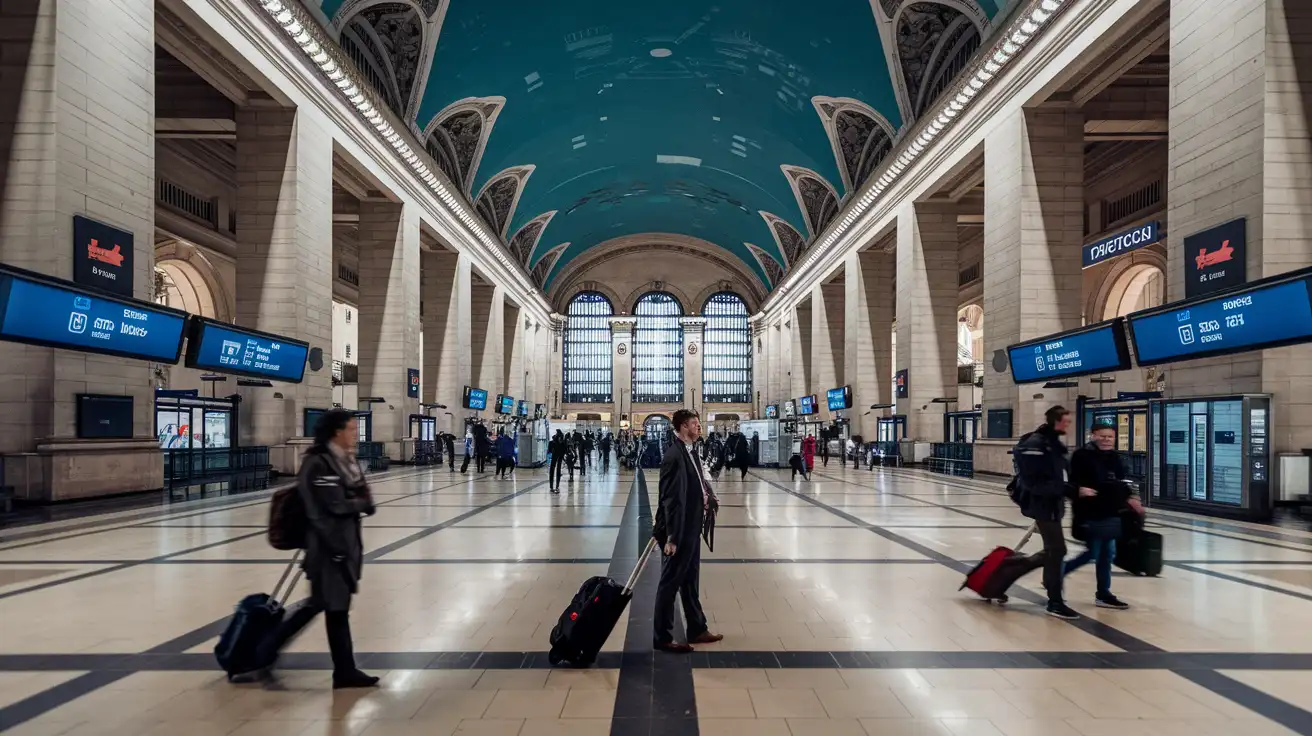
Compare Internet Plans in Paris
 Recommended Recommended | Local SIM / Operator | Roaming | |
|---|---|---|---|
| FEATURES | |||
| Setup time | Few minutes | Store visit + paperwork | Auto |
| No local ID needed | Online checkout | Local ID required | Use home account |
| Speed | 4G/LTE; 5G in some areas | Carrier-grade | Partner-dependent |
| Travel support | English support 24/7 | Operator shops and call centre | Home carrier hours |
| Keep home number | Dual SIM | Replaces it | Same number |
| Cost predictability | Fixed price | Bills can spike | Bill-shock risk |
| PRICING | |||
Typical pricing | See plans below | — | — |
PRICING — PICK YOUR ESIMNO PLAN
Featured eSIM plans
France Mobile

France Mobile
France Mobile
France Mobile
France Mobile
France Mobile
France Mobile
France Mobile


