

Quick Facts
- Best for quick terminal tasks
- Airport WiFi inside KIX
- Best for train transfers and city navigation
- Mobile data via eSIM
- Typical free WiFi cost
- Free, but session quality can vary by crowd and location
- Typical eSIM cost
- Usually about USD 4-12 for short Japan data packages, higher for larger plans
- Best moment to activate
- Right after landing, before heading to JR or Nankai platforms
- eSIMno Networks
- KDDI, Softbank
WiFi at Kansai Airport vs Mobile Data After Arrival
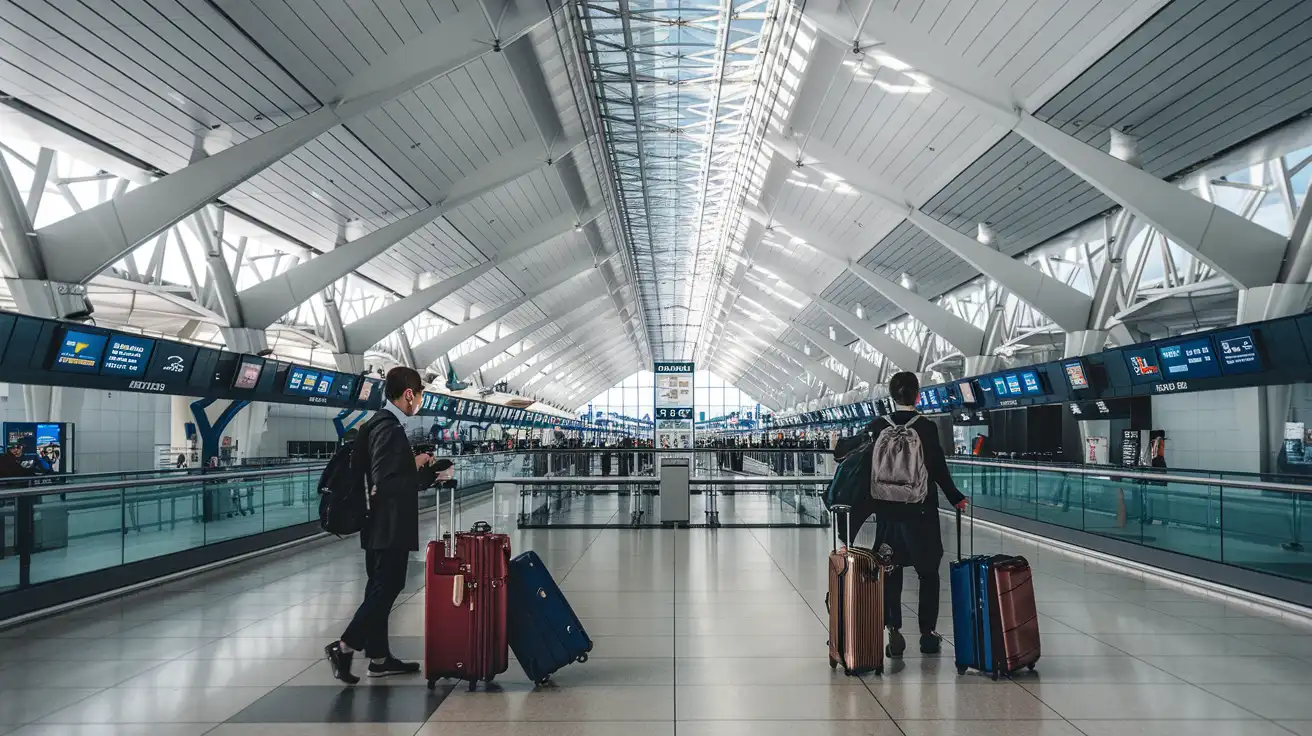
Kansai International Airport is one of those arrivals where the airport itself is only the first chapter. You land on an island, sort out immigration and bags, then almost immediately start planning the next move into Osaka, Kyoto, Nara, or Kobe. That makes the WiFi-versus-data decision more practical than it sounds.
Free airport WiFi is handy for short, stationary tasks. If you want to check your hotel address, confirm a pickup, or look up the next Haruka or Nankai Airport Express departure while you’re still in the terminal, it’s often enough. But once you’re walking between arrivals, ticket machines, and rail platforms, mobile data becomes much easier to live with.
We especially like having data ready before leaving the arrivals area because Osaka trips often start fast. Maybe you’re heading straight to a hotel near RIHGA Royal Hotel Osaka, meeting friends near Kyocera Dome Osaka, or trying to make a timed reservation after a delayed landing. Those are small moments, but they’re exactly where a stable connection saves time. If you want a simple setup before departure, explore eSIMno plans for Kansai International Airport and arrive with data already sorted.
How to Connect
- 1. At Terminal 1 arrivals, use airport WiFi for the basics
After landing at Kansai International Airport, connect to the airport WiFi while you’re still near arrivals seating or baggage claim. This is the right moment to pull up your hotel booking, check the weather in Osaka, and confirm whether you’re taking JR toward Osaka Station or the Nankai line toward Namba. Keep it short and practical. - 2. Before the JR or Nankai gates, switch to mobile data if you’ll be moving
Once you’re heading toward the rail area, mobile data is the better choice. Ticket machines, platform changes, and last-minute route checks are easier without reconnecting to public WiFi. If your first stop is a hotel check-in around The Ritz-Carlton, Osaka or another property in Umeda, you’ll want maps and messages working continuously. - 3. In busy zones like Kuromon Ichiba Market, trust data over public WiFi hunting
If you continue into central Osaka and end up around Kuromon Ichiba Market or nearby streets, don’t waste time searching for café WiFi just to translate a menu, check payment details, or message someone your location. This is where mobile data feels much smoother, especially in narrow, crowded lanes. - 4. For bay-area transfers, set everything before you move again
If your route includes the Tempozan side for Osaka Aquarium Kaiyukan or a ferry-style bay transfer connection in the wider waterfront area, sort your route while you still have a strong signal and keep mobile data on. Bayfront trips often involve multiple transport steps, and it’s much easier if your phone stays connected between stations, bus stops, and waterfront walkways.
Tips
- If your phone supports eSIM, install it before departure and only switch data on after landing. It saves time in the terminal when you’re tired and juggling luggage.
- Keep one map app and one translation app open before you leave the airport WiFi zone. Phones sometimes pause background loading during network changes, and this avoids that awkward dead minute.
- If you’re arriving for a major event period, including international sports traffic in the region, expect busier-than-usual station areas and slower public WiFi logins. Mobile data becomes more valuable on those days.
Arrival Connection Moment
What It Usually Costs
Here’s the simple breakdown. Airport WiFi at Kansai International Airport is free, so for a very short stay inside the terminal, your cost can be zero. That works if you only need a few minutes to check directions or send a message.
Mobile data costs more, but not by much for most short trips. A small Japan eSIM plan often lands in the roughly USD 4 to 12 range, depending on data size and trip length. Larger plans cost more, but they’re still usually cheaper and easier than relying on pocket WiFi rentals for a short Osaka stay.
The real value isn’t just price. It’s continuity. If you’re going from KIX to a hotel, then out again toward Tsutenkaku, Shitennoji Temple, or even a match or concert near Panasonic Stadium Suita later in the trip, having data already working tends to feel worth the small extra spend.
Compare WiFi Options at Kansai International Airport
 Recommended Recommended | Local SIM / Operator | Roaming | |
|---|---|---|---|
| FEATURES | |||
| Setup time | Few minutes | Store visit + paperwork | Auto |
| No local ID needed | Online checkout | Local ID required | Use home account |
| Speed | 4G/LTE; 5G in some areas | Carrier-grade | Partner-dependent |
| Travel support | English support 24/7 | Operator shops and call centre | Home carrier hours |
| Keep home number | Dual SIM | Replaces it | Same number |
| Cost predictability | Fixed price | Bills can spike | Bill-shock risk |
| PRICING | |||
Typical pricing | See plans below | — | — |
PRICING — PICK YOUR ESIMNO PLAN
Featured eSIM plans
Japan Mobile

Japan Mobile
Japan Mobile
Japan Mobile
Japan Mobile
Japan Mobile
Japan Mobile
Japan Mobile


